



As molecular modelers, one common challenge we face is efficiently editing molecular structures while maintaining physical accuracy. This process becomes more complex when dealing with dynamic changes like bond creation, bond breaking, or updates in atom typization. Addressing this, the Interactive Modeling Universal Force Field (IM-UFF) in SAMSON offers a versatile solution for smooth, interactive molecular editing, enabling topology updates without breaking physical realism.
This article explores how IM-UFF can transform your molecular modeling workflow, guiding you in setting it up and running simulations in SAMSON.
What is IM-UFF?
IM-UFF extends the Universal Force Field (UFF), introduced by Rappe et al., to allow for interactive manipulation of molecular systems. Unlike traditional static modeling processes, it dynamically handles molecular topology changes, such as bond creation and breaking, or changes in bond order—ideal for scenarios where building or editing molecular structures interactively is required.
IM-UFF also includes features that make manipulation easier, such as an optional setting that disables van der Waals (vdW) interactions for atoms being actively manipulated, helping you avoid interference during structural adjustments.
How to Set Up IM-UFF in SAMSON
Getting started with IM-UFF in SAMSON is straightforward. Here’s a step-by-step guide:
- First, add the IM-UFF extension. You can do this from the SAMSON Extension Manager by selecting Interactive Modeling Universal Force Field.
- Open a molecular system document to simulate with IM-UFF.
- Add a simulator by navigating to
Edit > Simulate > Add simulator, or using the shortcutCtrl + Shift + M(Windows) orCmd + Shift + M(Mac). - Select Interactive Modeling Universal Force Field as your interaction model.
- Choose your preferred state updater for the simulation (e.g., the FIRE minimizer for geometry optimization).
- Click the OK button to initialize the setup.
Unlike standard UFF, there’s no dedicated setup window for IM-UFF. Instead, you’ll access the parameter window directly, which includes unique options tailored to interactive modeling. These options include toggling between standard UFF and IM-UFF, as well as activating or deactivating vdW calculations for manipulated atoms.
Running an IM-UFF Simulation
Running simulations with IM-UFF unlocks its full potential. Make sure you’ve adjusted the options to fit your workflow—typically, both Static topology and Keep vdW for manipulated should be unchecked for fully interactive modeling.
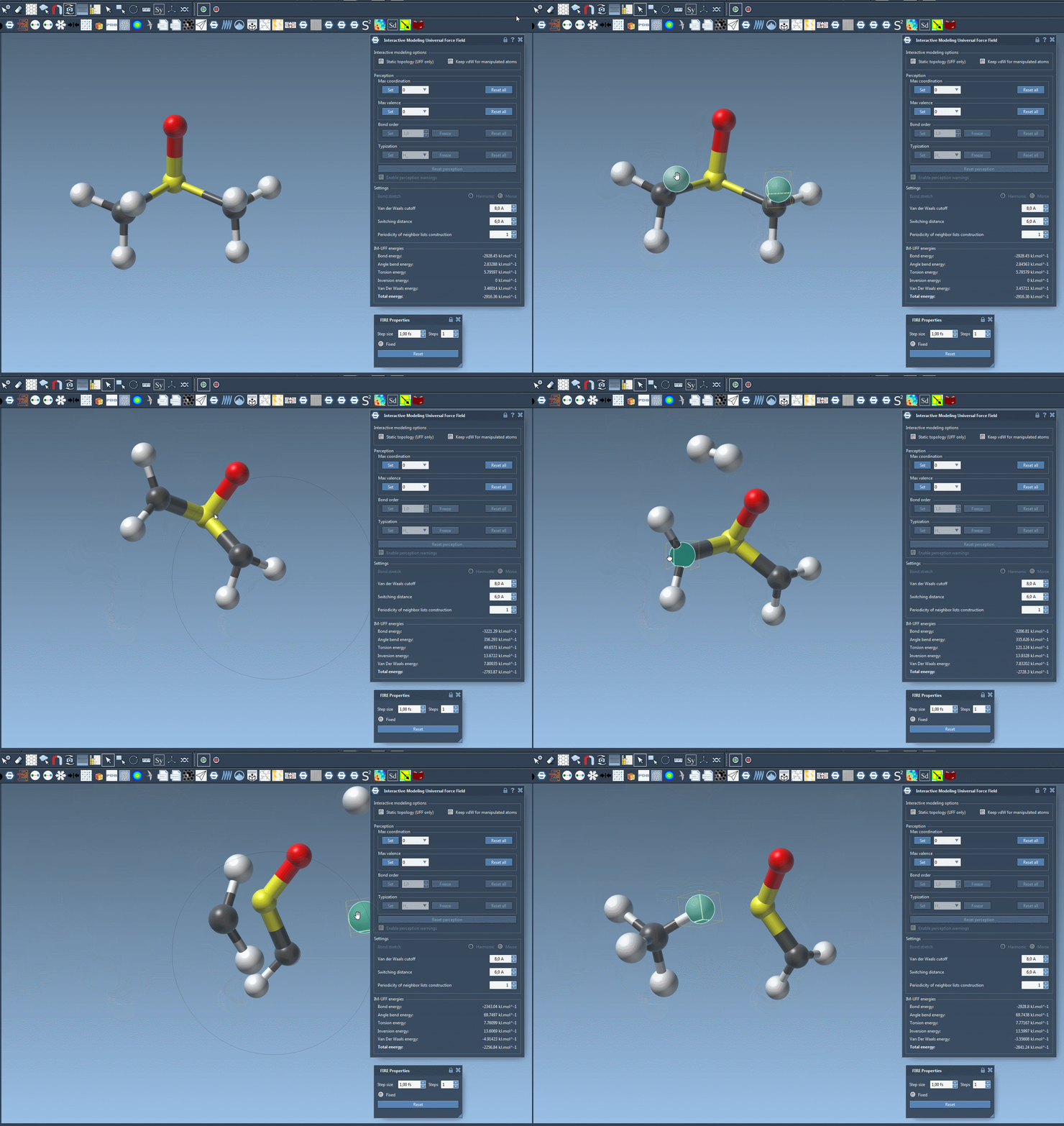
To start the modeling process, select the Edit > Simulate > Start button. Once the simulation is active, you can displace atoms manually using your mouse, seeing their interactions respond dynamically:
- For small displacements, bonds remain intact and the structure locally adjusts.
- Larger displacements result in bond breaking, as the topology is updated accordingly.
- When moving atoms closer to others, new bonds automatically form, allowing you to create new topologies easily.
Explore the behavior of IM-UFF, and compare it to standard UFF or other interaction models to see how it enhances your editing capabilities.
Customization Options
IM-UFF allows for extensive customization to match your simulation needs. You can adjust parameters such as van der Waals cutoff, switching distance, and periodicity of neighbor list construction. In its interactive mode, features like bond order or typization are continuously updated based on atomic positions, enabling seamless transitions between molecular topologies.
Additionally, you can easily delete or add atoms on the fly, with automatic typization updates ensuring consistency within your system. These flexible settings provide a tailored, user-friendly approach to molecular modeling.
Conclusion
The Interactive Modeling Universal Force Field (IM-UFF) is more than just an extension—it’s a tool designed to make molecular editing both intuitive and physically accurate. By simplifying processes like bond creation and breaking, IM-UFF empowers you to focus more on your research goals without worrying about the manual intricacies of molecular topology updates.
Learn more about IM-UFF and its capabilities on the official SAMSON documentation page: https://documentation.samson-connect.net/tutorials/uff/im-uff/
Note: SAMSON and all SAMSON Extensions are free for non-commercial use. Download SAMSON today at https://www.samson-connect.net.