



For molecular modelers tackling complex protein systems or viral capsids, symmetry detection is more than just a visualization trick – it's a gateway to understanding functional interfaces, validating experimental structures, and optimizing simulations. However, detecting and interpreting symmetrical patterns in large biological assemblies can feel daunting. The Symmetry Detection extension in SAMSON simplifies this process and empowers researchers with efficient workflows.
Why Symmetry Matters
Symmetry detection serves multiple roles in molecular modeling:
- Identify functional interfaces: Pinpoint repeating features like binding sites across symmetric components.
- Experiment validation: Verify that experimental structures maintain expected symmetry properties, ensuring confidence in your data.
- Performance efficiency: With symmetry identified, focus your simulations on the unique asymmetric unit, significantly cutting down computational costs.
- Design guidance: Develop symmetric nanomaterials or target specific areas for protein engineering.
Getting Started: Detecting Symmetry in SAMSON
Detecting symmetry with SAMSON is a straightforward process. Follow these steps:
- Open the SAMSON software interface.
- Load your molecular assembly (e.g., importing PDB files like
3NQ4,1CHP, or1B4B). Ensure that biological assemblies are correctly imported depending on your file importer settings. - Navigate to and launch Home > Apps > Biology > Symmetry Detection.
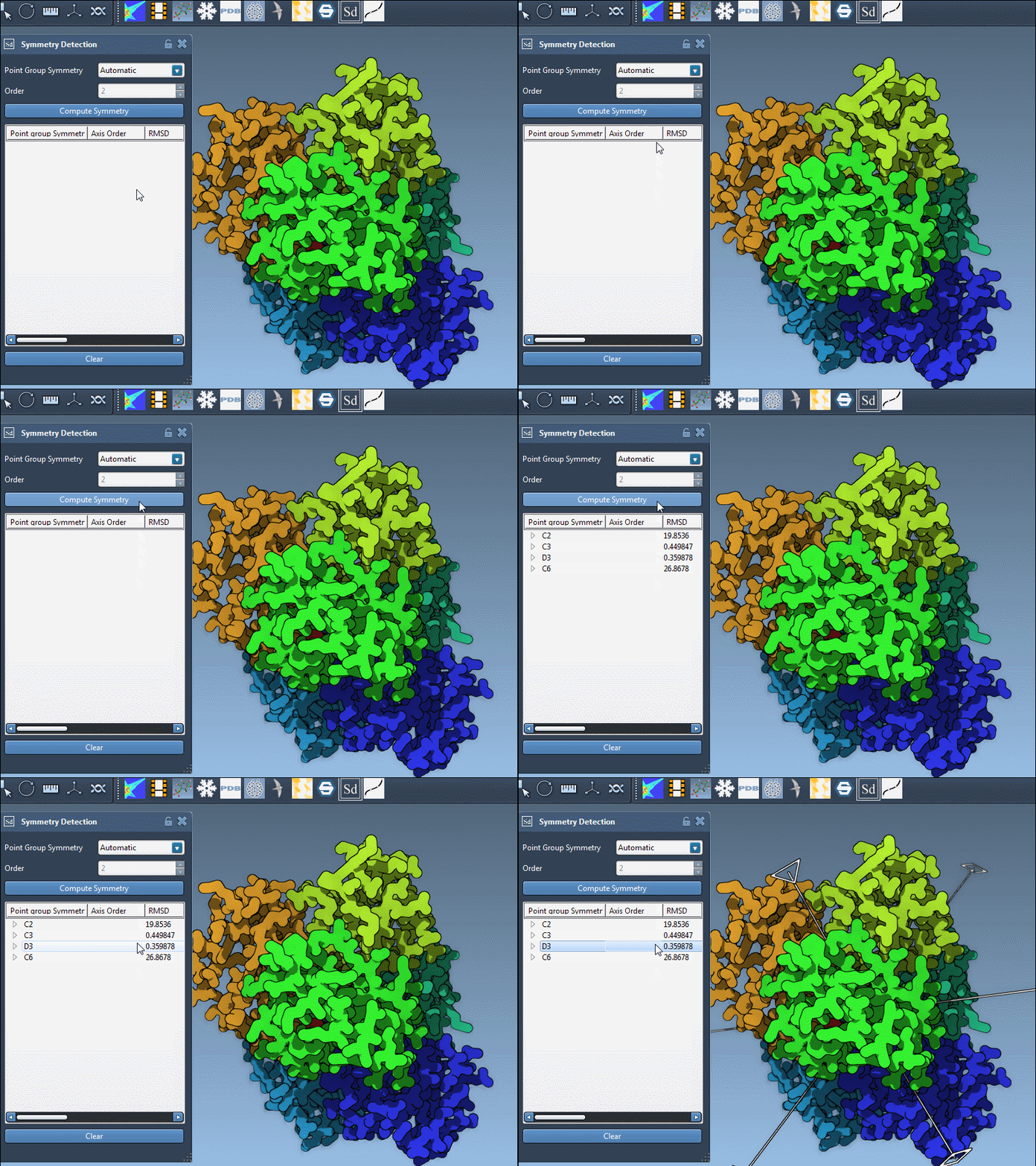
- Click the Compute symmetry button and review the detected symmetry groups. SAMSON visualizes the symmetrical axes directly onto your model.
- Select the most relevant axis of interest, either manually or based on the provided RMSD values.
Case in Point: Icosahedral Symmetry of a Viral Capsid
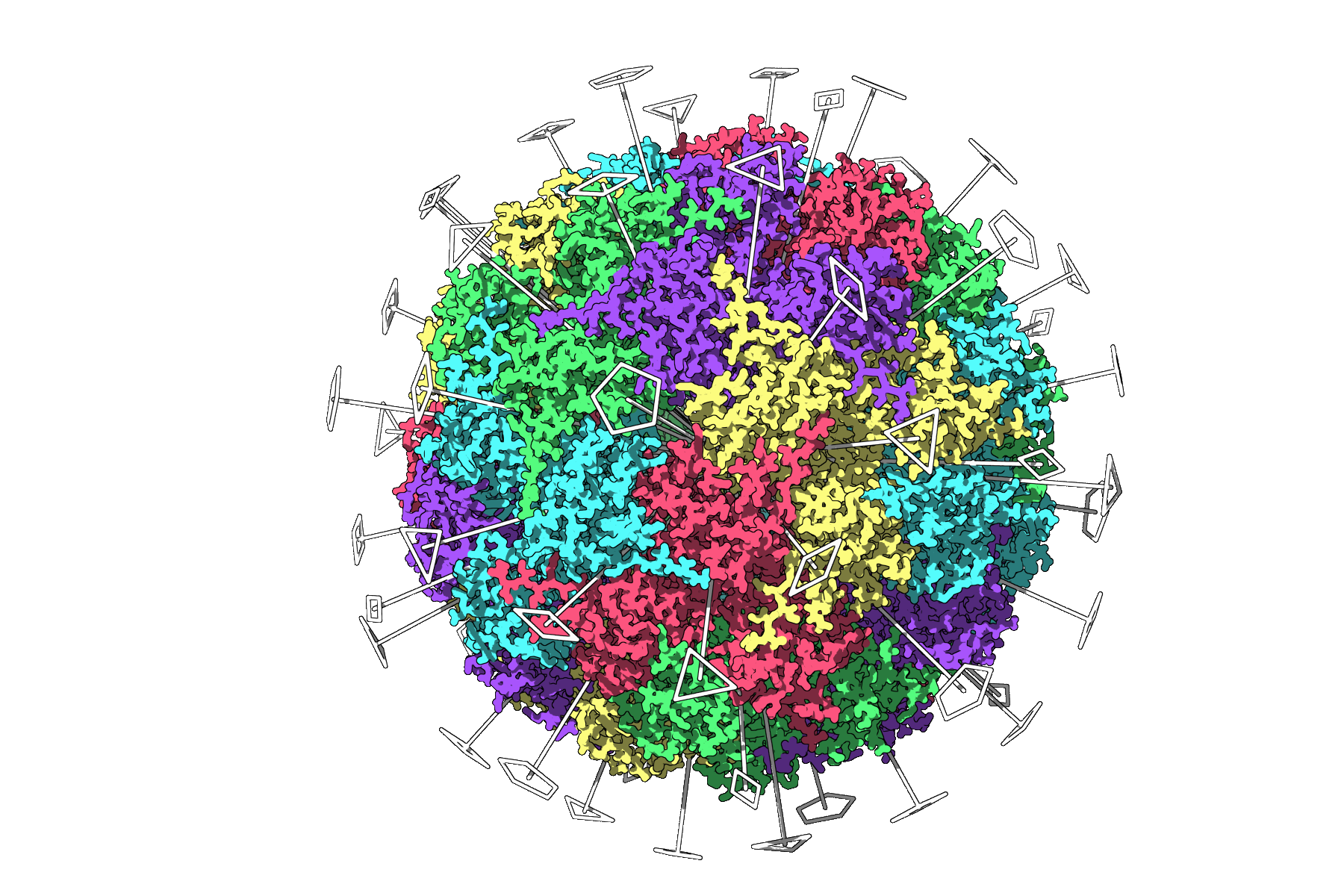
Let's take the case of the icosahedral viral capsid 3NQ4, a classic use case for symmetry detection. By using the extension, SAMSON automatically identifies all 2-, 3-, and 5-fold axes of the capsid, providing elegant symmetries that are ready for inspection or use in simulations. These symmetry axes allow researchers to hone their simulations on unique structural components, sidestepping unnecessary computational overhead.
Leveraging Symmetries for Efficiency
The flexibility of SAMSON's Symmetry Detection doesn’t end at finding symmetrical axes. Once detected, users can:
- Pick higher-order groups with small RMSD values for more accurate representations.
- Visualize axes distinctly in the viewport using single- or double-clicks to either highlight or align the camera to the selected axis. This is especially useful when analyzing complex systems, such as the dihedral symmetry in
1B4Bstructures.
Tips for Enhanced Visualization
While SAMSON automates symmetry detection, you can create better visualizations for presentations or publications with these tips:
- Combine symmetry axes with Ribbon or Surface models for clear structural context.
- Use per-chain coloring to highlight asymmetric units and emphasize repeating motifs.
- Leverage SAMSON's Viewport snapshot functionality to export figures seamlessly.
Next Steps
With symmetry clearly defined, make the most of your models by:
- Exporting asymmetric units for targeted protein-modeling simulations.
- Designing mutations or ligands that complement the detected symmetry.
- Applying symmetry workflows to nanoparticle studies or related endeavors.
For a deeper dive into symmetry detection and examples, visit the documentation page at this link.
Note: SAMSON and all SAMSON Extensions are free for non-commercial use. Get SAMSON today at https://www.samson-connect.net.