



For molecular modelers working with large protein complexes, viral capsids, or other biological assemblies, detecting and understanding symmetry is both a critical need and a time-saving trick. SAMSON offers a dedicated Symmetry Detection extension that simplifies this process, allowing researchers to uncover structural foundations for their assemblies and optimize workflows.
But how does symmetry detection in SAMSON solve your modeling pain points? Let’s dive into practical examples and workflows for improving your molecular designs.
Why Symmetry Awareness Matters
In molecular modeling, symmetry is more than just a structural curiosity—it directly impacts design decisions and computational efficiency. For example:
- Identify functional interfaces: Repeated symmetry helps locate regions of interest for binding or interaction studies.
- Reduce computational workload: By identifying the unique asymmetric unit, you can focus simulations on smaller and representative regions.
- Validated experimental data: Confirm if structural data aligns with predicted or theoretical symmetry groups.
- Guide molecular design: Use symmetry insights for designing symmetrical nanomaterials, engineered proteins, or other creative applications.
How to Get Started with the Quick-Start Tutorial
Symmetry detection in SAMSON is flexible and easy to adapt to various projects. Follow these steps to analyze biological assemblies:
- Launch SAMSON and open the biological assembly (e.g., structures like PDB
3NQ4,1CHP, or1B4B). - From the SAMSON interface, go to Home > Apps > Biology > Symmetry Detection.
- Simply click Compute symmetry to initiate the analysis of possible groups and axes.
- Browse suggested symmetry groups. Click on axes of interest to highlight them in the molecular viewport.
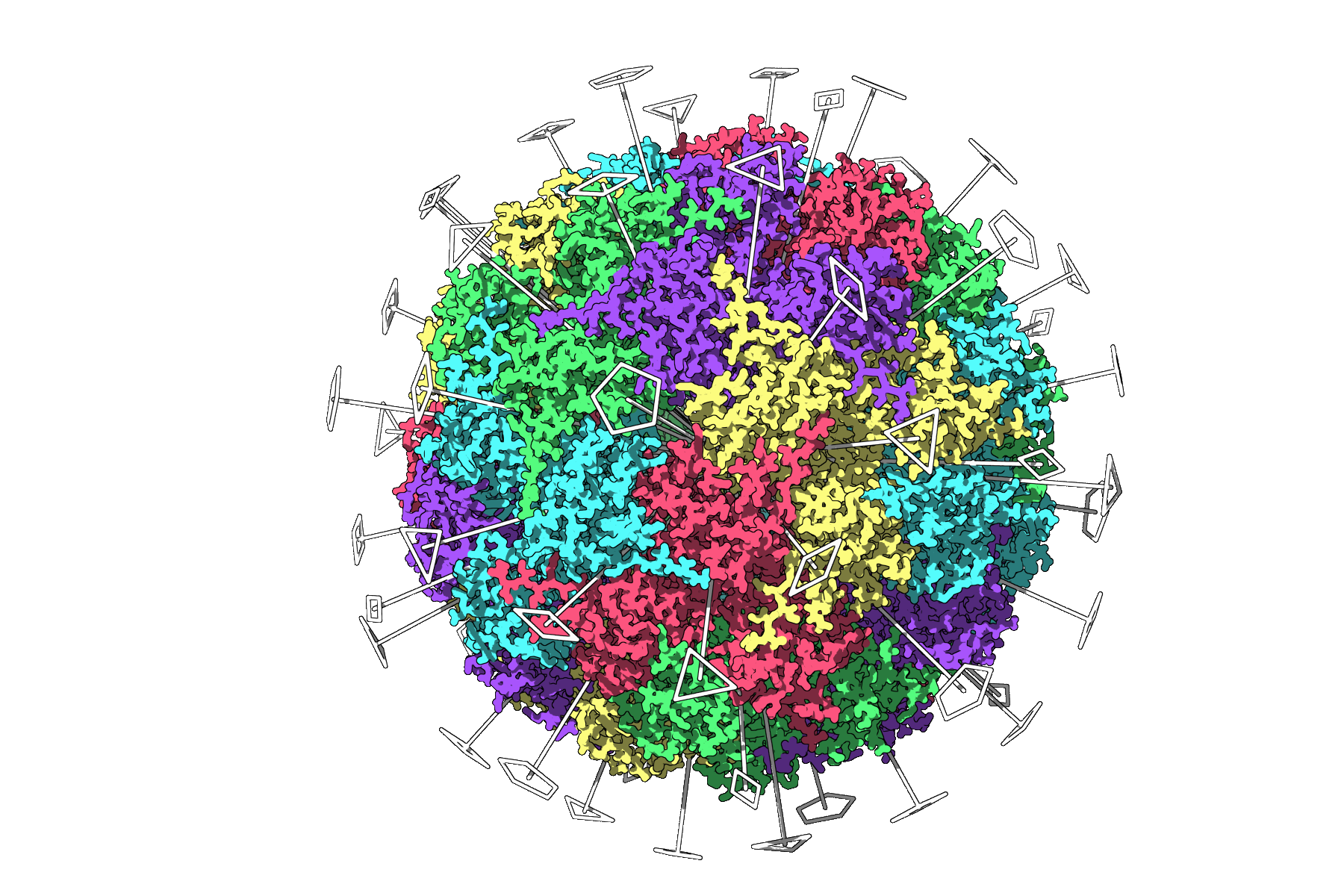
Example Case Study: Icosahedral Symmetry of 3NQ4
One fascinating application of symmetry detection is analyzing the icosahedral capsid structure of 3NQ4. When symmetry is computed, SAMSON displays all 2-, 3-, and 5-fold axes visually, emphasizing the modular nature of this viral capsid.
This facilitates selecting a unique asymmetric region for running in-depth simulations when full-scale modeling would be computationally prohibitive. The capability also aids in visualizing symmetry axes alongside biological contexts, aiding effective communication for research publications.
Efficiency with Multiple Symmetries
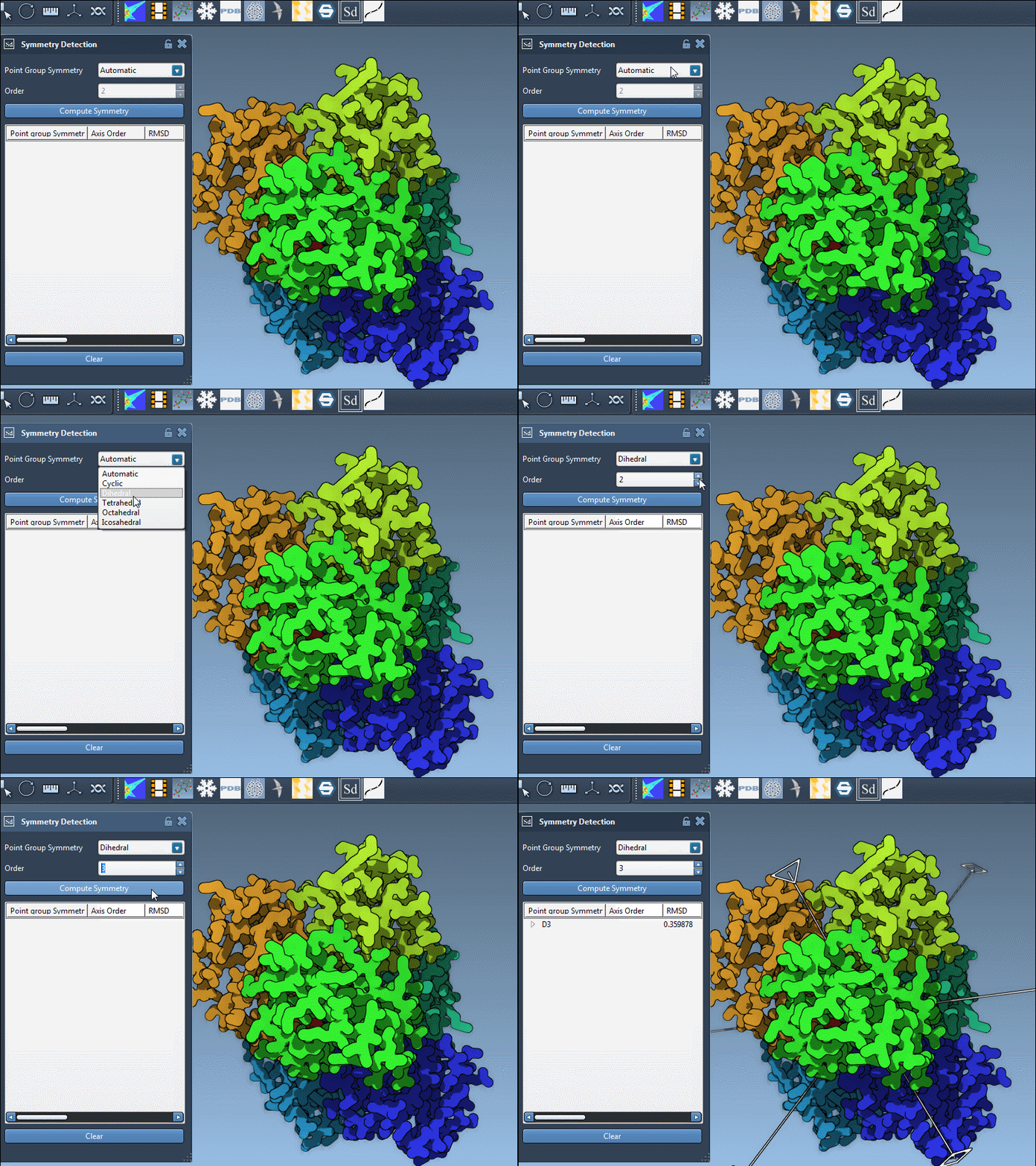
For large systems with plausible multiple symmetry groups (like 1B4B), SAMSON enables informed decisions for manual symmetry selection:
- Focus on axes with higher-order groups and lower RMSD (root-mean-square deviation) values for best-fit precision.
- When primary axes are ambiguous, clearly highlighted options simplify exploration while allowing realignment tools for optimal visualization.
Visualization Tips for Better Insights
The visual examination plays a crucial role in symmetry analysis. SAMSON’s viewport tools make it easy:
- Color asymmetrical units differently: Use distinct colors for structural repeats for clear context.
- Combine visual models: Overlay symmetry axes on ribbon or surface layouts for better clarity.
- Create snapshots: Save informative figures directly from SAMSON for use in presentations or research papers.
Next Steps to Apply Symmetry Detection
If you are new to molecular modeling or are working on symmetry-based designs, here are some practical directions:
- Export the asymmetric unit for protein-modeling simulations.
- Design mutations or ligands based on visualized symmetry axes.
- Apply these workflows to nanostructure design or tailored docking approaches.
For more details and technical guidance, visit the SAMSON documentation page on Symmetry Detection.
SAMSON and all SAMSON Extensions are free for non-commercial use. Download SAMSON now at https://www.samson-connect.net.