



For molecular modelers, symmetry plays a key role in simplifying complex structures. Whether you’re investigating viral capsids, protein complexes, or designing nanomaterials, identifying symmetry axes can save you time and computational effort. In this post, we delve into how the Symmetry Detection extension in SAMSON can make this process easier and more effective.
Why Symmetry Matters in Molecular Modeling
Symmetry is not just an academic curiosity. Detecting symmetry in molecular assemblies addresses several pressing challenges:
- Recognize functional interfaces: Understanding repeating patterns can reveal functional sites in biological structures.
- Validate experimental data: Symmetry helps verify structural integrity when comparing experimental and expected results.
- Reduce computational costs: Focusing on asymmetric units minimizes the resources required for simulations.
- Guide molecular design: Applications like nanomaterials or mutation studies benefit profoundly from symmetry insights.
Supported Symmetry Types
This extension covers a wide range of symmetry types:
- Cyclic (Cn): E.g., C2, C3, and so on.
- Dihedral (Dn): E.g., D2, D3, etc.
- Cubic: Includes tetrahedral, octahedral, and icosahedral symmetries.
For instance, large protein complexes like viral capsids often display icosahedral symmetry (T, O, I), which can simplify analysis significantly.
How to Use the Symmetry Detection Extension
Getting started with the Symmetry Detection extension is straightforward:
- Load your biological assembly into SAMSON (e.g., via PDB import).
- Navigate to Home > Apps > Biology > Symmetry Detection.
- Click Compute symmetry, and the extension will provide detailed results of detected symmetry groups.
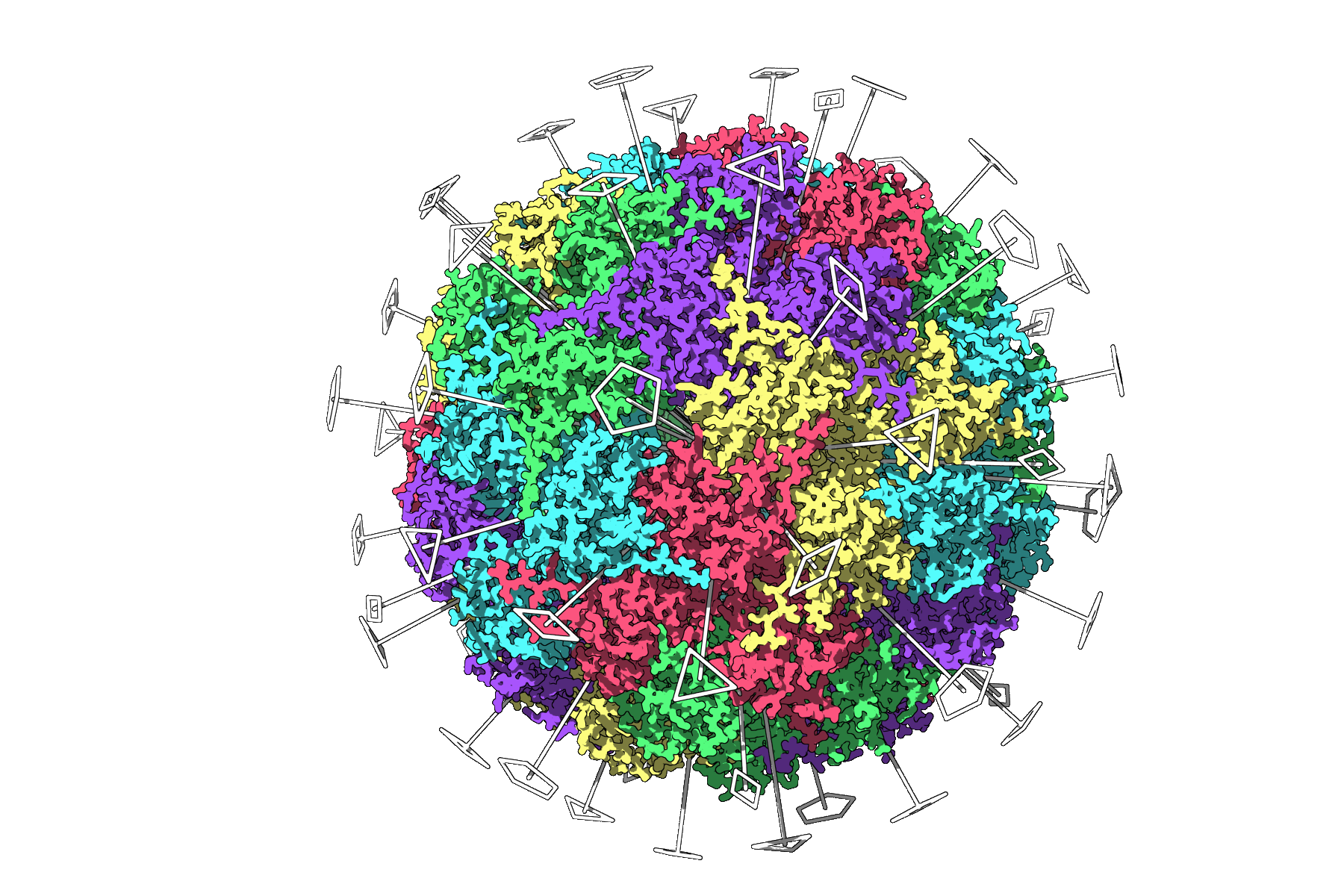
For example, the symmetry detection tool can identify detailed icosahedral symmetry in a capsid, including all 2-, 3-, and 5-fold axes. The visual highlight of axes supports quick identification of unique asymmetric units, saving time and effort before launching heavy simulations.
Tips for Working with Multiple Symmetries
When modeling large assemblies, the tool may suggest several plausible symmetry groups. Here are strategies for refining results:
- Prioritize higher-order groups: Look for groups with the lowest RMSD values.
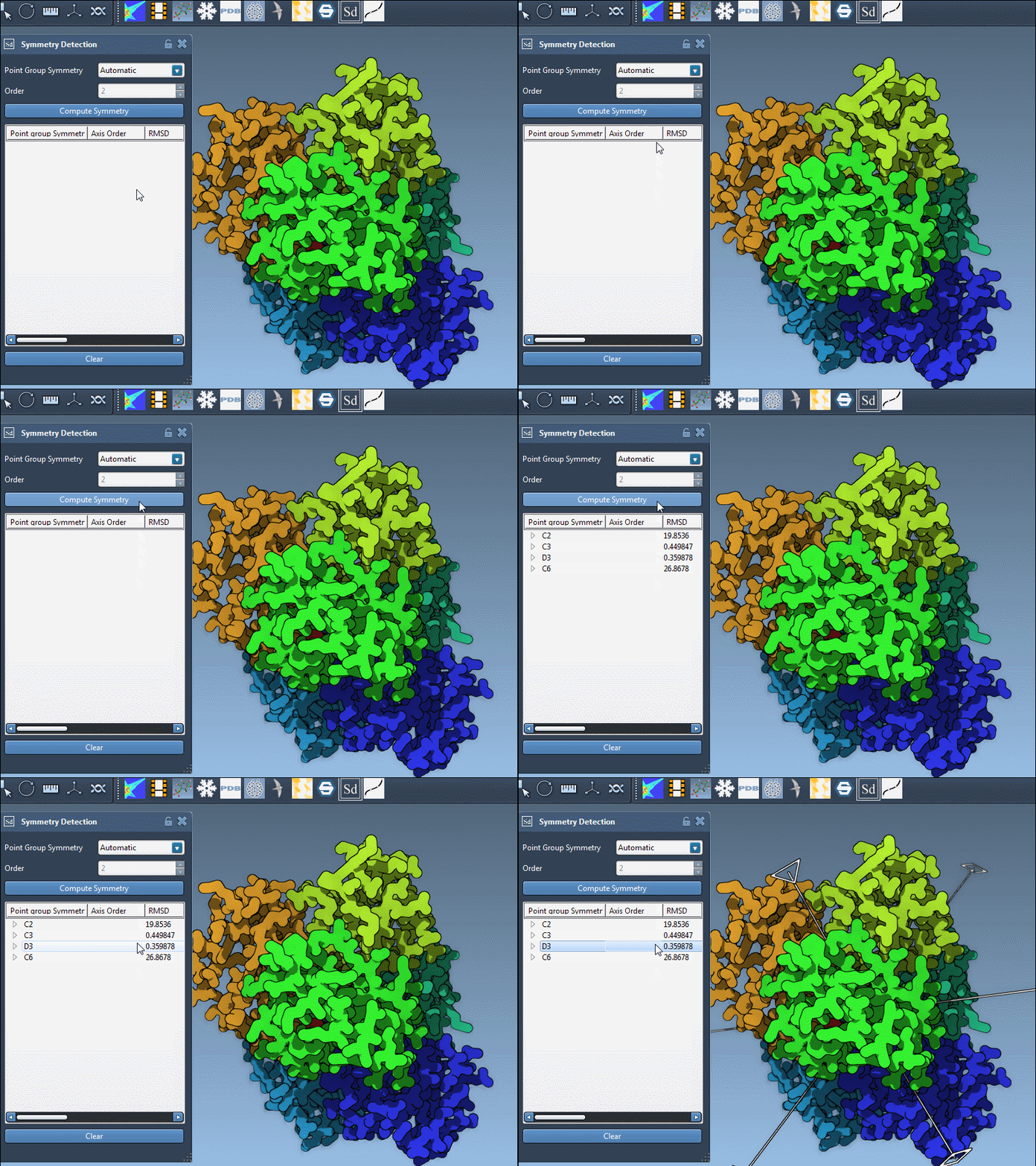
- Explore individual axes: Expand symmetry groups in the tool to see associated axes and their RMSD scores.
- Manual group specification: If you already know what symmetry to expect, manually set it within the tool for more targeted results.
Below is an example of selecting dihedral symmetry (D3) for the molecule 1B4B:
Exporting and Further Use
Once symmetry groups are defined, consider exporting asymmetric units for targeted simulations. Symmetry also opens new avenues in ligand design by identifying optimal configurations. Moreover, researchers in the field of nanotechnology often explore symmetry to guide nanoparticle development.
To learn more, visit the official documentation page.
Note: SAMSON and all SAMSON Extensions are free for non-commercial use. Download SAMSON today at www.samson-connect.net.