



As a molecular modeler, you may often encounter the challenge of quickly preparing molecular systems for accurate simulations. The Universal Force Field (UFF) in SAMSON provides an efficient and straightforward solution, automating much of the setup and ensuring your focus remains on what matters most: the analysis.
Why Automate Force Field Setup?
Carefully preparing your system—computing bonds, bond orders, and atom types—before simulation is essential for accuracy. However, manually handling such operations can be time-intensive and prone to error, especially for complex molecules or beginners exploring molecular simulations for the first time. With SAMSON’s UFF, manual typization is a thing of the past.
Steps to Get Started with UFF in SAMSON
Setting up UFF in SAMSON is highly intuitive. Follow these practical steps to integrate UFF in your workflow:
- Open Your Molecular System: Load the molecular system that you want to simulate in SAMSON.
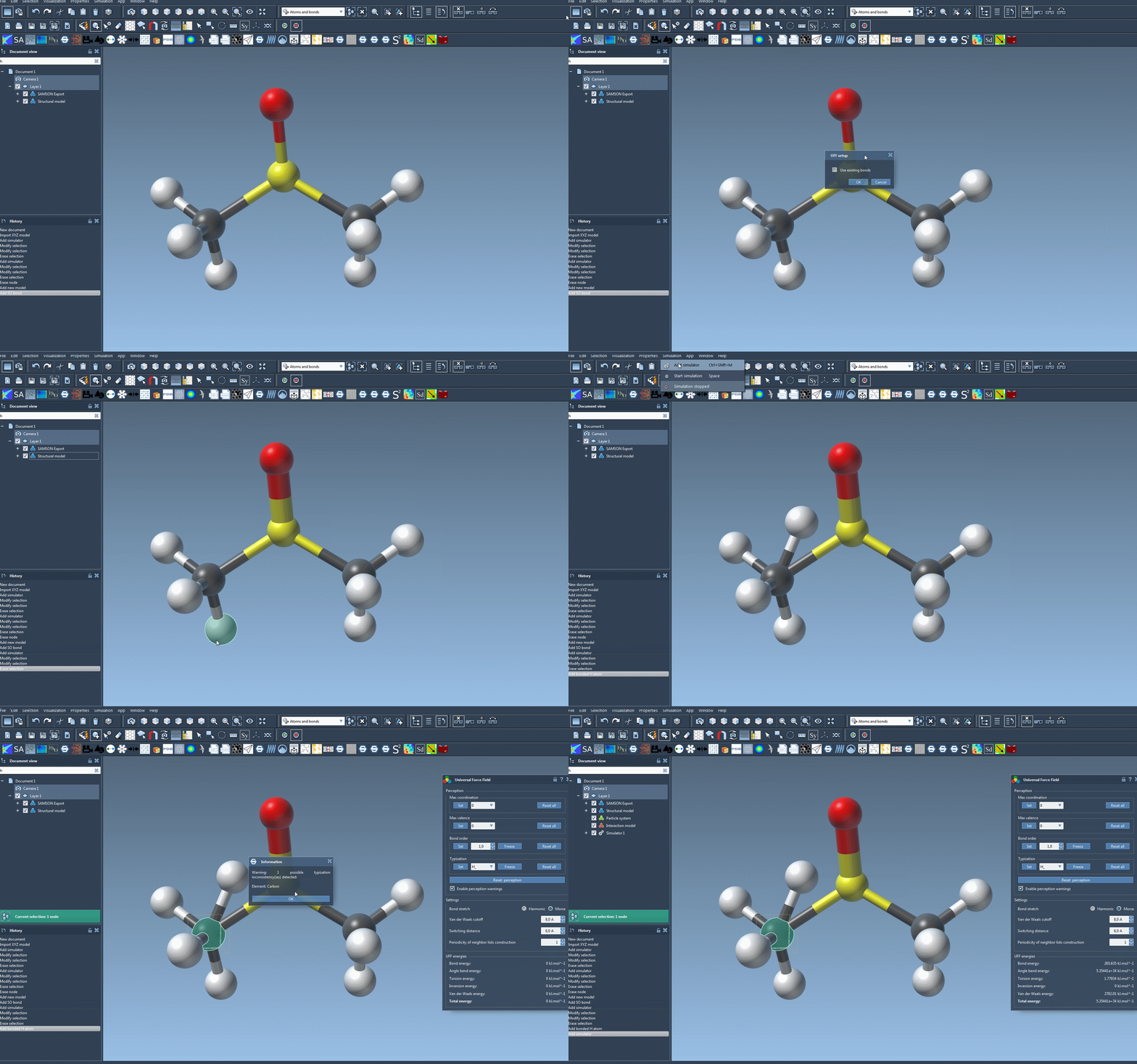
- Add the Simulator:
- Go to
Edit > Simulate > Add simulator, or simply use the keyboard shortcut:
Ctrl + Shift + M (on Windows/Linux) or Cmd + Shift + M (on Mac).
- Go to
- Select UFF: When prompted, choose the Universal Force Field from the list of interaction models.
- Finalize Setup:
- If you want to retain existing bonds, check the Use existing bonds option in the setup window. Otherwise, UFF will recompute bonds based on atom types and positions.
- Click the OK button to complete the setup.
Once these steps are complete, SAMSON handles all preliminary computations, including evaluating bonds and typizing atoms automatically. This ensures that you can proceed directly to simulation with minimal setup time.
What UFF Does for Your Simulations
Once activated, UFF initializes your molecular system by performing the following actions:
- Computing covalent bonds (if Use existing bonds was left unchecked).
- Determining bond orders for accurate molecular interactions.
- Assigning atom types based on the atomic structure and chemistry.
If inconsistencies arise during setup, SAMSON alerts you with clear warnings, making troubleshooting straightforward.
Running a UFF Simulation
With everything ready, initiating a UFF simulation is just as simple:
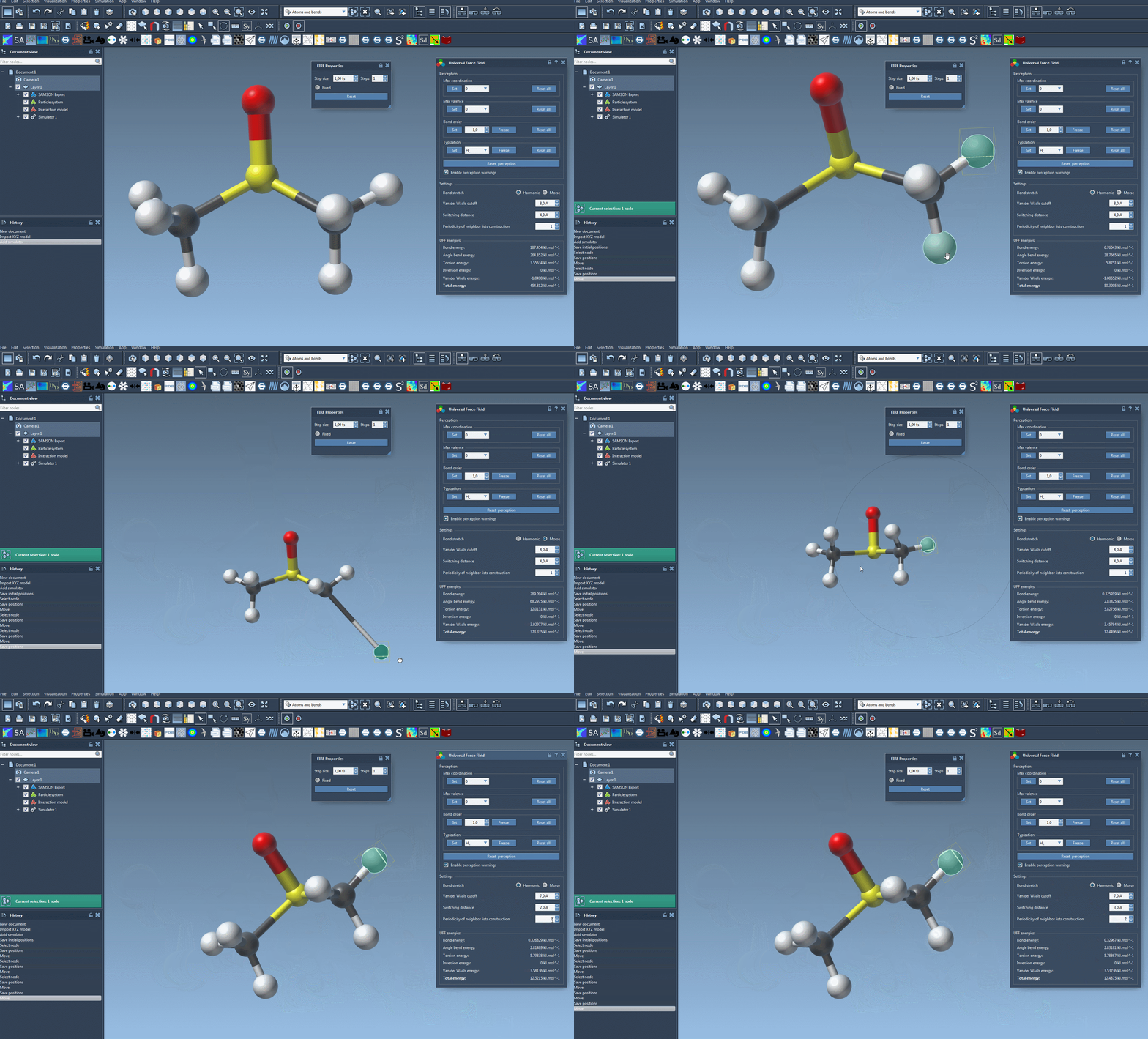
- Click on
Edit > Simulate > Start.
The simulation displays the energy contributions of each UFF term and the total energy. You can even interact with the molecular structure during the simulation, moving atoms to see immediate updates in their positions, thanks to the dynamic UFF model.
Why Try It?
SAMSON’s UFF module doesn’t just remove the tedium; it empowers modelers to focus on the science, offering automated precision for faster insights. By simplifying the steps for force field integration, you also reduce the likelihood of manually-induced discrepancies, ensuring consistency and reliability in your findings.
Learn More
Ready to make your molecular workflows more efficient? Explore the complete tutorial and dive deeper into UFF’s capabilities. Visit the original documentation page here: https://documentation.samson-connect.net/tutorials/uff/uff/.
Note: SAMSON and all SAMSON Extensions are free for non-commercial use. Get SAMSON at https://www.samson-connect.net.