



Molecular modelers often face the challenge of designing new molecule series to explore substitutions and assess their impact on molecular properties efficiently. How can you streamline this process without leaning on tedious manual edits? Enter positional analogue scanning in SAMSON’s SMILES Manager—it’s here to simplify molecular design workflows by helping researchers effortlessly generate analogue series from a starting molecule and a SMARTS pattern.
The starting point: Define your molecule
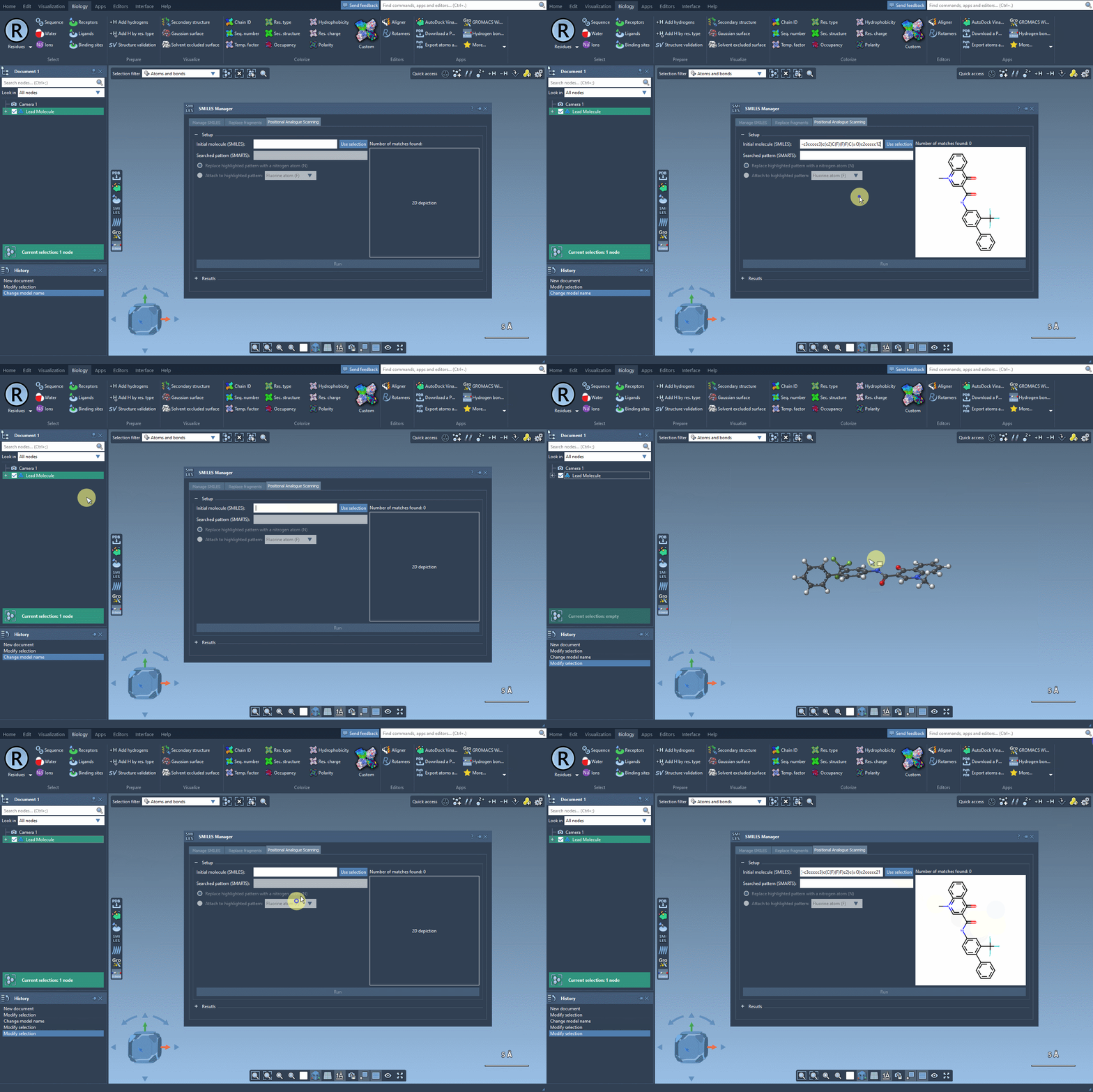
The process begins by inputting your starting molecule. You can either type its SMILES code directly or select the molecule in your working document and use the Use selection button. For example, imagine working with the molecule CN1C=C(C(=O)Nc2ccc(-c3ccccc3)c(c2)C(F)(F)F)C(=O)c2ccccc12. With a single click, your molecule is ready to undergo analogue generation, as shown in the screenshot below:
Zero in on your target pattern
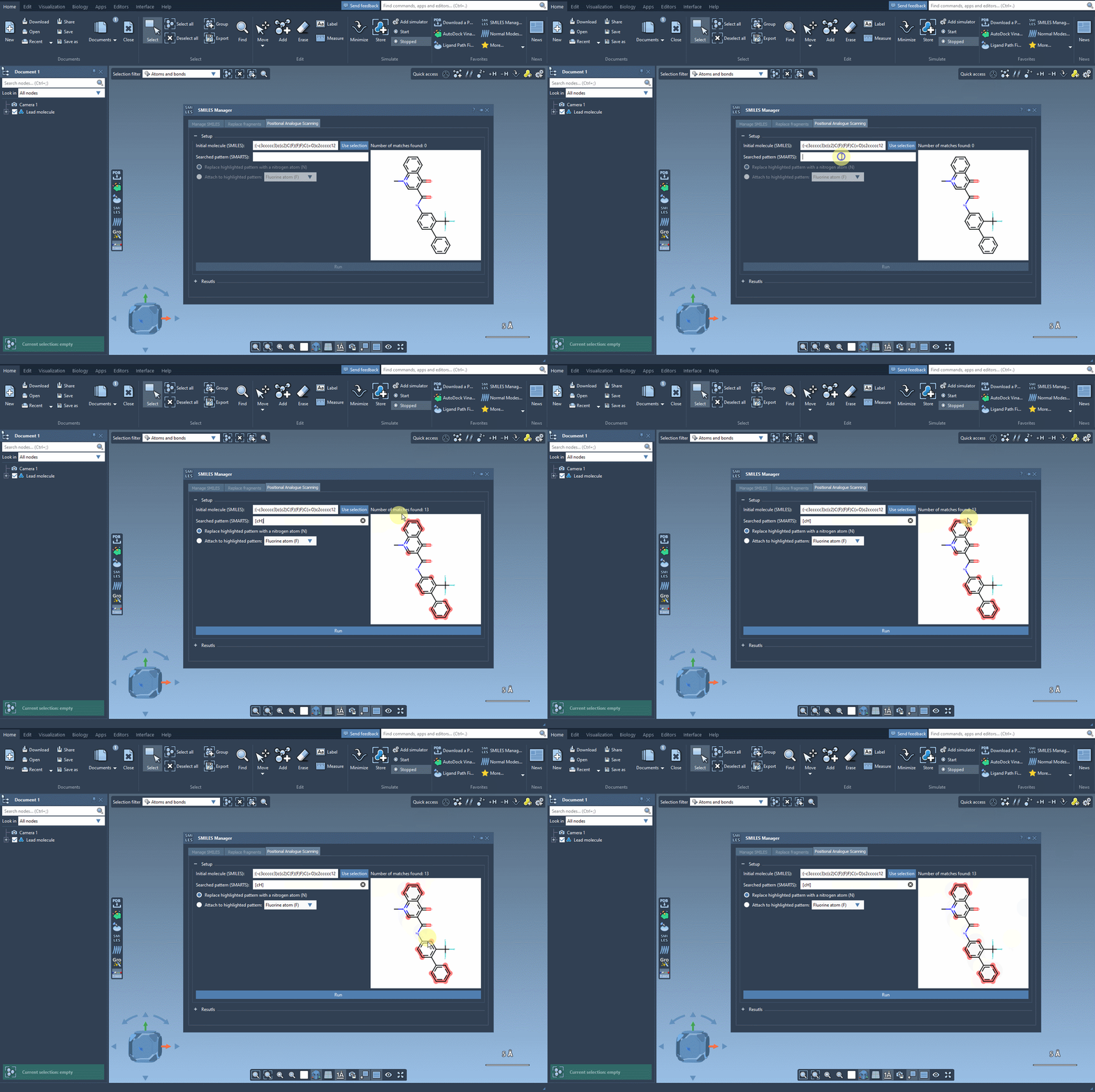
Next, identify the part of the molecule you want to focus on—this is where SMARTS patterns come into play. For instance, if you want to explore modifications involving aromatic carbon, input the SMARTS code [cH]. The software will conveniently highlight every matching occurrence in your molecule, streamlining substitution targeting. The visualization makes it effortlessly clear where changes will apply, just like in the example below:
Run substitutions in seconds
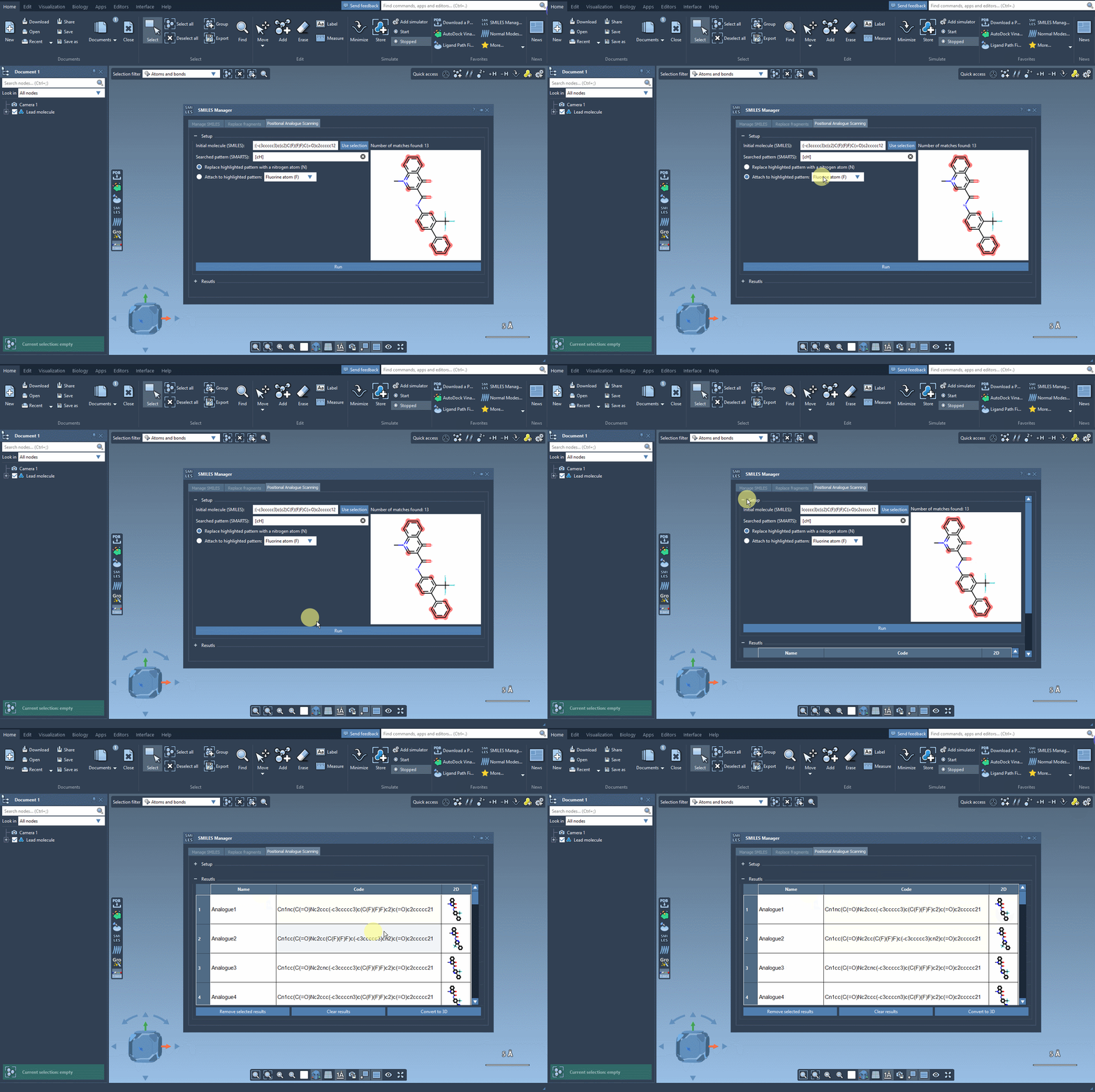
Once you’ve identified the pattern, SAMSON allows you to replace or attach new groups. Let’s say you want to replace aromatic carbon with nitrogen (N) or attach functional groups like fluorine (F) or methyl (CH3). After selecting your desired modification, click the Run button. In moments, you’ll have a series of analogs generated, complete with their SMILES codes and 2D depictions. This rapid workflow ensures you can stay focused on your analysis rather than spending time generating molecules manually. The output looks something like this:
Refine and analyze your results
SAMSON’s SMILES Manager goes beyond simply generating analogs—it gives you detailed tools to refine your results:
- Edit names and SMILES codes: Double-click any cell in the results table to rename or modify a generated molecule.
- Examine images: View enlarged 2D structure images by double-clicking or right-clicking them.
- Filter and organize: Easily toggle the display of 2D images or remove unwanted entries by selecting analogs and using the Remove selected results or Clear results options.
3D exploration made simple
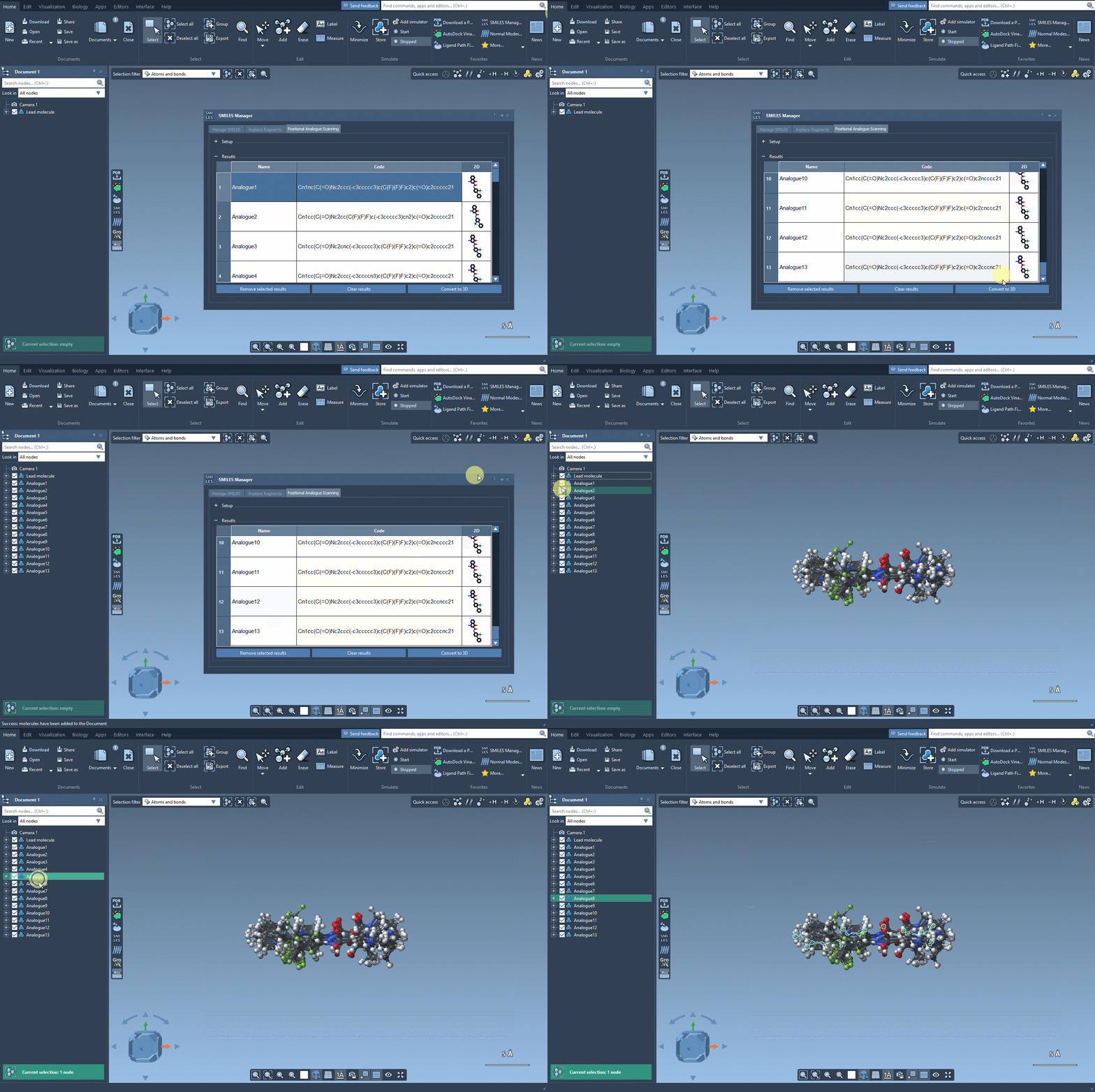
Need a deeper dive? Convert your 2D analogs into 3D structures with the Convert to 3D button. This feature allows you to further analyze your results, like performing docking simulations to evaluate molecular interactions. Pair the positional analogue scanning results with SAMSON’s AutoDock Vina Extended extension to explore how substitutions affect a molecule’s interaction with a specific protein target.
Transform your design strategy
Positional analogue scanning in SAMSON is more than just about generating structures—it’s about enabling smarter molecular design. From rapid analogue creation to seamless integration with docking and interaction analyses, the workflow helps you make informed decisions quickly. You can dive deeper into the details of this feature in the official documentation.
Note: SAMSON and all SAMSON Extensions are free for non-commercial use. Get your free version at https://www.samson-connect.net.