



One of the most common frustrations molecular modelers face is lack of control over how simulation tools interpret chemical structures. Automatically detected atom types and bond orders are often sufficient, but there are many cases—organometallic systems, delocalized bonding, non-standard valence—where this automatic perception can misrepresent the actual system.
If you’ve ever wished you could tell your simulation precisely how to interpret your molecular structure, this post is for you. SAMSON’s Universal Force Field (UFF) module includes advanced features that let you customize atom types and bond orders directly. Here’s how you can take advantage of these tools to have a say in how your molecular system is interpreted and simulated.
Why Custom Bond and Type Settings Matter
By default, UFF in SAMSON automatically computes atom types and bond orders based on atomic positions and connectivity. This works well for many systems, but in more complex or unconventional molecules, you might need to:
- Force a particular bond order despite calculated distances
- Assign specific UFF atom types when the default ones don’t fit
- Prevent automatic updates when the molecule is edited
UFF allows you to do all of this through an intuitive parameter window.
How to Customize Bond Orders
To manually edit bond orders in your model:
- Select the bond(s) you want to modify.
- In the UFF parameter window, choose a bond order value between
0.1and3.9. - Click Set in the Bond Order section.
You can also Freeze a bond order to prevent it from changing in future automatic perception steps. This is especially useful when you’re fine-tuning a structure and don’t want your preferences to be overwritten.
Forcing Atom Types
Sometimes the default atom typization doesn’t reflect the chemical environment you wish to simulate. To change atom types manually:
- Select the atom(s) whose type you want to set.
- Choose the desired UFF atom type in the parameter window.
- Click Set in the Typization section.
Just like with bond orders, you can Freeze atom types so they remain fixed through structural editing or re-perception operations.
Coordination and Valence Limits
UFF enables you to define the maximum Coordination Number (number of neighbors) and Valence (taking bond orders into account) for each atom:
- Modify these values through dropdowns in the parameter window.
- Click Set to apply changes.
Do note that these changes are only applied if your new limits are lower than the default ones—this is to prevent invalid configurations.
Resetting and Recomputing
You can undo all customizations by clicking the Reset All buttons in each section. To recompute perception (bonds, types) taking into account your current customizations, use Reset Perception.
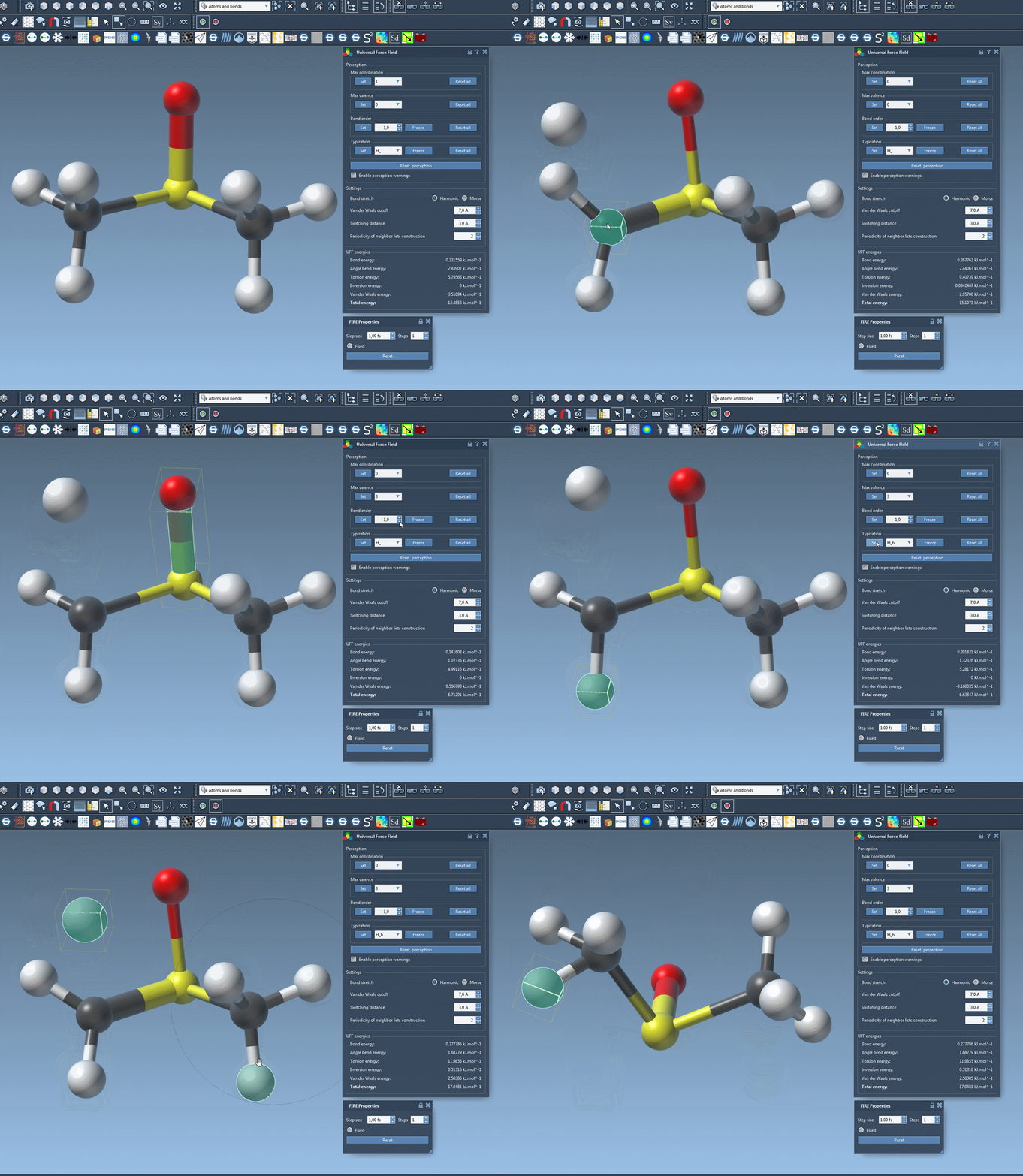
This level of customization is powerful but should be used with care. It’s best suited for advanced users who need fine control for systems that can’t be treated adequately with automatic perception alone.
Learn more from the full documentation page: UFF in SAMSON – Full Documentation
SAMSON and all SAMSON Extensions are free for non-commercial use. You can get SAMSON at https://www.samson-connect.net.