



Defects in crystals are a key area of interest for molecular modelers and researchers. These defects can affect the physical, electronic, and optical properties of materials, making them critical to understand and model accurately. In this blog post, we’ll explore how the SAMSON platform and the Crystal Creator extension help you generate diamond crystals, introduce defects, and analyze their impact.
What Are Crystal Defects?
Crystal defects refer to irregularities or imperfections in the crystal lattice. These might include missing atoms, substitutions, or vacancies, which can influence a material’s properties. For example, defects in diamonds can modify their thermal conductivity or strength, making accurate modeling of these defects crucial in materials science.
Creating Diamond Crystals with Defects
Using SAMSON’s Crystal Creator extension, you can generate diamond crystals, customize their structure, and simulate imperfections.
Step 1: Load a Diamond Crystal
You can start by importing a diamond .cif file into SAMSON. The Crystal Creator app enables you to load the crystal, visualize its atomic structure, and add bonds. If you’re new to loading models, the User Guide can walk you through this process step-by-step.
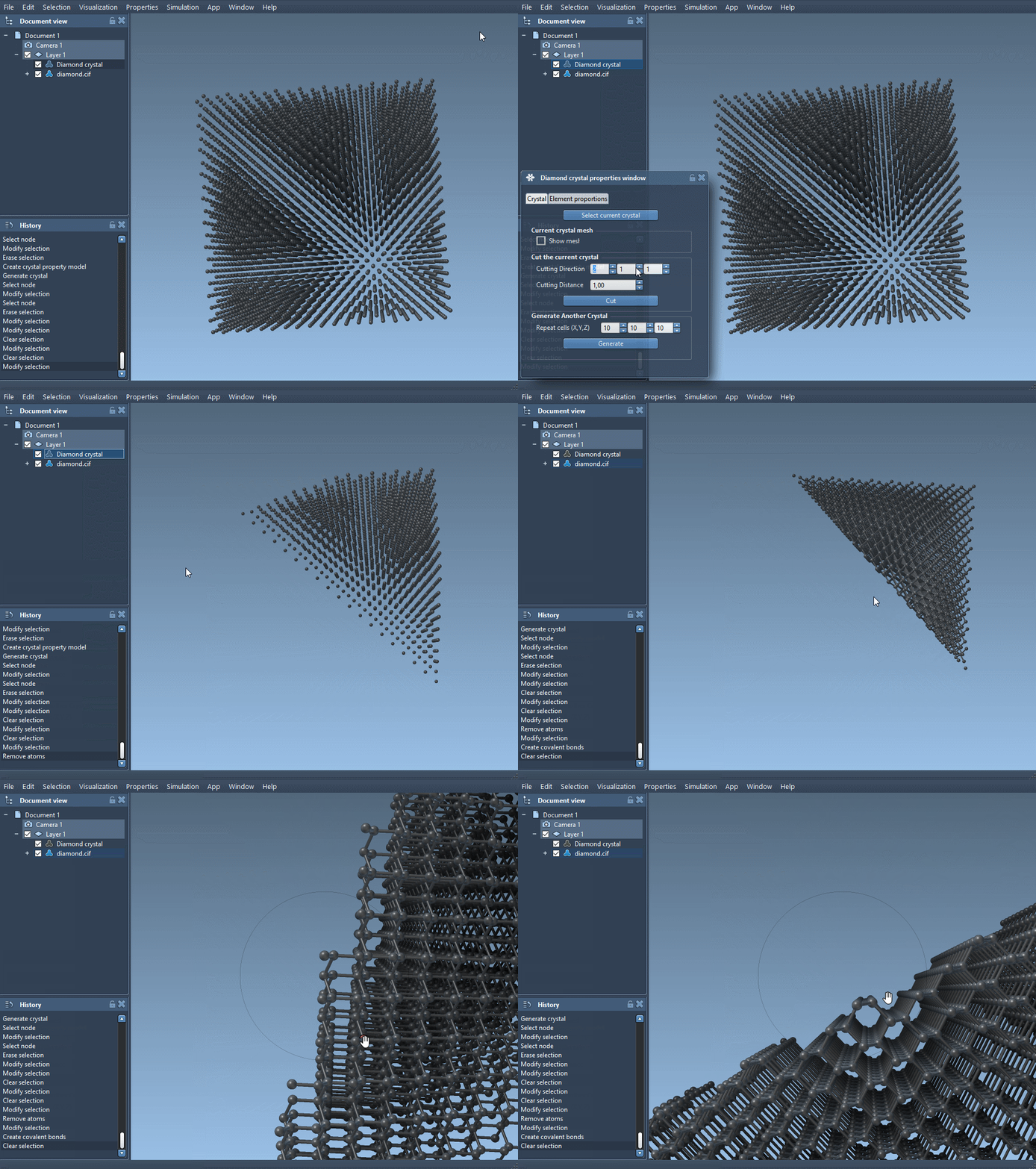
Step 2: Add Defects to the Crystal
To introduce defects, follow these steps:
- Make a copy of your
.ciffile and open it in a text editor. - Locate the section that looks like this:
|
1 2 3 4 5 6 7 |
loop_ _atom_site_label _atom_site_fract_x _atom_site_fract_y _atom_site_fract_z C 0.00000 0.00000 0.00000 |
Replace it with the following:
|
1 2 3 4 5 6 7 8 |
loop_ _atom_site_label _atom_site_fract_x _atom_site_fract_y _atom_site_fract_z _atom_site_occupancy C 0.00000 0.00000 0.00000 0.95 |
The additional column (_atom_site_occupancy) introduces a probability for the presence of each atom. For instance, setting the occupancy to 0.95 means the atom has a 95% chance of existing at a specific lattice point. This simple adjustment allows you to model vacancies and other defects effectively.
Step 3: Analyze the Defects
Once you reload the modified crystal file into SAMSON, you can use the Crystal Creator extension to create bonds and visualize the structure. You’ll notice how the added defects change the lattice structure. Moreover, you can use the tool to check for compliance with defined defect ratios and analyze these changes in-depth.
Why Modeling Defects Matters
Understanding and simulating defects enables researchers to predict a material’s behavior in real-world applications. Whether it’s designing more efficient semiconductors or enhancing the durability of materials, accurately modeled defects provide critical insights into these phenomena.
Conclusion
Thanks to SAMSON’s integrative molecular design platform and the powerful Crystal Creator extension, modeling defects in diamond or other crystals has never been easier. By following the steps above, you can build detailed crystal models, simulate imperfections, and analyze their impacts with precision. For more details and guidance, visit the official documentation page.
Note: SAMSON and all SAMSON Extensions are free for non-commercial use. Download SAMSON from SAMSON Connect.