



Molecular modeling is an essential tool in drug discovery, materials science, and biochemistry, allowing researchers to simulate, analyze, and design molecular systems. However, a common pain point for many modelers is managing topological changes in molecular structures during interactive editing. This is where the Interactive Modeling Universal Force Field (IM-UFF) can make a significant difference.
The Interactive Modeling Universal Force Field (IM-UFF) extends the traditional Universal Force Field (UFF) to enable interactive molecular simulations. Unlike static methods, IM-UFF allows you to create and break covalent bonds, alter bond orders, and handle changes in atom typizations while preserving the physical accuracy of simulations. This makes it exceptionally useful for scenarios where molecular structures undergo significant modifications during simulation or editing.
Key Features of IM-UFF
IM-UFF is designed to overcome challenges molecular modelers commonly face:
- Smooth Topological Changes: IM-UFF seamlessly handles changes like bond formation and breaking, as well as modifications to bond orders and atom types.
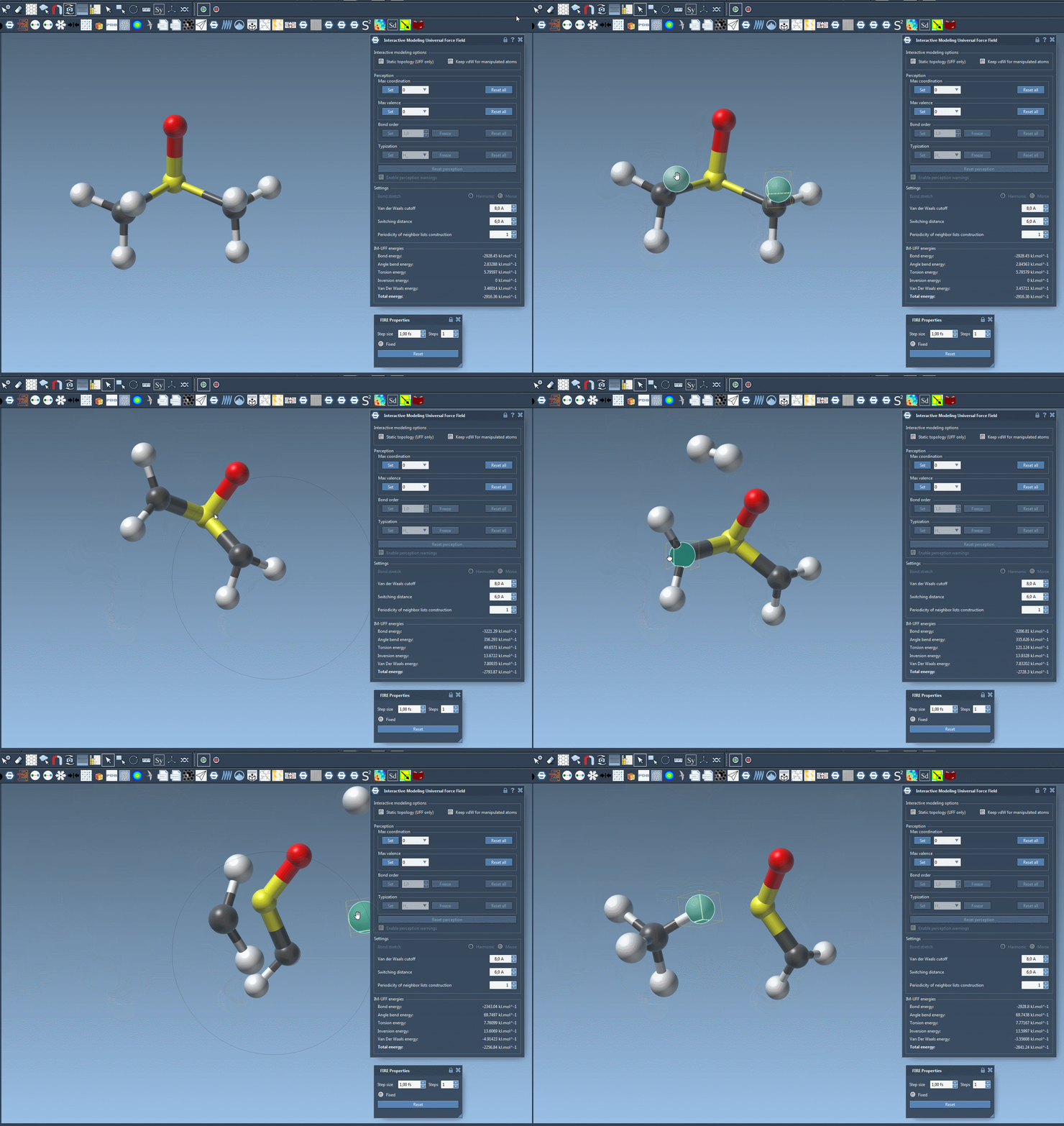
- Interactive Editing: You can interactively manipulate molecular structures by dragging atoms with your mouse. For instance, moving an atom closer to others can form new bonds, while moving it farther breaks existing bonds.
- Guided by Physically-Based Forces: Whether you’re constructing a molecular system or refining an existing one, IM-UFF ensures that the structure is guided by inter-atomic forces to achieve physically realistic topologies.
How to Use IM-UFF
Getting started with IM-UFF in SAMSON is straightforward:
- First, make sure you’ve added the IM-UFF extension to SAMSON. If you haven’t, you can get it from the extension page.
- Open a molecular system you’d like to edit or simulate.
- Add a simulator to the system via Edit > Simulate > Add simulator or use the shortcut
Ctrl+Shift+M(orCmd+Shift+Mon macOS). - Select the “Interactive Modeling Universal Force Field” from the interaction model list.
- Customize the settings, such as activating the “Keep vdW for manipulated” option to ease atom manipulation by temporarily ignoring van der Waals forces for manipulated atoms.
You’re now ready to start the simulation. Use the Edit > Simulate > Start button to begin. You’ll notice the topology adjusts dynamically as you manipulate the atoms, making the process more intuitive and efficient compared to static methods.
Customization and Flexibility
IM-UFF provides options for advanced users to fine-tune settings like van der Waals cutoffs, switching distances, and the periodicity of neighbor list construction. For example, while running IM-UFF with dynamic topologies, it becomes possible to set parameters such as the maximum coordination and valence. These customization options add flexibility for adapting IM-UFF to specific research scenarios.
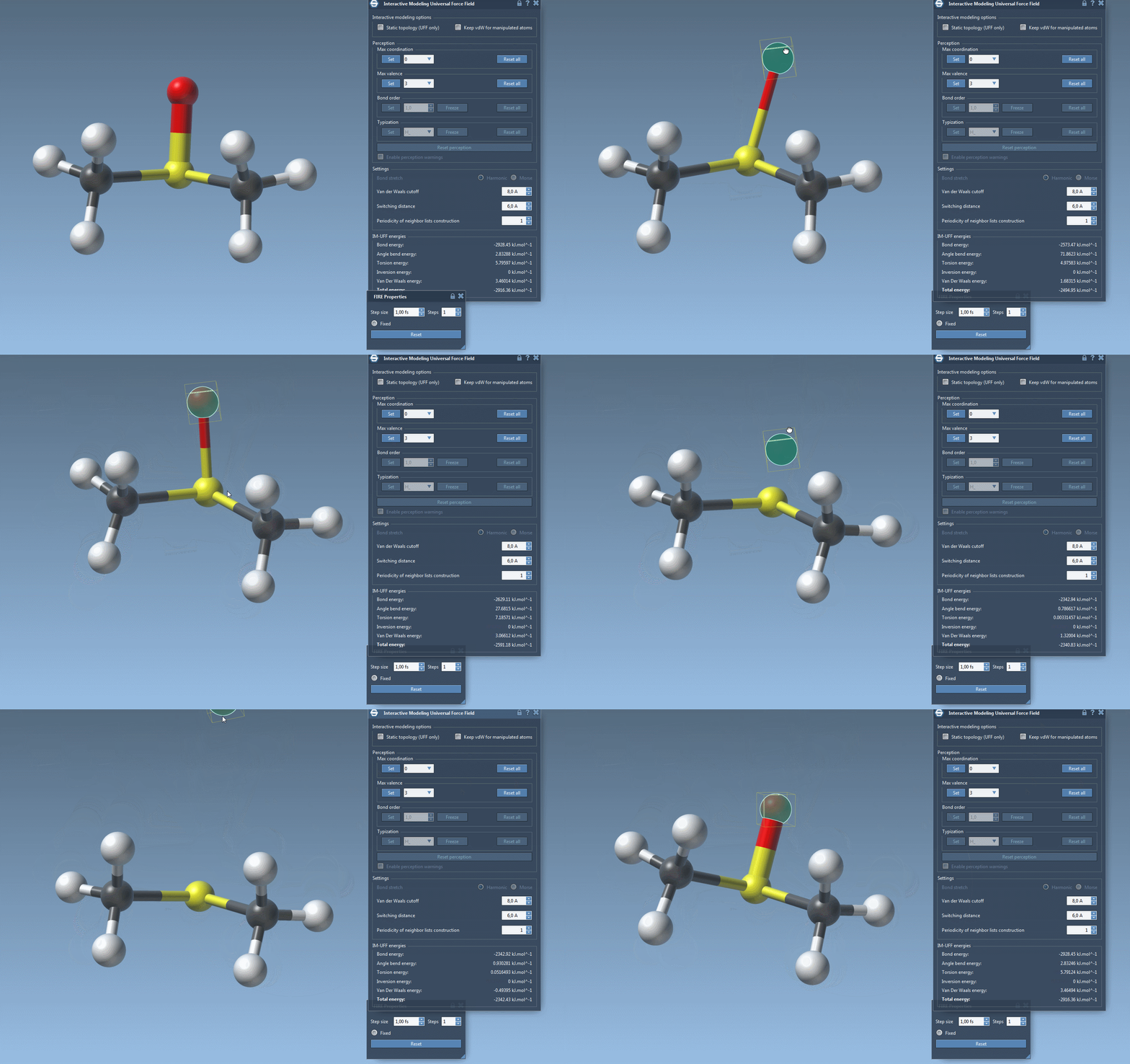
Whether you’re adjusting small test systems or handling complex simulations, IM-UFF’s combination of flexibility and ease of use can make molecular editing a smoother process.
Conclusion
With its focus on smooth topological transitions and interactive editing, IM-UFF brings new possibilities to molecular modeling in SAMSON. If you’ve ever encountered frustration with static methods failing to keep up with modifications during design, it’s worth exploring IM-UFF. To learn more, visit the IM-UFF documentation page.
SAMSON and all SAMSON Extensions are free for non-commercial use. You can get started by downloading SAMSON from SAMSON Connect.