



For molecular modelers, understanding the organization of proteins within crystal structures and biological assemblies is a vital step in many workflows. Whether you’re visualizing biological assemblies or reconstructing quaternary structures for simulations, the Symmetry Mate Editor in SAMSON provides an intuitive way to generate symmetry mates for proteins.
Why Should You Care About Symmetry Mates?
Proteins rarely act alone. They often operate as part of larger assemblies, and comprehending their intermolecular arrangements can reveal critical insights about function, interactions, and binding sites. By generating symmetry mates, you can:
- Visualize complete biological assemblies derived from crystallographic data.
- Explore protein-protein interfaces and identify promising binding sites.
- Reconstruct complex quaternary structures for molecular design and simulations.
- Create symmetric nanostructures or protein complexes for novel design projects.
How to Get Started?
The Symmetry Mate Editor is built to be user-friendly. To begin, make sure you have the necessary setup:
- Add the Symmetry Mate Editor extension to your SAMSON workspace if it’s not already installed. You can find it here.
- Load a PDB structure file that contains symmetry data. These files often include metadata to reconstruct crystal packing or biological assemblies.
Activate the editor using:
- Find everything: Press Shift + E and search for “Symmetry Mate Editor”.
- Editors menu: Navigate via the left sidebar -> General -> Symmetry Mate Editor.
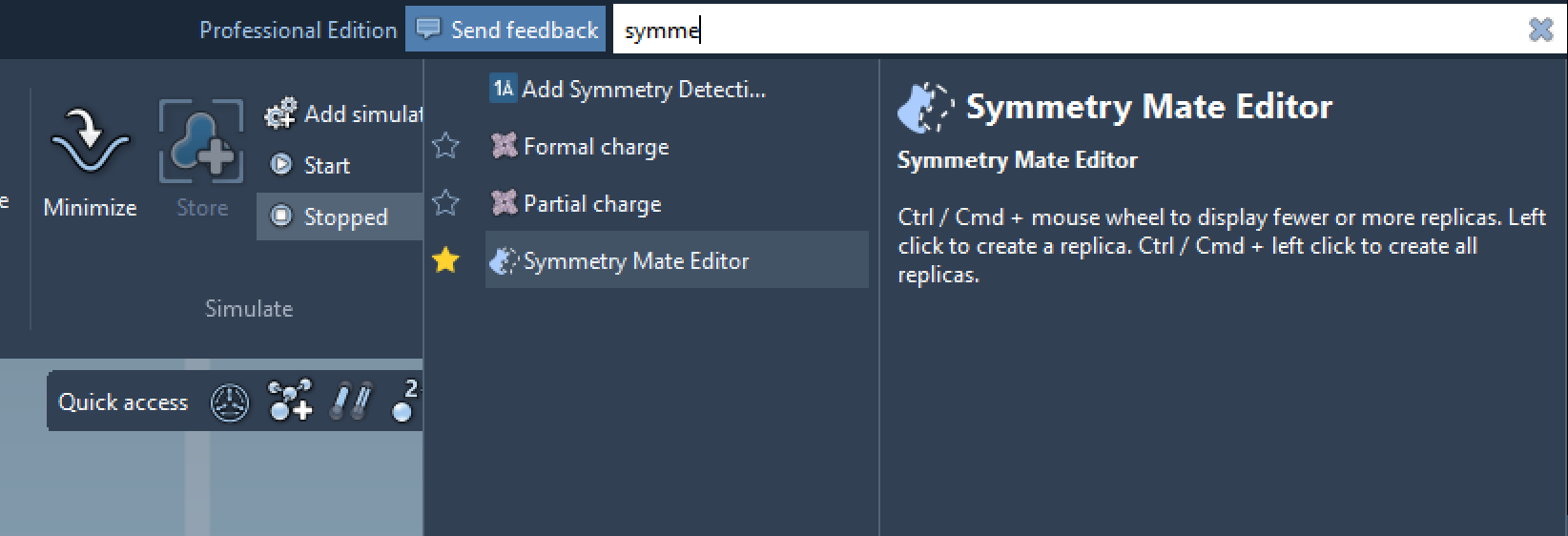
Interactive Exploration of Symmetry Mates
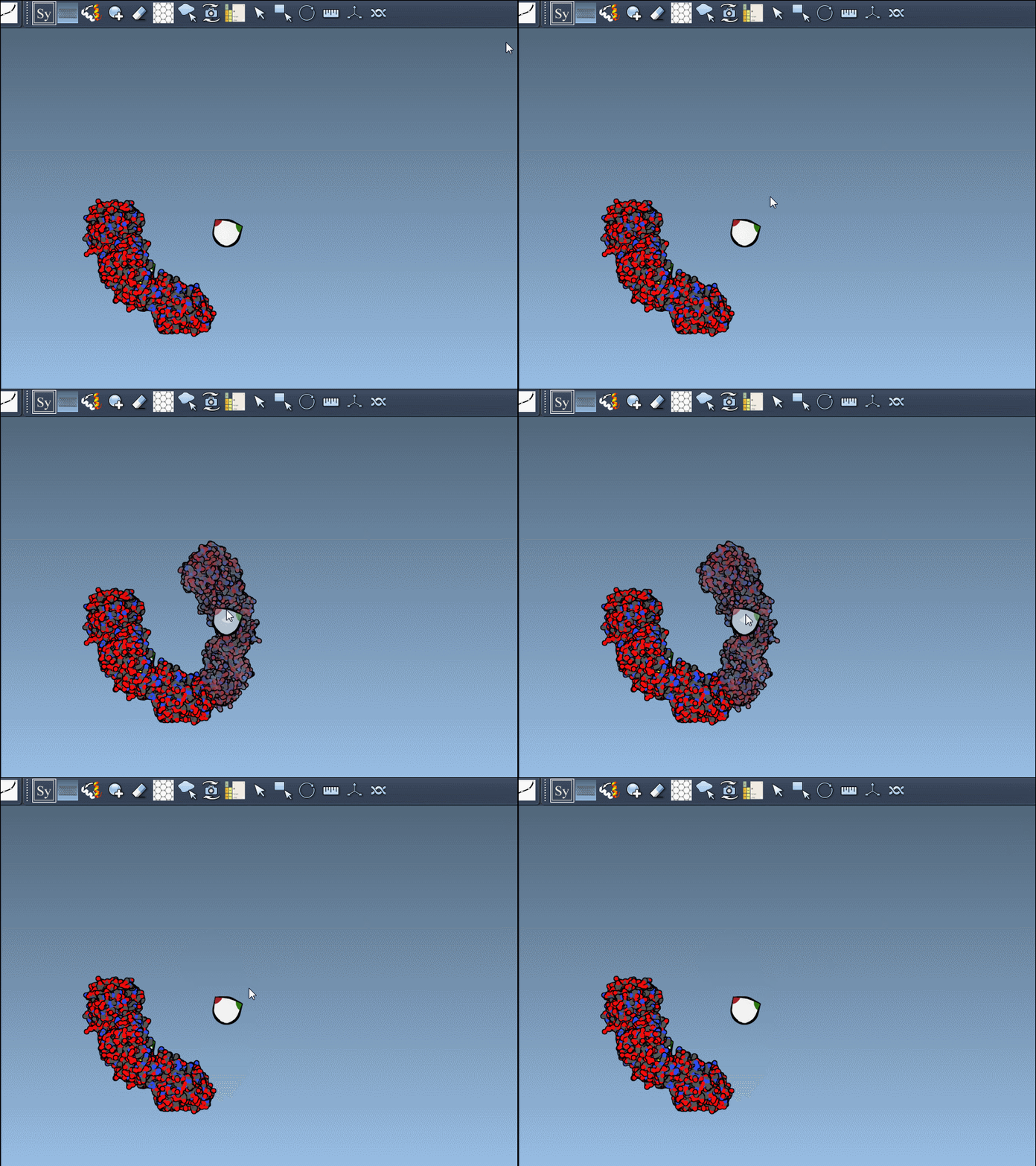
One unique aspect of the Symmetry Mate Editor is its interactive visualization. By hovering over control nodes in the viewport, you can preview symmetry replicas in real time. Using simple mouse controls, you can:
- Scale the number of visible control nodes with Ctrl/Cmd + mouse wheel.
- Hover over a node to preview the symmetry mate.
- Click on a node to permanently generate that replica.
Here’s an example of previewing and generating transforms with simple interactions:
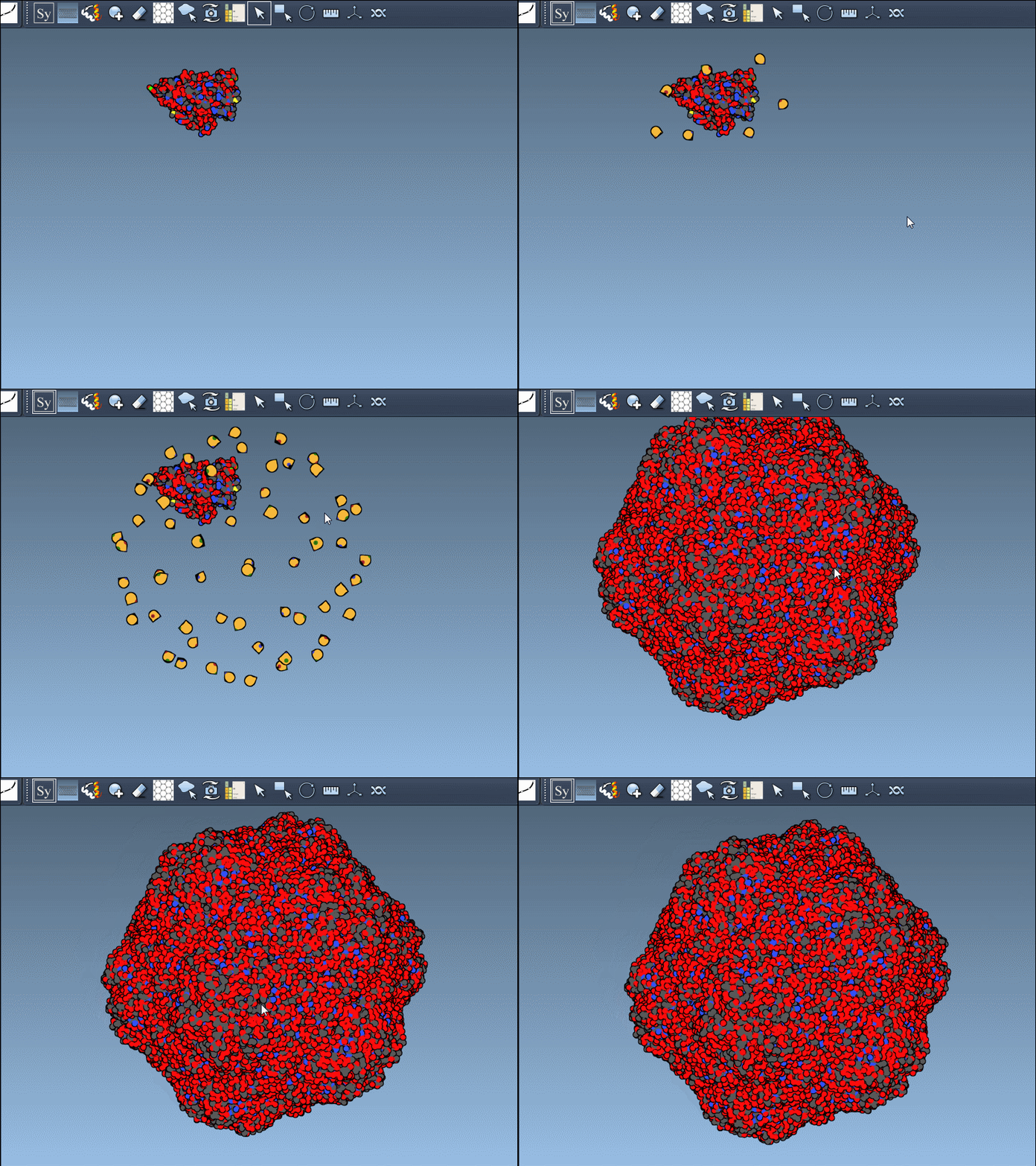
If you’re handling multiple replicas, there’s also an option to generate all replicas simultaneously. By pressing and holding Ctrl/Cmd while hovering and clicking on a node, you can streamline complex assembly generation:
Ready to Dive Deeper?
The Symmetry Mate Editor goes beyond visualizations—it enables modelers to toggle between CRYST1 (crystal lattice) and BIOMT (biological assembly annotations) records, offering flexibility for different design applications. With tools like Undo (Ctrl/Cmd + Z) and the ability to combine symmetry detection analysis, SAMSON makes the exploration of protein symmetry efficient and reliable.
Explore further details and step-by-step instructions in the full documentation here.
Note: SAMSON and all SAMSON Extensions are free for non-commercial use. You can get SAMSON at SAMSON Connect.