



In real-life materials, perfection is rare. Crystalline structures, even of highly ordered materials like diamond, often contain imperfections known as defects. For molecular modelers and material scientists, being able to visualize and manipulate such defects is essential — both to understand their impact on material behavior and to simulate experimental conditions more accurately.
This post walks through how to simulate and view defects in a diamond crystal structure, using SAMSON’s Crystal Creator extension. If you’re just starting in computational crystallography or materials design, this is a practical way to dig into defect modeling without needing complex scripting or external tools.
Getting started: Load the diamond structure
First, you’ll need a Crystallographic Information File (.cif) for diamond. Good sources include the American Mineralogist Crystal Structure Database and the RRUFF Project Database. Once downloaded:
- Open the .cif file in SAMSON via the Crystal Creator App.
- The app displays options for unit cells and symmetries. Click Open to load the model.
- If needed, use the Create Bonds function in SAMSON to visualize atomic bonds.
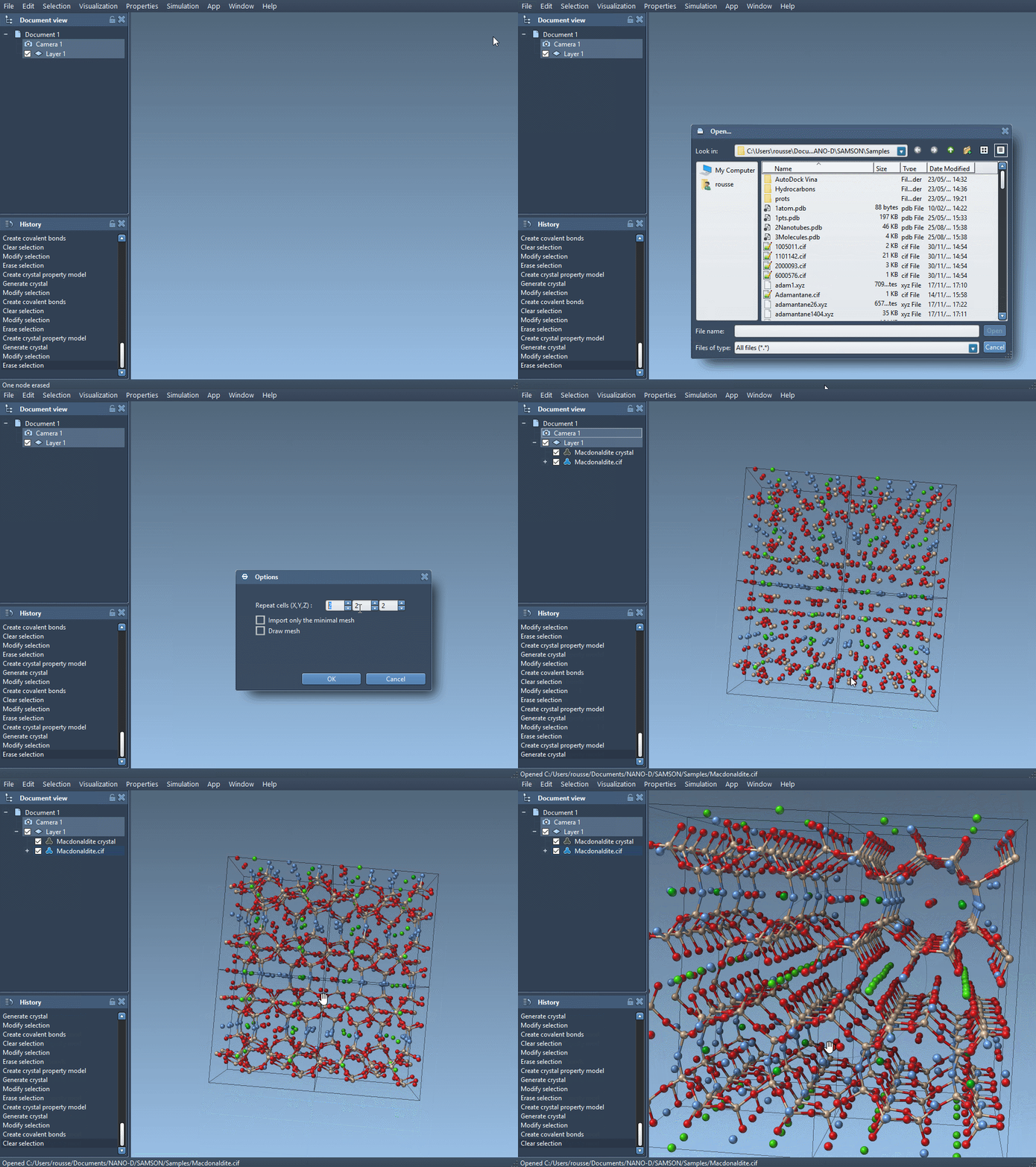
Simulate a defect
To introduce a vacancy defect, we manually modify the occupancy of one of the atoms in the CIF file:
- Make a copy of your diamond .cif file for editing.
- Open this file in a text editor.
- Locate the section starting with:
|
1 2 3 4 5 6 |
loop_ _atom_site_label _atom_site_fract_x _atom_site_fract_y _atom_site_fract_z C 0.00000 0.00000 0.00000 |
Now, replace it with the following to define a 95% occupancy for one carbon atom:
|
1 2 3 4 5 6 7 |
loop_ _atom_site_label _atom_site_fract_x _atom_site_fract_y _atom_site_fract_z _atom_site_occupancy C 0.00000 0.00000 0.00000 0.95 |
This small change tells SAMSON that the atom has a probability of 0.95 to be present – simulating a possible vacancy at that site. Save the file with a new name.
Compare pristine and defective structures
Now, reload the modified CIF file in SAMSON and create the bonds again. The difference might be subtle visually, but deeper insights appear when you:
- Run a geometry optimization using the Brenner interaction model.
- Observe how the structure adjusts itself in response to the missing atom.
This hands-on example is especially valuable for those studying semiconductor properties, nanoparticle stability, or simulating irradiation damage in materials.
Why it matters
Defects play a crucial role in defining the electronic, mechanical, and thermal behavior of materials. Being able to directly manipulate and simulate them helps bridge the gap between theoretical design and practical performance. By embedding a defect manually in a CIF file and visualizing it in SAMSON, you get both flexibility and control — without needing to write custom code.
To go deeper into advanced crystal editing, including cutting directions and custom crystal fabrication, check out the full documentation at the link below.
Learn more in the full documentation.
SAMSON and all SAMSON Extensions are free for non-commercial use. You can download SAMSON at https://www.samson-connect.net.