



Molecular modelers and structural biologists often face the challenge of understanding how proteins interact and organize within their crystal structures or biological assemblies. These arrangements are not only fundamental to comprehending protein function but also crucial for designing molecular systems. This is where the Symmetry Mate Editor in SAMSON proves invaluable, enabling you to generate, explore, and visualize protein symmetry mates using symmetry data embedded in PDB files.
Why Symmetry Matters in Molecular Modeling
Symmetry plays a key role in molecular structures. Imagine trying to analyze protein-protein interfaces, simulate assembly behaviors, or design symmetric nanoscale architectures without knowing how molecular components relate to one another in their assembly. These tasks become significantly easier when symmetry data is revealed and explored effectively.
The Symmetry Mate Editor allows researchers to unlock this potential by utilizing symmetry records embedded in PDB files, specifically CRYST1 and BIOMT annotations. This functionality aids in visualizing biological assemblies, reconstructing quaternary structures for simulations, and exploring new molecular designs.
Activating the Symmetry Mate Editor
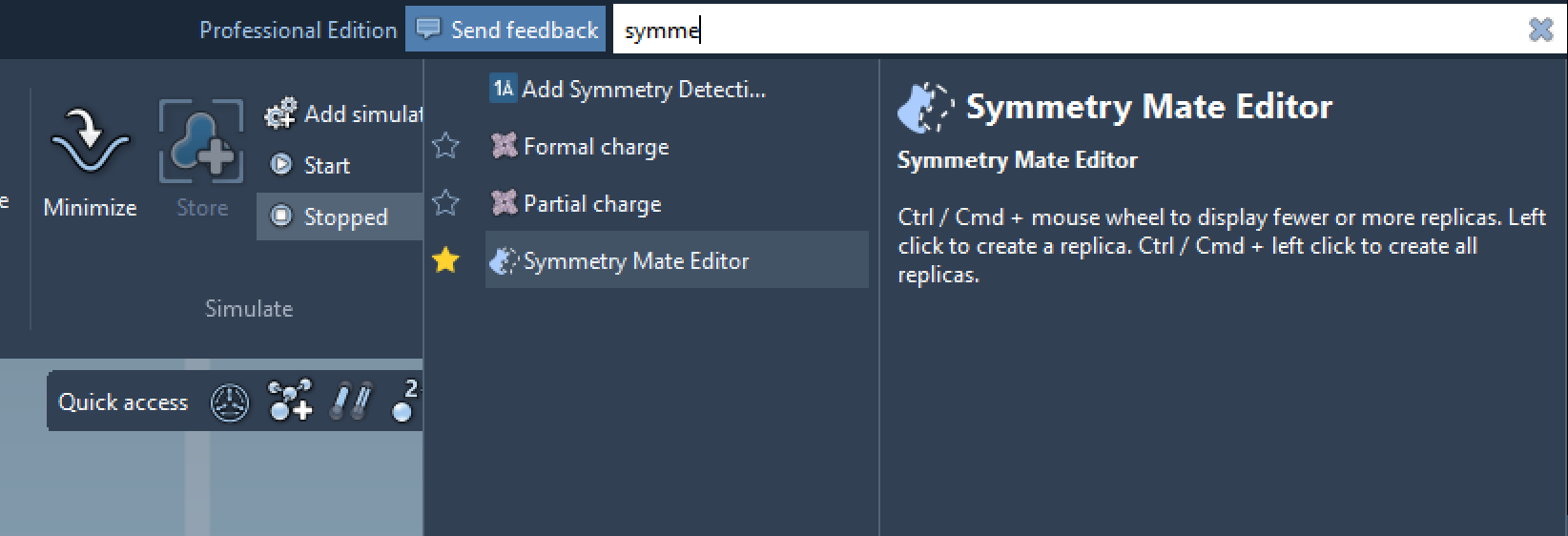
Getting started with the Symmetry Mate Editor in SAMSON is straightforward. You can activate the editor using two methods:
- Command Finder: Press Shift + E and type “Symmetry Mate Editor”.
- Editors Menu: Navigate through the left-side viewport menu: … > General > Symmetry Mate Editor.
Once activated, the viewport displays control nodes corresponding to symmetry transformations. These nodes represent replicas of the protein and reveal their spatial organization within the structure.
Interacting with Symmetry Mates
The editor offers intuitive ways to explore and generate symmetry mates:
- Preview in real-time: Hover over a control node to see the replicated protein visualized temporarily in the viewport.
- Generate permanent replicas: Simply left-click a control node to generate the selected replica permanently. This enables assembling complex structures in just a few clicks.
- Control viewing: Use Ctrl/Cmd + mouse wheel to scale the visibility of control nodes, as shown in the example below:
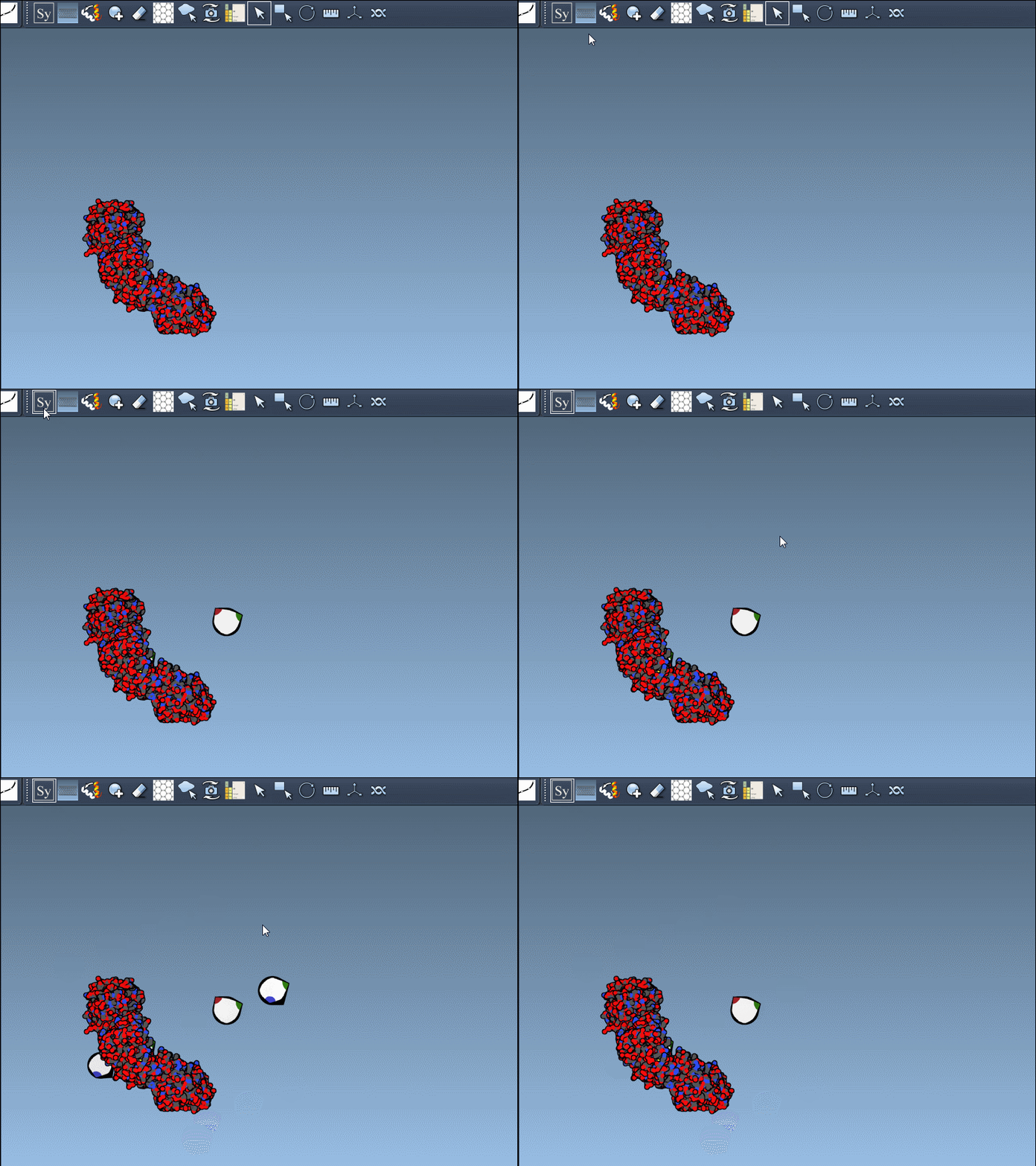
Using these tools, you can navigate protein symmetry mates to analyze their arrangement and potential functional implications.
CRYST1 and BIOMT Records
Symmetry information in PDB files typically comes from two record types:
- CRYST1: Symmetry derived from the crystal lattice.
- BIOMT: Symmetry annotations for biological assemblies.
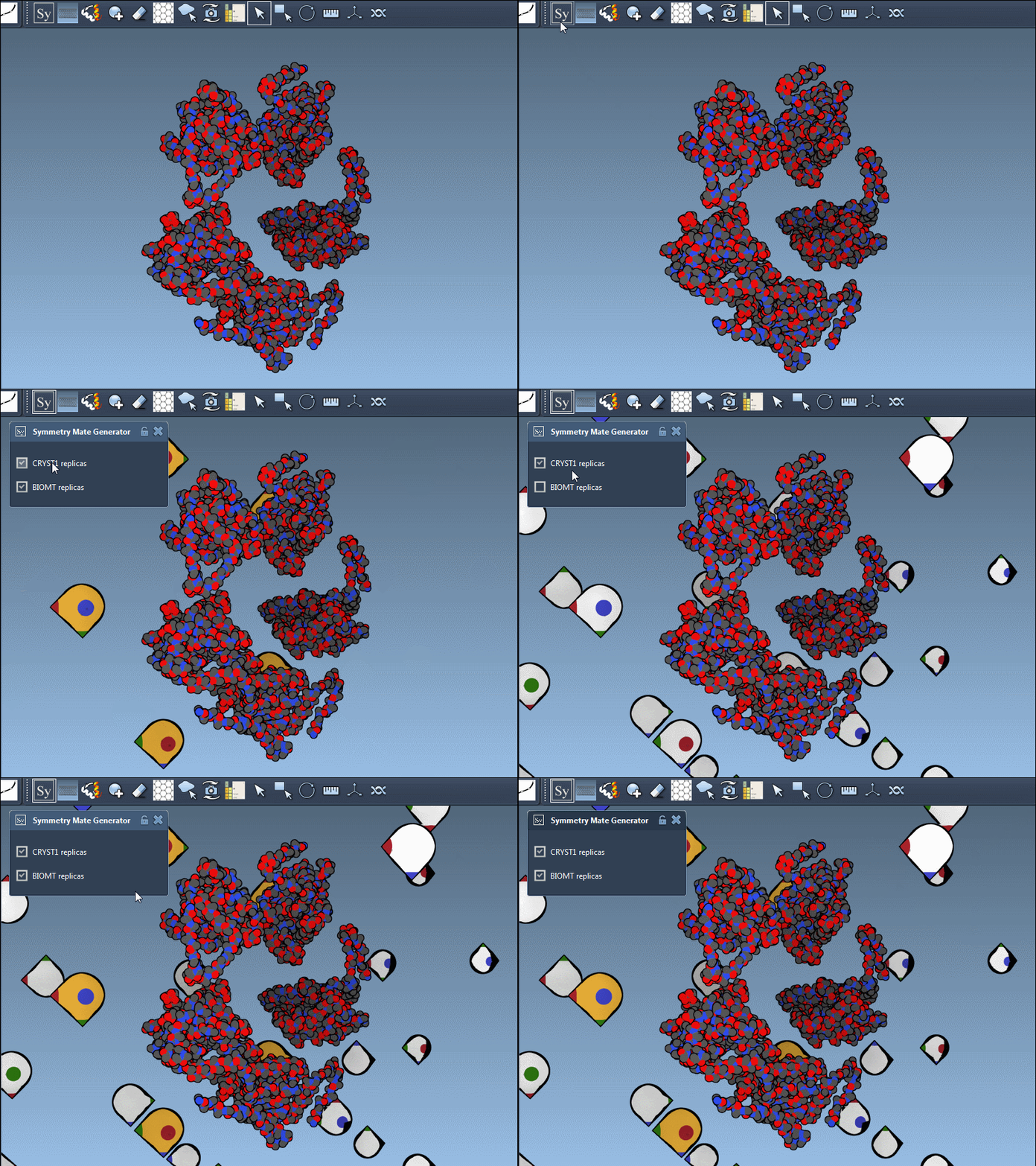
Control nodes representing these record types are color-coded for easy distinction (CRYST1: White, BIOMT: Yellow). You can toggle between these using the editor interface:
Building Applications in Molecular Design
Beyond visualization, the Symmetry Mate Editor supports a range of applications in molecular design workflows:
- Construct complete oligomeric structures from basic asymmetric units.
- Design symmetric protein cages, scaffolds, or other nanoscale complexes.
- Map protein binding sites across symmetry mates to aid in drug discovery.
- Prepare symmetric assemblies for molecular dynamics simulations.
Next Steps
Once you’ve generated symmetry mates, you can inspect the assembly, remove unneeded replicas, and proceed with more advanced tasks like symmetry analysis or simulation preparation. The Symmetry Mate Editor is designed to make these steps accessible and efficient for modelers at all levels.
Ready to dive deeper? Visit the full documentation on the Symmetry Mate Editor here for detailed information and additional tutorials.
SAMSON and all SAMSON Extensions are free for non-commercial use. You can download SAMSON at samson-connect.net.