



A large molecular assembly can look orderly without making its symmetry obvious. Repeated subunits may suggest one arrangement, while the full structure supports several plausible symmetry groups. For a molecular modeler, that uncertainty matters: choosing the wrong group can send analysis toward the wrong axis or an unsuitable asymmetric unit. A useful first step is to treat symmetry detection as a way to compare candidates—not as a verdict that replaces structural judgment.
SAMSON’s Symmetry Detection extension identifies and visualizes symmetry axes in biological assemblies, including cyclic, dihedral, and cubic symmetry. It can report multiple groups for the same structure, which is especially relevant for large complexes. The goal is to inspect those candidates, compare their RMSD values, and connect the result to the modeling task at hand.
Start with the right structure
Before interpreting a detection result, make sure the document contains the assembly you intend to study. Open a biological assembly or multimeric complex in SAMSON. You can fetch or load examples such as PDB 3NQ4, 1CHP, or 1B4B; depending on the importer, you may need to enable the option to import biological assemblies. If the expected subunits are missing, the symmetry analysis will not reflect the complete assembly.
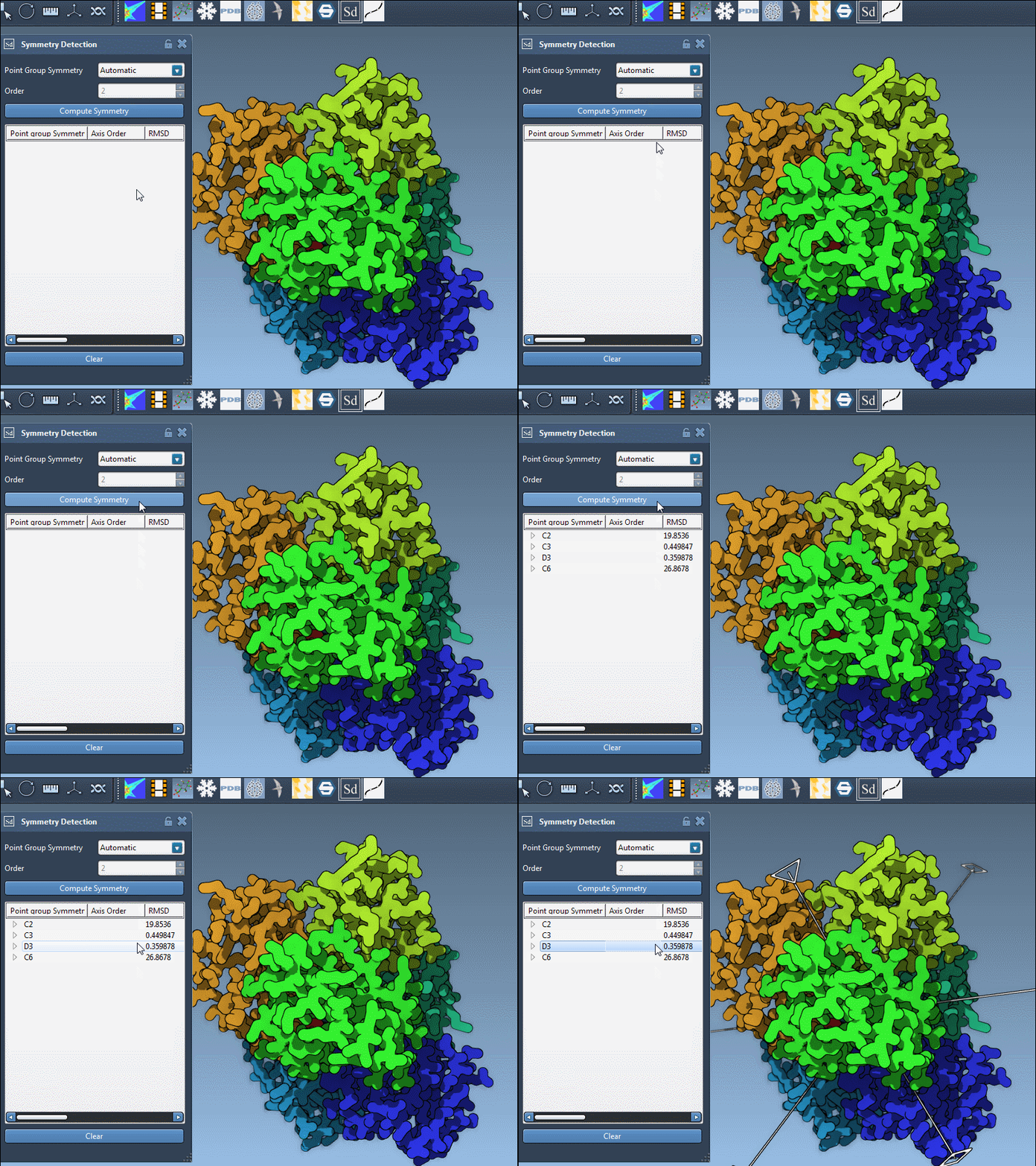
Then launch Home > Apps > Biology > Symmetry Detection and click Compute symmetry. Review the proposed groups before deciding which one is useful for your work.
How to compare candidate groups
When detection returns several possibilities, the tutorial recommends preferring higher-order groups with small RMSD values. Use that as a practical comparison rule, rather than treating either feature as proof on its own. A candidate should also make sense for the assembly and the question you are asking—for example, whether you want to inspect repeating interfaces, check expected symmetry, or identify a unique asymmetric unit.
Click a group to highlight its primary axis in the viewport. Expanding the group reveals its individual axes and their RMSD scores. A single-click highlights an axis; a double-click aligns the camera so you are looking down it. This makes it easier to inspect how an axis sits relative to the subunits, rather than relying on a list of group names alone.
For 1B4B, the documented example identifies a dihedral symmetry of order 3, D3. If you already know the expected group, you can select the symmetry group and order manually from the drop-down lists. This is useful when you want to examine a specific hypothesis directly, alongside the automatically proposed options.
What symmetry can help you do
Once you have a candidate that fits your purpose, the axes can help you locate repeated interfaces and check whether an experimental structure has the expected symmetry elements. Symmetry can also inform a workflow that focuses on the unique asymmetric unit rather than the full assembly, which may reduce computational cost for some simulations. The detected arrangement can provide a starting point for molecular design questions involving symmetric nanomaterials or mutagenesis targets.
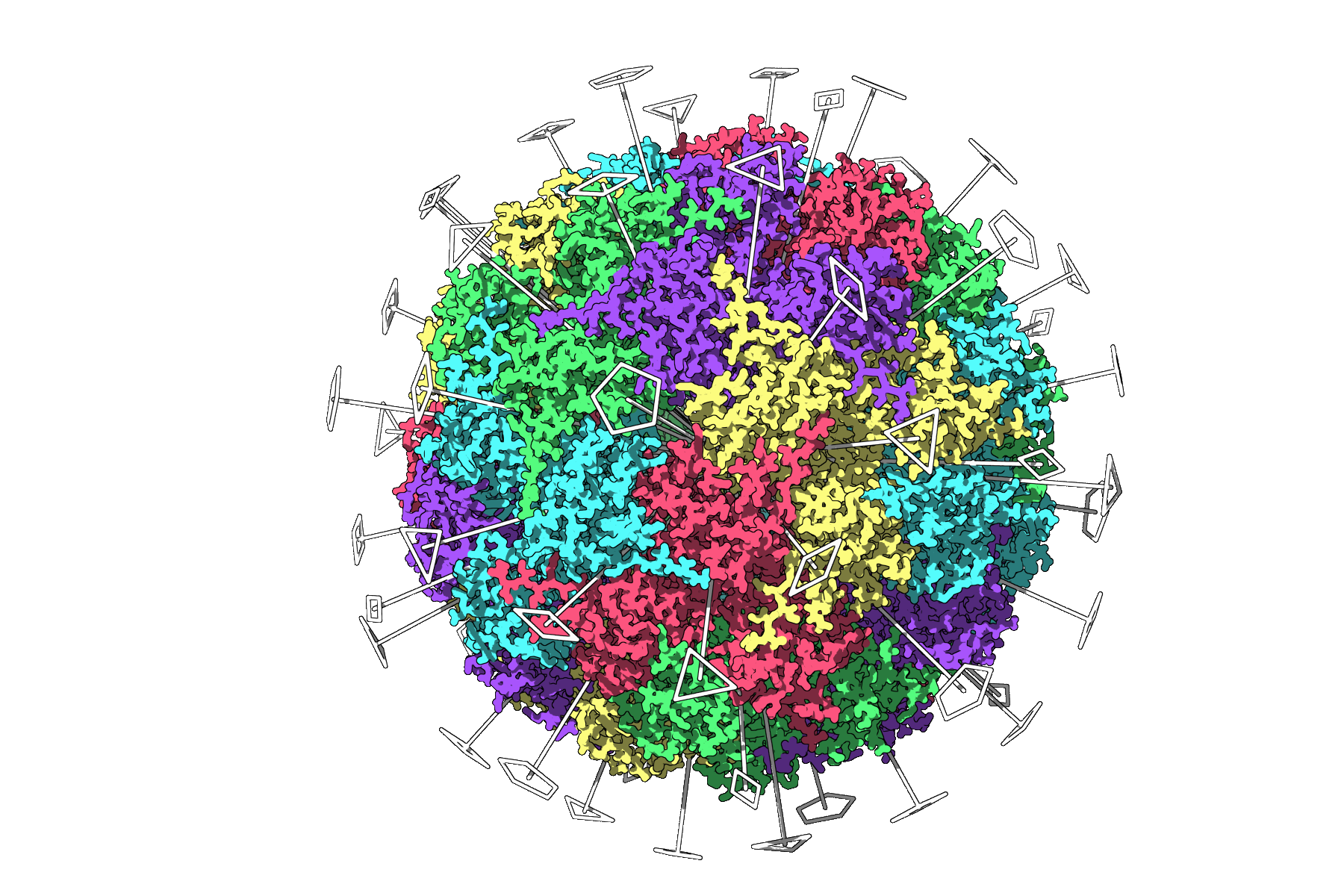
For a clear visual check, combine the axes with Ribbons or Surface visual models, and consider coloring chains differently so repeated subunits are easier to distinguish. A viewport snapshot can preserve the view for a presentation or publication figure. For an icosahedral example, the analysis of capsid 3NQ4 displays its 2-, 3-, and 5-fold axes:
The key is to keep the interpretation tied to the modeling question: compare candidates, inspect their axes in context, and use the result to guide the next step rather than assuming that a detected group settles every structural question. Read the original symmetry-detection tutorial to learn more.
Note: SAMSON and all SAMSON Extensions are free for non-commercial use. Get SAMSON.