



A molecular structure can look almost ready and still contain strained geometry: atoms may be poorly positioned, or a model may need relaxation before a simulation or further editing. Repeatedly nudging atoms by hand is tedious, while a basic minimization method can make slow progress when many atoms move together. The FIRE minimizer offers a practical way to relax a structure inside SAMSON.
FIRE stands for Fast Inertial Relaxation Engine. It is a geometry-optimization method designed to help a system move toward an energy minimum. In SAMSON, FIRE is available as a State Updater, so it can be used with any SAMSON interaction model. It is useful for preparing a structure for a simulation or for interactive modeling, but the interaction model still matters: optimization works with the forces and energy provided by that model.
A straightforward cleanup workflow
- Load the molecular system. Open a structure in a supported format, such as PDB or MOL2. If you are unfamiliar with importing structures, consult the Loading Molecules Guide.
- Add a simulator. In SAMSON, choose Edit > Add Simulator, then select the interaction model appropriate for your task.
- Select FIRE. In the simulator’s State Updaters list, choose FIRE.
- Run the minimization and inspect the result. Watch how the geometry changes, and check that the relaxed structure remains appropriate for the purpose of your model.
If you are learning the controls, start with a small test system. A smaller example makes the effect of the settings easier to see before you apply the workflow to a larger structure.
What the settings actually control
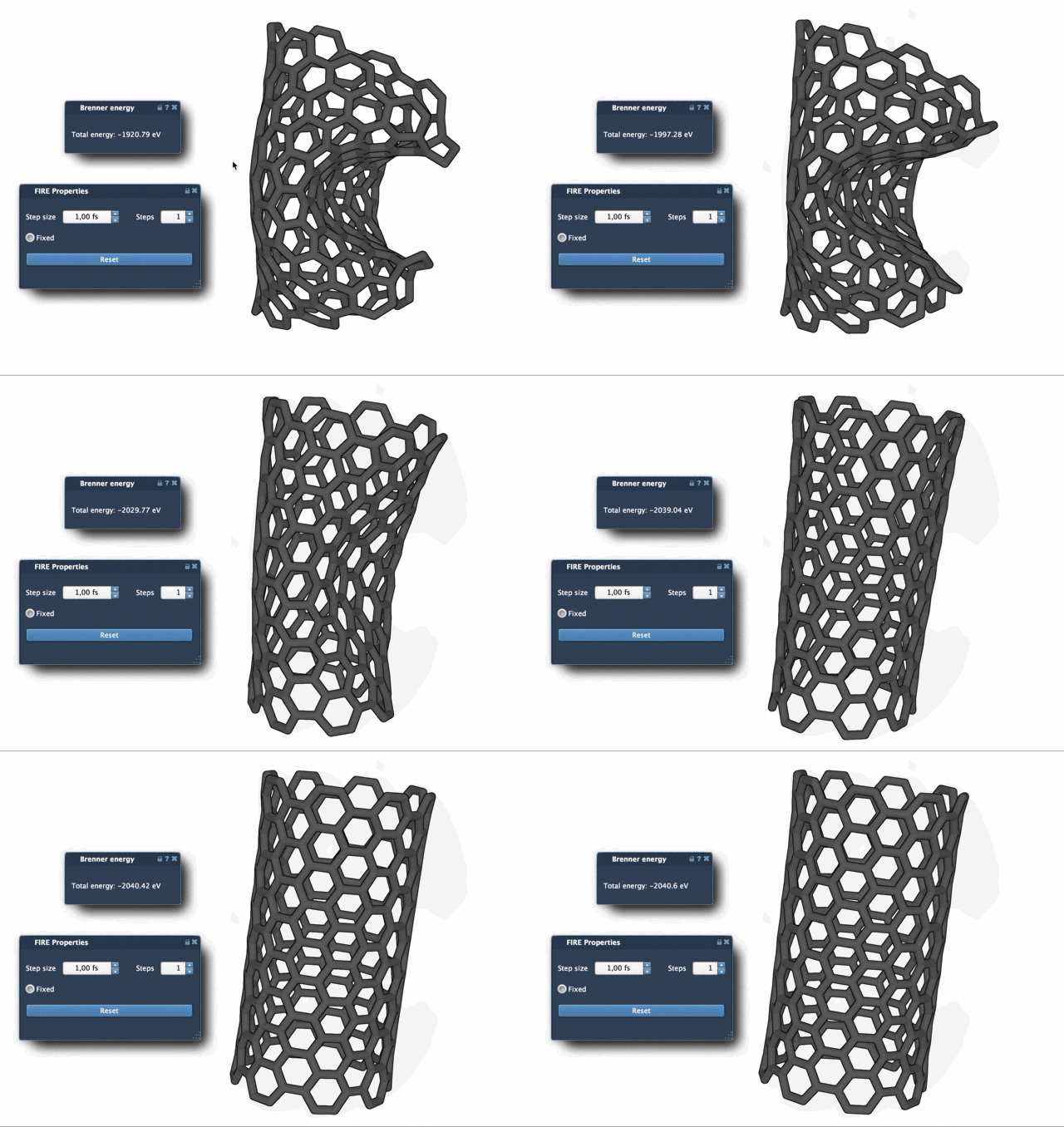
Step size is the initial integration step used for minimization. Steps controls how many FIRE steps occur between viewport updates. Increasing the Steps value means fewer, more widely spaced visual updates; it changes how frequently progress is displayed, not the number of minimization steps in each update. The optional Fixed setting forces the step size to remain constant.
These controls address two different concerns: how the minimization proceeds and how often you see the viewport refresh. If the animation feels too busy, try increasing Steps to make updates less frequent and easier to compare. If you manually move atoms during minimization, press Reset to clear the FIRE history before continuing. This is a useful detail to remember when switching between automated relaxation and hands-on editing.
Why compare it with steepest descent?
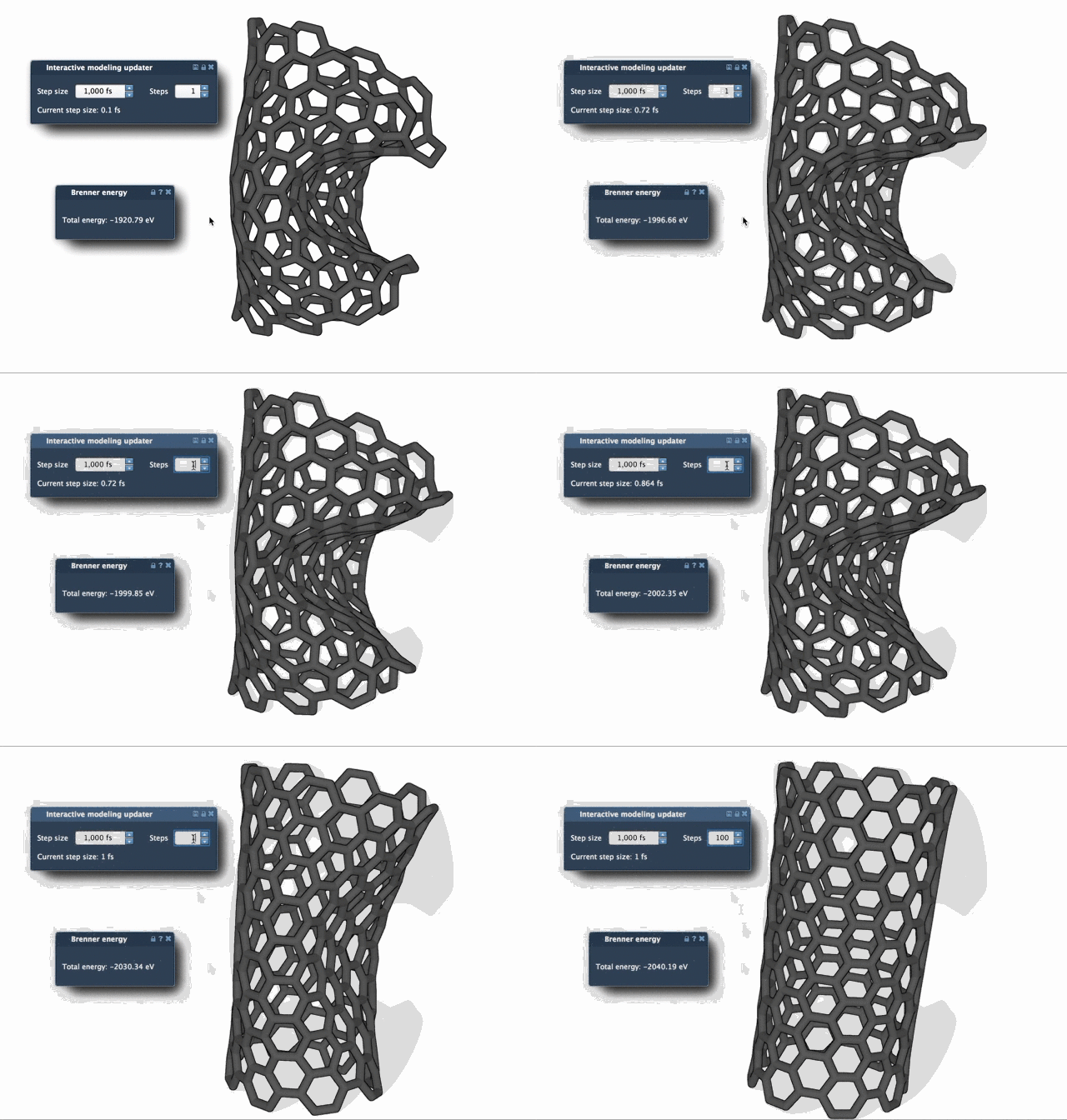
FIRE can converge faster than steepest descent, particularly when the structure undergoes larger-scale, collective motions while the potential energy changes only a little. The comparison below illustrates the difference in relaxation behavior. It is a visual comparison, not a guarantee that one method will be preferable for every structure or interaction model.
FIRE is also used by other SAMSON tools: for example, the Molecular Restrainer Extension uses it to minimize NMR-derived structures with restraints. That makes FIRE relevant beyond a standalone cleanup step—it can also support workflows where geometry optimization is part of a larger modeling task.
For the full setup details and related guidance, see the FIRE minimizer tutorial.
Note: SAMSON and all SAMSON Extensions are free for non-commercial use. Get SAMSON.