



A molecular group can change its overall shape without an obvious change in its size. It may become more elongated or otherwise less sphere-like while its radius of gyration stays similar. If you are comparing structures along a path or trajectory, looking at just one measure can therefore leave an important question unanswered: is the group spreading out, or changing shape?
Asphericity helps address that question by reporting how far a selected group deviates from a spherical shape. It gives you a compact shape descriptor to follow alongside measures such as radius of gyration. It does not explain the structural cause of a change, but it can flag when the group’s overall shape deserves a closer look.
Read the change in context
Imagine a path containing multiple conformations of a protein domain or another atom-containing group. A radius-of-gyration plot can help you see changes in how spread out the group is. An asphericity plot adds a different perspective: how far its shape departs from a sphere. These are related questions, but they are not interchangeable. A change in asphericity is a reason to inspect the shape, not by itself proof of a particular motion or mechanism.
This distinction is useful when a single measurement seems ambiguous. If radius of gyration changes, the group’s overall spread may have changed; asphericity can help you check whether its shape also shifted. If radius of gyration changes little but asphericity varies, the shape descriptor may reveal a difference that a size-oriented measurement does not capture on its own. For a fuller picture, compare asphericity with both radius of gyration and shape parameter.
Choose a view that fits your question
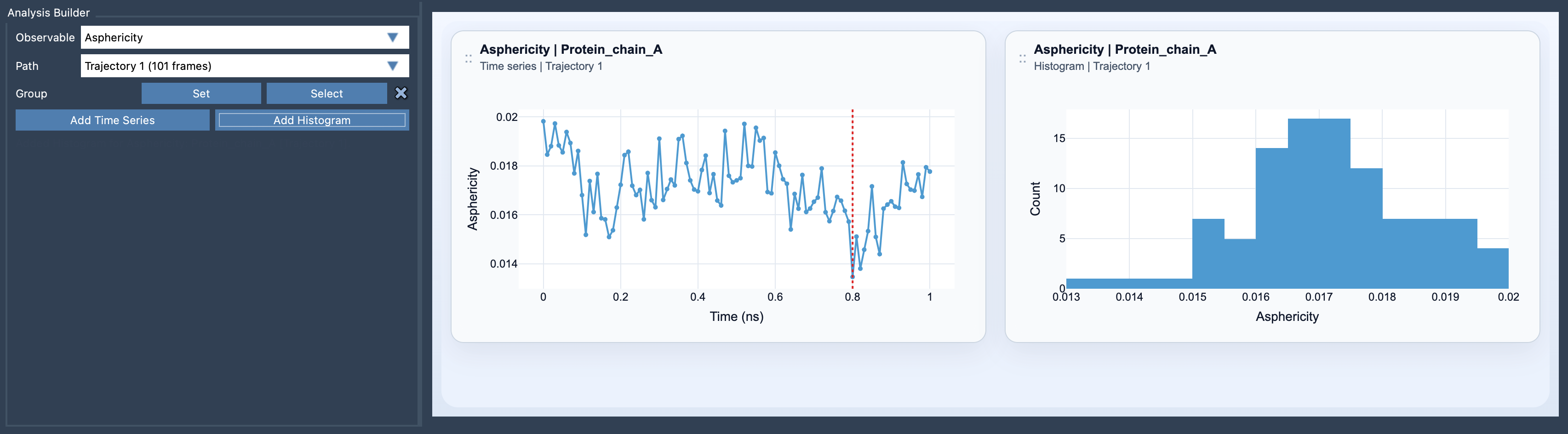
In SAMSON’s Path Analyzer, a time series lets you follow the shape descriptor along the path. Use it when you want to see where values change as you move through the sampled structures. A histogram summarizes the range of sampled values, which is useful for seeing how broadly the values are distributed. A histogram does not preserve the order of the path, so it cannot show when a change occurred; use the time series when sequence matters.
A practical setup
- Open Path Analyzer.
- Select Asphericity as the observable and choose the path to analyze.
- Define the group. It must be a selection containing atoms.
- Add a time series, a histogram, or both, depending on whether you want to inspect changes along the path, the sampled range, or both.
For a useful comparison, keep the group definition consistent across the analysis. Otherwise, a change in which atoms are included could be confused with a change in shape. When you spot an interesting feature in the plot, return to the corresponding structures and inspect them directly: the descriptor helps identify a pattern, while the structures provide the molecular context.
Asphericity is most helpful as one part of a small set of complementary measurements. It adds shape information, while other descriptors help characterize different aspects of the same group. To see the available options and workflow, learn more in the Asphericity documentation.
Note: SAMSON and all SAMSON Extensions are free for non-commercial use. Get SAMSON.