



A molecular structure can look nearly settled and still keep changing. Perhaps a loop shifts, a group rotates, or many atoms move together while the energy changes only a little. This can make geometry cleanup feel slow—especially when using a method that takes small steps toward lower energy.
The Fast Inertial Relaxation Engine, or FIRE, is a minimizer designed to help with this kind of relaxation. In SAMSON, it is available as a State Updater and can be used with any SAMSON interaction model. The method is particularly useful for large-scale or collective motions, where steepest descent may make slower progress.
Start with a clear goal
Before minimizing, decide what you need the structure to do. Are you preparing it for a simulation, or are you interactively cleaning up a model? This matters because minimization works with the interaction model you select: it adjusts the geometry according to that model. A relaxed structure is not automatically proof that the model is biologically correct or ready for every downstream task.
For an initial test, load a small molecular system. It is easier to notice how the settings affect the motion when the system is not too large.
A practical setup in SAMSON
- Load a molecular system from a supported format, such as PDB or MOL2.
- Choose Edit > Add Simulator.
- Select the interaction model appropriate for your task.
- In the State Updaters list, choose FIRE.
- Review the Step size and Steps settings, then start the minimization and observe the structural changes.
The settings control different parts of the workflow. Step size is the initial integration step for minimization. Steps specifies how many FIRE steps occur between viewport updates. In other words, it affects how often you see the structure refresh—not the total number of steps in the minimization. If the motion is difficult to follow, reduce the number of steps between updates. If you want fewer, more noticeable viewport updates, increase it.
The optional Fixed setting forces the step size to remain constant. If you have moved atoms manually while minimization is running and want to clear FIRE’s stored history, press Reset.
What to look for as it runs
Compare the changing geometry, not just the apparent pace of the animation. FIRE can converge faster than steepest descent, especially when the structure undergoes substantial collective motion while potential-energy changes are small. The comparison below illustrates the difference in relaxation behavior:
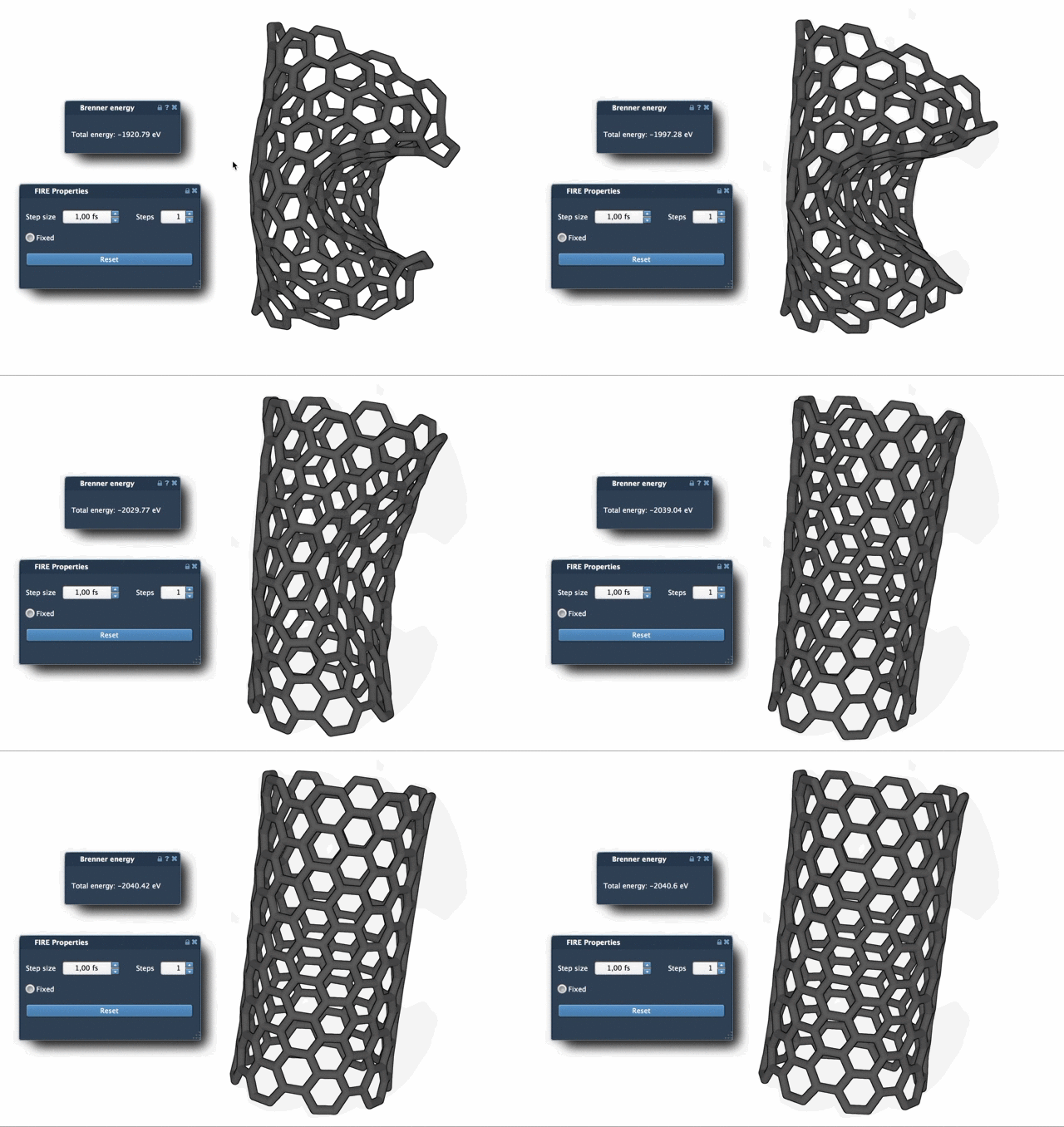
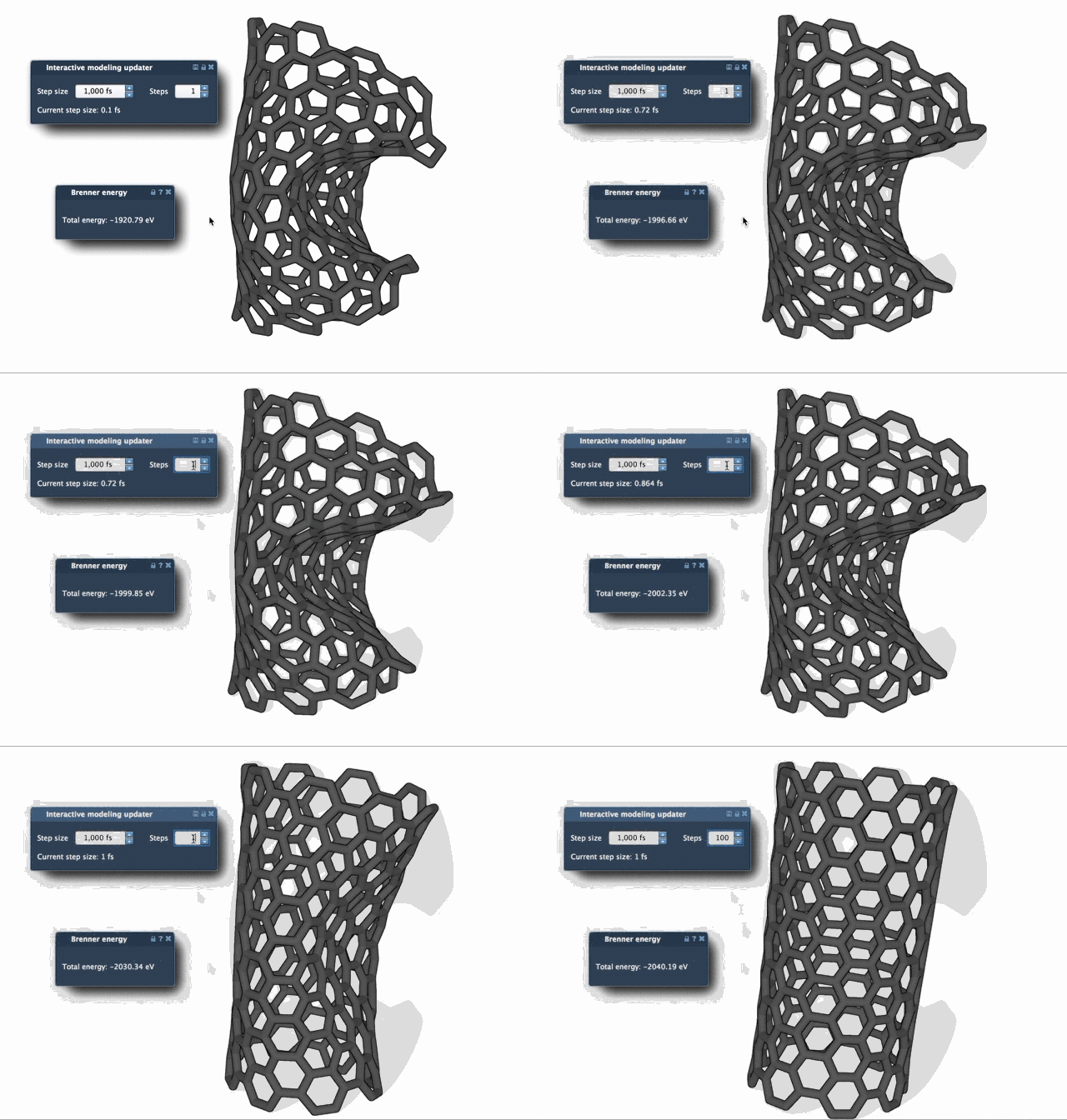
A useful habit is to inspect the structure periodically rather than treating a smoother or faster-looking animation as the only measure of success. If you intervene by moving atoms, reset the FIRE history before continuing. And if the resulting geometry does not suit your modeling goal, revisit the interaction model and setup rather than assuming the minimizer alone can resolve every structural issue.
Where FIRE fits
Because FIRE is implemented as a SAMSON State Updater, it can be used in workflows that need geometry optimization. For example, the Molecular Restrainer extension uses it for energy minimization of NMR-derived structures. The method itself is based on the work of Bitzek and colleagues, Structural Relaxation Made Simple (Physical Review Letters, 2006).
For the complete setup and related guidance, see the FIRE minimizer tutorial.
Note: SAMSON and all SAMSON Extensions are free for non-commercial use. Get SAMSON.