



A protein structure can look convincing in 3D and still contain backbone conformations worth a closer look. The challenge is that a residue’s shape is governed by rotations around its backbone, and those rotations are not always easy to judge by eye. A Ramachandran plot offers a compact way to inspect them: it places residues according to their φ (phi) and ψ (psi) dihedral angles and shows regions that are energetically favored or unfavorable.
In SAMSON, the Interactive Ramachandran Plot connects that 2D view to the 3D structure. You can use it to inspect residues, select them in the viewport, and adjust their backbone angles while watching the structure respond. That makes it useful when you are checking a model before further work, or when you want to understand a local conformation rather than simply notice that something looks unusual.
Start with the overall pattern
Open a protein in SAMSON, then launch the Ramachandran plot from Home > Apps > Biology > Ramachandran plot. Click Update to generate the plot. In the example below, yellow areas indicate energetically favorable regions, while white areas indicate unfavorable conformations.
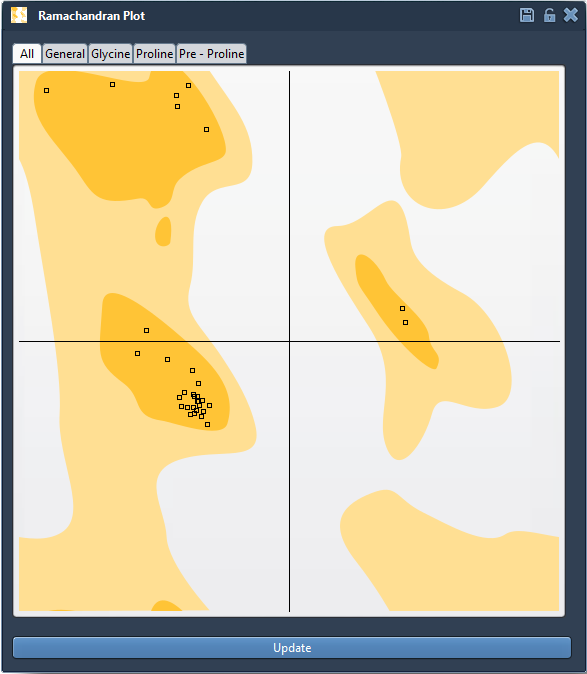
Begin by looking at the distribution rather than trying to interpret every point at once. Are residues located in the favored regions, or are there points in less favorable areas that deserve investigation? A point outside a favored region is a prompt to inspect the residue in context—not, by itself, a complete verdict on the quality of the whole protein model.
Filter before you investigate
Residues do not all share the same conformational preferences. The plot provides tabs for All, General, Glycine, Proline, and Pre-proline residues. Switching between these categories helps you focus your inspection on the residue type you care about. For example, if you are investigating a proline, use the Proline category rather than interpreting it only through the general-residue view.
Connect a dot to the structure
Click a point in the plot to select its residue in the 3D viewport. The status bar reports the residue’s φ and ψ values. This link between the plot and the structure is important: it lets you move from “this point may need attention” to “this is the residue and this is where it sits in the protein.”
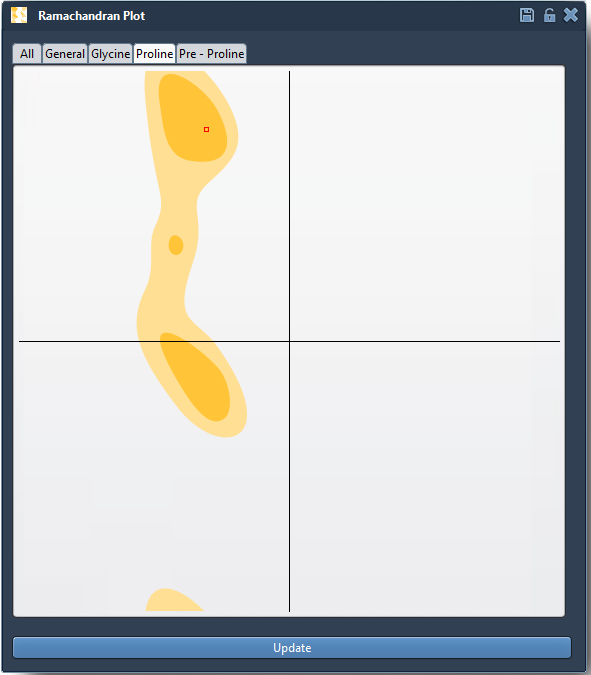
When assessing a residue, consider its location in the structure and the purpose of your next modeling step. A useful practical sequence is to update the plot, filter to the relevant residue category, select a point that warrants attention, and inspect the selected residue in 3D. This keeps the plot from becoming a list of numbers detached from the molecule.
Make a controlled adjustment
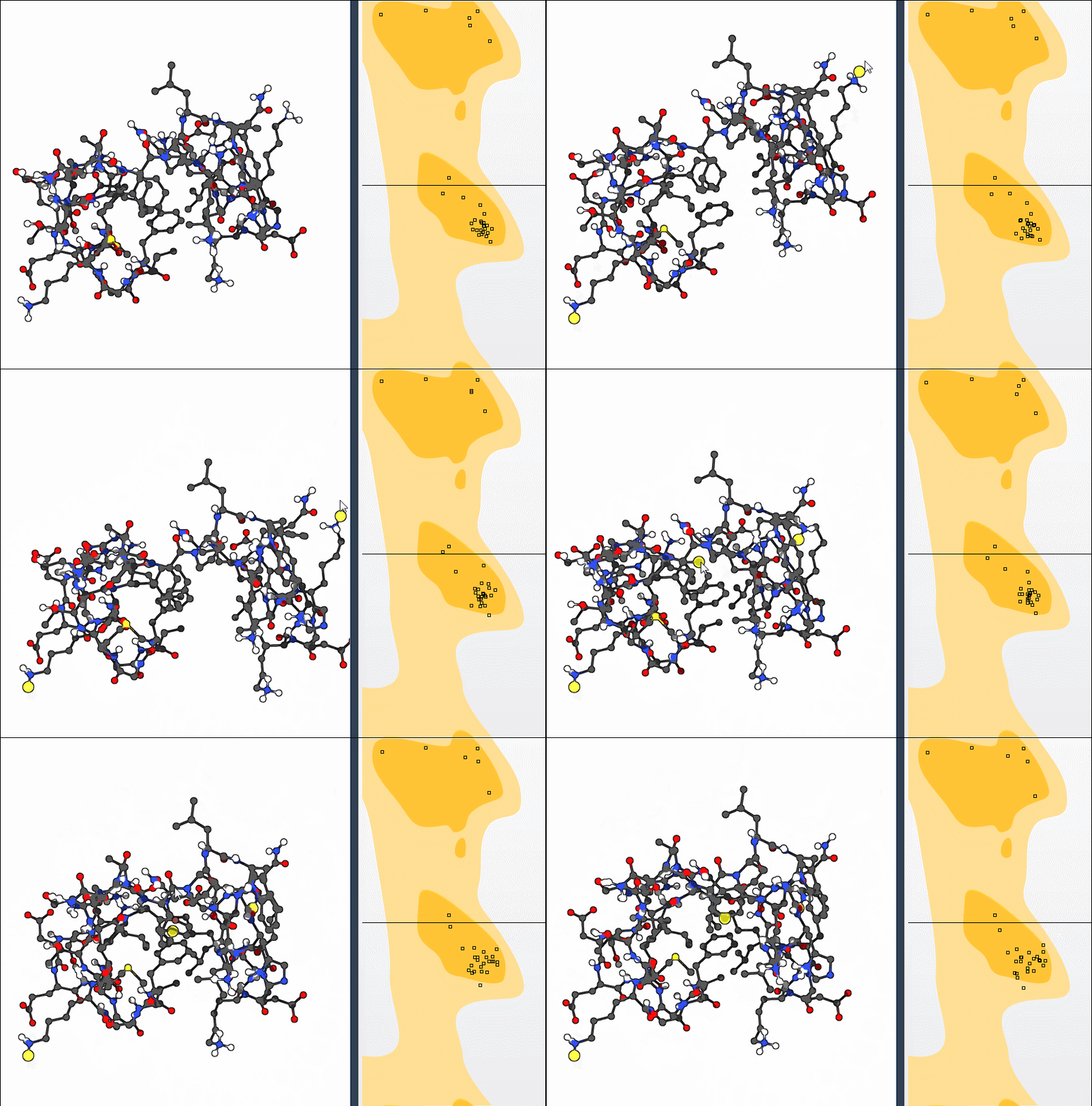
If you decide a conformation needs editing, drag its point in the plot. The φ and ψ angles change in real time, and the 3D structure updates as you work. This gives you a direct way to explore how a backbone adjustment affects the structure. If you want to reverse an edit, use Ctrl+Z on Windows or Linux, or Cmd+Z on macOS.
You can also use SAMSON’s Twister editor to twist the protein in 3D while observing the plot update live. The plot-first approach is convenient when you want to target a residue’s dihedral angles; the 3D editor offers a different way to manipulate the structure and see the corresponding change in the plot.
Use the plot as one part of your workflow
Ramachandran inspection can help you spot strained residues before simulation, examine outliers in a homology model, or explore conformational flexibility near an active or binding site. It is also useful alongside larger-scale motions: the SAMSON tutorial includes an exercise that combines nonlinear normal modes with local adjustments in the Ramachandran plot. In each case, the plot helps you inspect backbone geometry; it does not replace the other checks needed for a modeling task.
For the complete walkthrough, including loading the example protein 1YRF and the normal-modes challenge, read the original Ramachandran Plot tutorial.
Note: SAMSON and all SAMSON Extensions are free for non-commercial use. Get SAMSON.