



A protein model can look convincing in 3D and still contain backbone conformations worth checking. That is a frustrating problem for molecular modelers: a strained residue may be hard to spot in a crowded structure, and changing its geometry by eye can make it difficult to judge whether the result improved.
A Ramachandran plot gives you another view. It maps each residue by its backbone dihedral angles, φ (phi) and ψ (psi), so you can see which conformations fall in favored or unfavorable regions. In SAMSON, the Interactive Ramachandran Plot connects that map directly to the 3D structure, making it possible to inspect a residue and adjust its conformation while watching the model respond.
Start with the overall pattern
Open a protein structure in SAMSON, then launch the Ramachandran plot from Home > Apps > Biology > Ramachandran plot. Click Update to generate the plot. In the visualization, yellow areas indicate energetically favorable regions, while white areas indicate unfavorable conformations.
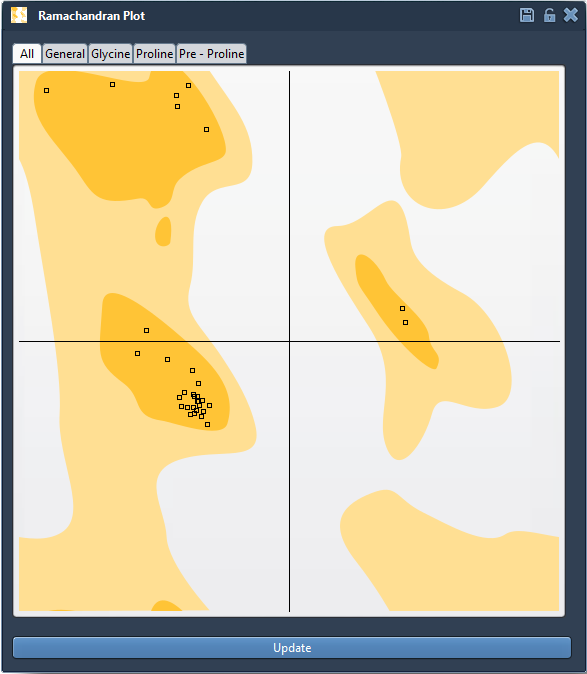
Look at the distribution before making changes. The plot is useful for identifying residues to investigate; it is not, by itself, a complete verdict on the quality of a protein model. Treat an unfavorable point as a prompt to inspect the residue and its structural context, rather than as an instruction to move it without consideration.
Check the right residue category
Residues do not all share the same conformational preferences. Use the plot tabs to view All, General, Glycine, Proline, or Pre-proline residues separately. This is especially helpful when an unusual-looking point belongs to a residue type with its own category in the plot.
Click a point to select its residue in the 3D viewport. The status bar displays its φ and ψ values, connecting the plot position to the selected part of the structure.

Make a local adjustment, then reassess
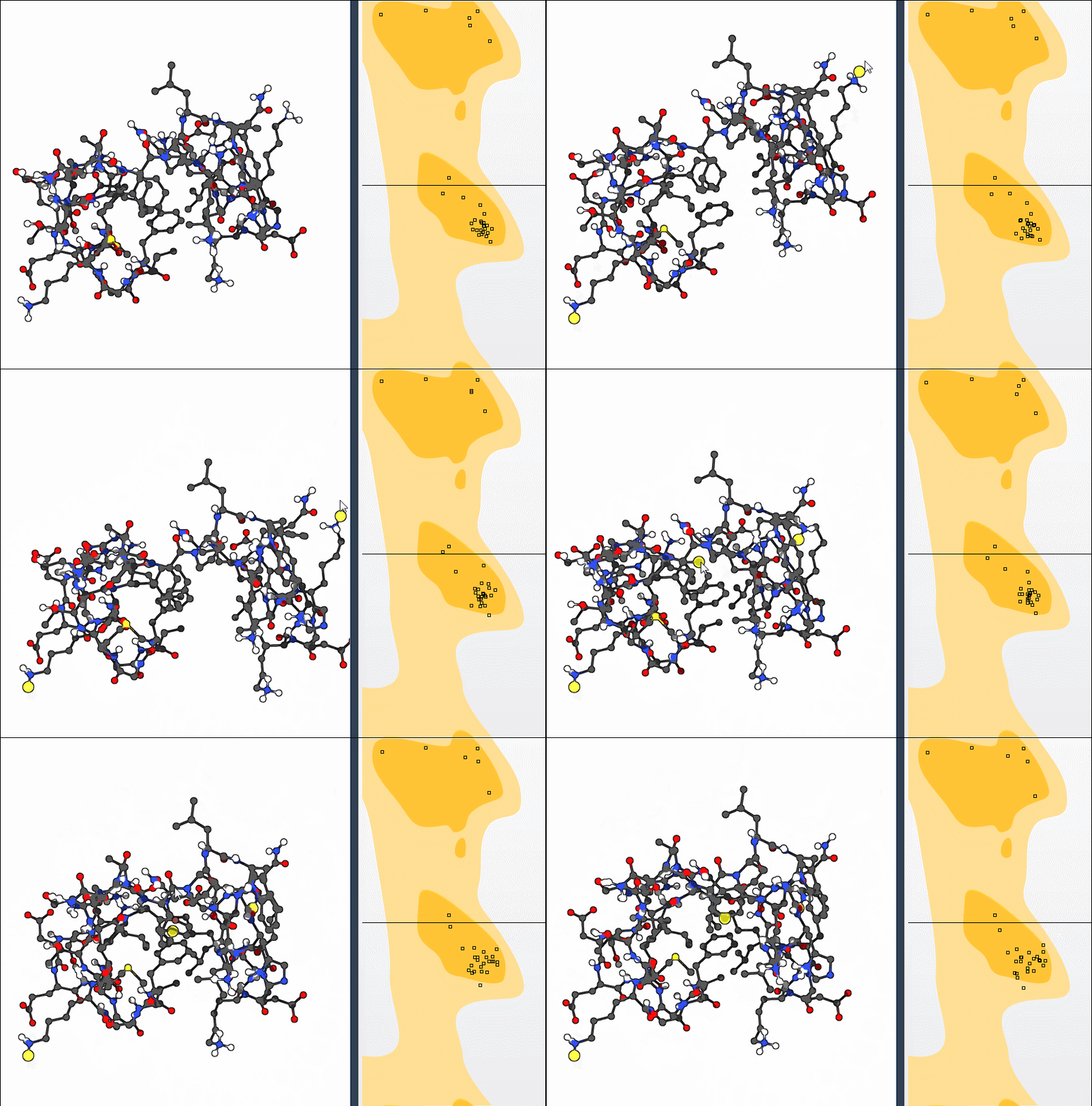
Once you have selected a residue, you can drag its point in the plot to change its dihedral angles. The 3D structure updates in real time, so you can see the effect of the adjustment rather than relying on the plot alone. If you want to return to the previous state, use Ctrl+Z on Windows or Linux, or Cmd+Z on macOS.
Another option is the Twister editor. Select it from the left-hand menu in the viewport and twist the protein in 3D; the Ramachandran plot updates as the conformation changes. This provides a useful alternative when you prefer to manipulate the structure directly and observe how that motion appears in φ/ψ space.
A practical review loop
- Generate the plot and scan for residues in unfavorable regions.
- Filter by residue category to make comparisons more appropriate.
- Select a point and locate its residue in the 3D viewport.
- Adjust the conformation in the plot or with the Twister editor.
- Review the updated 3D structure and plot, and undo if the change is not useful.
This workflow can help you identify strained residues before simulation, review outliers in a homology model, or explore conformational flexibility near an active or binding site. For a broader exercise, the tutorial also describes combining the plot with nonlinear normal modes: after computing modes, adjust conformations with the plot and inspect whether residues move into favored regions.
For setup instructions and the complete walkthrough, see the Interactive Ramachandran Plot tutorial.
Note: SAMSON and all SAMSON Extensions are free for non-commercial use. Get SAMSON.