



A protein can move through many conformations along a path, and a single structural view may not make it obvious what is changing. A loop may shift, a motif may transition, or one residue may adopt an unusual backbone conformation. The challenge is connecting those changes to specific positions along the path.
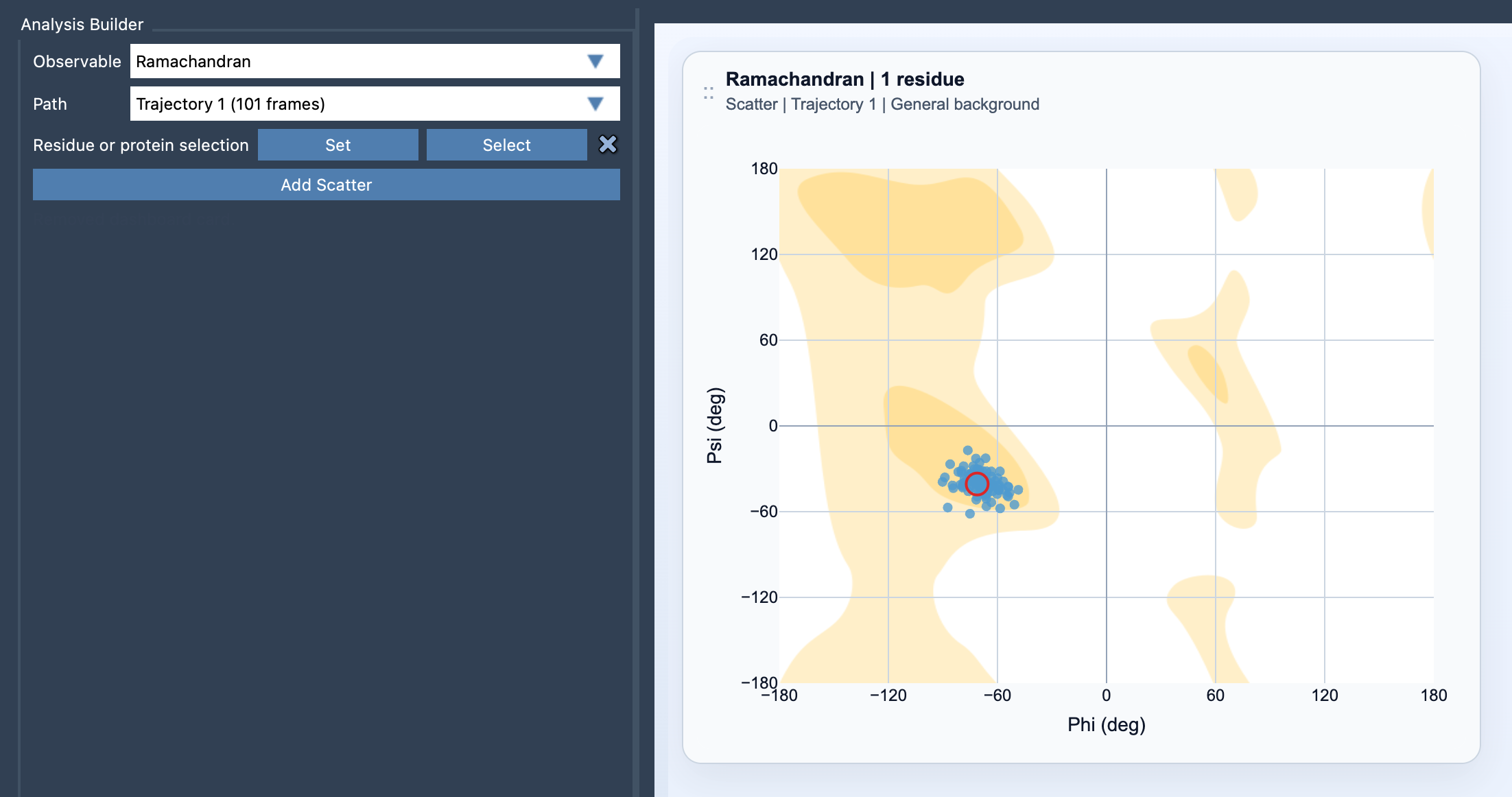
A Ramachandran plot offers a compact way to inspect that question. It places protein backbone conformations in phi/psi space: phi is shown on the x-axis and psi on the y-axis. In Path Analyzer, each valid residue in your selection contributes phi/psi points across the chosen path. Instead of relying only on the molecular view, you can examine how backbone conformations are represented as the path progresses.
Start with a question, not the whole protein
If you are investigating a particular loop, motif, or active site, begin with a focused residue selection. A smaller selection makes it easier to associate plotted points with the part of the structure you are trying to understand. If the question is broader—such as whether the protein samples a range of backbone conformations—select a wider portion of the protein.
To create the plot, open Path Analyzer, choose Ramachandran as the observable, choose a path, define a residue or protein selection, and click Add Scatter. The selection needs to contain atoms belonging to protein residues. Path Analyzer chooses a suitable background automatically; you can change it later in the card settings.
Use the plot to investigate transitions
Each point represents a residue’s backbone conformation at a frame along the path. A useful approach is to look for points that differ from the pattern you see for the rest of the selected residues, then use the plot’s interaction to inspect the corresponding structure. Click a point to move the path to its frame. Double-click it to select the corresponding residue in SAMSON.
This makes the plot a practical bridge between an abstract angle-space view and the structure itself. For example, if a point attracts your attention, you can move to its frame and inspect the residue in context rather than guessing which moment in the path produced it. The plot helps you ask targeted questions; it does not replace checking the molecular structure.
Keep the interpretation in context
A Ramachandran plot is most informative when you know what you selected and which path you are viewing. A focused selection helps investigate a local feature, while a broader selection gives a more global picture of conformational sampling. In either case, use the plot as one view of the data rather than as a verdict about whether a structure is correct.
For a fuller picture of a structural change, compare the backbone-angle view with other observables. Secondary structure content can provide complementary context about secondary-structure preferences, while RMSD offers another way to examine structural differences along a path. The combination can help distinguish a local backbone change from a broader structural shift.
When a path contains many frames, the key benefit is being able to move from a plotted point back to the exact frame and residue that interest you. That turns a dense set of conformations into a more manageable investigation: choose the region, spot a feature, and inspect it in the structure.
Learn more in the Ramachandran reference.
Note: SAMSON and all SAMSON Extensions are free for non-commercial use. Get SAMSON.