



A protein structure can look reasonable at the start and end of a simulation or modeled path while behaving unexpectedly in between. A loop may shift, a residue may adopt an unusual backbone conformation, or a transition may be difficult to spot by inspecting structures one at a time. That makes it easy to miss where a change happens—or which residue deserves a closer look.
A Ramachandran plot offers a compact way to inspect backbone conformations along a path. It places each valid residue’s phi and psi angles on a two-dimensional plot, making it easier to see patterns and unusual points across the frames of a path.
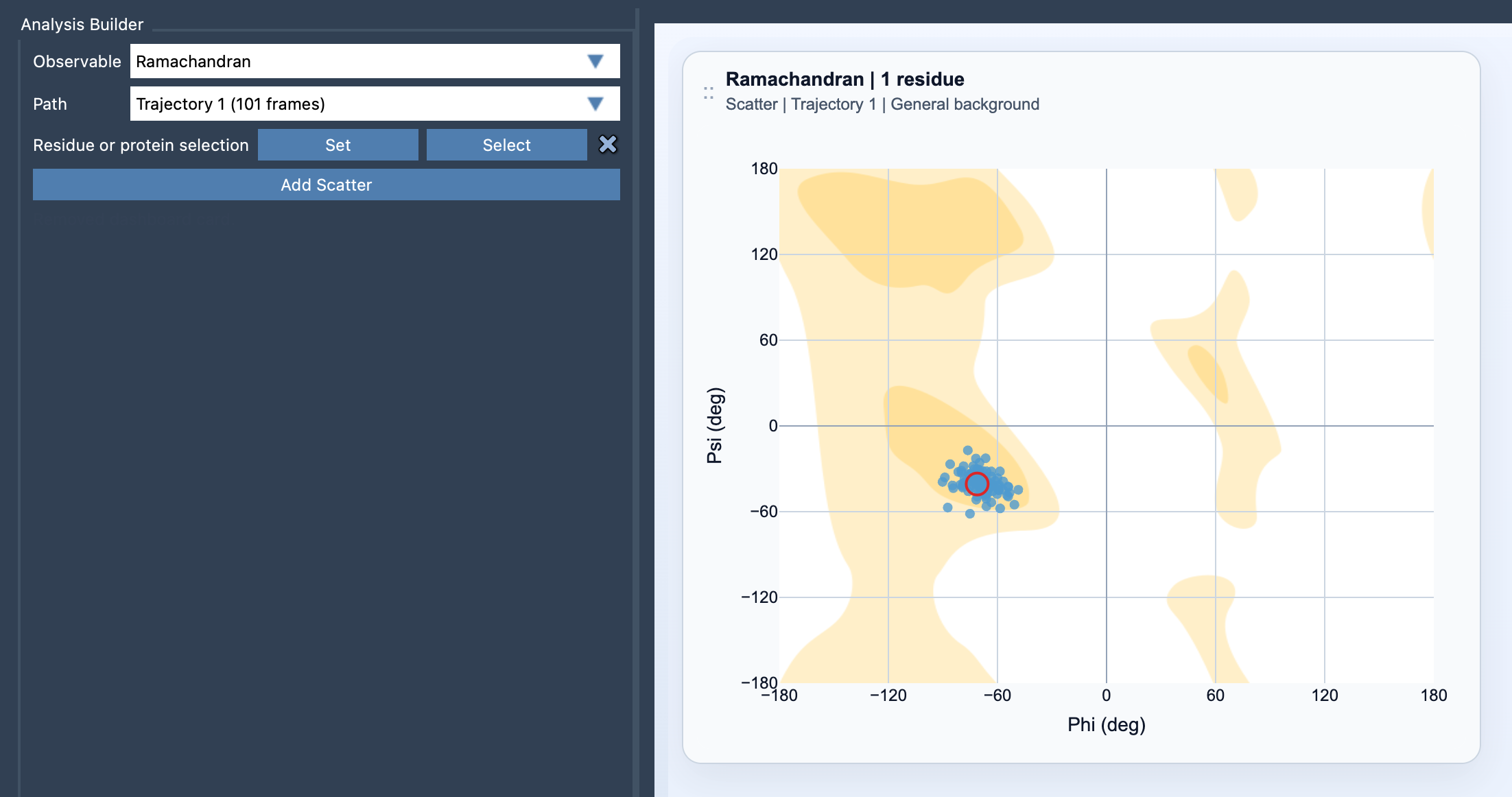
Use the plot to find where to investigate
The plot is most useful as a guide for exploration, not as a verdict on whether a structure is correct. It can help you identify residues or portions of a path that merit inspection. For instance, a point that stands apart from a residue’s other plotted conformations is a useful prompt to check the corresponding frame and structure. A cluster of points can help you recognize repeated conformations, while a spread of points can indicate that the residue changes conformation across the path.
Keep the scope of your selection in mind. If you are investigating one active site, loop, or motif, select the residues you care about. A focused selection makes it easier to connect points to the structural feature you are studying. If your question concerns overall protein conformational sampling, use a broader protein selection instead. The broader view can reveal patterns, but may be harder to interpret residue by residue.
Build a Ramachandran view in Path Analyzer
- Open Path Analyzer.
- Choose Ramachandran as the observable.
- Choose the path you want to inspect.
- Define a selection containing atoms that belong to protein residues.
- Click Add Scatter.
Each valid residue contributes phi/psi points across the path. The scatter plot places phi on the x-axis and psi on the y-axis. Path Analyzer selects a suitable background automatically; you can change it later in the card settings.
Connect a point back to the structure
The key advantage of viewing the plot alongside the path is that a point can take you back to the structure it represents. Click a point to move the path to the corresponding frame. If you want to inspect the residue itself, double-click the point to select that residue in SAMSON. This makes it practical to move from a suspicious or interesting point on the plot to the relevant frame and molecular context, rather than relying on the plot alone.
A simple review can be: first, narrow the selection to the region behind your question; next, scan the scatter for conformations that stand out or change across the path; then click a point to inspect its frame and double-click when you want to select the associated residue. Treat what you see as a lead for structural inspection. The plot shows backbone angle values, but by itself it does not explain why a conformation occurs or whether it is biologically meaningful.
Pair it with other views
Ramachandran points are especially useful alongside Secondary structure content and RMSD. These views provide complementary ways to examine a path: backbone conformations, secondary-structure content, and structural deviation. Together, they can help you frame more specific questions about when a change occurs and which region to inspect next.
For the full setup details, visit the Ramachandran documentation.
Note: SAMSON and all SAMSON Extensions are free for non-commercial use. Get SAMSON.