



In molecular docking, particularly when screening a library of ligands, it’s common to wonder whether or not to minimize ligands before docking—and if so, how to do it effectively. This important step can significantly affect the quality of your docking results, especially when working with 2D ligand formats or unoptimized structures from public libraries.
If you’re using the AutoDock Vina Extended extension in SAMSON, the process of ligand minimization is not only straightforward but also customizable. Let’s walk you through when to use it, why it matters, and how to configure it properly using the interface.
Why Minimization May Be Needed
Ligands sourced from libraries (e.g. ZINC) often come in formats that are either 2D or not geometrically optimized. Docking unminimized ligands can lead to unrealistic poses, poor scoring, or even failed dockings due to structural clashes or misinterpretation of bond types.
Minimization ensures that ligands start from a reasonable conformation, allowing the docking engine to search more effectively for realistic binding poses.
Checking the Minimization Option in SAMSON
To minimize ligands in AutoDock Vina Extended:
- During ligand setup (either for a single ligand or a ligand library), simply check the Minimize box.
- You can choose from predefined minimization presets. These determine how many steps the process should run and what stopping criteria to use (e.g., energy convergence).
- Add missing hydrogens if the ligands do not already include them. This is especially important for polar hydrogen detection and proper bond type assignment.
Here’s an example of the dialog with these options:

Minimization Presets Explained
Each preset is tuned for a different use case:
- Fast: very quick, good for large screens where speed is more important than accuracy.
- Accurate: more precise minimization with more steps and tighter stopping criteria.
The minimization will stop when either:
- The energy difference between steps is below a threshold for a set number of steps.
- Or, the maximum number of steps is reached.
Important Notes
- If your ligands are already minimized or sourced from a platform that provides 3D optimized conformers, skipping minimization might save time without sacrificing accuracy.
- Locked bonds won’t affect the minimization—during this process, all bonds can be adjusted regardless of their status for docking.
Making It Work for Large Libraries
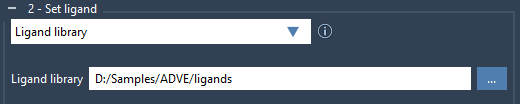
When working on virtual screening workflows with hundreds or thousands of ligands, you might not want to inspect each ligand one-by-one. Just select the ligand folder via the Ligand library option, then activate “Minimize” and “Add missing hydrogens” before starting the docking process.
By letting SAMSON handle this preprocessing, you ensure that each ligand starts from a realistic 3D geometry that is ready for docking exploration.
Conclusion
Ligand minimization is one of those quick steps that can dramatically improve your docking outcomes, especially when working with diverse or uncurated ligand datasets. SAMSON’s AutoDock Vina Extended app makes adding this step to your workflow easy and efficient.
To learn more, visit the complete tutorial on docking libraries of ligands with AutoDock Vina Extended.
SAMSON and all SAMSON Extensions are free for non-commercial use. You can download SAMSON at www.samson-connect.net.