



One of the lesser-known yet powerful features of the Universal Force Field (UFF) implementation in SAMSON is its ability to accommodate structural changes to a molecular system during a simulation. As a molecular modeler, you’ve likely run into challenges when modifying your models mid-simulation—especially when deleting or adding atoms “on the fly.” Most simulation platforms require restarting or reinitializing the process when changes like these are made, which can break your flow and cause frustration.
In SAMSON, though, you can directly edit the atomic structure while running a UFF simulation, and the software will automatically re-evaluate the system according to the changes you’ve made. This allows for a fluid modeling experience where experimentation and iteration are encouraged, and not penalized with downtime or data loss.
Why is this useful?
Let’s say you’re exploring a new ligand design or optimizing a small molecule geometry. You realize midway through the simulation that a hydrogen needs to be removed or an additional functional group should be tested. Instead of going back to square one, you can perform the modification and let SAMSON handle the rest: it will recompute typization, reassign force field parameters, and ensure your model remains consistent with UFF’s interaction rules.
How to Delete Atoms
Step 1: Select the eraser editor (indicated by a rubber icon in the SAMSON interface).
Step 2: Click on the atoms you wish to delete in the model window.
That’s it. The software will automatically recompute the molecular perception based on the remaining structure.
How to Add Atoms
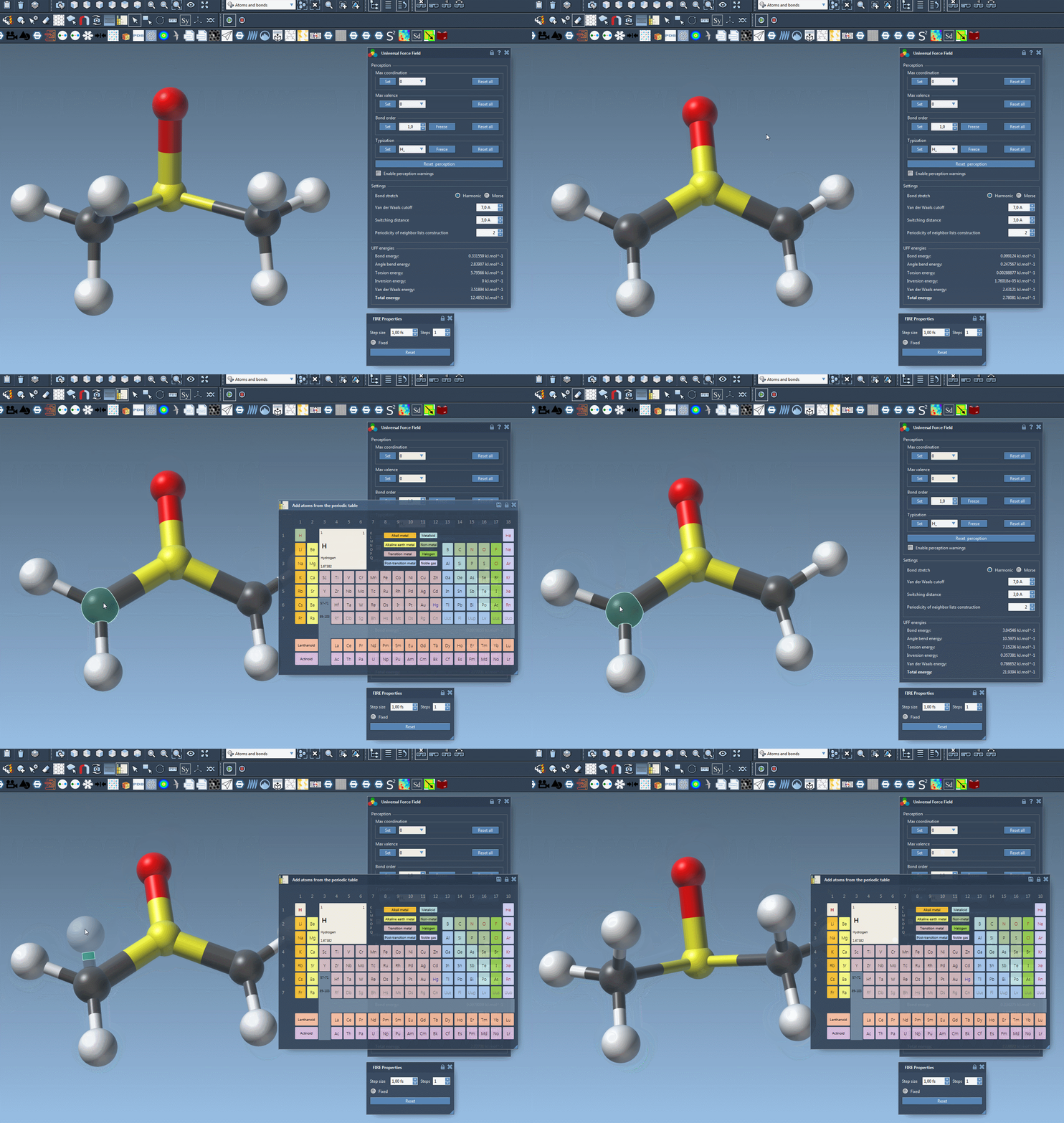
Step 1: Open the periodic table and choose the atom element you’d like to add.
Step 2: Click on an existing atom in your molecular model to indicate the bonding atom.
Step 3: Move the mouse, and you’ll see a transparent atom appear, indicating where the new atom will be bonded.
Step 4: Release the mouse button. The new atom is now part of the simulation model.
Behind the scenes, SAMSON computes new bonds, updates bond orders, and assigns appropriate atom types—without interrupting the simulation.
Why it works
This kind of dynamic editing is made possible by the typization engine in SAMSON’s UFF Extension. Whether you’re removing atoms or bonding new ones, the force field engine automatically perceives and updates the structure by:
- Calculating new covalent bonds based on atomic distances
- Assigning or updating bond orders intelligently
- Perceiving atom types required by UFF to apply its parameters
This means molecular modelers can stay focused on designing, testing, and optimizing chemical systems without going through lengthy setup steps every time.
One tip to remember
If you’d like to learn more about how to use SAMSON’s molecular building features efficiently, check out the User Guide: Building molecules or try the interactive tutorial Building with Atoms via the SAMSON interface under Help > Tutorials.
To dig deeper into UFF implementation and its customization in SAMSON, head over to the full documentation page.
SAMSON and all SAMSON Extensions are free for non-commercial use. You can download SAMSON at https://www.samson-connect.net.