



Moving atoms in a molecular model can quickly become frustrating when the structure’s connectivity is fixed. A bond that should break may keep pulling atoms together; atoms brought close enough to connect may remain separate. In these situations, the challenge is not just changing coordinates—it is allowing the molecular topology to respond as you edit.
SAMSON’s Interactive Modeling Universal Force Field (IM-UFF) is designed for this kind of interactive work. Unlike a static-topology force-field setup, it can smoothly handle changes in covalent bonds, bond orders, and atom typizations as atoms move. That makes it useful for exploring structural edits while the system is guided by interatomic forces, rather than having to rebuild connectivity after every manipulation.
Set up a small test first
Start with a small or medium molecular system. This makes it easier to see what changes when you move an atom and to spot unexpected topology updates. Add the IM-UFF extension, open the structure in SAMSON, and choose Edit > Simulate > Add simulator. Select Interactive Modeling Universal Force Field, choose a state updater such as FIRE, and confirm.
IM-UFF does not open a separate setup window. In its parameter window, find the Interactive modeling options group. For interactive bond changes, make sure Static topology (UFF only) is unchecked. This is the key distinction: with static topology enabled, you are using the non-reactive UFF mode; with it disabled, IM-UFF can update the topology during modeling.
Understand the van der Waals option
The second option, Keep vdW for manipulated, controls whether van der Waals interactions are computed for atoms you are manipulating with the mouse. When it is checked, van der Waals energies and forces are computed. When it is unchecked, manipulated atoms are excluded from those calculations. The documentation notes that disabling this option can make it easier to bring atoms together, because repulsive van der Waals forces may otherwise hinder an intended connection.
For a first interactive test, leave both Static topology (UFF only) and Keep vdW for manipulated unchecked, then start the simulation with Edit > Simulate > Start.
Move atoms and watch the structure respond
Try a small displacement first. The existing bonds should remain intact, while nearby parts of the system adjust locally. Then move an atom farther away from its neighbors: bonds can break, and the topology updates. Moving atoms closer together can allow new bonds to form. The important practical point is that topology changes are tied to the changing positions, so you can explore a structural rearrangement directly instead of treating connectivity as an unchangeable input.
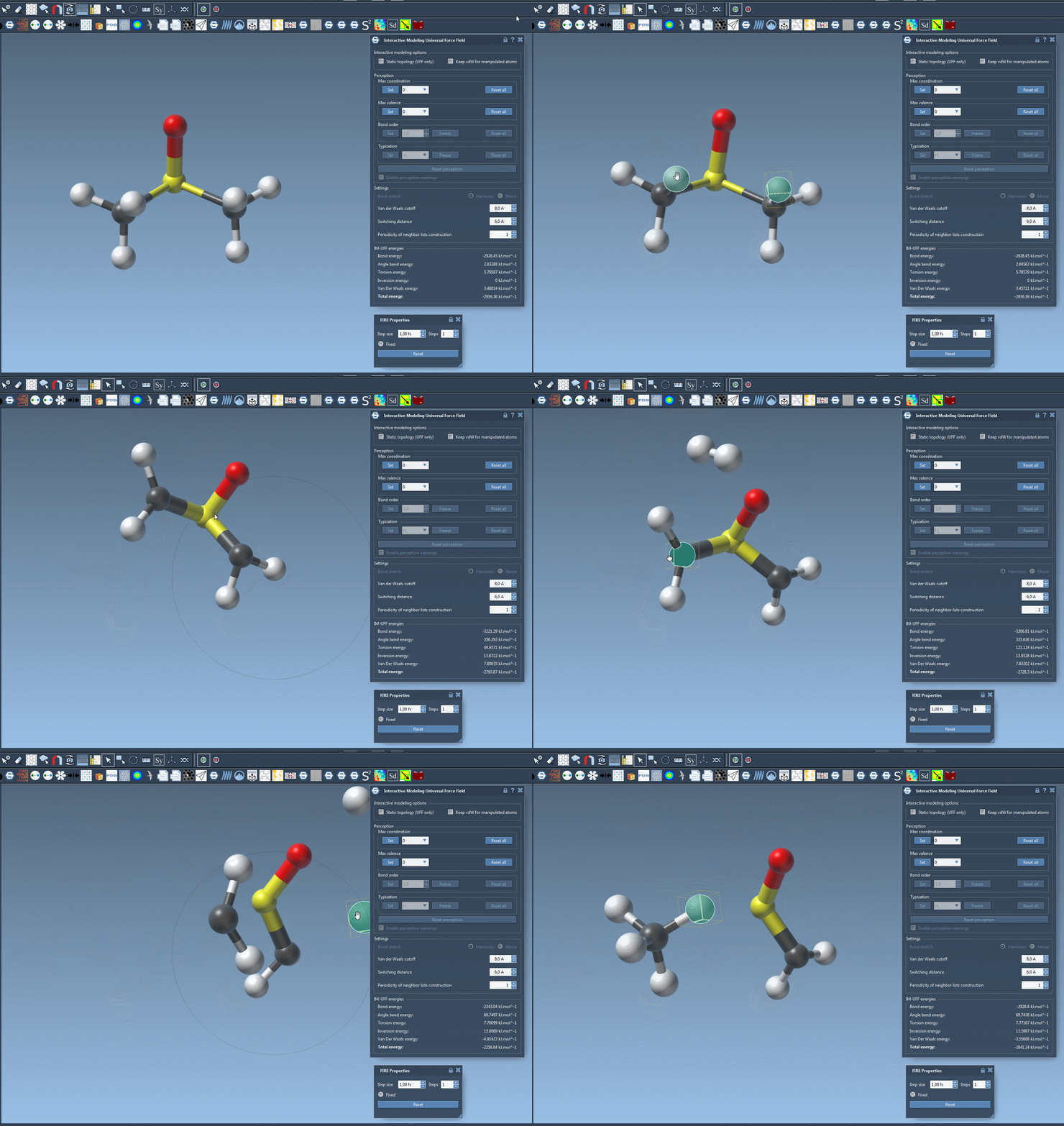
Keep an eye on the energy readout in the parameter window while you work. It shows the total energy and its individual terms, giving you context for how the system responds to your edits. Treat the simulation as a modeling aid: inspect the resulting structure and connectivity rather than assuming that every automatically formed or broken bond is the intended chemical outcome.
Customize without losing the interactive workflow
IM-UFF also exposes parameters such as the van der Waals cutoff, switching distance, and neighbor-list update periodicity. Automatic typization settings can be customized too. During interactive modeling, however, bond order and atom typization are not set directly; they take continuous values based on the atoms’ current positions, supporting smooth transitions between topologies. The maximum coordination and maximum valence can be set in this mode. Atoms may also be added or deleted while the model is running, with typization updated automatically.
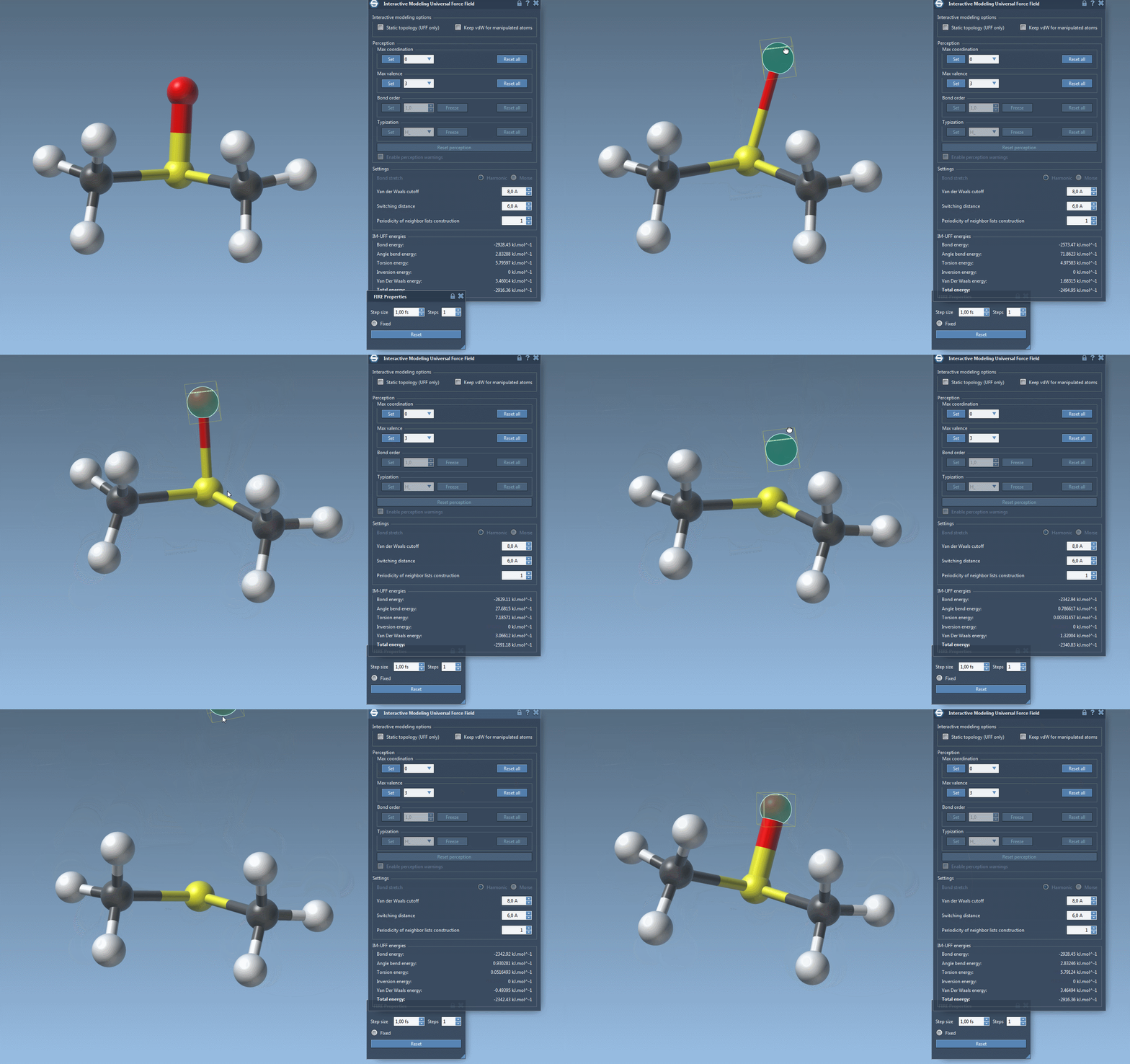
A useful comparison is to repeat the same manipulation with static topology enabled. This lets you see the difference between editing coordinates within a fixed connectivity and allowing bonds and typizations to adapt. For details about the underlying UFF settings, see the UFF tutorial. To follow the complete IM-UFF walkthrough, visit the original documentation page.
Note: SAMSON and all SAMSON Extensions are free for non-commercial use. Get SAMSON.