



Moving atoms in a molecular model can expose a frustrating limitation: the structure may need to form or break bonds, but a simulation that assumes a fixed topology cannot adapt as you edit. Interactive Modeling Universal Force Field (IM-UFF) is designed for this kind of hands-on work. It lets the molecular topology respond to atom positions, so you can explore structural changes while the system is being simulated.
IM-UFF extends the Universal Force Field (UFF) for interactive modeling. As atoms move, it can smoothly handle changes to covalent bonds, bond orders, and atom types. This makes it useful when you want to build or modify a molecular structure directly, rather than only relax a structure whose connectivity is already fixed. The forces provide guidance during editing; the resulting model should still be checked for chemical plausibility.
Set up a topology that can adapt
Start with a small or medium molecular system so you can clearly see how connectivity changes during manipulation. Open the document in SAMSON, then choose Edit > Simulate > Add simulator. Select Interactive Modeling Universal Force Field, choose a state updater such as FIRE, and confirm.
In the IM-UFF parameter window, check the interactive modeling options before starting:
- Static topology (UFF only) should be unchecked to use IM-UFF’s changing-topology mode. When checked, the interaction model uses standard UFF with a static topology instead.
- Keep vdW for manipulated controls whether van der Waals interactions are computed for atoms you are moving with the mouse. Leaving it unchecked can make it easier to bring atoms together, because their van der Waals repulsion will not hinder the manipulation. Check it when you want those interactions included during editing.
These choices address different needs. Static topology is useful when connectivity should remain unchanged. IM-UFF is the option to explore when the connectivity itself may need to respond to your edits. The vdW setting is about how manipulated atoms interact during that process, not whether bonds are allowed to change.
Move atoms and watch the response
Start the simulation with Edit > Simulate > Start, then move an atom with the mouse. Small displacements generally let the existing structure adjust locally while preserving its topology. If you move an atom much farther, bonds to neighboring atoms can break and the topology can update. Bringing atoms closer can allow new bonds to form. In this way, the edit is not just a change in coordinates: the modeled connectivity can change along with it.
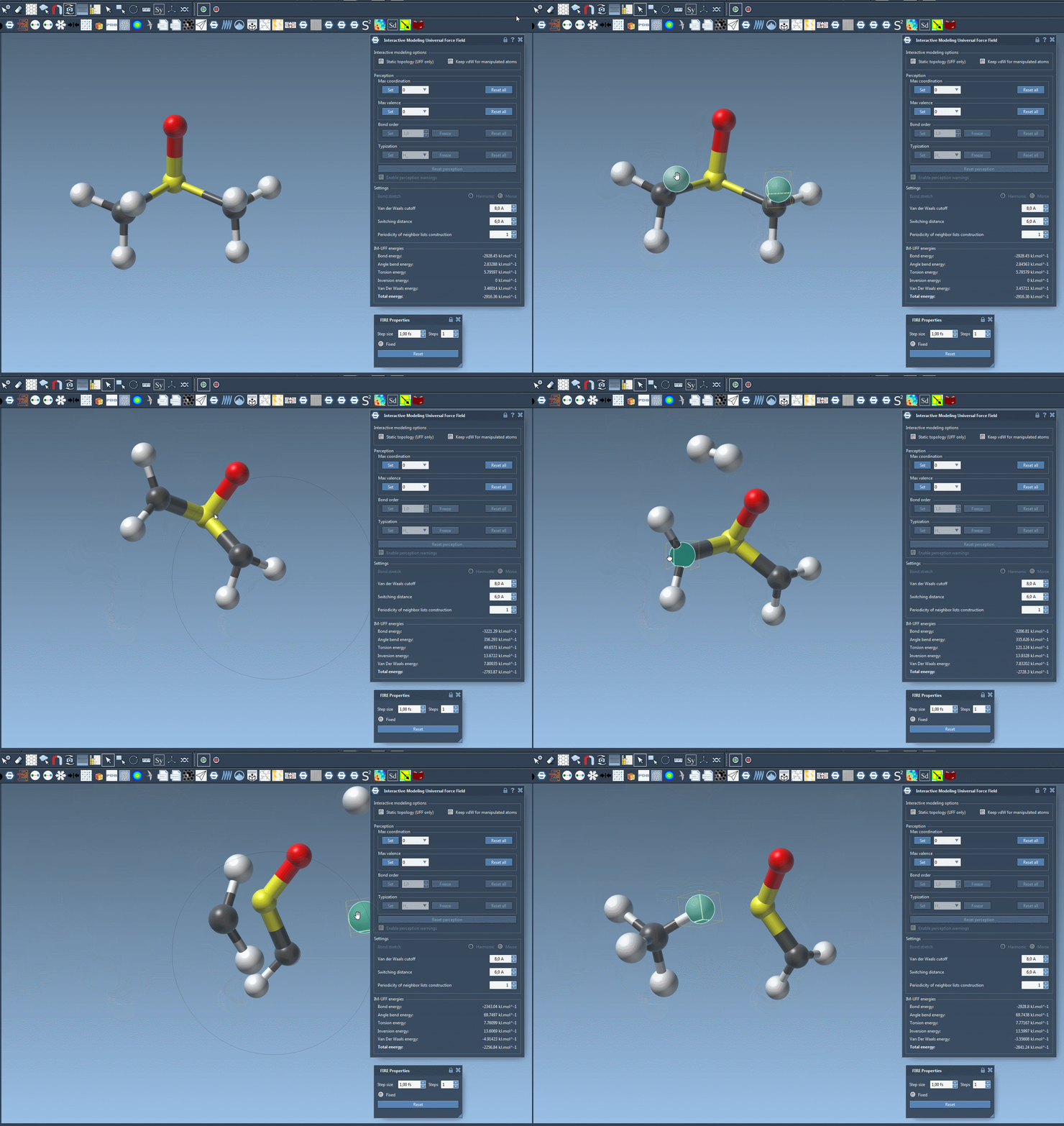
Use deliberate, incremental movements when learning the response. After each substantial edit, pause to inspect the structure and its connectivity. The parameter window also displays the total energy and individual energy terms, which can help you follow how the system responds as you manipulate it. These values are useful context, but they do not by themselves establish that a proposed structure is chemically correct.
Customize with care
IM-UFF also provides settings for van der Waals cutoffs, switching distance, and neighbor-list updates, along with options related to automatic atom typing. In interactive mode, maximum coordination and maximum valence can be set; bond order and atom typization are not directly fixed, because they vary continuously with atom positions to support transitions between topologies. If you need a workflow with a fixed topology, the companion UFF tutorial describes the standard interaction model.
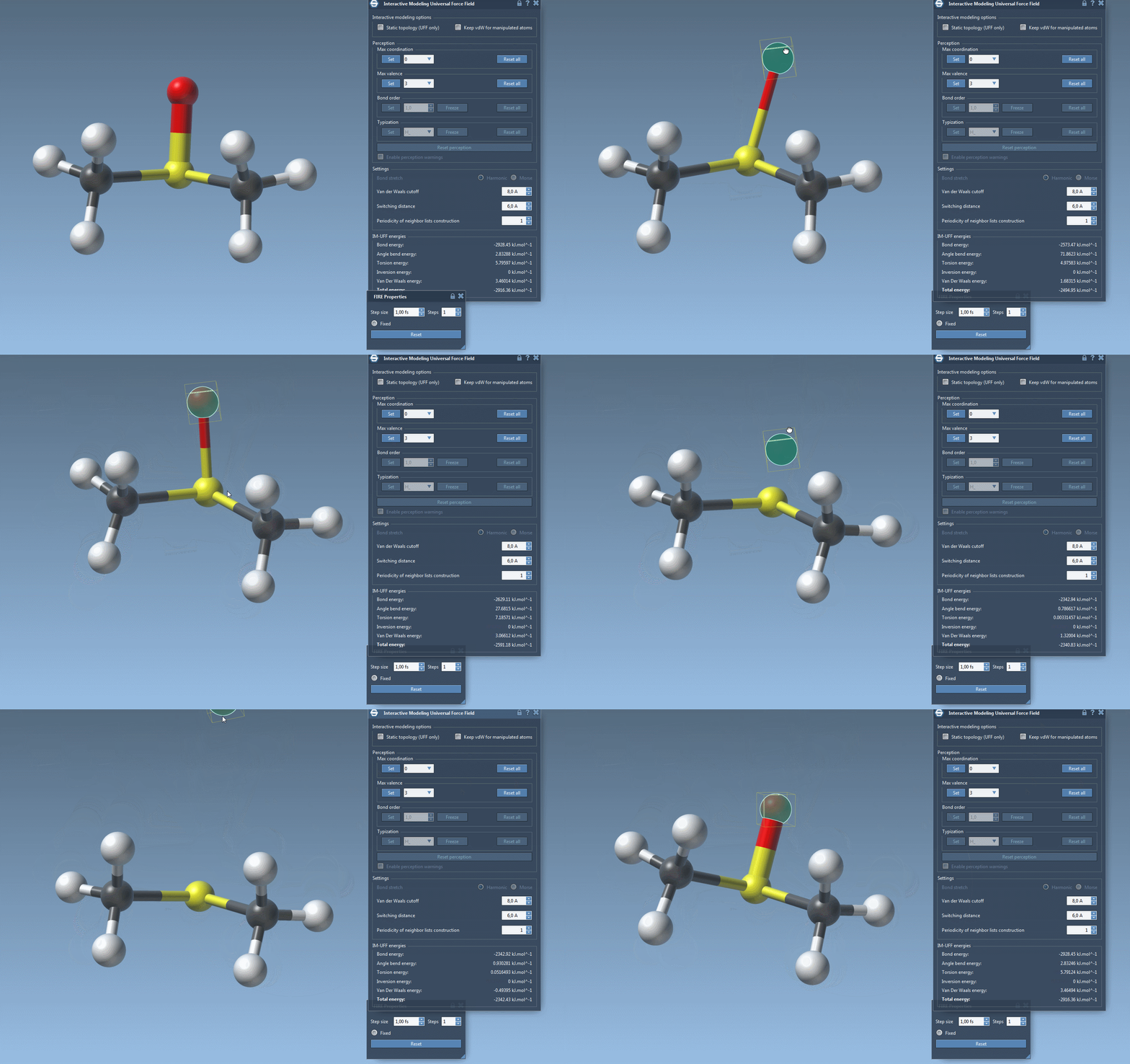
A practical starting point is to test the workflow on a compact structure, keep the topology dynamic, and initially leave vdW interactions off for manipulated atoms if they make positioning difficult. Then compare the result with static-topology UFF or another interaction model. This makes it easier to distinguish the effect of changing connectivity from the effect of other modeling choices.
For the complete setup and parameter details, see the IM-UFF tutorial.
Note: SAMSON and all SAMSON Extensions are free for non-commercial use. Get SAMSON.