



One frustrating moment in molecular modeling is when the structure you want to explore cannot be reached by simply adjusting coordinates. A conventional, fixed-topology workflow keeps the existing bonds in place, even when you move atoms far apart or bring new neighbors close. That can make it difficult to explore structural changes interactively.
In SAMSON, the Interactive Modeling Universal Force Field (IM-UFF) is designed for this kind of editing. It extends UFF with a topology that can update as atoms move: covalent bonds can form or break, bond orders can change, and atom typizations can adjust. The result is a way to manipulate a molecular system while interatomic forces guide local structural changes.
Set up a small test first
Start with a molecular document and add the IM-UFF extension. In SAMSON, choose Edit > Simulate > Add simulator, select Interactive Modeling Universal Force Field, choose a state updater such as FIRE, and confirm. A small or medium system is a useful first test: it is easier to see which changes follow from your manipulation.
There is no separate setup window for IM-UFF. In its parameter window, look first at the Interactive modeling options. To allow the topology to change, leave Static topology (UFF only) unchecked. This is the key distinction between running IM-UFF and using the static-topology UFF mode available in the same interaction model.
Move atoms in stages
With the simulation running, try moving an atom a small distance. The neighboring structure should adjust locally while the existing topology remains intact. Then move it farther. A sufficiently large displacement can break bonds to its neighbors; bringing atoms closer together can allow new bonds to form. Rather than expecting one dramatic movement to produce a desired structure, make controlled adjustments and watch how the system responds.
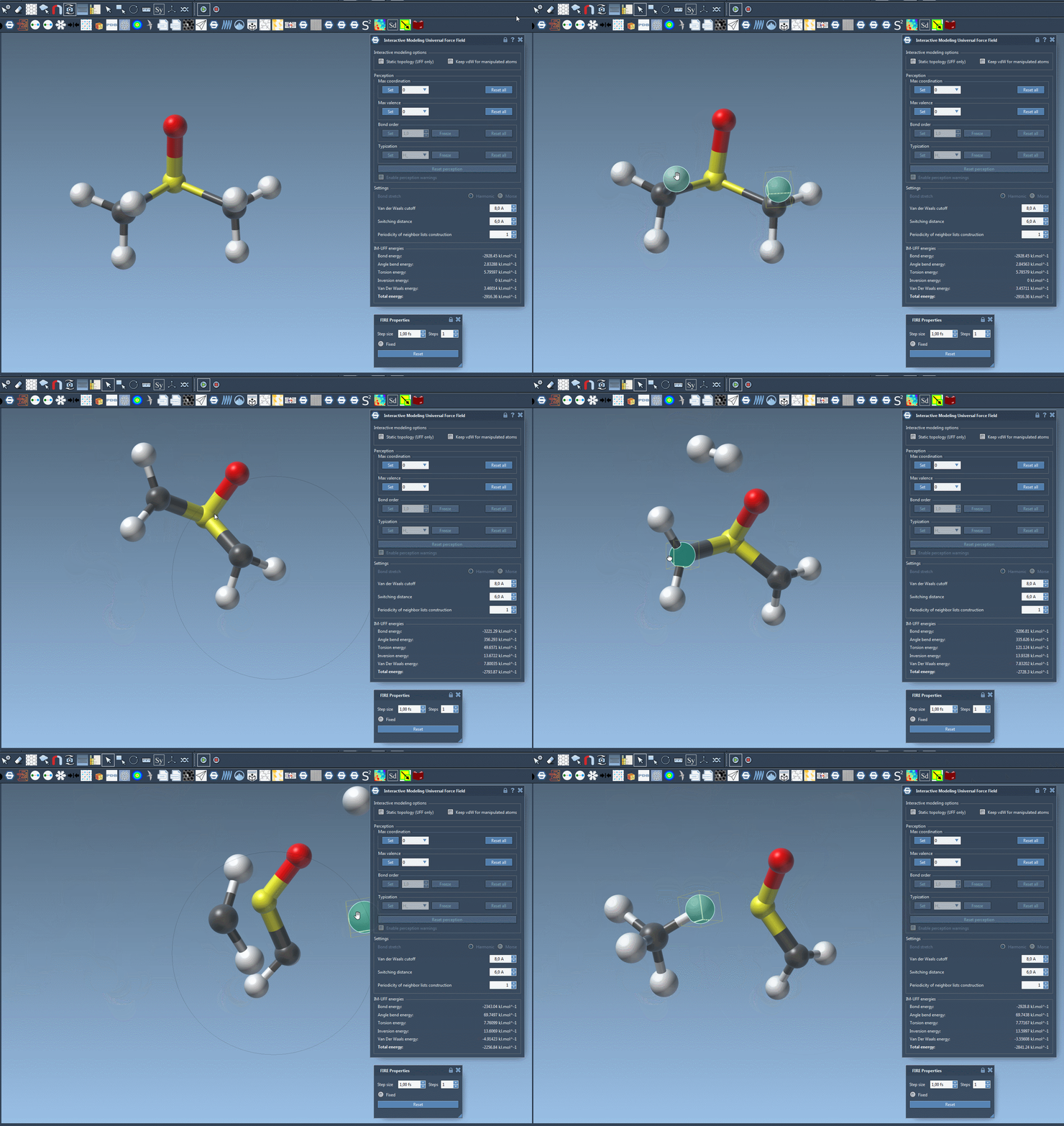
The practical lesson is to distinguish a local relaxation from a topology change. Small movements can help the structure settle without changing its connectivity. Larger movements let you explore whether the current arrangement of atoms can reorganize. Keep an eye on the total energy and its individual terms shown in the parameter window as you work; they provide context for the system’s response.
Choose how van der Waals forces affect your edits
The Keep vdW for manipulated option controls whether van der Waals energies and forces are computed for atoms being manipulated with the mouse. When it is checked, those interactions are included. When it is unchecked, the manipulated atoms are excluded from van der Waals calculations. The latter setting can make it easier to bring atoms together when repulsive van der Waals forces would otherwise hinder the connection you are trying to explore.
For the basic IM-UFF workflow described here, leave both Static topology (UFF only) and Keep vdW for manipulated unchecked before starting the simulation. If you change the van der Waals setting later, treat it as a deliberate change to the forces acting during manipulation, not as a cosmetic display option.
Compare modes carefully
If you want a fixed-topology comparison, check Static topology (UFF only) to use standard UFF within the IM-UFF interaction model. This is useful for separating two questions: how does the structure respond when connectivity is held fixed, and how does it respond when topology can update? The energy reference differs between standard UFF in this interaction model and the separate UFF interaction model, so avoid interpreting raw energy values across those modes as though they necessarily share the same zero point.
IM-UFF also supports customization of van der Waals cutoffs, switching distance, and neighbor-list construction periodicity. During interactive modeling, only maximum coordination and maximum valence can be set among the automatic typization options; bond order and typization vary continuously with atom positions to allow transitions between topologies.
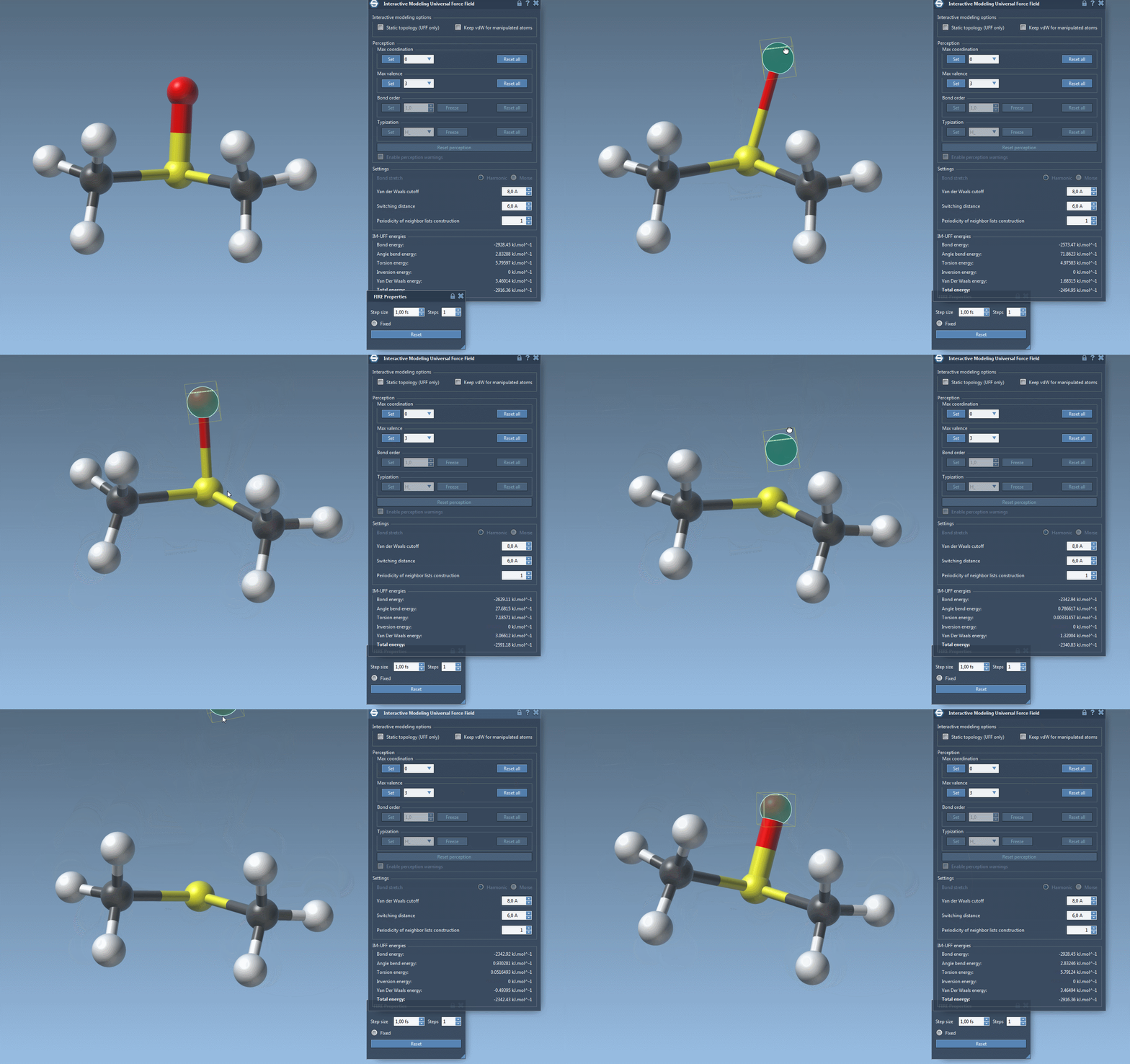
A useful first exercise is to run a small structure in IM-UFF, make one controlled edit, and note whether the connectivity changes. Then repeat with static topology enabled and compare the behavior. This gives you a direct feel for what topology updates contribute, without confusing them with the effects of a different starting structure or a series of simultaneous edits.
For setup details and the full parameter descriptions, see the IM-UFF tutorial.
Note: SAMSON and all SAMSON Extensions are free for non-commercial use. Get SAMSON.