



A molecular structure can look perfectly reasonable on screen and still be difficult to prepare for simulation. Bonds may be missing or incorrect, bond orders may be uncertain, and atom types may not match the structure you intend to model. These details matter: UFF relies on a perceived molecular system, so a useful first step is to check how that system is being prepared before interpreting what happens during a simulation.
This workflow focuses on setting up the Universal Force Field (UFF) in SAMSON, understanding the choices that affect initialization, and knowing when to leave typization alone. It is especially useful when you are starting with a structure whose bonding information needs to be checked.
Start by deciding whether to trust the existing bonds
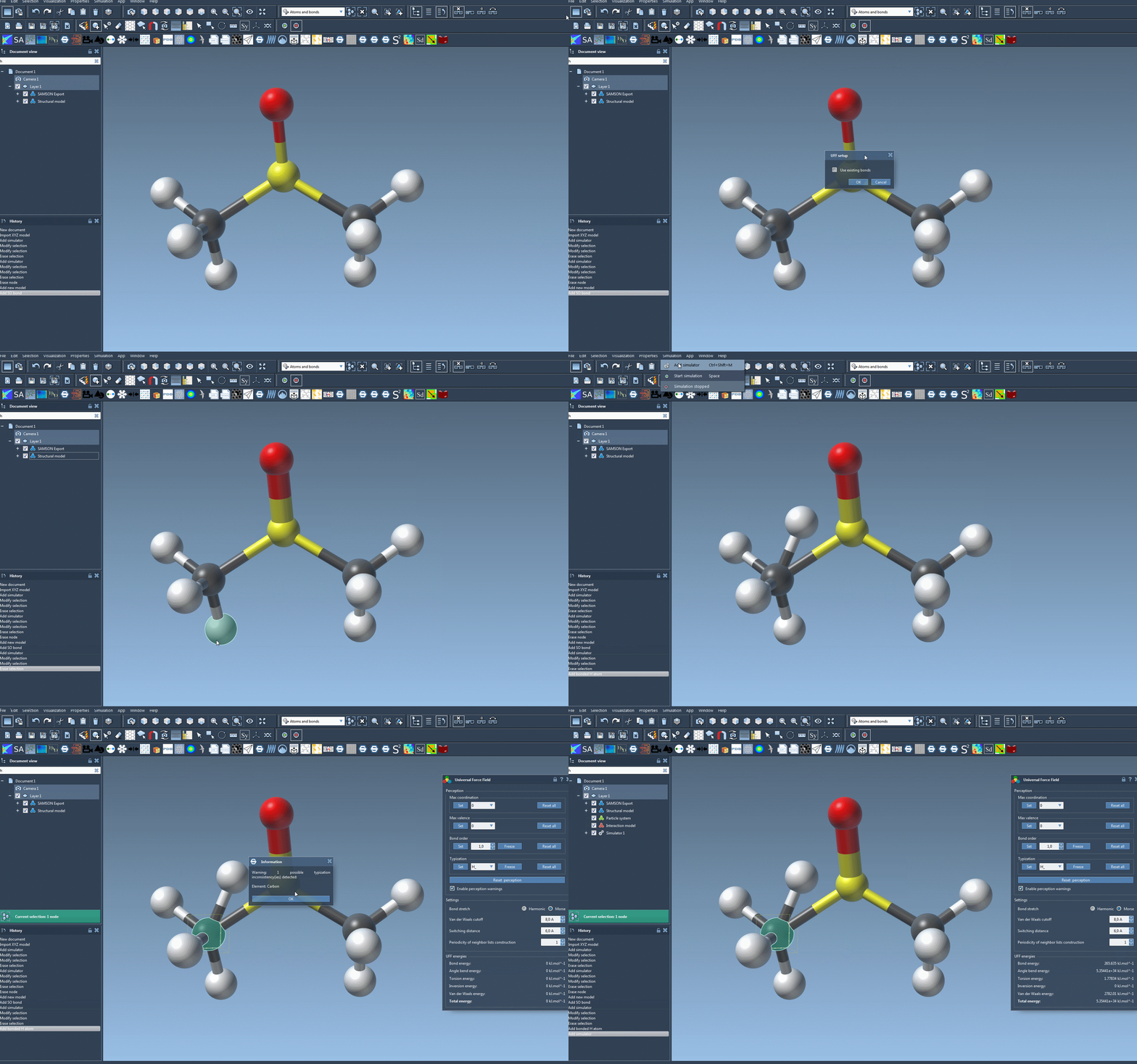
Open the molecular system you want to simulate, then add a simulator through Edit > Simulate > Add simulator. Select Universal Force Field, choose a state updater, and confirm. The UFF setup window then asks whether to use existing bonds.
This checkbox is an important decision, not just a setup detail:
- Use existing bonds: choose this when you want UFF to rely on the bonds already present in the model.
- Leave it unchecked: UFF recomputes bonds from atom types and positions.
After you confirm, UFF initializes the system. When existing bonds are not used, it computes covalent bonds, then computes bond orders and atom types. If the system contains detected inconsistencies, SAMSON may show a warning. Treat that warning as a reason to inspect the structure rather than simply continuing without review.
Read the energy display as feedback
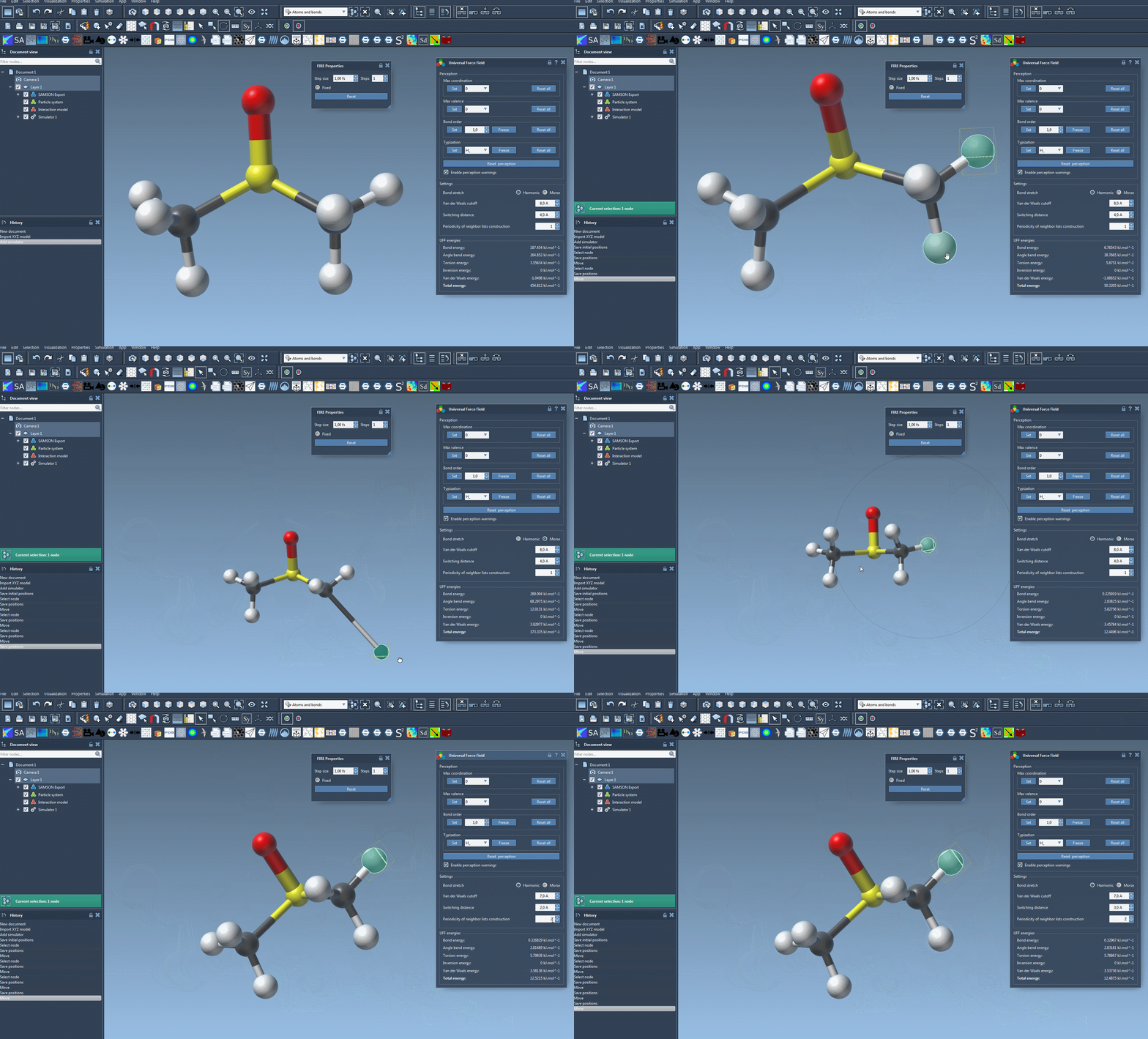
Once initialization is complete, start the simulation with Edit > Simulate > Start. The UFF window displays the energy of each UFF term and the total energy. You can also interactively move atoms and observe how the model responds by updating the positions of other atoms.
That makes interactive movement useful as a way to examine the model’s response, but it is not a substitute for checking whether the starting connectivity and atom types are appropriate. If the initial perception is wrong, changing simulation parameters alone may not address the underlying issue.
The parameter window offers several controls. Bond stretching can use either Harmonic or Morse interactions. The van der Waals cutoff sets the distance limit for considering vdW interactions; the switching distance determines where the vdW term is weighted so it smoothly reaches zero at the cutoff. You can also change how often neighbor lists for vdW interactions are rebuilt. The default is to recompute them at each time step.
When automatic perception needs help
For advanced users, SAMSON provides ways to customize UFF typization. You can adjust an atom’s maximum coordination or maximum valence, force selected bond orders, and force selected atom types. Bond orders can be set between 0.1 and 3.9, including non-integer values. You can freeze a forced bond order or atom type so it remains unchanged after another round of perception.
These controls are powerful precisely because they override or constrain automatic perception. The documentation cautions that misuse can lead to incorrect structures, so start with the automatic setup unless you have a specific reason to intervene. If you do customize, make a targeted change, check its effect, and use the corresponding Reset all controls if you want to remove customizations. Reset perception recomputes perception using the current customized settings and atom positions; positions matter because bond creation depends on atomic distances.
Atoms can also be added or deleted while UFF is running, with typization recomputed automatically. For construction steps, the SAMSON user guide has further instructions on building molecules.
A practical order of operations is therefore: inspect the structure, decide whether its existing bonds should be retained, initialize UFF, review any warnings, and only then consider advanced typization controls. This separates structural preparation from force-field parameter tuning and makes it easier to identify which choice may need attention.
For the complete setup instructions, figures, and references, learn more in the UFF tutorial.
Note: SAMSON and all SAMSON Extensions are free for non-commercial use. Get SAMSON.