



A familiar frustration in molecular modeling: you move an atom to explore a possible connection, but the model keeps treating the original bonding pattern as fixed. Or you pull atoms apart, yet the topology does not reflect the structure you are trying to build. A conventional, static-topology workflow can be a poor fit when the goal is to make and break bonds during editing.
In SAMSON, the Interactive Modeling Universal Force Field (IM-UFF) is designed for this kind of interactive work. It extends UFF so that covalent bonds can form or break, bond orders can change, and atom typizations can update as the system is manipulated. Instead of requiring you to define a final topology before editing, IM-UFF lets the topology respond to the changing positions of the atoms.
What changes during a manipulation?
With IM-UFF running, a small displacement generally keeps existing bonds intact while the surrounding structure adjusts locally. Move an atom far enough away, and bonds to its neighbors can break; bring it close to other atoms, and new bonds can form. Bond order and typization also vary continuously with atom positions, allowing transitions between topologies rather than an abrupt switch between two manually specified structures.
This makes the interaction model useful when you are building or editing a structure and want physical interatomic forces to guide the process. It does not mean every proposed arrangement will be chemically appropriate: the resulting structure still needs your scientific judgment and any further validation required by your workflow.
A practical setup
- Open a document containing the molecular system you want to edit, and make sure the IM-UFF extension is available.
- Choose Edit > Simulate > Add simulator.
- Select Interactive Modeling Universal Force Field, choose a state updater such as FIRE, and press OK.
- In the IM-UFF parameter window, leave Static topology (UFF only) unchecked to use interactive modeling, then start the simulation through Edit > Simulate > Start.
- Try moving atoms with the mouse and observe how the structure and topology respond.
Start with a small or medium system. It is easier to see which bonds are changing and to understand how a manipulation affects the local structure before working with a larger model.
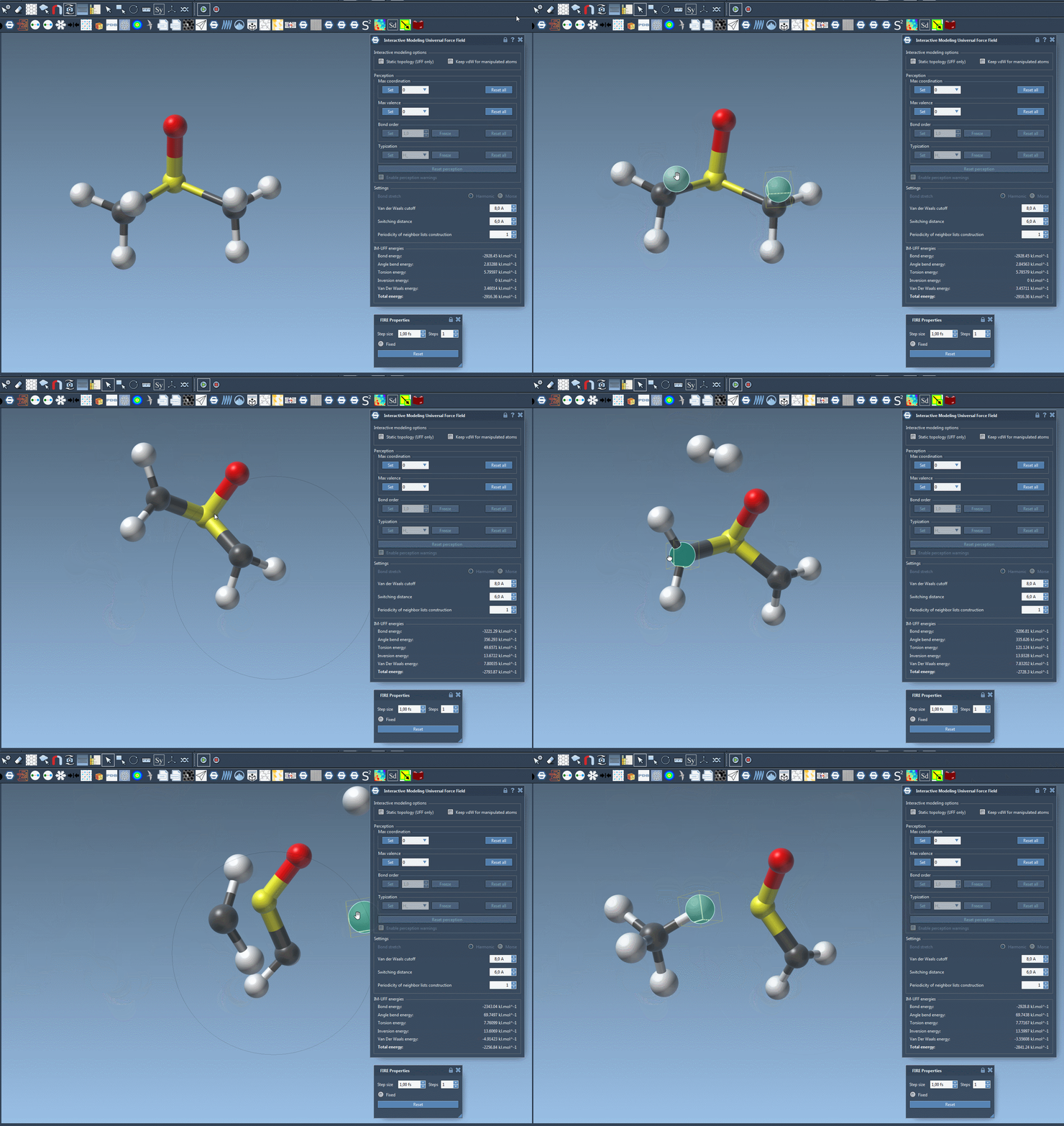
Two settings worth understanding
Static topology (UFF only) switches between standard UFF and interactive IM-UFF behavior. When checked, the model uses standard UFF with a static topology; when unchecked, IM-UFF can update the topology during modeling. This control is useful for comparing a reactive editing workflow with a fixed-topology one.
Keep vdW for manipulated is available in IM-UFF mode. When checked, van der Waals (vdW) energies and forces are computed for all atoms. When unchecked, atoms currently manipulated with the mouse are excluded from vdW interactions. That can make it easier to bring atoms together when vdW repulsion would otherwise hinder a connection. It is a modeling choice, not a general instruction to disable vdW effects: consider which behavior suits the edit you are attempting.
The parameter window also reports total energy and individual energy terms while the simulation runs. These values can help you follow how the system responds, but the central question during interactive editing is often simpler: does the topology change in the way the movement suggests?
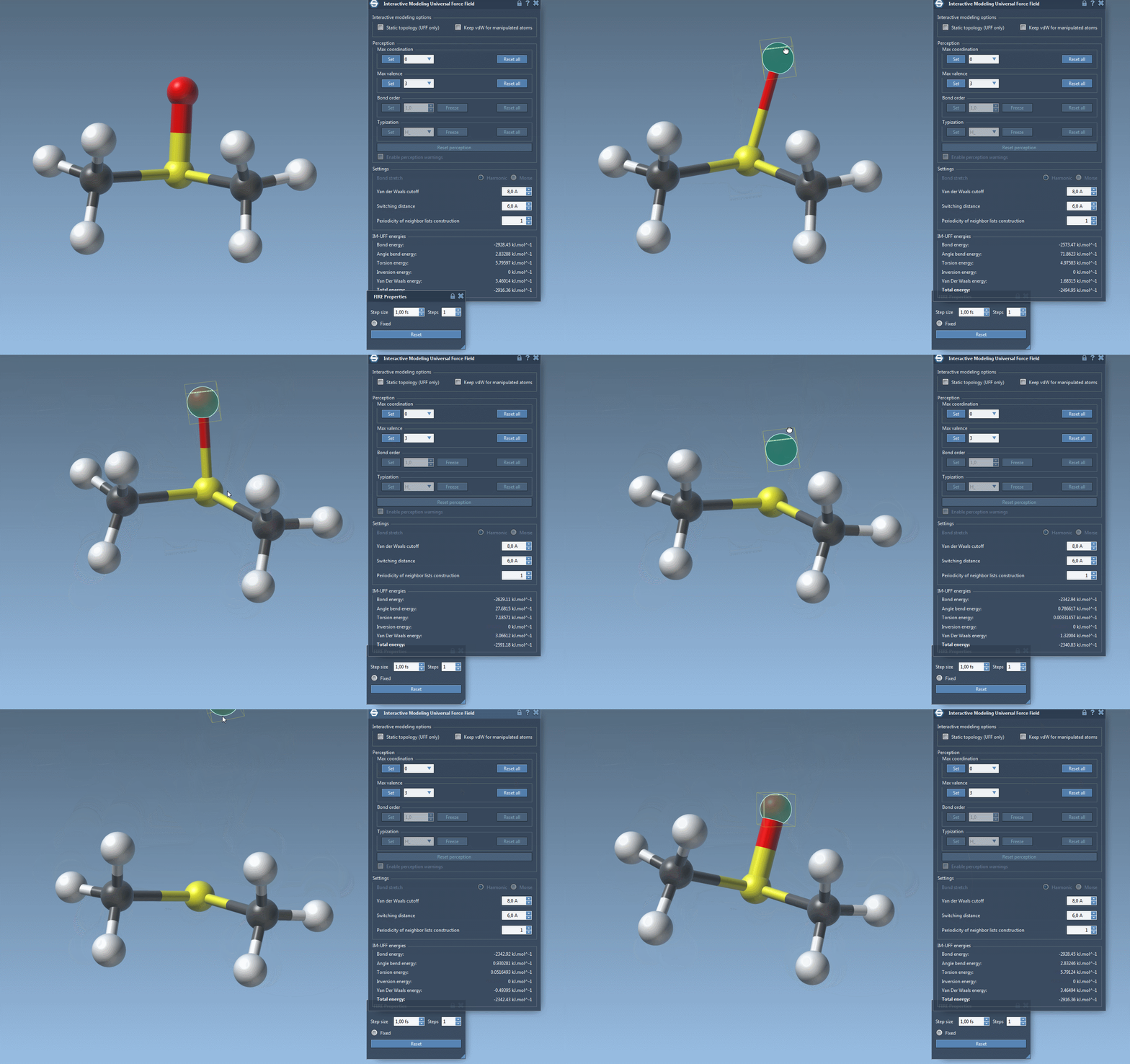
When to use the companion UFF workflow
If your task does not involve changing bonds or other topology, the standard UFF interaction model may be more appropriate. IM-UFF also includes a static-topology option for using UFF behavior within the same interaction model. For details on the underlying UFF settings and automatic typization options, consult the UFF tutorial.
For a focused first experiment, choose a small structure, start IM-UFF with static topology unchecked, and move one atom gradually. Notice when the local structure relaxes, when bonds change, and how the vdW option affects your ability to bring atoms together. This gives you a concrete feel for what the model is doing before you apply it to a more involved edit.
Read the IM-UFF documentation for the complete setup and parameter details.
Note: SAMSON and all SAMSON Extensions are free for non-commercial use. Get SAMSON.