



Dragging an atom into place can be frustrating when the molecular model resists the change you are trying to make. With a fixed-topology force field, moving atoms does not by itself change which atoms are bonded. That is useful when you want to preserve a known structure, but it can get in the way when you are exploring a different arrangement or building connections interactively.
In SAMSON, the Interactive Modeling Universal Force Field (IM-UFF) is designed for this kind of editing. It extends UFF so that the model can smoothly handle changes in topology: covalent bonds may form or break, bond orders may change, and atom typizations can update as the geometry changes. Instead of treating the starting connectivity as permanent, IM-UFF lets the model respond to the positions of the atoms as you manipulate them.
Choose the mode that matches the task
IM-UFF’s parameter window includes two options that are worth understanding before you start:
- Static topology (UFF only) switches between standard UFF and interactive modeling. When checked, the topology is static; when unchecked, IM-UFF can update it during modeling.
- Keep vdW for manipulated applies only when static topology is unchecked. When checked, van der Waals (vdW) energy and forces are computed for all atoms. When unchecked, atoms being manipulated with the mouse are excluded from those vdW interactions. This can make it easier to bring atoms together when vdW repulsion would otherwise hinder the intended connection.
These settings address different decisions: whether the topology can change, and how vdW interactions affect the atoms you are currently moving. For interactive bond formation and breaking, leave Static topology (UFF only) unchecked. The vdW option is a separate choice; the tutorial’s basic run-through begins with both options unchecked.
A short setup workflow
- Open a document containing the molecular system you want to edit. A small or medium system is a useful place to begin because topology changes are easier to observe.
- Choose Edit > Simulate > Add simulator. The documented shortcut is Ctrl+Shift+M on Windows or Linux, or Cmd+Shift+M on macOS.
- Select Interactive Modeling Universal Force Field from the interaction-model list, choose a state updater such as FIRE, and press OK.
- In the IM-UFF parameter window, leave static topology unchecked for interactive modeling. For the tutorial’s example, also leave Keep vdW for manipulated unchecked.
- Start the simulation using Edit > Simulate > Start, then move atoms with the mouse and observe both the structure and the energy terms shown in the parameter window.
What to expect while moving atoms
A small displacement does not necessarily break a bond. The structure can adjust locally while retaining its current topology. If you move an atom much farther from its neighbors, bonds may break and the topology can update. Moving atoms closer together can allow new bonds to form. In other words, the response depends on the evolving geometry rather than on a manual bond edit at every step.
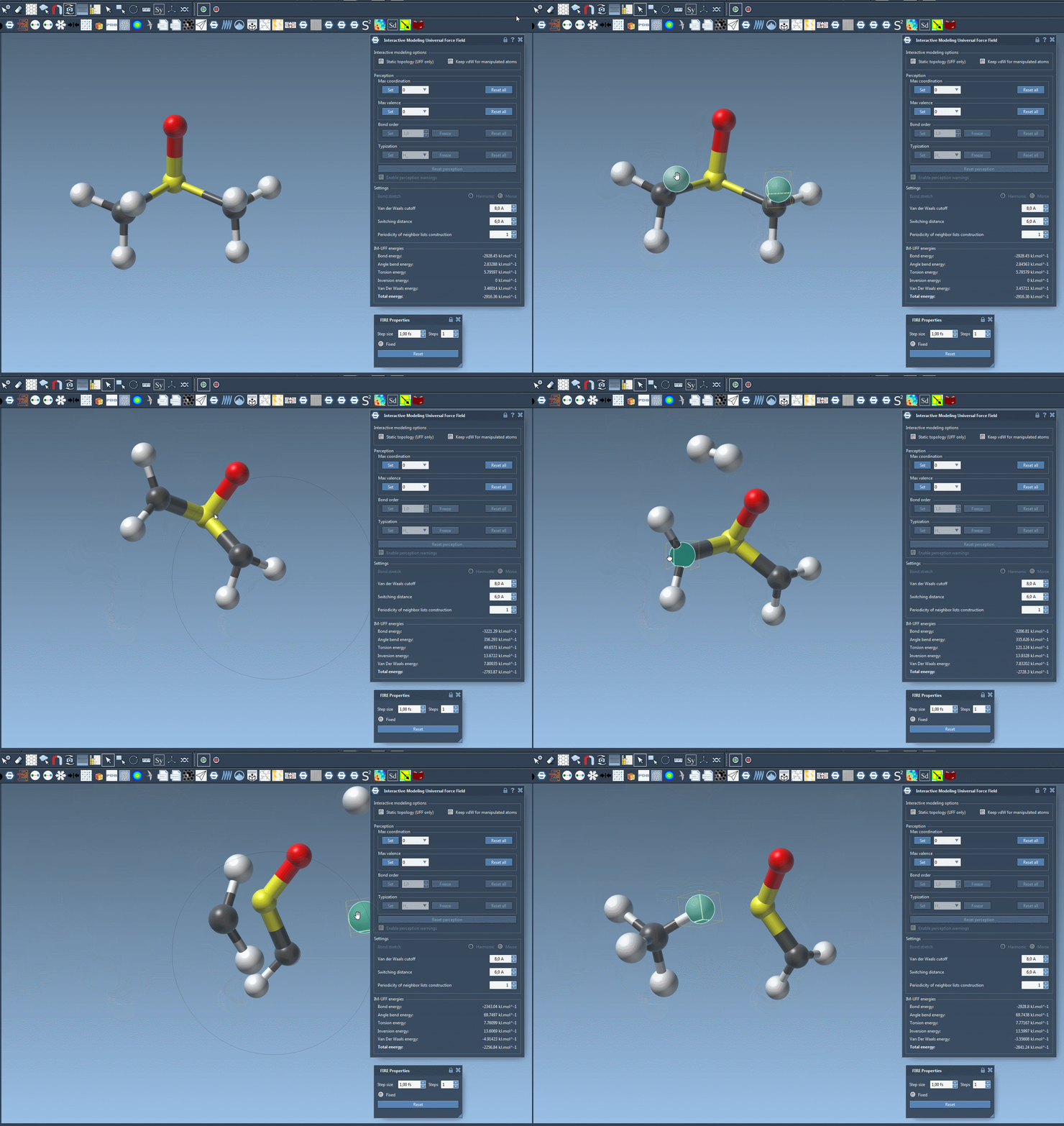
This behavior can make exploratory editing more direct, but it also means the resulting connectivity should be inspected rather than assumed. IM-UFF is an interaction model for physically guided modeling; a topology change during manipulation is not, by itself, a confirmation that a proposed structure is chemically appropriate.
Customize with care
The interaction model also offers van der Waals cutoff and switching-distance settings, neighbor-list construction periodicity, and options related to automatic atom typization. The appropriate values depend on the system and task, so use the UFF tutorial for details about those shared parameters.
There is an important limitation when interactive topology is active: bond order and typization cannot be directly set in this mode, because they take continuous values based on the current atom positions to support smooth transitions. The maximum coordination and maximum valence can still be set. Atoms can also be added to or deleted from the model, with typization updated automatically.
If you want to compare against a workflow that keeps connectivity fixed, check Static topology (UFF only) and observe how the editing behavior differs. For the underlying force field, see the UFF tutorial. Read the full IM-UFF tutorial for more details and references.
Note: SAMSON and all SAMSON Extensions are free for non-commercial use. Get SAMSON.