



When working with large biological assemblies—such as viral capsids, multimeric protein complexes, or nanostructures—symmetry can be both a friend and a challenge. Detecting symmetry reduces computational load and helps identify biologically meaningful patterns. But what happens when multiple symmetry groups are detected for the same structure? How do you choose the most relevant one?
SAMSON’s Symmetry Detection extension does a great job of identifying axes of symmetry in complex molecular systems. However, large structures often exhibit multiple potential symmetries, leaving molecular modelers wondering which one to rely on for further analyses and simulations.
Understanding the Multiple Symmetry Output
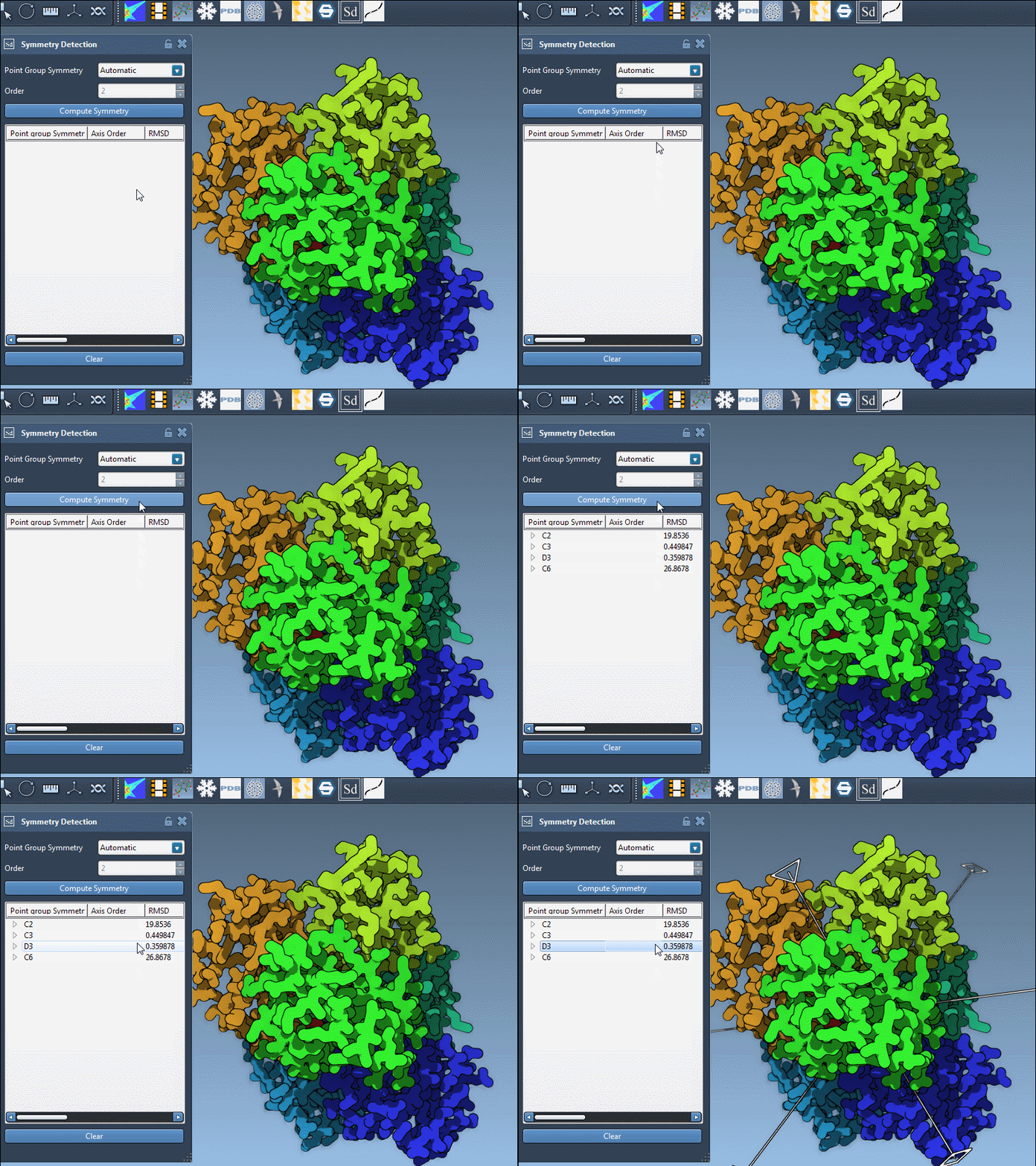
Automatic detection may suggest several plausible symmetry groups per structure. For example, the 1B4B system can exhibit a dihedral symmetry of order 3 (D3), among potentially other groups. These suggestions are based on the geometric repetition detected across the model. But not all detected symmetries are equally relevant.
Choosing the Best Symmetry Group
To select the most appropriate symmetry group:
- Look at the estimated RMSD (Root Mean Square Deviation) for each group. Lower RMSD values mean better symmetry fit. Prefer higher-order symmetry groups with lower RMSD.
- Use visual inspection to understand what each detected symmetry implies. Clicking on a group in the extension highlights the primary axis in the viewport. This gives you visual context and helps identify which arrangement best matches biological expectations.
Manual Override: When and Why
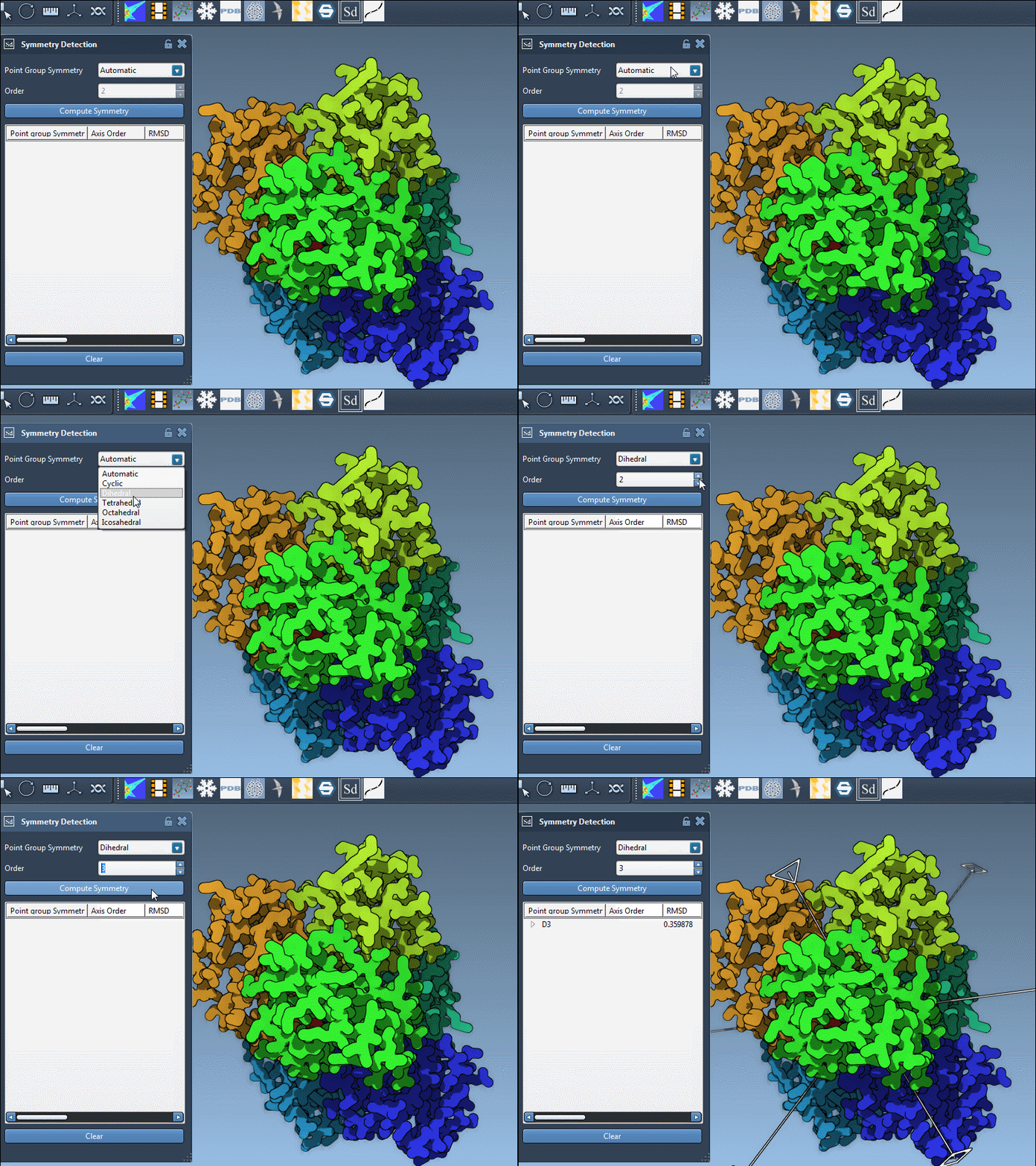
Sometimes, you may already know the biologically relevant symmetry from experimental methods or literature. In these cases, you can manually specify the symmetry group and its order using the dropdown menus in the extension.
This is especially useful when automatic detection suggests several approximate symmetries, but you want to focus on a known group to build a model or run simulations.
Explore Before You Commit
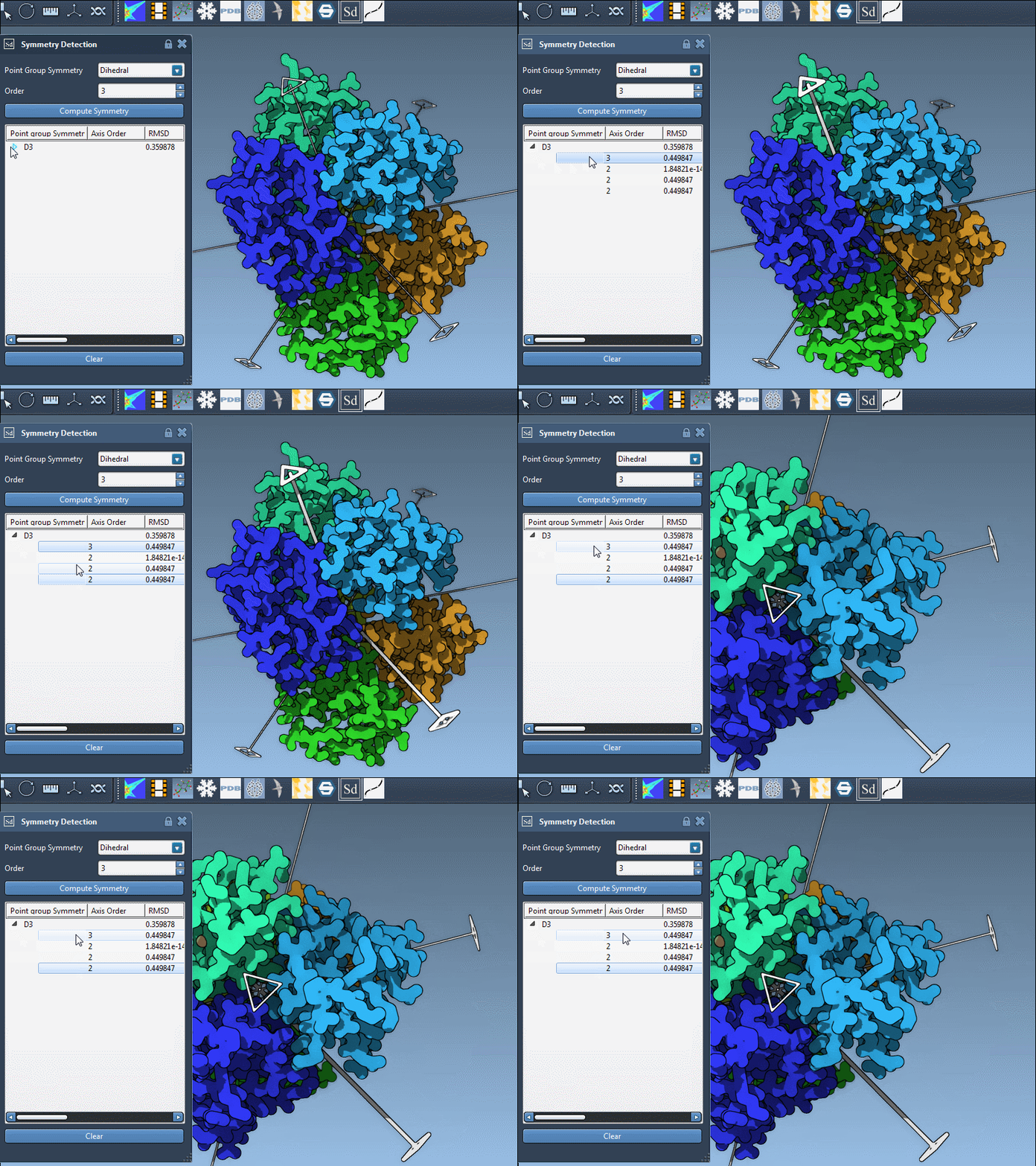
Each symmetry group can contain several axes. To explore them:
- Single-click an axis to highlight it in bold in the viewport.
- Double-click an axis to align the camera and look straight along that axis, giving you a more intuitive understanding of its orientation.
Why Taking Time to Choose Matters
The symmetry group you choose affects which asymmetric unit you might define for further modeling or simulation. Simulating only the asymmetric unit instead of the full assembly can bring huge computational savings—if the symmetry holds up. That’s why it matters to validate and choose the best group before committing to downstream steps.
Ultimately, symmetry detection in SAMSON is an interpretative tool, best used in conjunction with biological insight and visual inspection. Taking a bit more time during this step can have a significant impact on the efficiency and accuracy of your modeling workflow.
To learn more, check out the full documentation here: https://documentation.samson-connect.net/tutorials/symmetry/computing-axes-of-symmetry-of-biological-assemblies/
SAMSON and all SAMSON Extensions are free for non-commercial use. Download SAMSON at https://www.samson-connect.net