



One of the common challenges faced by molecular modelers is achieving stable, realistic molecular geometries. Ensuring a structure settles in its energy minima is crucial for accurate simulations, model reliability, and design workflows. Without proper geometry optimization, downstream applications—whether molecular dynamics or advanced structural modeling—can yield unreliable results. Enter the FIRE Minimizer (Fast Inertial Relaxation Engine), a powerful tool integrated into the SAMSON platform. It offers an efficient approach to this critical step.
What Makes the FIRE Minimizer Stand Out?
The FIRE Minimizer was designed to handle tasks where traditional algorithms, like the steepest descent method, falter. This is especially true in cases requiring adjustments to large-scale molecular motions. FIRE’s ability to quickly find stable configurations makes it particularly useful for:
- Pre-simulation cleanup of molecular models.
- Structural relaxation for interactive modeling workflows.
- Optimizing systems with any type of SAMSON interaction model.
Compared to steepest descent, FIRE is faster at handling scenarios where significant geometry adjustments occur with relatively small energy changes. This makes it invaluable when processing complex molecular systems.
How to Use the FIRE Minimizer in SAMSON
Getting started with the FIRE Minimizer is straightforward. It’s implemented directly as a SAMSON State Updater, so it can be accessed as follows:
Step 1: Load the Molecular System
The first step is to load your molecular structure into the SAMSON platform. SAMSON supports formats like PDB and MOL2, ensuring compatibility with a variety of molecular databases and tools. If you’re unfamiliar with how to load molecules, you can refer to the Loading Molecules Guide.
Step 2: Add a Simulator
Once the structure is loaded, navigate to Edit > Add Simulator to connect the FIRE Minimizer to your system. From there:
- Select the interaction model you’re working with (e.g., force fields).
- In the State Updaters section, choose the FIRE Minimizer.
If you’re exploring the effect of different minimization settings, consider loading a small test system first. This helps you clearly see how the adjustments influence structure geometry.
Customizing the Minimization Process
The FIRE Minimizer provides several tunable settings to fit specific tasks:
| Setting | Description |
|---|---|
| Step size | The initial integration step for the minimization process. |
| Steps | Number of FIRE steps to execute before updating the viewport. A larger value reduces updates but highlights progress more clearly. |
| Fixed | An optional parameter to enforce a constant step size during minimization. |
If you’re manually adjusting atoms during the minimization process, you can reset the FIRE Minimizer’s history by pressing the Reset button. This clears past calculations and ensures subsequent optimizations account only for the latest geometry.
Why FIRE Matters: A Side-by-Side Visualization
The difference between FIRE and steepest descent minimization techniques is striking, as illustrated below:
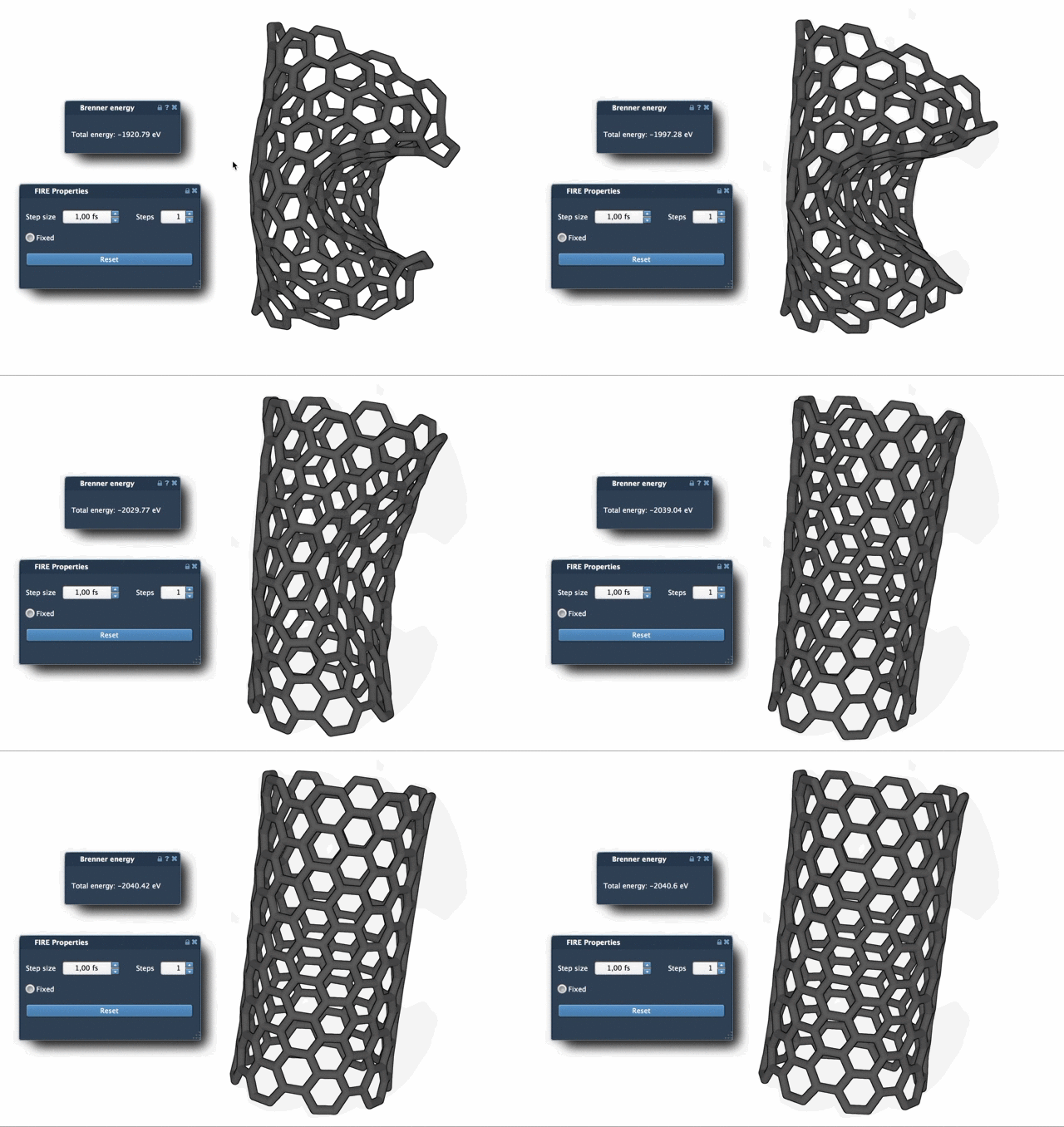
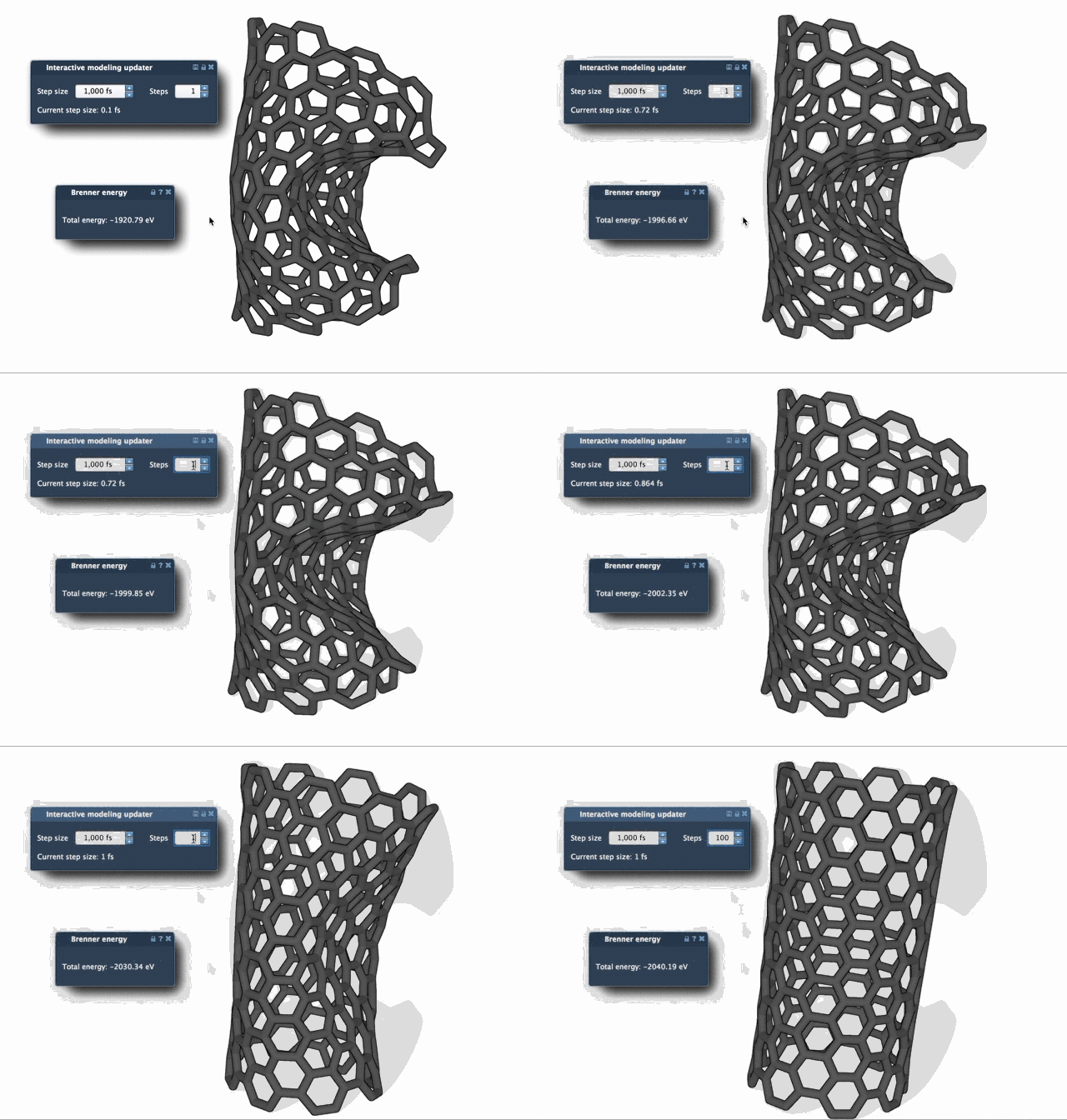
These animations highlight FIRE’s ability to converge faster, particularly when handling transformations where geometry evolves without large fluctuations in energy.
Conclusion
The FIRE Minimizer offers a practical solution for molecular modelers aiming to perform fast, efficient geometry optimization. From structural relaxation to extensive molecular design workflows, its speed and accuracy make it indispensable. To dive deeper, explore the full tutorial at the FIRE Minimizer’s documentation page.
SAMSON and all SAMSON Extensions are free for non-commercial use. Get access today at https://www.samson-connect.net.