



The world of molecular modeling comes with its own set of challenges, and one of the most common pain points molecular modelers face is efficiently simulating dynamic molecular changes such as bond formation and breaking in real-time. This is where the Interactive Modeling Universal Force Field (IM-UFF) in the SAMSON platform comes into play. In this blog post, we’ll explore how IM-UFF addresses this issue and provides a smooth, interactive experience for modeling complex molecular systems. Let’s dive in.
Why IM-UFF?
Traditional molecular modeling tools often operate under the assumption of static molecular structures. But what happens when you’re actively building or editing a molecular system? The IM-UFF interaction model integrates dynamic topology changes into the modeling process. This means you can observe and simulate bond creation, bond breakage, and changes in bond orders directly as you manipulate the molecular design.
For instance, suppose you need to adjust the structure of a molecule to reflect a different topology – perhaps introducing new covalent bonds or removing existing ones. With IM-UFF, these structural changes happen intuitively while respecting the underlying inter-atomic physics. This makes it perfect for interactive applications such as molecular assembly, chemical editing, and real-time molecular simulations where system topology evolves dynamically.
Getting Started
With IM-UFF, setup is straightforward. Here’s how you can get started with an interactive simulation:
- Open a molecular system document in SAMSON.
- Add IM-UFF as your simulator by navigating to
Edit > Simulate > Add simulatoror using the shortcut (Ctrl + Shift + M). - Select the Interactive Modeling Universal Force Field and choose your state updater for the simulation (e.g., the FIRE algorithm).
- Press OK to finalize the setup. The parameter window for IM-UFF will now appear.
Unlike the original Universal Force Field (UFF), IM-UFF doesn’t require a complex setup window. Instead, you can immediately start interacting and customizing parameters while observing the system’s behavior in real-time.
Interactive Features of IM-UFF
The standout feature of IM-UFF is its interactivity. For instance:
- Bonds and topology: When you move atoms slightly with the mouse, bonds remain intact, and the system dynamically adjusts to maintain structural equilibrium. When you move an atom significantly further, bonds break, triggering topology updates.
- Van der Waals forces: You can control whether to calculate Van der Waals (vdW) interactions for manipulated atoms. For instance, disabling vdW forces for the atom being manipulated makes it easier to connect it to other atoms without hindrance from repulsive interactions.
- Static vs. dynamic topology: You can switch between a static UFF simulation and the IM-UFF’s dynamic modeling by toggling the Static topology option in the parameter window.
This dynamic functionality is especially valuable for applications like drug design, material exploration, and real-time optimization of molecular structures.
Customizing Your Simulations
IM-UFF also allows you to fine-tune settings for advanced simulations. You can configure van der Waals cutoffs, switching distances, and neighbor list construction periodicity. Furthermore, while the model dynamically adjusts typizations and bond orders during an ongoing simulation, you have control over parameters like maximum coordination and valence when customizing the system. This merging of automation with manual precision lets you maintain flexibility and control in scenarios with changing topologies.
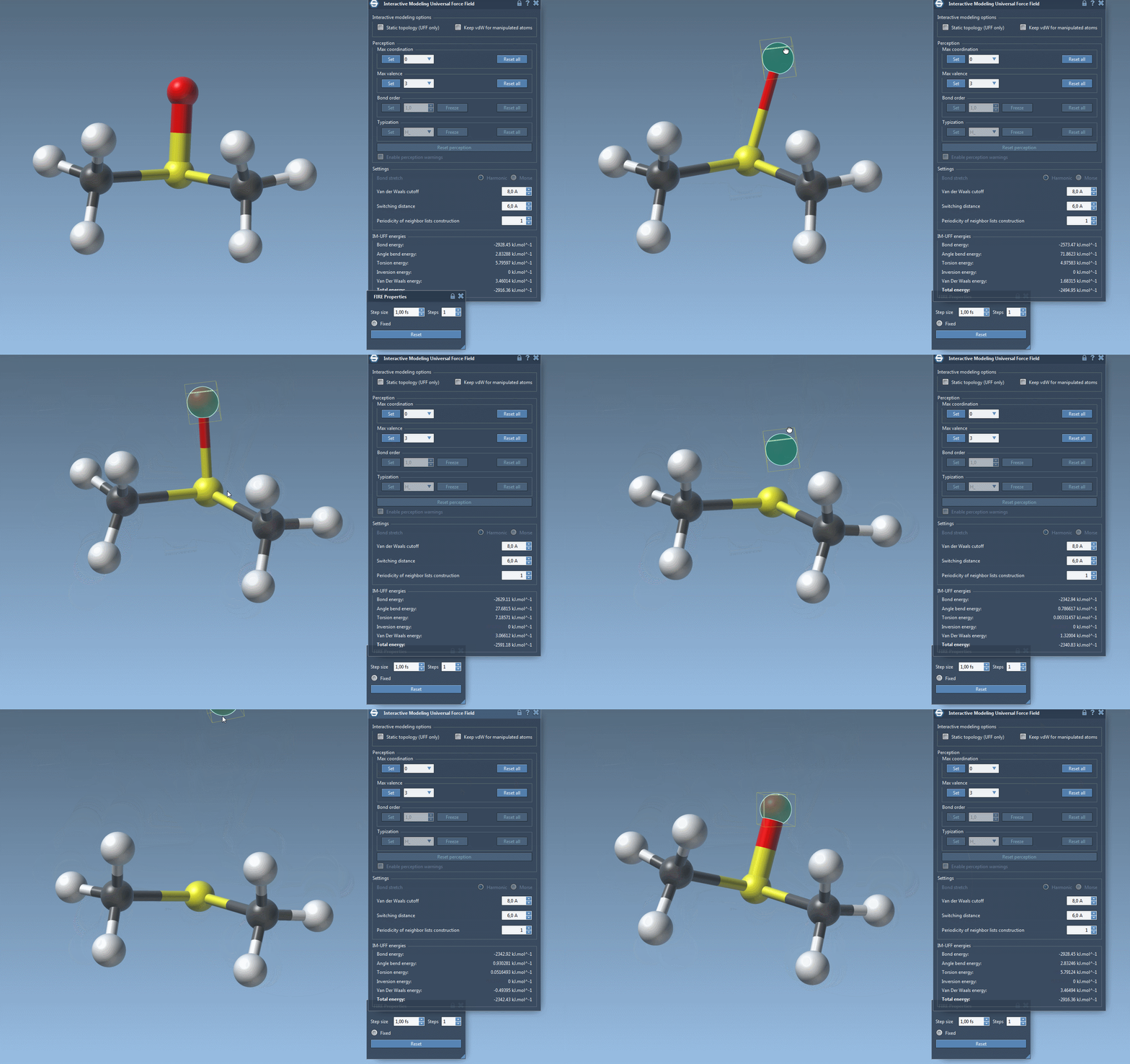
Experience the Difference
Interactive molecular modeling does more than simplify workflows; it opens up possibilities for exploration and innovation. To learn more details about the IM-UFF interaction model and its functionalities, visit the official documentation page.
Note: SAMSON and all SAMSON Extensions are free for non-commercial use. You can download SAMSON from SAMSON Connect.