



Understanding the arrangement of proteins in their crystal structures or biological assemblies is an essential aspect of molecular design and modeling. With SAMSON’s Symmetry Mate Editor, you can easily visualize and recreate these symmetric replicas of proteins using transformation data stored in PDB files. This article dives into why and how you can leverage this tool to solve common challenges in molecular modeling.
Why Generating Symmetry Mates Matters
Protein assemblies often hold the key to understanding biological interactions, designing molecular interventions, or preparing systems for simulation. By generating symmetry mates, molecular modelers and scientists can:
- Visualize biological assemblies from crystallographic units to reveal how proteins interact in their natural states.
- Explore potential protein-protein interfaces and binding sites for drug discovery.
- Reconstruct quaternary structures to facilitate simulation workflows.
- Create symmetric protein complexes or nanostructures in design pipelines, unlocking new possibilities for nanotechnology.
Activating the Symmetry Mate Editor
Getting started with the Symmetry Mate Editor is straightforward:
- Find Everything Shortcut: Press Shift + E and search for “Symmetry Mate Editor.”
- Editors Menu: Navigate to the left-side viewport menu and access it via … > General > Symmetry Mate Editor.
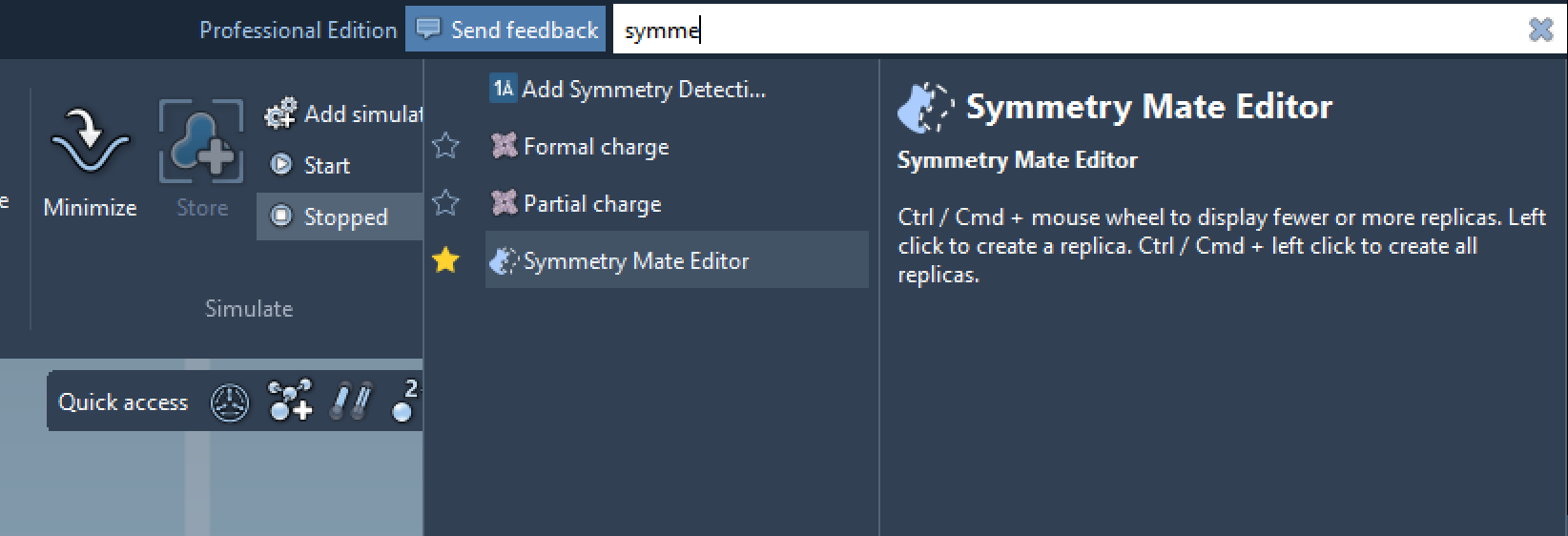
Once activated, you’ll notice control nodes appearing in the viewport. These nodes represent symmetry transformations that you can interact with to explore different arrangements.
Exploring and Generating Symmetry Mates
One of the valuable features of the Symmetry Mate Editor is the intuitive visualization process. Using your mouse and keyboard, you can adjust and generate symmetry mates:
- Use Ctrl/Cmd + Mouse Wheel to control the visibility of nodes.
- Hover over a node to preview a replica in real time, and use left-click to generate that replica permanently.
Here’s an animation showing how you can toggle between different symmetry replicas and build complex structures:
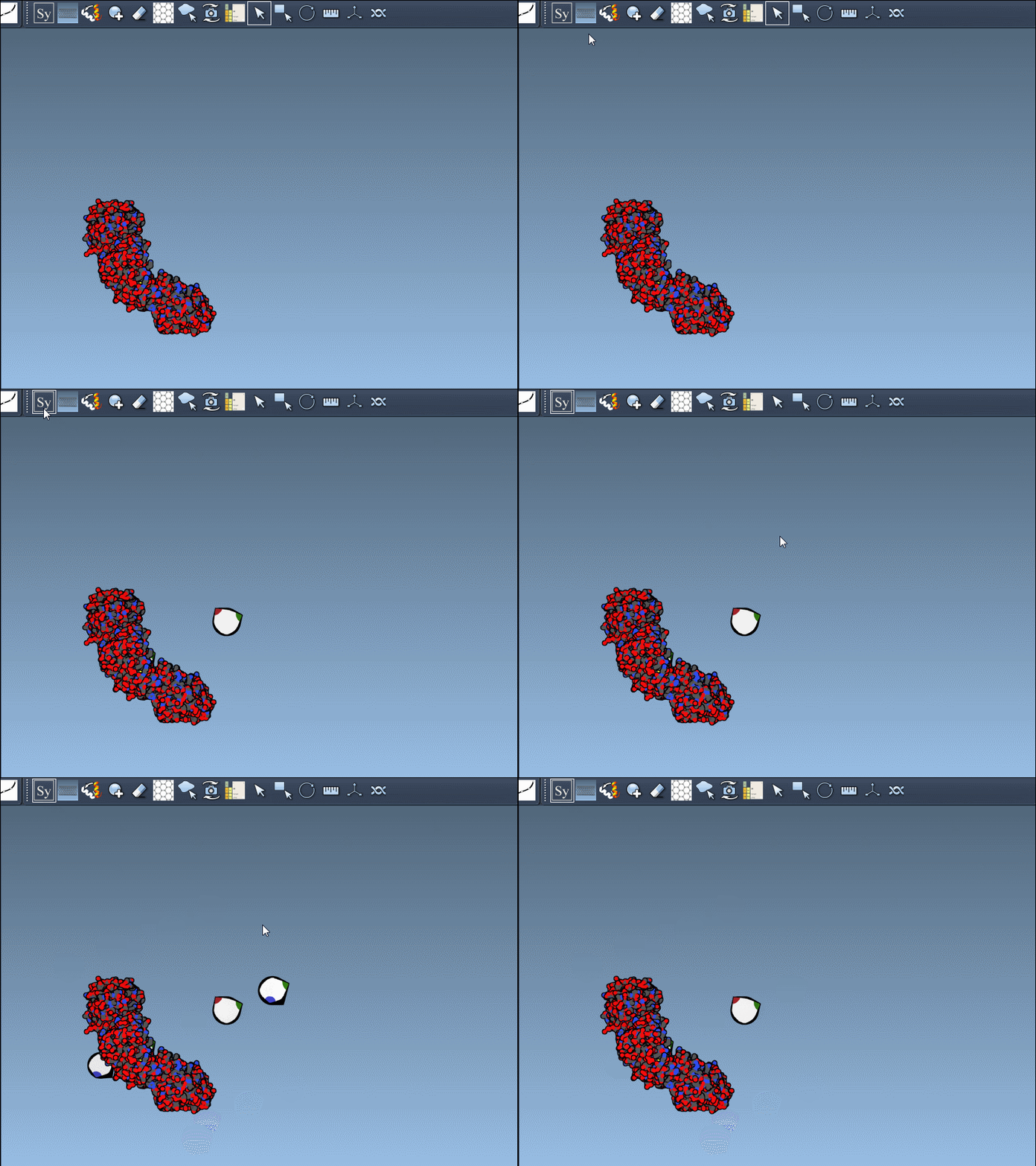
Using these tools, you can reconstruct complete assemblies or focus on mapping relevant biological interactions.
Crystal Structures vs. Biological Assemblies
The editor supports two major PDB symmetry types:
| Record Type | Description | Widget Color |
|---|---|---|
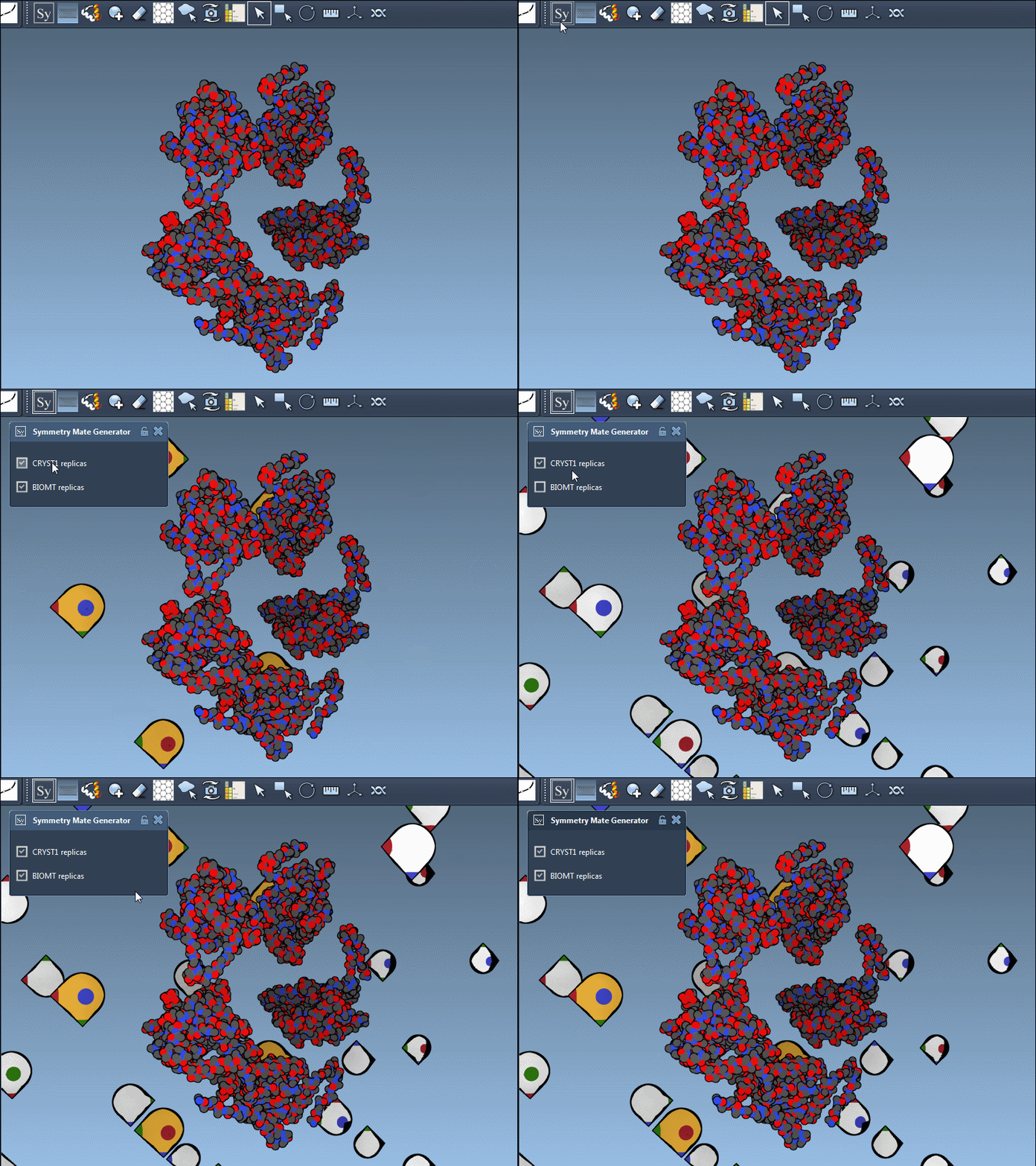
| CRYST1 | Symmetry from crystal lattice | White |
| BIOMT | Symmetry from biological assembly annotations | Yellow |
You can toggle between the two modes in the editor’s interface, making it easy to navigate between crystal lattice reconstruction (CRYST1) and assembly annotations (BIOMT). Here’s an example that illustrates switching between the two modes:
Applications in Molecular Design
The Symmetry Mate Editor is a versatile tool that integrates seamlessly into various molecular design workflows. It enables you to:
- Build complete oligomeric assemblies from asymmetric units.
- Design innovative symmetric protein cages or scaffolds.
- Test the spatial repetition of binding sites across symmetry mates.
- Simulate molecule interactions within symmetric systems for better prediction accuracy.
Conclusion
By leveraging the Symmetry Mate Editor in SAMSON, molecular modelers can simplify complex workflows and unlock new design possibilities. Whether you are reconstructing biological assemblies or exploring quaternary structures, this tool makes the process intuitive and efficient. To dive deeper into the features and step-by-step tutorials, visit the official documentation page.
SAMSON and all SAMSON Extensions are free for non-commercial use. You can get SAMSON at SAMSON Connect.