



For molecular modelers, creating accurate carbon nanotube (CNT) models can often feel like a significant challenge, especially when trying to balance ease of use and precision. Whether you’re looking to build CNT-based nanodevices, simulate molecular transport, or study electronic properties, an efficient toolkit is essential. Thankfully, SAMSON’s Nanotube Creator Extension simplifies this process, enabling you to generate single-walled and multi-walled CNT models swiftly. Let’s dive into how you can create these structures effortlessly, with control and precision, using SAMSON.
Why Create CNT Models?
Carbon nanotubes are versatile in nanotechnology, molecular transport, material science, and more. They are used to study electronic and mechanical properties, design nanostructures for simulations, and create CNT-based devices for various applications. Quick access to well-constructed CNT models can save valuable time in exploring these frontiers.
Interactive CNT Creation Made Simple
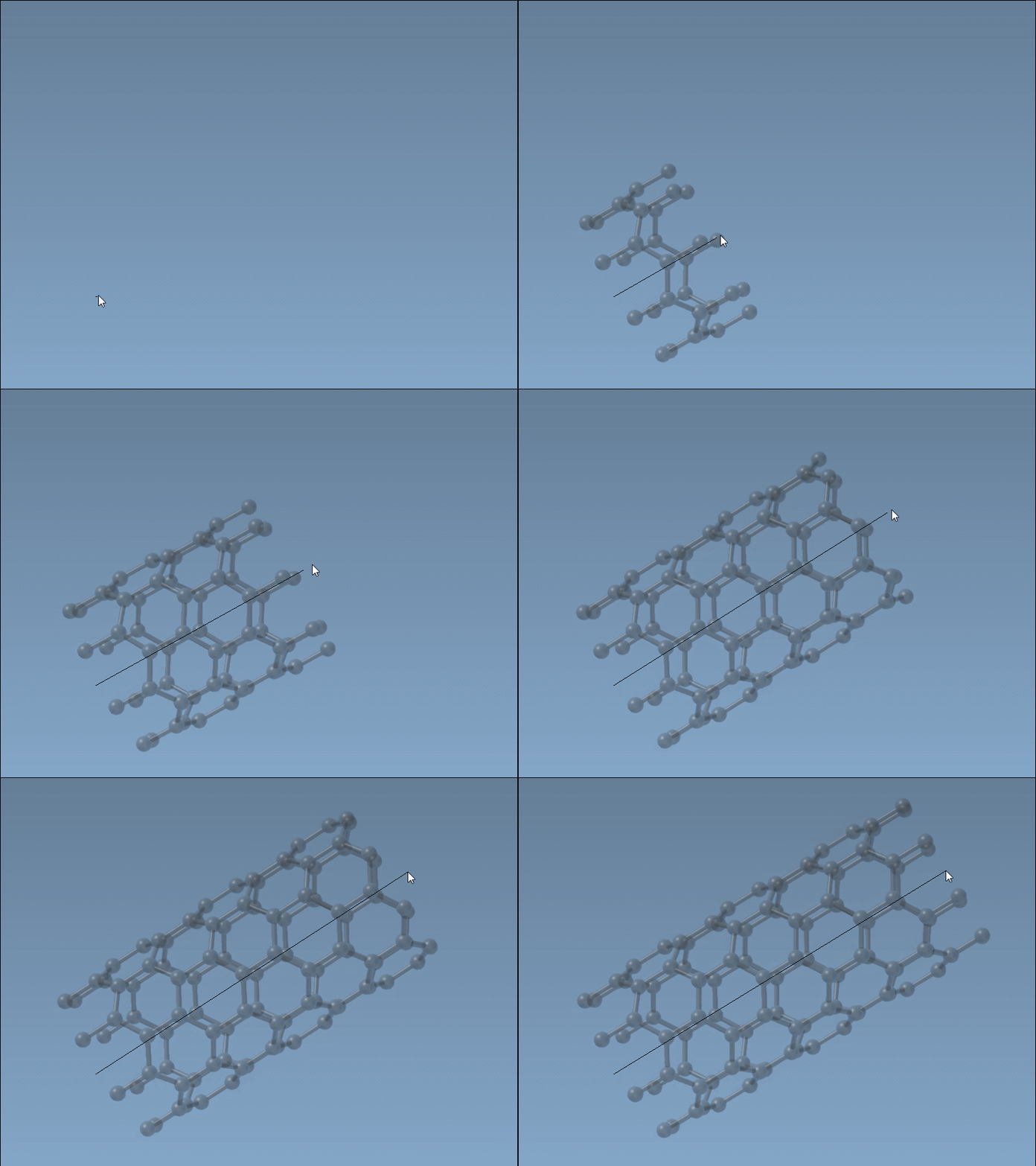
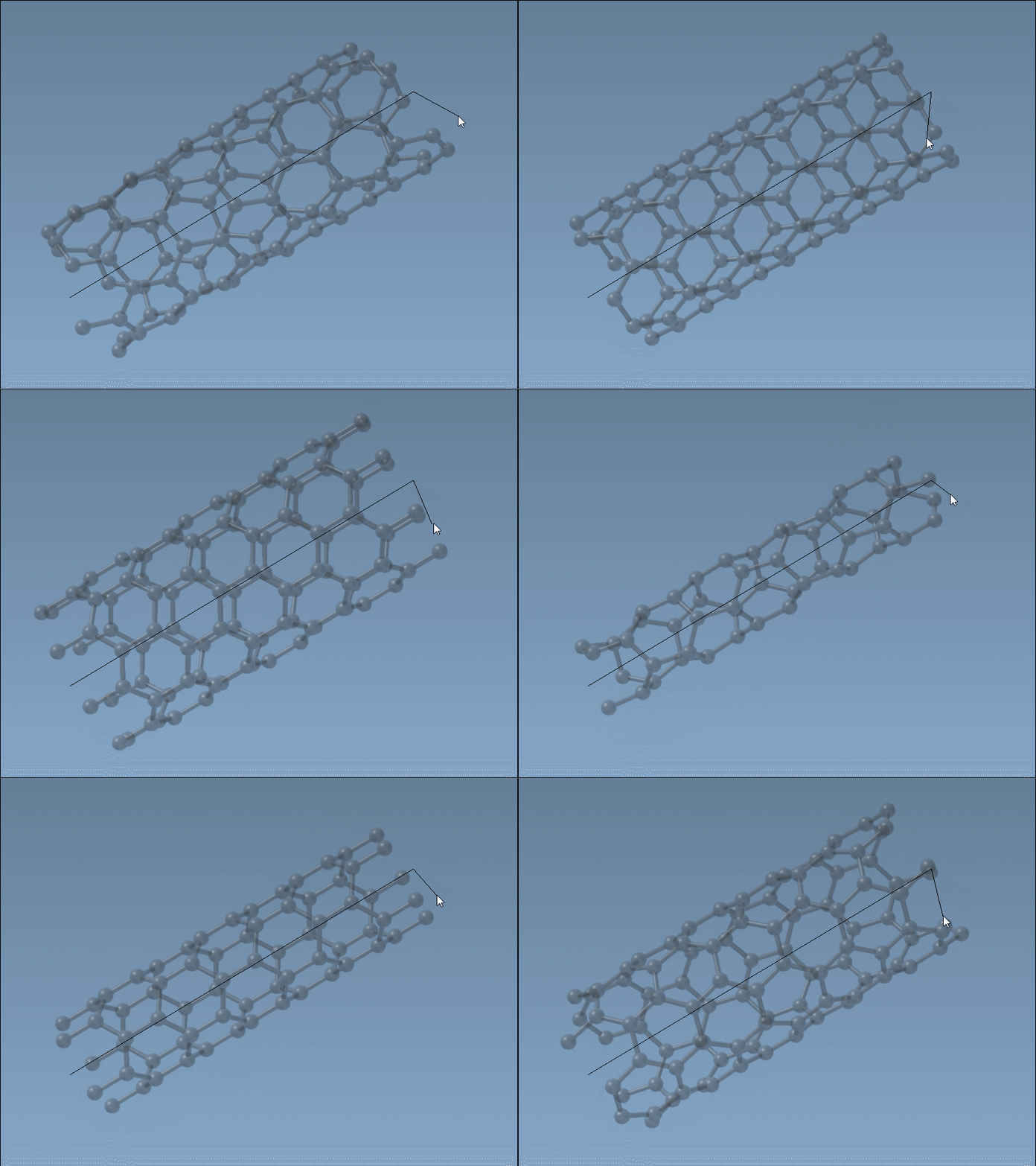
The Nanotube Creator’s interactivity lets you build CNTs intuitively within SAMSON’s viewport, a process perfect for those who enjoy visual, real-time feedback. Here is how the magic happens in just two clear steps:
- Define the nanotube axis and length: Press and drag the left mouse button within the viewport to align and set the length. The status bar will give you live feedback on the axis orientation and tube dimensions, ensuring precision every step of the way.
- Set the nanotube radius: Once the length is set, release the mouse button and adjust the mouse to modify the radius. Finalize the configuration by clicking the left mouse button again. The status bar also guides you by displaying the live values for
n(length) andm(radius).
This allows you to build aesthetically accurate CNTs without burdening yourself with manual parameter adjustments or trial and error.
Fine-Tuning with the Graphical Interface
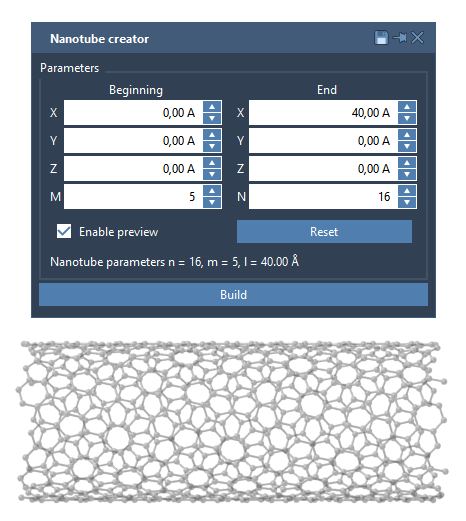
For users who prefer precise controls over interactive builds, the Nanotube Creator also offers an intuitive graphical interface. Activating the editor toggles the GUI, which provides detailed parameter settings for your CNT model. You can define:
- Start/End Position: Specify the axis and boundaries of your nanotube in 3D space.
- n / m Values: Control structure symmetry and radius by defining these parameters for chiral vectors.
Building multi-walled nanotubes? The GUI makes it effortless to stack concentric CNTs precisely. For example, you can create a three-layered CNT by setting start and end positions, then varying n and m progressively for each layer.
Pro Tip: Combining Interactive and Precise Methods
For optimized workflows, start designing your nanotube interactively to get a rough idea of length and structure. Once set, switch to the precise graphical interface for parameter fine-tuning and multi-wall setups. This hybrid approach balances speed and control, maximizing design efficiency.
What’s Next?
Once you’ve built your nanotube models, SAMSON enables you to visualize them, simulate molecular behavior, and integrate CNTs into hybrid nanostructures. SAMSON’s flexibility and rich ecosystem mean you can explore endless applications without switching platforms.
Ready to expand your molecular design capabilities further? Access the full documentation for the Nanotube Creator and step-by-step instructions at the official Nanotube Creation tutorial page.
Note: SAMSON and all SAMSON Extensions are free for non-commercial use. Download your copy at SAMSON Connect.