



As a molecular modeler, one of the major challenges you face is managing topological changes in molecular systems during simulations. Whether creating or breaking covalent bonds, adjusting bond orders, or redefining atom types, this process is often cumbersome when using traditional force fields. However, SAMSON’s Interactive Modeling Universal Force Field (IM-UFF) offers a transformative solution, enabling seamless, dynamic bond manipulation while editing molecular systems interactively.
Addressing the Challenge of Bond Dynamics
Traditional force fields, like the Universal Force Field (UFF), typically simulate molecular interactions with static topologies. While accurate, this often means that researchers encounter cumbersome workflows and limited flexibility when modeling dynamic changes, such as forming or breaking covalent bonds. IM-UFF steps in to extend UFF’s capabilities by allowing these topological changes to occur smoothly and interactively.
Why IM-UFF Makes a Difference
IM-UFF is specifically designed to handle topological changes without interrupting simulations. This means you can:
- Create and break covalent bonds dynamically.
- Adjust bond orders smoothly based on atom positions.
- Modify atom typizations seamlessly.
These features empower you to simulate and edit molecular structures in a highly interactive manner, updating the topology to reflect the current atomic organization more accurately.
Getting Started with IM-UFF
To begin, ensure you have added the IM-UFF extension to your SAMSON setup. Then, follow these steps:
- Open a molecular system you intend to simulate.
- Add a simulator via Edit > Simulate > Add simulator, or use the shortcut
Ctrl + Shift + M(orCmd + Shift + Mon macOS). - Select Interactive Modeling Universal Force Field from the list of interaction models.
- Choose your preferred state updater, such as FIRE.
- Press OK to activate IM-UFF.
Unlike UFF, IM-UFF does not have a setup window. Instead, you’ll see a parameter window with key interactive options:
- Static topology (UFF only): Switch between UFF and IM-UFF modes.
- Keep vdW for manipulated: Enable or disable van der Waals (vdW) forces for atoms manipulated with the mouse, simplifying edits when creating connections.
Interactive Simulations with IM-UFF
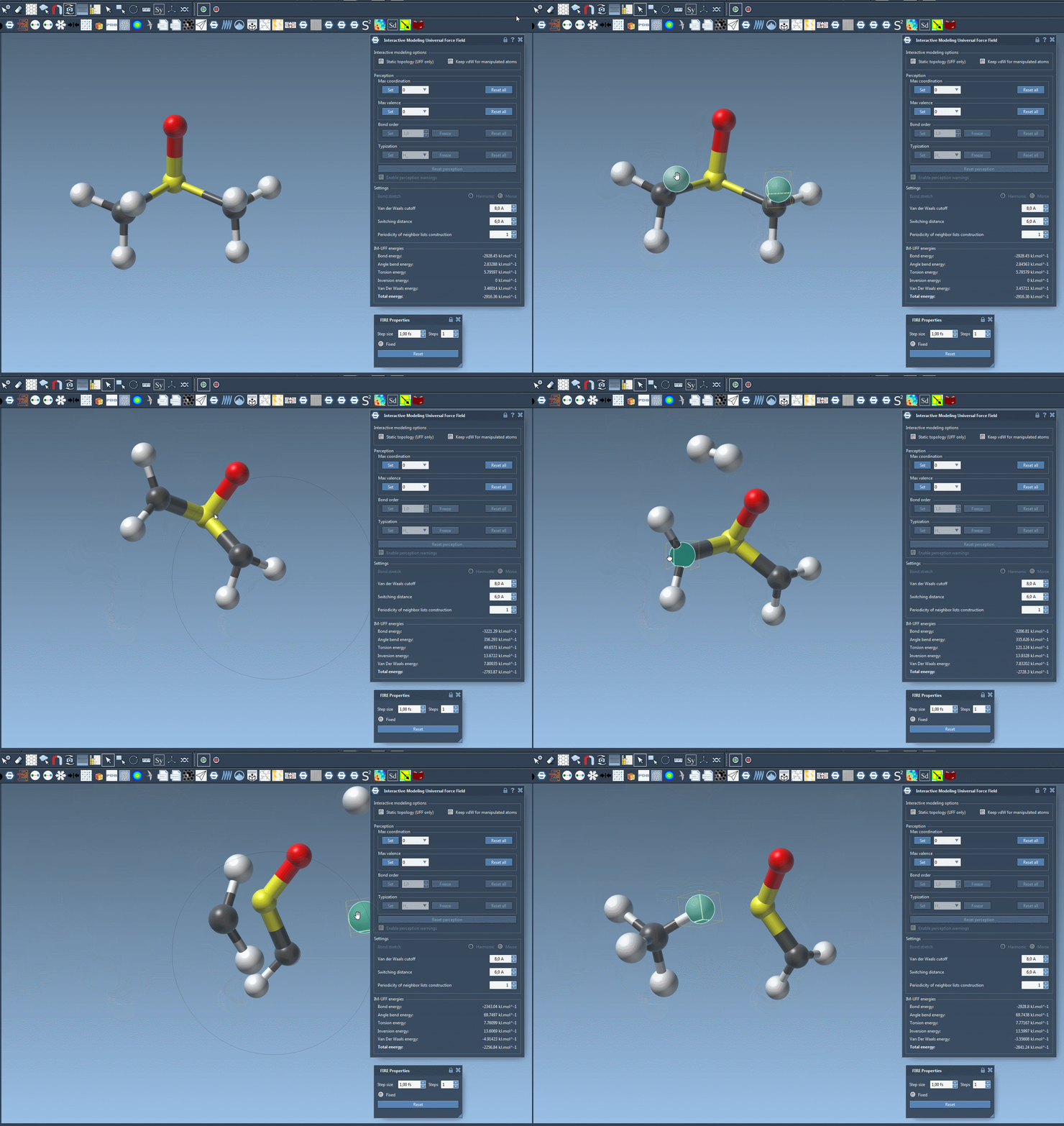
Once IM-UFF is running, you can interactively edit molecular systems:
- Displace atoms slightly with the mouse to adjust local structures without breaking bonds.
- Move atoms significantly to break bonds dynamically, updating the topology.
- Bring atoms closer to form new bonds and reflect topological changes in real-time.
The simulation displays total system energy and individual energy terms, allowing you to monitor the molecular system’s behavior as you manipulate it. This makes IM-UFF particularly valuable for researchers aiming to refine structures iteratively and adaptively.
Customizing IM-UFF for Precision
IM-UFF also offers multiple customization options to fit your specific requirements, such as:
- Adjusting van der Waals parameters like cutoff distance and switching distance.
- Defining periodicity for neighbor list construction.
While running IM-UFF, bond order and atom typization adapt dynamically to provide smooth transitions between different topologies. This enables more realistic simulations and minimizes interruptions caused by abrupt changes.
Conclusion
If you’re looking to streamline your molecular modeling processes, particularly in scenarios involving dynamic bonds and topology changes, IM-UFF provides a practical and efficient solution. Its interactive framework allows you to build and refine molecular systems with unparalleled flexibility.
For a detailed step-by-step guide, visit the official documentation page here: Interactive Modeling Universal Force Field (IM-UFF).
SAMSON and all SAMSON Extensions are free for non-commercial use. Get SAMSON at SAMSON-Connect.