



One of the persistent challenges for molecular modelers is achieving stable, energy-minimized molecular structures efficiently. Traditional optimization methods like steepest descent often struggle with large-scale molecular motions, resulting in slow convergence and higher computational costs. This is where the FIRE (Fast Inertial Relaxation Engine) algorithm can make a substantial difference.
By employing FIRE, molecular modelers can clean up and optimize geometries faster and more effectively, paving the way for better simulation and modeling processes. Whether it’s preparing a molecular structure for simulation or fine-tuning a model interactively, FIRE is tailored for both speed and performance, particularly when handling collective motions or large systems. Let’s explore how this works and why it matters.
Why Use FIRE for Geometry Optimization?
FIRE outperforms traditional algorithms like steepest descent in specific scenarios, particularly when molecular structures undergo substantial geometrical changes without dramatic shifts in potential energy. For example, during collective motions, FIRE’s convergence is significantly faster, making it ideal for large-scale structural relaxation tasks.
Other advantages of FIRE include:
- Faster optimization compared to steepest descent for collective motions.
- Seamless integration with any SAMSON interaction model.
- Highly effective for pre-simulation cleanup and minimizing complex structures.
How to Use the FIRE Minimizer in SAMSON
SAMSON provides an intuitive workflow to use the FIRE Minimizer. Here’s a quick guide to get started:
1. Load a Molecular System
You can load molecules into SAMSON using formats like PDB, MOL2, or others listed in SAMSON’s supported formats. For a more detailed guide, visit the Loading Molecules Guide.
2. Add a Simulator
- Go to Edit > Add Simulator.
- Select your preferred interaction model for the system.
- From the State Updaters list, choose FIRE.
For further details on simulators in SAMSON, you can check out the Simulators Overview.
FIRE Settings for Fine-tuning Optimization
The FIRE algorithm comes with a set of adjustable parameters to give you control over the optimization process:
| Setting | Description |
|---|---|
| Step size | Sets the initial integration step for minimization. |
| Steps | Defines the number of FIRE steps between updates in the viewport. |
| Fixed | Optional: Keeps the step size constant throughout. |
If you’ve manually moved atoms while minimizing and need to reset the minimization history, simply press Reset.
FIRE vs. Steepest Descent: A Visual Comparison
To illustrate FIRE’s efficiency, compare the results of FIRE with those of the steepest descent method. FIRE consistently exhibits faster convergence, especially during large-scale molecular relaxations:
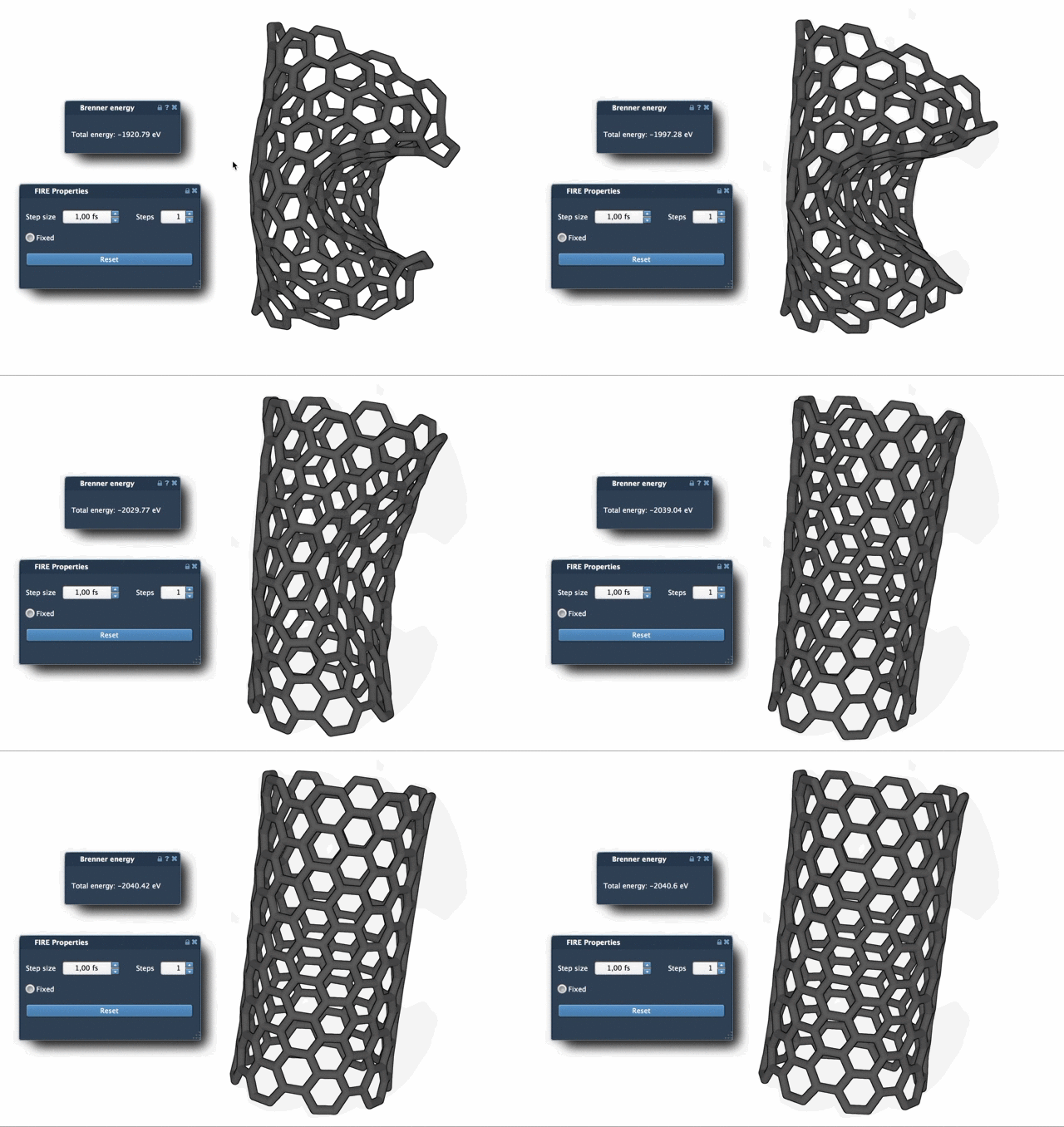
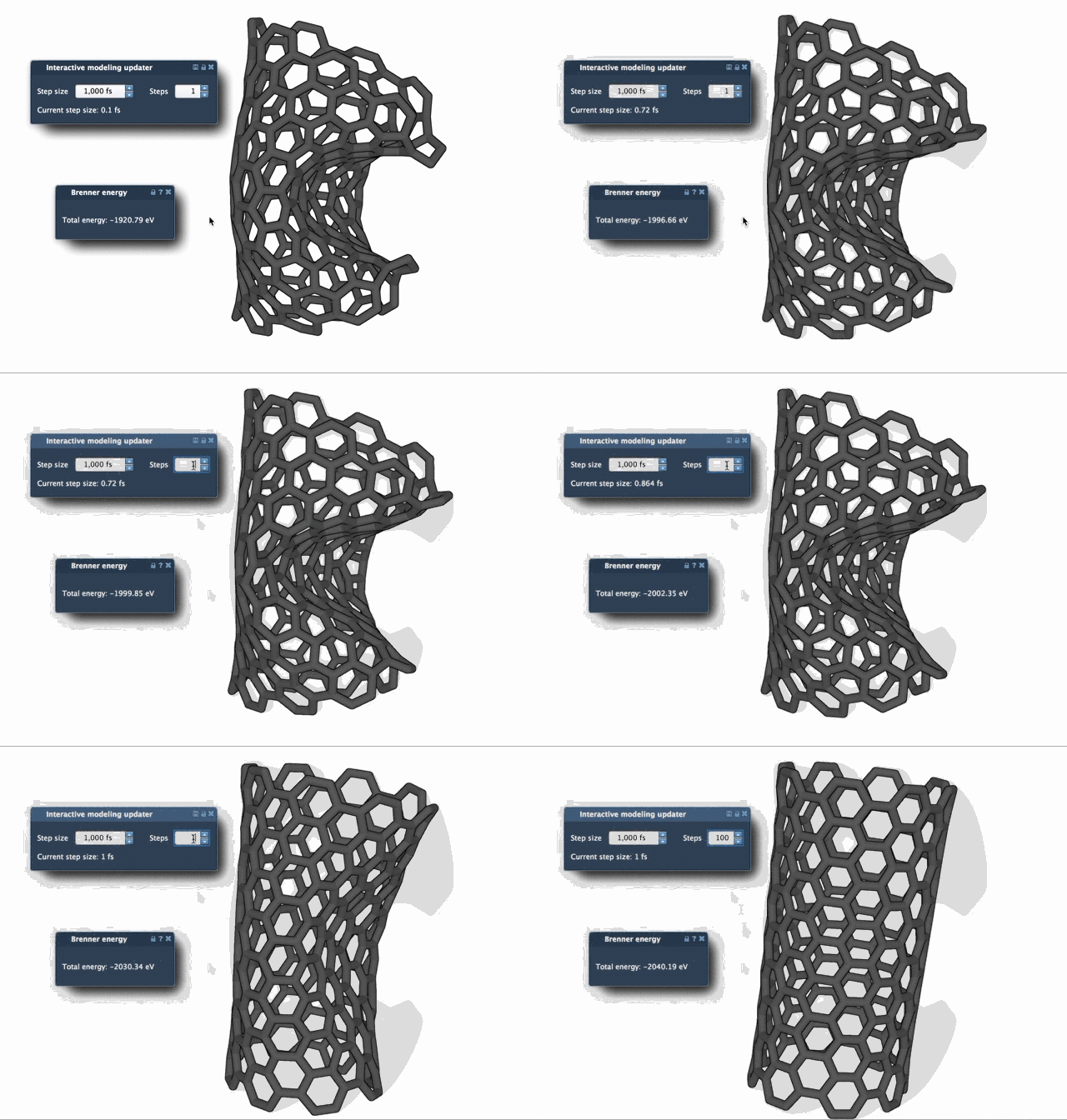
To visualize progress more clearly, you can increase the Steps value for less frequent but more substantial updates in SAMSON.
Conclusion
Integrating the FIRE Minimizer into your molecular modeling workflow not only accelerates geometry optimization but also enhances the realism and precision of simulation-ready structures. Whether you’re performing pre-simulation cleanup or tackling large-scale structural motions, FIRE offers an efficient, reliable solution.
To delve deeper into the settings and usage of the FIRE Minimizer, visit the complete documentation page.
Note: SAMSON and all SAMSON Extensions are free for non-commercial use. Get started with SAMSON today by visiting SAMSON Connect.