



For molecular modelers, preparing realistic reaction paths for protein conformational transitions is often a critical task in the workflow. Whether it’s for studying conformational analysis, setting up umbrella sampling simulations, or visualizing intermediate states, the process can be time-consuming and challenging. The ARAP Interpolator extension in SAMSON offers a rapid and efficient solution: generating smooth, realistic transition paths between two protein conformations in seconds!
Transform the Transition Path Workflow
The ARAP (As-Rigid-As-Possible) Interpolation method creates continuous and biologically realistic pathways between two protein structures. This is particularly valuable for anyone modeling structural transitions and needing geometrically meaningful intermediate configurations to feed into refined computational techniques like molecular dynamics or free-energy calculations.
For example, when studying the SARS-CoV-2 spike protein, ARAP Interpolation has been successfully applied to compute the opening motion between the open and closed states of the spike. Such workflows are intricate but achievable in SAMSON with minimal manual intervention.
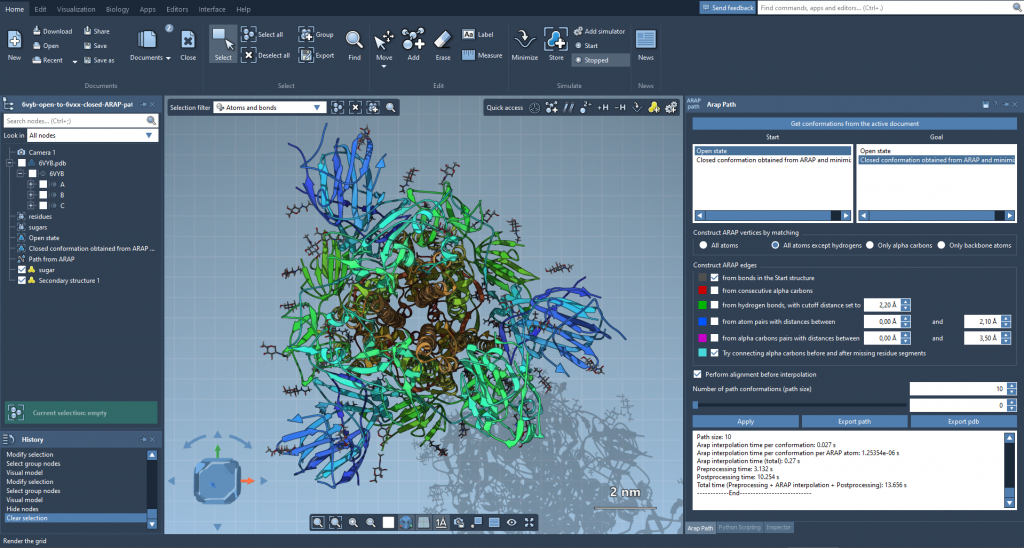
How ARAP Interpolation Simplifies Your Process
Here’s how this extension accelerates your modeling:
- Speed: Generate transitions within seconds instead of spending hours fine-tuning them.
- Realism: The generated transitions are biologically meaningful and ready for further use in simulations.
- Customization: Add flexibility to your molecular modeling workflow with customizable conformation parameters.
- Usability: Export results directly, either as trajectories or PDB files.
Step-by-Step Guide
If you’re ready to simplify your workflow, follow these steps to create a transition path:
Step 1: Prepare Your Protein Data
Fetch protein conformations (e.g., 1DDT and 1MDT, representing Diphtheria Toxin) straight from SAMSON by using the Home > Fetch feature. Use the built-in Prepare tool to clean up unnecessary residues, water molecules, ions, and ligands for a streamlined start.
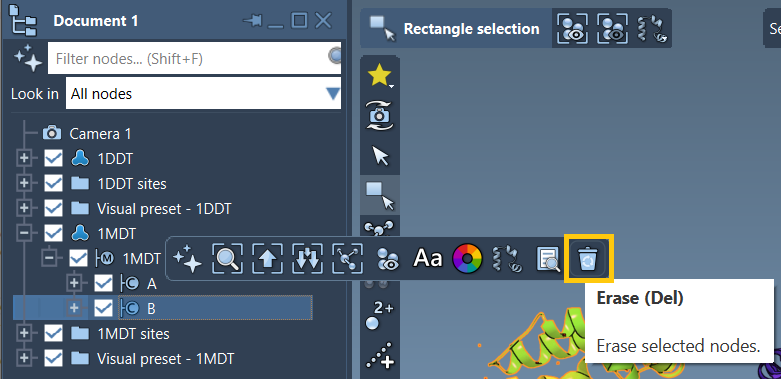
Step 2: Create Conformations
Designate conformations for each protein structure as the Start and Goal of your transition path. For example, assign a conformation 1DDT A for the start and 1MDT A for the goal.
Step 3: Run the ARAP Interpolator
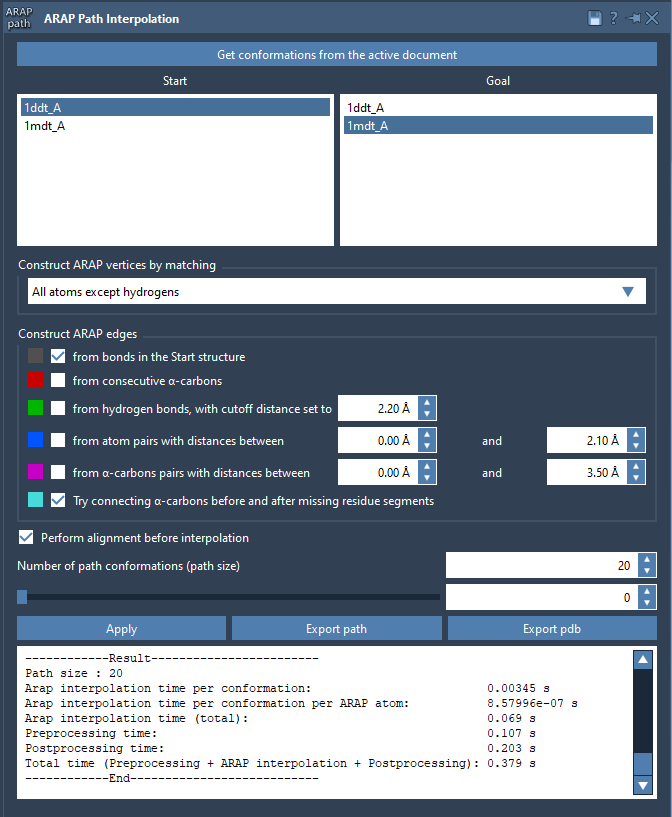
Access the ARAP app by going to Home > Apps > Biology > ARAP Path Interpolation. Then:
- Select your conformations by clicking Get conformations from the active document.
- Choose alignment options, such as excluding hydrogen atoms or selecting specific atom types (e.g., alpha-carbons).
- Define interpolation parameters like path connectivity and the number of intermediate conformations.
Step 4: Analyze and Export Your Results
Once the path is computed, use the interactive slider to visualize intermediate structures. Additionally, export the trajectory or save the conformational path in PDB format for use in other modeling tools.
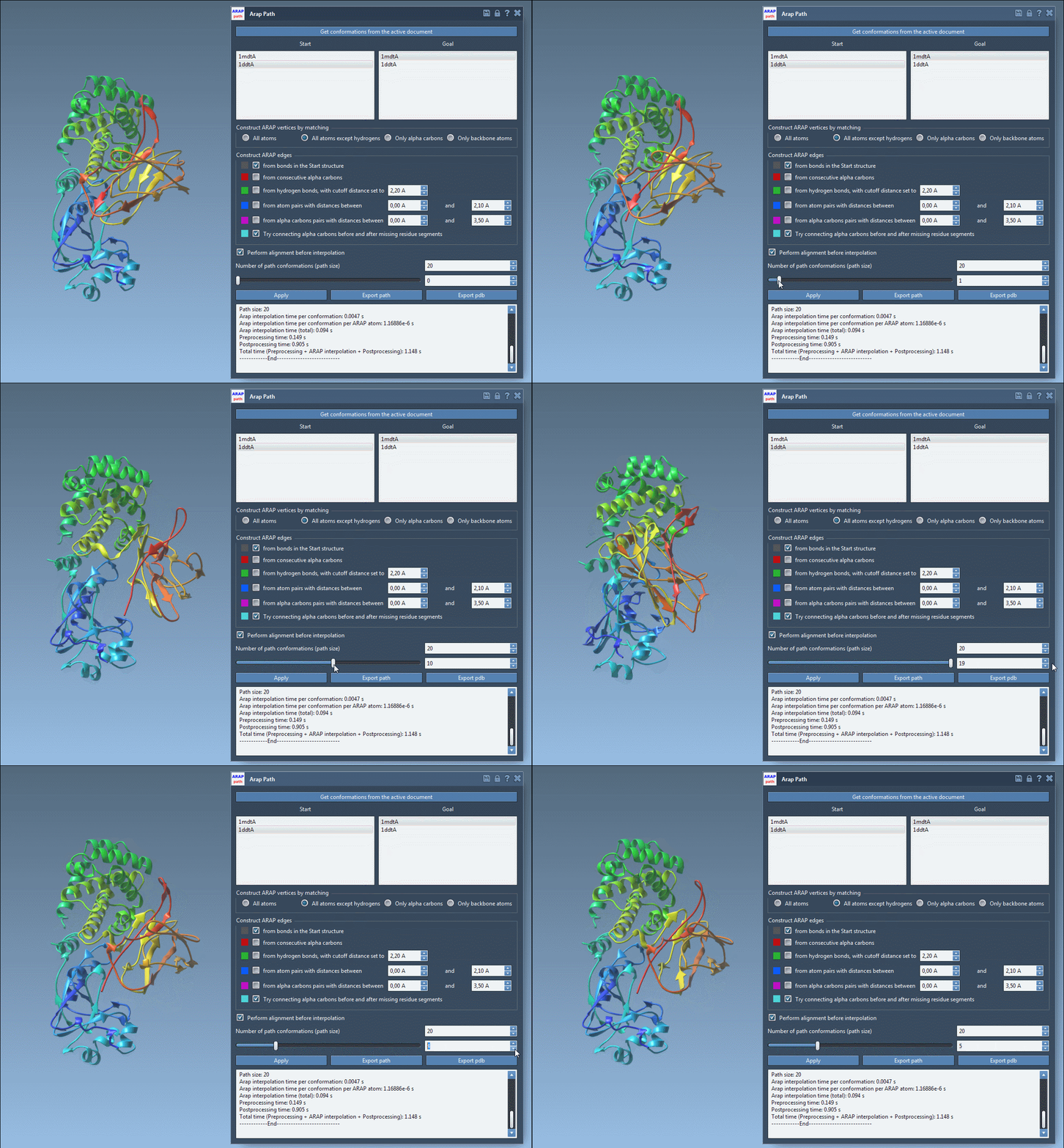
With just these four steps, you can generate highly detailed and accurate protein transition paths that are ready for visualization or advanced simulations.
Get Started Today
The ARAP Interpolator in SAMSON is a powerful, efficient tool designed to remove bottlenecks in your molecular modeling projects. Save time, ensure biologically meaningful results, and enable seamless integration into other simulations. To learn more about ARAP Interpolation, explore the full documentation at this page.
Note: SAMSON and all SAMSON Extensions are free for non-commercial use. Get SAMSON at https://www.samson-connect.net.