



Understanding how proteins are organized in their crystal structures and biological assemblies is key for molecular modelers. But what if you could visually reconstruct these assemblies effortlessly? Enter the Symmetry Mate Editor in SAMSON—a powerful tool that brings symmetry transformations in PDB files to life through an intuitive interface. This blog post will guide you through the basics of exploring symmetry mates and help you uncover their potential for molecular design workflows.
The Challenge of Understanding Protein Symmetry
Protein crystallography often provides vital information about how molecules are assembled. Yet, figuring out the arrangement of proteins through symmetry metadata (like CRYST1 and BIOMT records in PDB files) can be overwhelming without the right tools. This is where the Symmetry Mate Editor becomes invaluable. By representing symmetry transformations as control nodes in a graphical environment, you can quickly explore protein assemblies and their underlying structures.
Getting Started
To begin, activate the Symmetry Mate Editor in SAMSON. Here’s how:
- Use the Find everything command (Shift + E) and search for “Symmetry Mate Editor.”
- Alternatively, access it from the Editors menu via … > General > Symmetry Mate Editor.
Once activated, the editor displays control nodes in the viewport. These nodes represent the symmetry transformations available in the loaded PDB file.
Visually Exploring Symmetry Mates
The Symmetry Mate Editor allows you to scale, preview, and generate symmetry mates:
- Use Ctrl/Cmd + mouse wheel to adjust the number of control nodes.
- Hover over a node to preview a replica immediately in the viewport.
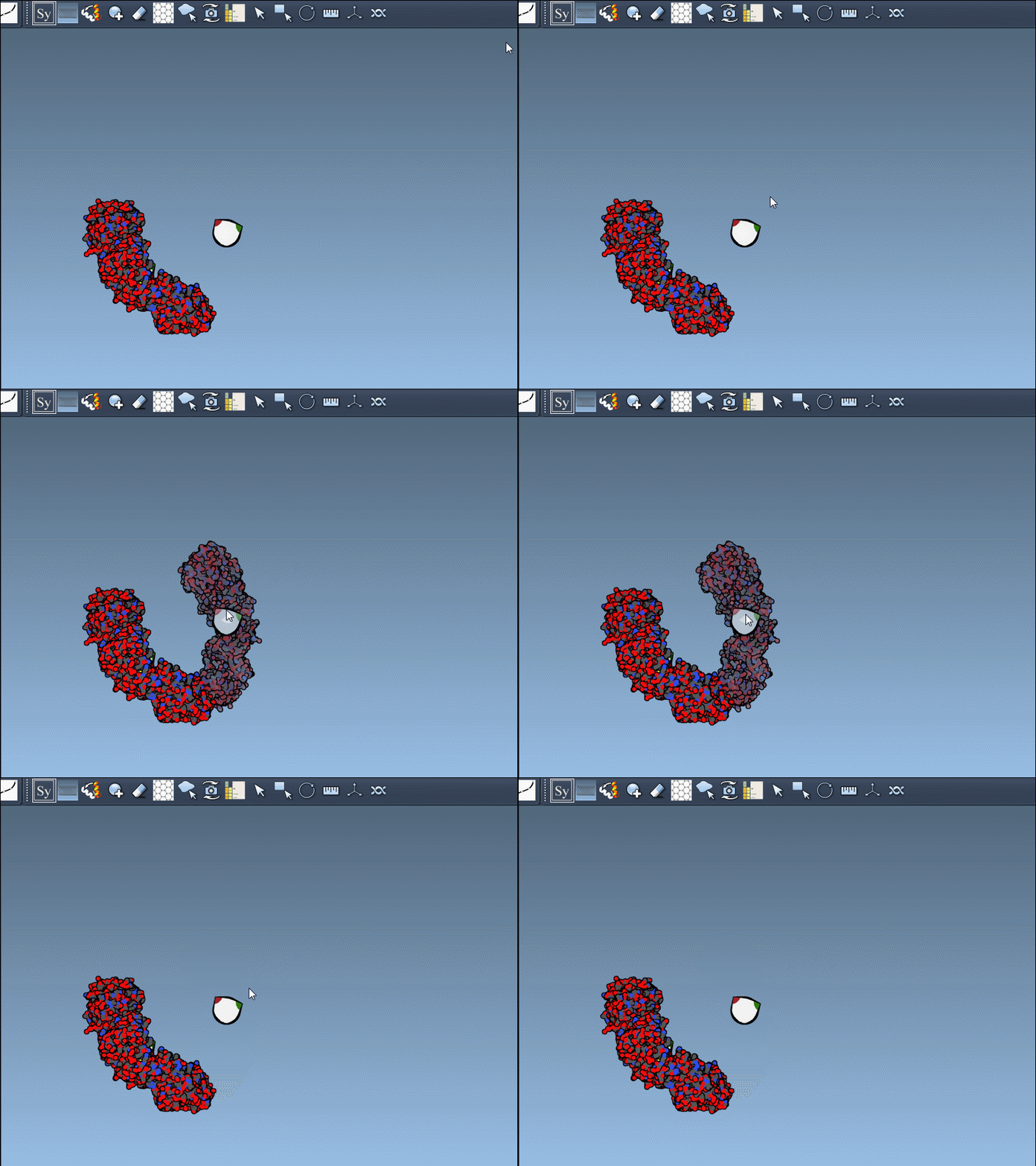
Want a permanent copy of a replica? Simply left-click a node to generate it. In a matter of clicks, you can piece together complex structures. If you need to undo a change, just use Ctrl/Cmd + Z.
Special Insight: CRYST1 vs. BIOMT Symmetry
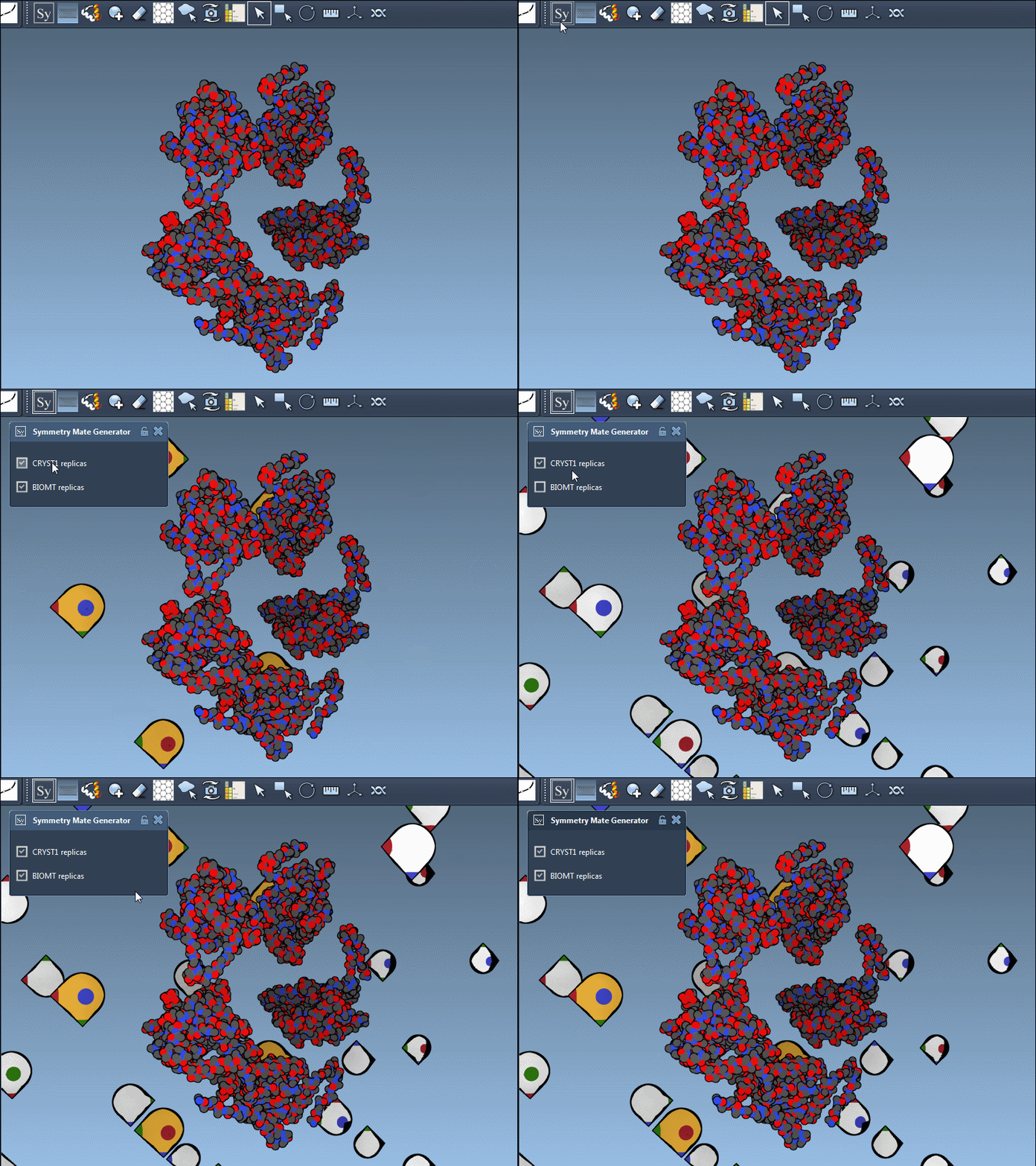
One of the essential features of the Symmetry Mate Editor is its support for both CRYST1 and BIOMT records:
| Record type | Description | Widget Color |
|---|---|---|
| CRYST1 | Symmetry from crystal lattice | White |
| BIOMT | Symmetry from biological assembly annotations | Yellow |
You can toggle between these record types within the editor to explore different types of symmetry. Here’s an example with the 1B5S structure:
Applications in Molecular Design
What makes this functionality so exciting are its diverse applications:
- Construct complete oligomeric assemblies from crystal data.
- Design symmetric nanostructures like protein cages and scaffolds.
- Predict how protein symmetry influences potential binding sites.
- Simulate symmetric assemblies in molecular dynamics workflows.
Get Started Today
With tools like the Symmetry Mate Editor, exploring symmetry mates becomes not only intuitive but also incredibly rewarding. To dive deeper into this topic and learn more about symmetry visualization in SAMSON, check out the full documentation for generating symmetry mates.
SAMSON and all SAMSON Extensions are free for non-commercial use. You can download SAMSON from samson-connect.net.