



One of the key challenges for molecular modelers working on membrane proteins is accurately constructing lipid layers around the proteins. Lipids are fundamental to understanding the behavior of proteins embedded in membranes, and doing this manually can be tedious and error-prone. SAMSON’s Molecular Box Builder offers a streamlined, efficient way to build these lipid layers, ensuring a realistic and robust setup for further simulations.
Why build lipid layers?
Lipid membranes are critical to biological systems. By embedding proteins in realistic membrane environments, you can better analyze their folding, dynamics, and interactions. Whether you’re modeling how a protein interacts with its surroundings or studying transmembrane mechanisms, having the right lipid environment is essential.
Steps to Build a Lipid Layer
The Molecular Box Builder Extension for SAMSON simplifies the creation of lipid layers. Below, we’ll walk through an example of how to construct a lipid layer around the copper-transporting PIB-ATPase (PDB: 4BBJ).
Step 1 – Aligning the Protein
To start, we need to properly orient the protein for the lipid layer placement:
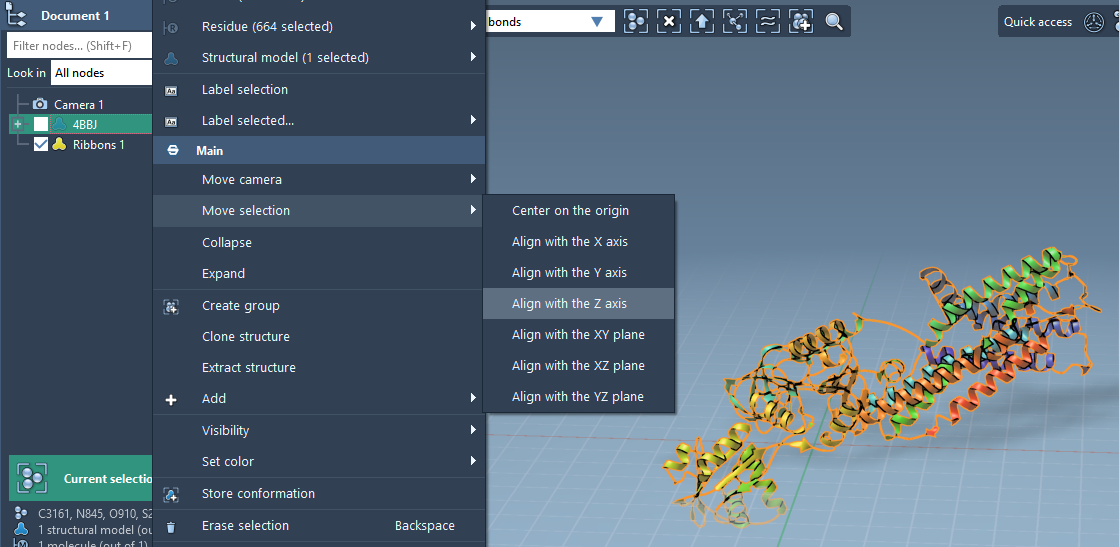
- Right-click the protein in the Document view.
- Choose Move selection > Align with Z axis from the context menu.
- Then, choose Move selection > Center on the origin.
Ensuring that the protein is aligned and positioned properly helps in placing lipids systematically around it. Here’s how your aligned protein might look:
Step 2 – Setting the Lipid Molecule
Next, import your selected lipid molecule (e.g., POPC) into the project:
- Load the lipid molecule into SAMSON.
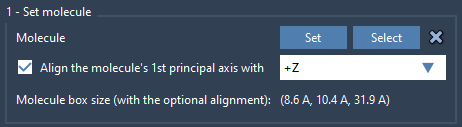
- Select it and click the Set button in the Molecular Box Builder app.
- For proper orientation, align its first principal axis to the
+Zdirection.
Here’s an example image of how a lipid is aligned:
Step 3 – Defining the Box
With the protein and lipid loaded, define the box for lipid layer creation:
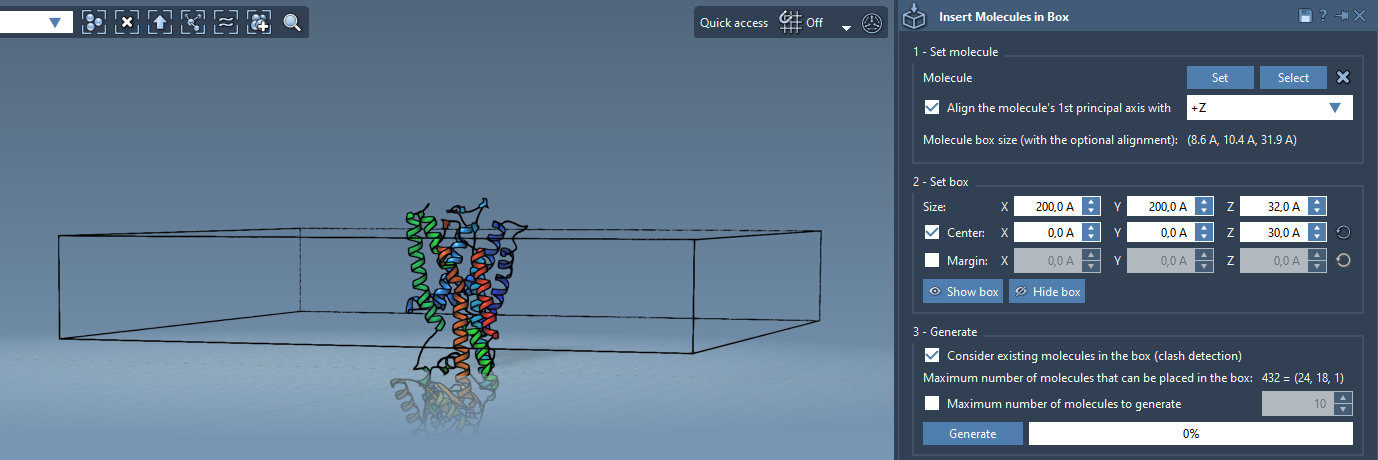
- Center the box around the protein to ensure it encapsulates the protein appropriately.
- Adjust the box dimensions based on your desired lipid layer layout (e.g., single layer or multi-layer).
- Optionally, specify a margin to control the distances between inserted lipids.
Here’s an example of how a protein-centered box might look:
Step 4 – Generating the Lipid Layer
Once the box is set, generate the lipid layer:
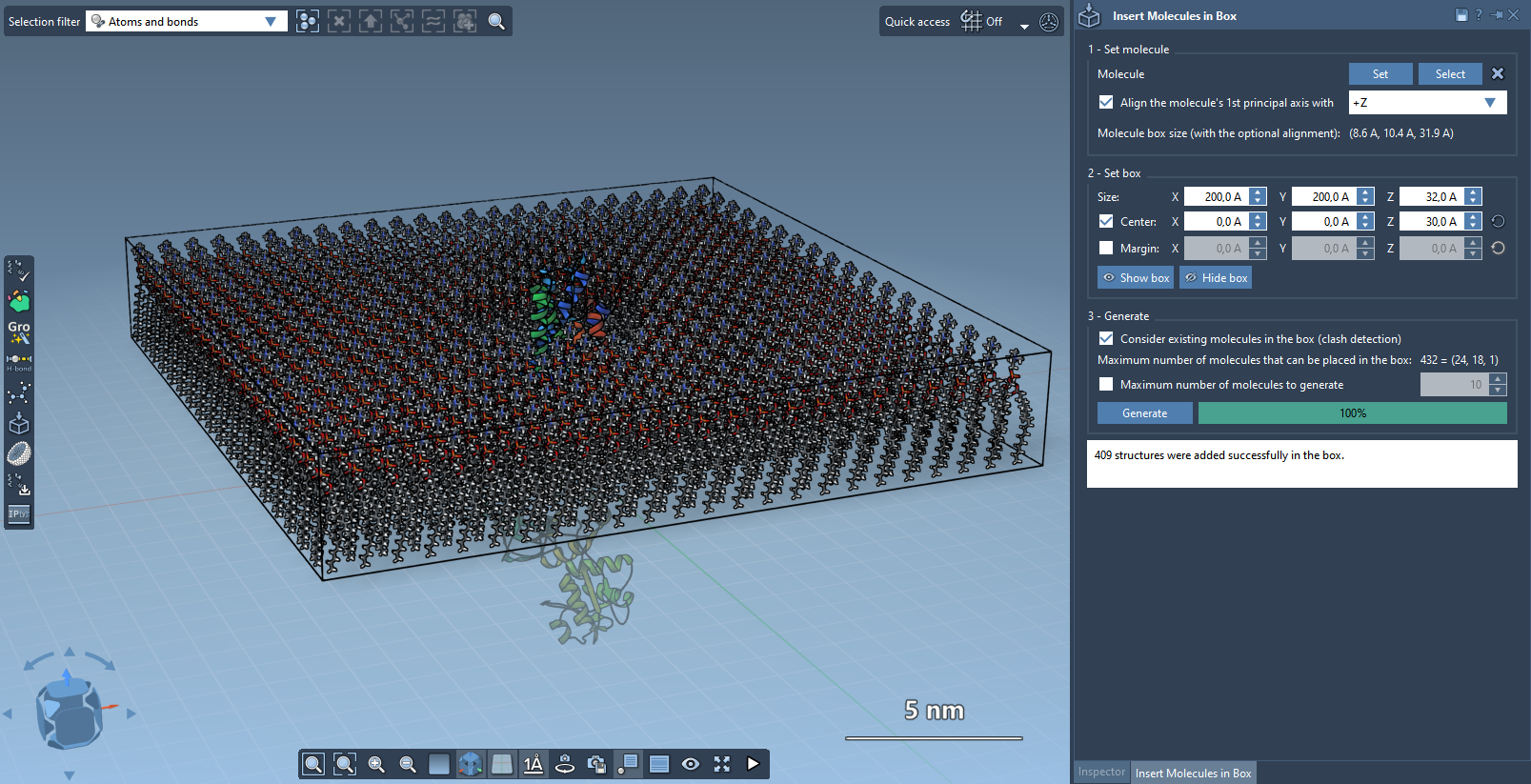
- Enable Consider existing molecules in the box to ensure lipids are placed in available regions only.
- Click Generate.
The Molecular Box Builder intelligently populates the box with the lipid molecules, creating a cohesive layer around the protein. Here’s an example outcome:
Explore More Features
If you want to construct a full lipid bilayer, you can repeat the process by adding layers with +Z and -Z alignments. This creates a realistic lipid bilayer system for your membrane protein simulation.
Take the Next Step
After building the lipid layer, you can use tools such as the GROMACS Wizard to equilibrate and simulate the system. For complete instructions, refer to the Molecular Box Builder documentation page.
SAMSON and all SAMSON Extensions are free for non-commercial use. To get started with SAMSON, visit https://www.samson-connect.net.