



A molecular structure can look plausible on screen and still need some cleanup before you use it in a simulation. Small geometric irregularities may remain after building or editing a model, and manually adjusting atoms one by one is rarely a useful way to prepare the whole structure. Geometry optimization offers a more systematic approach: it adjusts a structure toward an energy minimum under the selected interaction model.
In SAMSON, the Fast Inertial Relaxation Engine (FIRE) minimizer can be used for this kind of relaxation. It is particularly useful when the structure needs to undergo larger, collective motions. Here is a practical workflow for getting started, understanding the controls, and interpreting what you see.
Start with a manageable test
Before applying settings to a large molecular system, open a small test system if you want to see their effects clearly. Load a molecule from a supported format such as PDB or MOL2, then go to Edit > Add Simulator. Choose an interaction model and select FIRE from the State Updaters list.
The interaction model is part of the setup: FIRE is the minimization method, while the selected model supplies the interactions used during the simulation. SAMSON’s FIRE implementation works with any SAMSON interaction model, so you can use it within different modeling workflows.
What the settings control
- Step size is the initial integration step for minimization. It is a starting value for the process, rather than a count of how many updates to perform.
- Steps sets how many FIRE steps occur between viewport updates. Increasing this value means the structure is shown less frequently during minimization, which can make progress appear in more pronounced increments.
- Fixed optionally keeps the step size constant.
These controls affect how the minimization proceeds and how its progress is displayed. If you are unsure how a setting will affect your system, try it on the small test structure first, where changes are easier to observe.
Why compare FIRE with steepest descent?
Steepest descent is a familiar minimization approach, but it can be slower when a structure needs substantial collective movement. FIRE is designed to converge faster in such cases, including situations where potential energy changes are small while the geometry continues to evolve significantly. The animations below illustrate the difference in relaxation behavior.
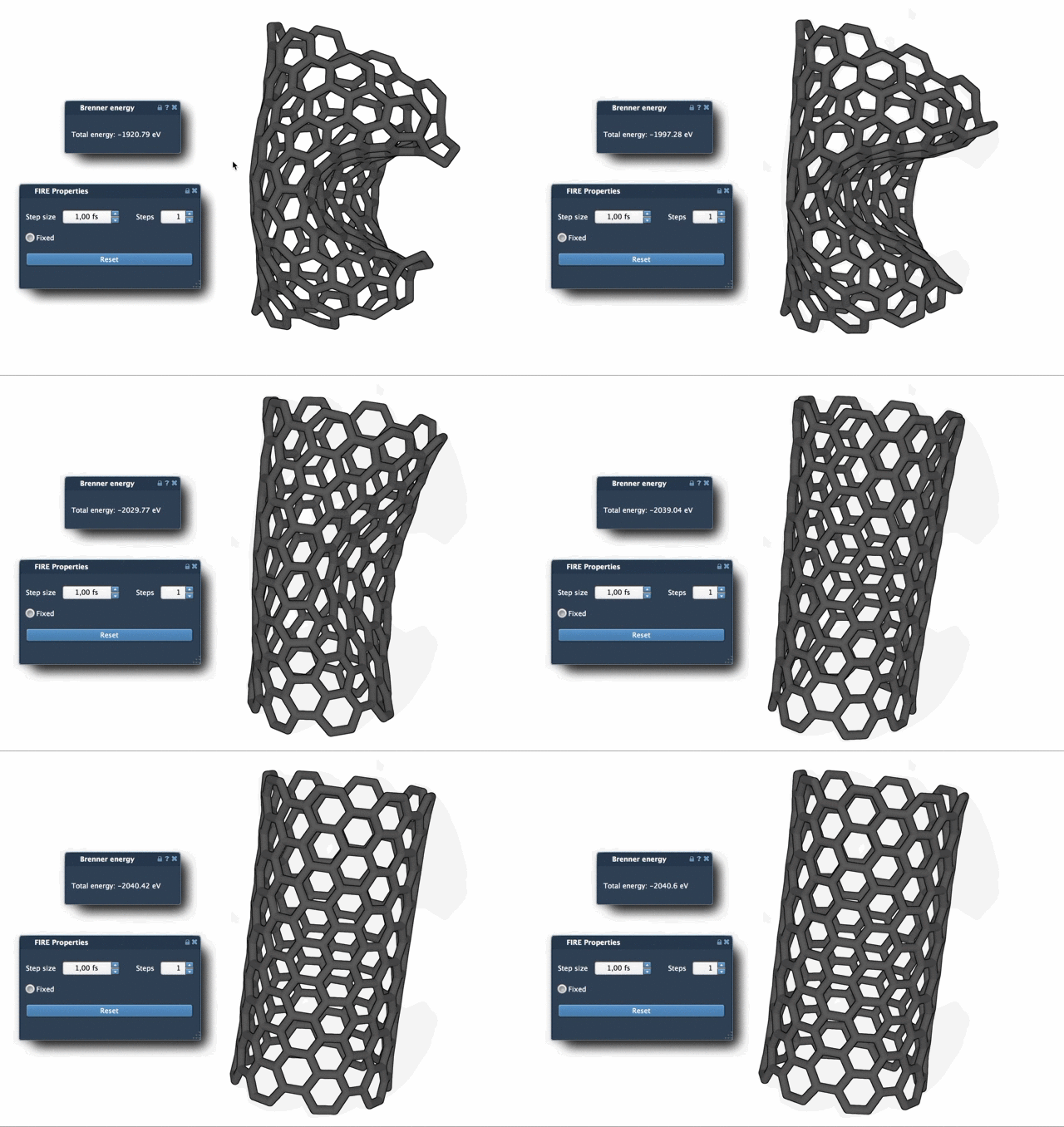
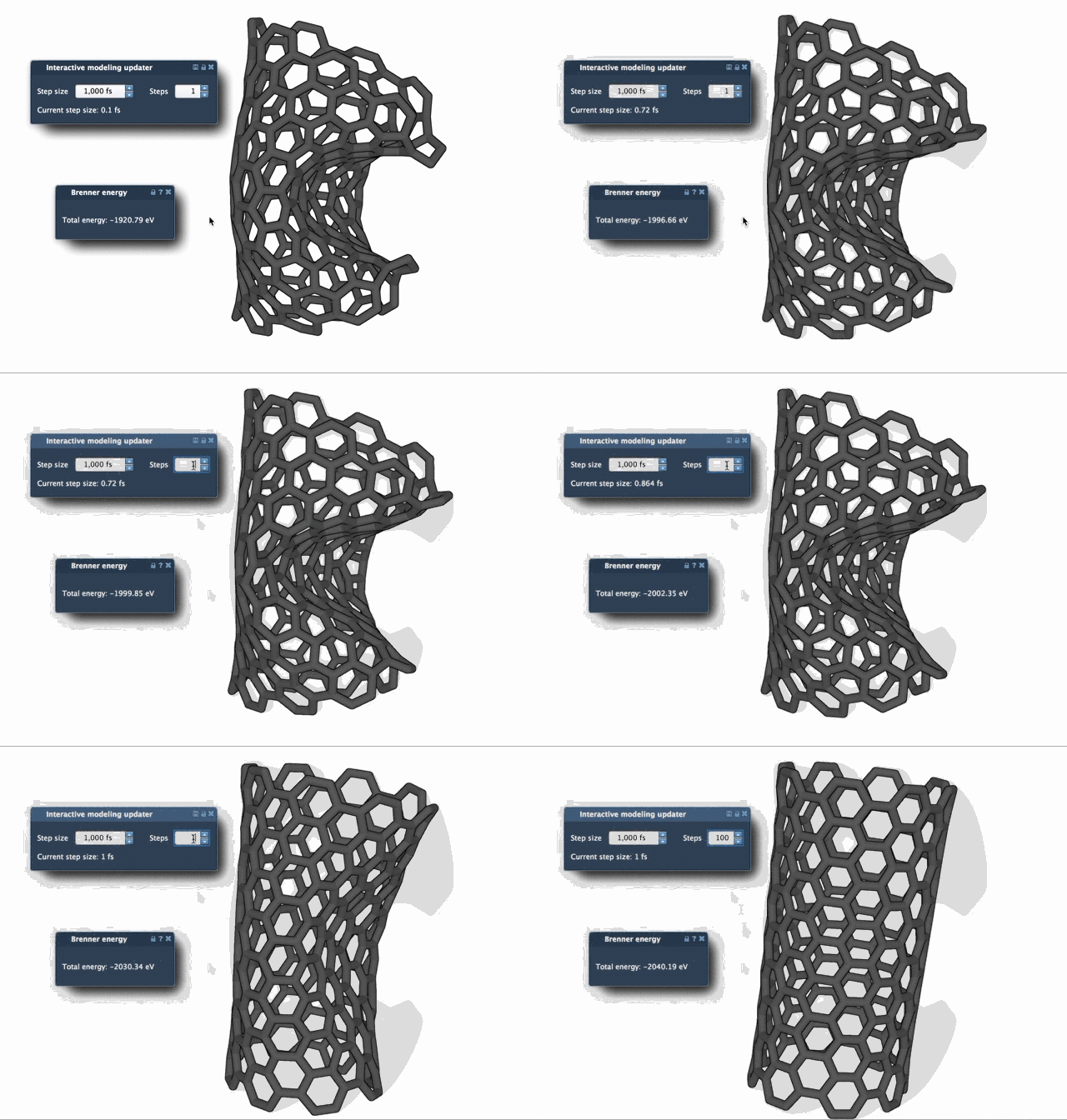
The comparison is useful as a visual guide, but the appropriate method and settings depend on the system and the modeling task. Geometry optimization prepares a structure according to the interaction model you selected; it does not, by itself, establish that the resulting structure answers every scientific question about the molecule.
One detail to remember when editing
If you manually move atoms while minimization is running, the FIRE minimizer retains a history. Press Reset to clear that history after making manual changes. This is an easy step to overlook when alternating between automatic relaxation and interactive editing.
FIRE is implemented as a SAMSON State Updater, which allows it to be used in workflows that need geometry optimization. For example, the Molecular Restrainer extension uses FIRE for energy minimization of NMR-derived structures. That makes FIRE useful not only as a standalone cleanup step, but also as part of a larger modeling process.
For the full setup instructions and related guidance, see the FIRE minimizer tutorial.
Note: SAMSON and all SAMSON Extensions are free for non-commercial use. Get SAMSON.