



When a ligand looks promising, the next question is often deceptively simple: what happens if one part of the molecule changes? Answering it by hand can mean editing many structures, checking that each edit is in the intended position, and keeping the resulting molecules organized. Positional analogue scanning offers a more systematic starting point: define a molecular pattern, then generate variants by replacing it or attaching a group at its matching positions.
In SAMSON, the SMILES Manager can do this from a starting molecule and a SMARTS pattern. The useful idea is to make the transformation explicit: first identify the sites to explore, then choose what to change. That makes the generated series easier to inspect and compare than a collection of untracked manual edits.
Start with a clear question
Before running a scan, decide what you want to learn. Are you exploring whether a substituent can be changed at several positions, or whether adding a small group near a particular motif might affect interactions? A focused question helps you choose a pattern and a modification that are interpretable. A scan is a way to create candidate structures for investigation; it does not by itself establish that an analogue will bind better or behave as intended.
The tutorial uses the example SMILES CN1C=C(C(=O)Nc2ccc(-c3ccccc3)c(c2)C(F)(F)F)C(=O)c2ccccc12. You can provide a molecule by entering its SMILES, or select a molecule already in the SAMSON document and use the selection button.
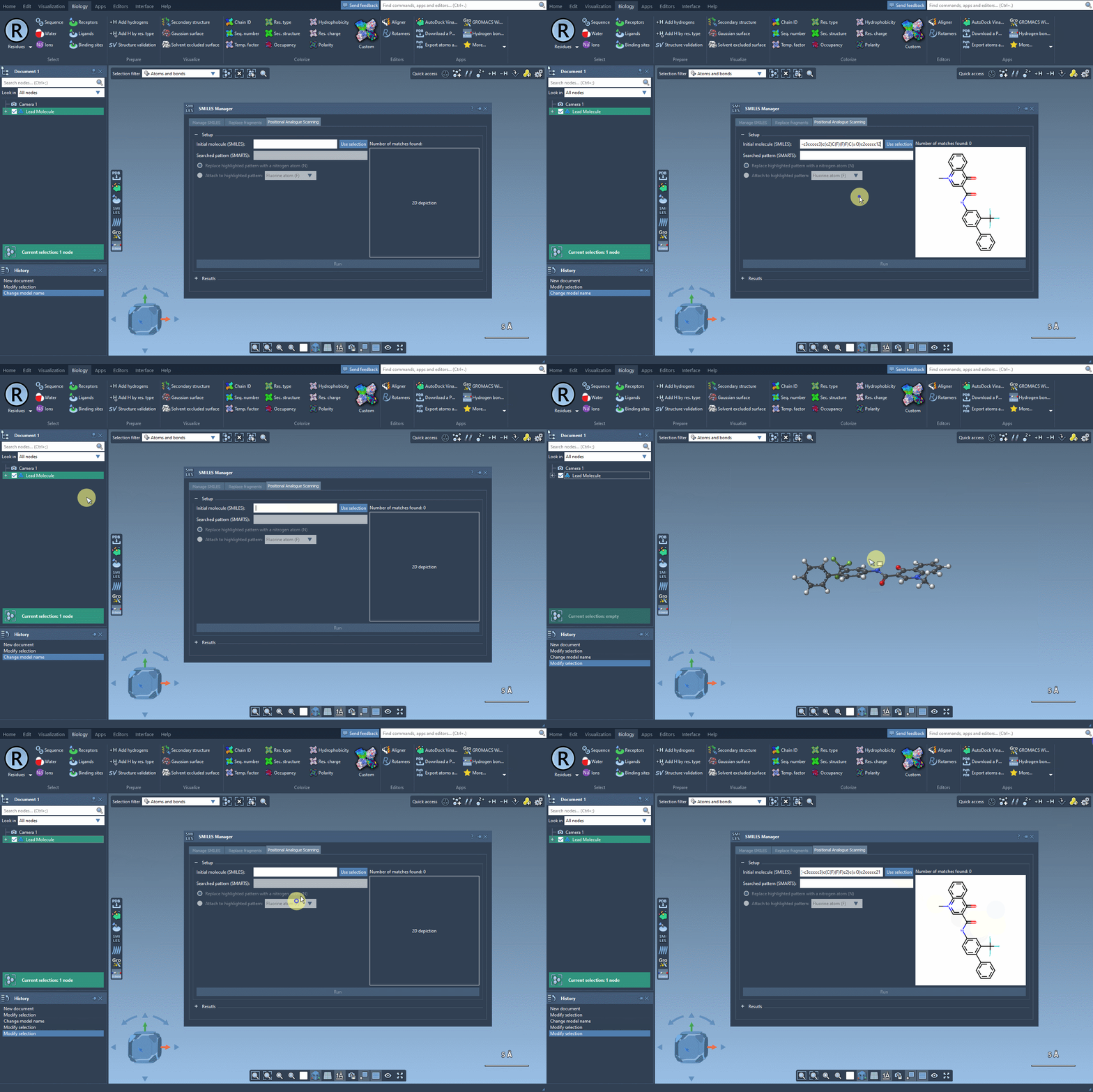
Make the search pattern specific
A SMARTS pattern determines which parts of the starting molecule are considered for the scan. In the example, [cH] is used to find aromatic carbons that have a hydrogen. The interface highlights the matches, giving you a chance to check that the selected sites correspond to the positions you meant to explore before generating structures.
This check is an important step, not just a formality. A pattern that is too broad may select more sites than intended; one that is too narrow may miss relevant positions. Look at the highlights in the context of the whole molecule, and adjust the pattern if the matches do not fit your design question.
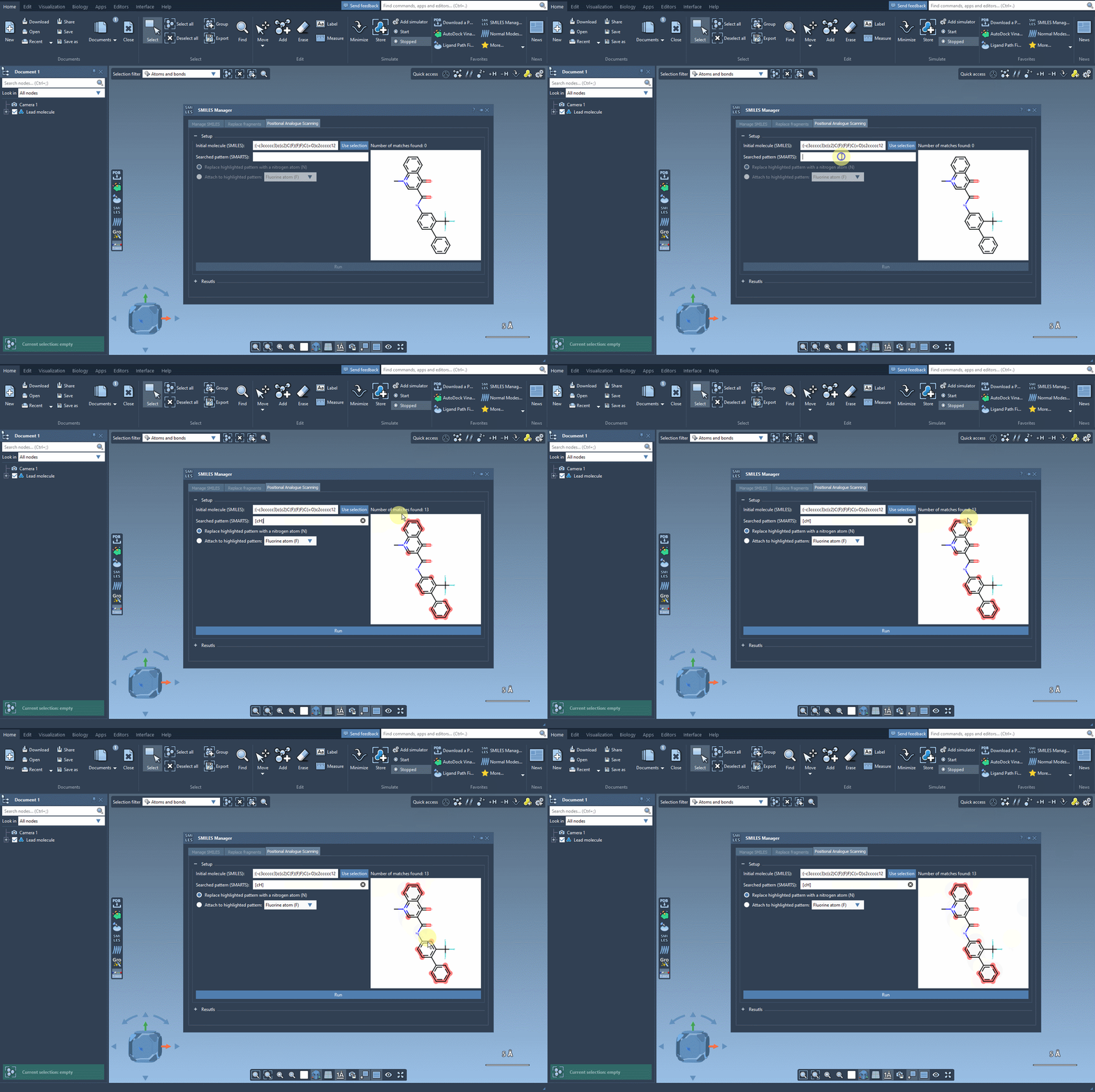
Choose a transformation and review the series
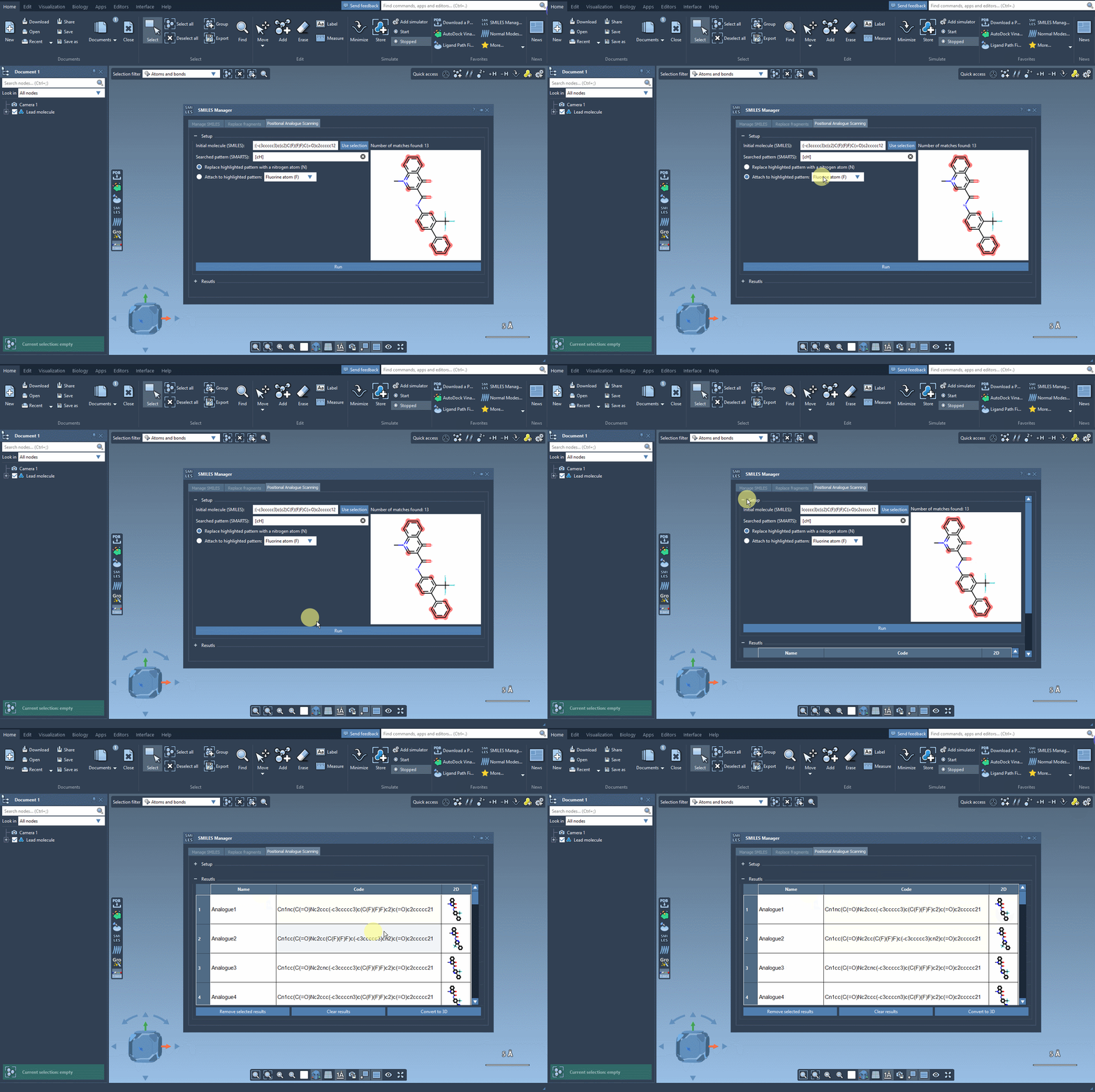
For the example scan, the pattern is replaced with a nitrogen atom. The interface also allows an atom or group to be attached instead, such as fluorine or a methyl group. After selecting the operation, click Run to generate the analogues and view their SMILES and 2D depictions in the results table.
Generated structures are a starting point for careful review. The results table lets you edit an analogue’s name or SMILES by double-clicking its cell, open a larger view of a 2D depiction, hide or show the depictions, and remove selected rows or clear the table. These controls are useful when you want to keep a manageable, curated set rather than treating every generated result as equally relevant.
Move from 2D candidates to molecular analysis
When you are ready to examine a candidate in three dimensions, generate a 3D structure for an individual analogue from its image’s context menu, or use Convert to 3D for the generated analogues. You can then continue with an analysis suited to your question—for example, docking with the AutoDock Vina Extended extension, followed by inspection of whether key interactions appear to be preserved or changed.
Interpret computational results as evidence to investigate, not as a substitute for validating the structures and evaluating them in the appropriate scientific context. A useful analogue series helps organize comparisons: what changed, where it changed, and what effect that change may have on the structural or interaction analysis.
For the full step-by-step workflow, see the positional analogue scanning tutorial.
Note: SAMSON and all SAMSON Extensions are free for non-commercial use. Get SAMSON.