



A ligand can look perfectly placed in a protein structure and still cause trouble when you prepare a molecular dynamics system. The problem is often not its position: the ligand needs a compatible topology, the structure and topology must agree on its name, and the chosen force field must support the parameters you provide.
This is a common handoff challenge for molecular modelers. A ligand-parameterization service may return files that look separate from the protein structure, while the simulation workflow needs them to describe one consistent system. Here is a practical way to manage that handoff in SAMSON’s GROMACS Wizard.
Start with the force field you intend to use
Before sending a ligand to a parameterization tool or server, decide which force field you plan to use for the simulation. The tool must generate parameters compatible with that choice. Examples include Antechamber for AMBER, ATB for GROMOS96 54A7, CGenFF for CHARMM, and LigParGen for OPLS-AA. Check the selected service’s accepted input formats before exporting the ligand.
This decision matters because a ligand topology is not a universal add-on. If the parameterization service uses a force field that is not included by default in GROMACS, you may also need to obtain and add that force field in GROMACS Wizard. For example, the tutorial notes that ATB may provide a custom force field such as gromos54a7_atb.
Prepare the ligand before parameterization
Many parameterization tools require the ligand to have its hydrogens set. In SAMSON, use Edit > Add hydrogens. For a ligand represented in the Chemical Component Dictionary (CCD), SAMSON can add hydrogens using the names described there. For ligands not in the CCD, hydrogen placement is based on valences, so the ligand should already have its aromatic rings and charges specified. If a non-standard ligand file contains that information—for example, a .mol2 file—use it when adding hydrogens.
If the ligand is currently part of a protein-ligand complex, select it in the Document view and use Home > File > Save selection as… to export it in a format accepted by your parameterization workflow. If you already have a ligand file with hydrogens, you can use that directly. SAMSON can also convert formats: load a file and save it in the format your chosen tool accepts.

Keep structure and topology in agreement
After parameterization, the key output is usually an include topology file (.itp). Some services also provide an updated structure file. If one is available, download it and compare it with the ligand in your complex: the service may have changed atom names or added hydrogens. A mismatch between the ligand represented in the structure and the ligand described by the topology can prevent the files from working together as intended.
If you need to replace the ligand in an existing complex, position the updated ligand at the old ligand’s location, then delete the old one. If you are adding a ligand to a protein that does not already contain it, you can place it with SAMSON’s move tools, dock it using AutoDock Vina Extended, or append its structure to the protein structure file. When appending, ensure the structures do not overlap and use separate chains or consecutive sequence numbering.
One detail is easy to overlook: the ligand name in the structure file must match the name used in the topology data. Check this before starting preparation, rather than waiting for a later workflow step to expose the mismatch.
Add the topology in GROMACS Wizard
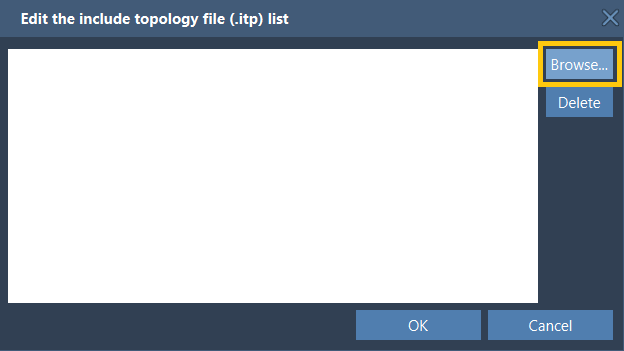
Open GROMACS Wizard from Home > Apps > Biology > GROMACS Wizard, go to the Prepare tab, select the protein-ligand system in the Document view, and choose Set system. In the Choose model section, use Edit for the include topology files and browse to the ligand’s .itp file. If the topology depends on a custom force field, add that as well. GROMACS Wizard stores an added force field for later use.
Then complete the other preparation choices, such as solvent model, periodic boundary box, and ions, and click Prepare. Review any messages or warnings that appear; the Output button provides access to the log. Once preparation succeeds, you can continue with energy minimization, equilibration, and production molecular dynamics.
A quick handoff checklist
- Choose a ligand parameterization method compatible with the simulation force field.
- Check the input format required by the chosen service.
- Set the ligand’s hydrogens appropriately before parameterization.
- Compare the returned structure with the complex, especially atom names and added hydrogens.
- Make the ligand name consistent between the structure and
.itptopology. - Provide any required custom force field along with the topology.
This workflow covers non-covalently linked protein-ligand complexes. Covalent complexes need additional treatment for parametrizing the linking bond.
For the full walkthrough, see the SAMSON GROMACS Wizard tutorial for protein-ligand systems.
Note: SAMSON and all SAMSON Extensions are free for non-commercial use. Get SAMSON.