



One frustrating moment in molecular modeling is when the structure you want to explore cannot be reached by moving atoms alone. A conventional setup may preserve the starting bonds, even as you drag atoms into positions where bonds should break or new ones should form. That makes it difficult to investigate a changing molecular arrangement interactively.
In SAMSON, the Interactive Modeling Universal Force Field (IM-UFF) is designed for this kind of editing. It extends UFF with the ability to update topology during manipulation: covalent bonds can form or break, bond orders can change, and atom typizations can adjust as the system changes. The result is a workflow in which you can move atoms and let physically based interatomic forces guide local structural adjustments, while the topology can respond to larger changes.
Set up a topology-changing session
- Open a document containing the molecular system you want to edit. For a first test, choose a small or medium system so topology updates are easy to observe.
- Choose Edit > Simulate > Add simulator, or use Ctrl+Shift+M on Windows/Linux or Cmd+Shift+M on macOS.
- Select Interactive Modeling Universal Force Field from the interaction-model list.
- Choose a state updater, such as FIRE, and press OK.
- In the IM-UFF parameters, leave Static topology (UFF only) unchecked to use interactive modeling, then start the simulation with Edit > Simulate > Start.
Unlike the standard UFF interaction model, IM-UFF does not have a separate setup window. Its parameter window includes the interactive modeling options alongside force-field parameters.
What to expect while dragging atoms
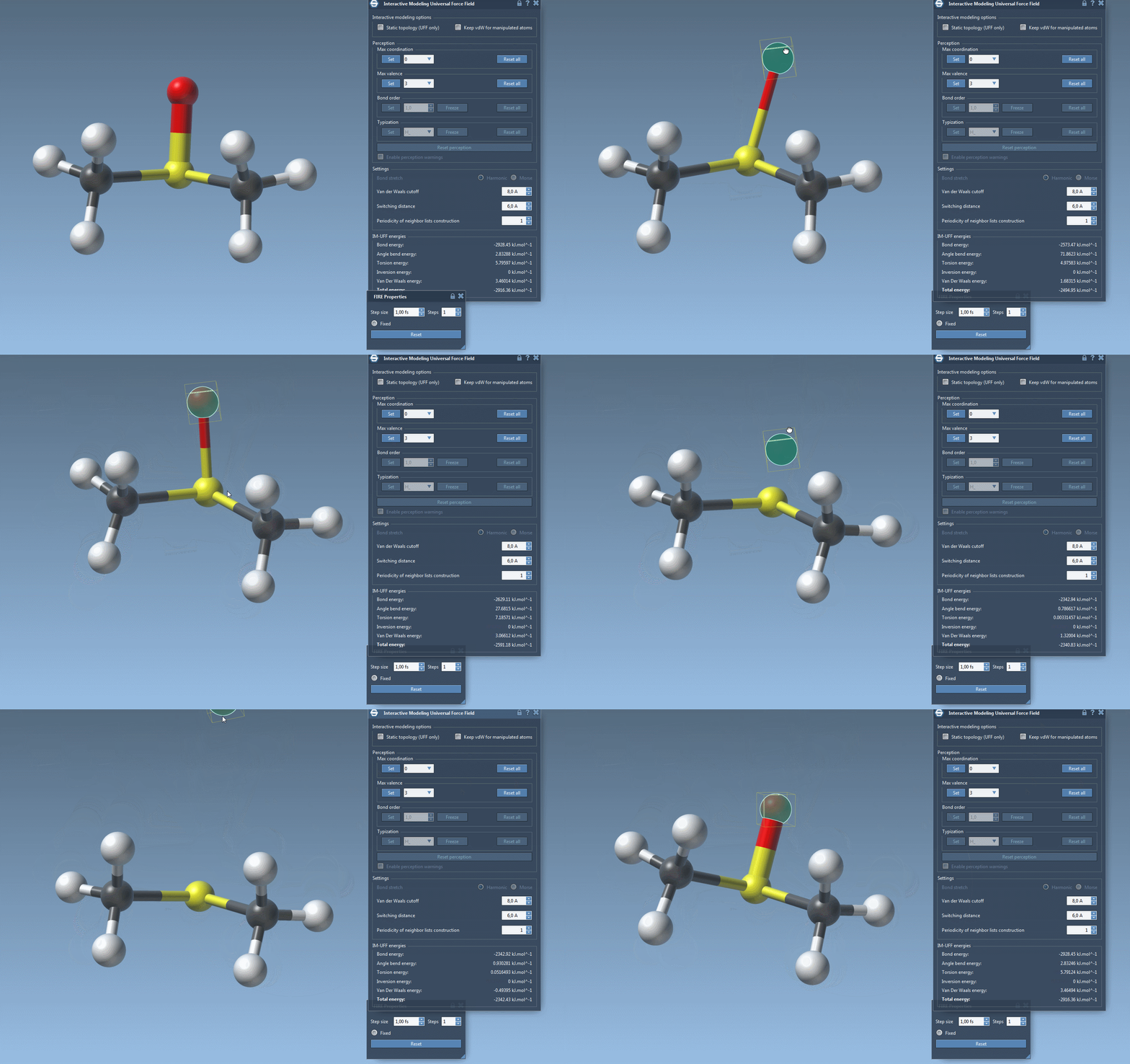
Begin with small displacements. The system can respond by adjusting locally while keeping the existing topology. If you move an atom much farther, bonds to neighboring atoms may break and the topology may update. Moving atoms closer together can allow new bonds to form. This gradual response makes it possible to explore structural changes without manually rebuilding the bond network after every edit.
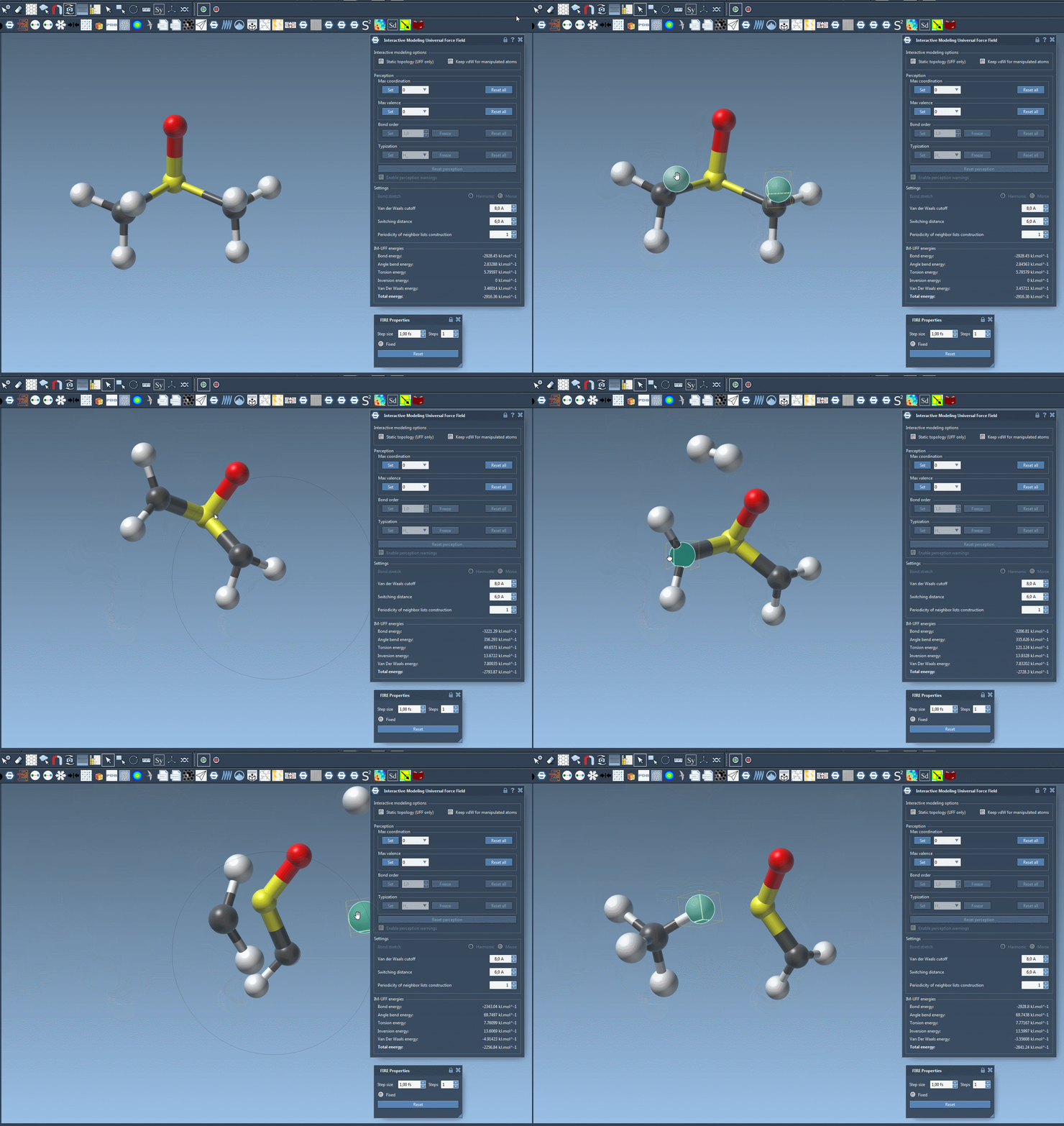
A useful way to work is to separate exploration from interpretation: first manipulate the structure to investigate possible arrangements, then inspect the resulting geometry and topology. IM-UFF provides an interactive, force-guided modeling process; it does not by itself establish that every resulting structure is chemically or experimentally valid.
Two options worth understanding
Static topology (UFF only) switches between standard UFF and IM-UFF. When checked, the topology is static; when unchecked, IM-UFF can update it during modeling. This is a convenient way to compare a fixed-topology workflow with one that permits topology changes.
Keep vdW for manipulated applies only when static topology is off. When enabled, van der Waals (vdW) energies and forces are computed for all atoms. When disabled, atoms being manipulated with the mouse are excluded from vdW interactions. That can make it easier to bring atoms together when vdW repulsion would otherwise hinder the manipulation. The choice affects the interaction forces during editing, so it is useful to notice which setting is active when comparing results.
Make the first experiment informative
Start with a small system, keep the settings simple, and move one atom at a time. Observe when the structure relaxes without a topology change and when a larger displacement leads to bond updates. Then repeat the exercise with Static topology (UFF only) enabled to see how fixed topology changes the editing experience. The comparison helps clarify whether the problem you are working on calls for ordinary UFF or the topology-changing IM-UFF mode.
IM-UFF also exposes options for van der Waals cutoffs, switching distances, neighbor-list updates, and automatic typization. While interactive modeling is active, maximum coordination and maximum valence can be set; bond order and typization instead vary continuously with atom positions to support smooth transitions. For details on these parameters, see the UFF tutorial.
For setup details and further context, read the original IM-UFF tutorial.
Note: SAMSON and all SAMSON Extensions are free for non-commercial use. Get SAMSON.