



A molecular model can look ready to simulate and still contain uncertain connectivity, bond orders, or atom types. Those details matter: if the structure is interpreted differently than you expect, a simulation may produce warnings or an unexpected response when you move atoms. The Universal Force Field (UFF) workflow in SAMSON can automatically perceive bonds, bond orders, and atom types, but it also lets you decide when to trust existing bonds and how to correct the perception when needed.
This guide focuses on a useful question for modelers: how do you set up UFF while keeping track of what the software is inferring?
Start with the bond information you trust
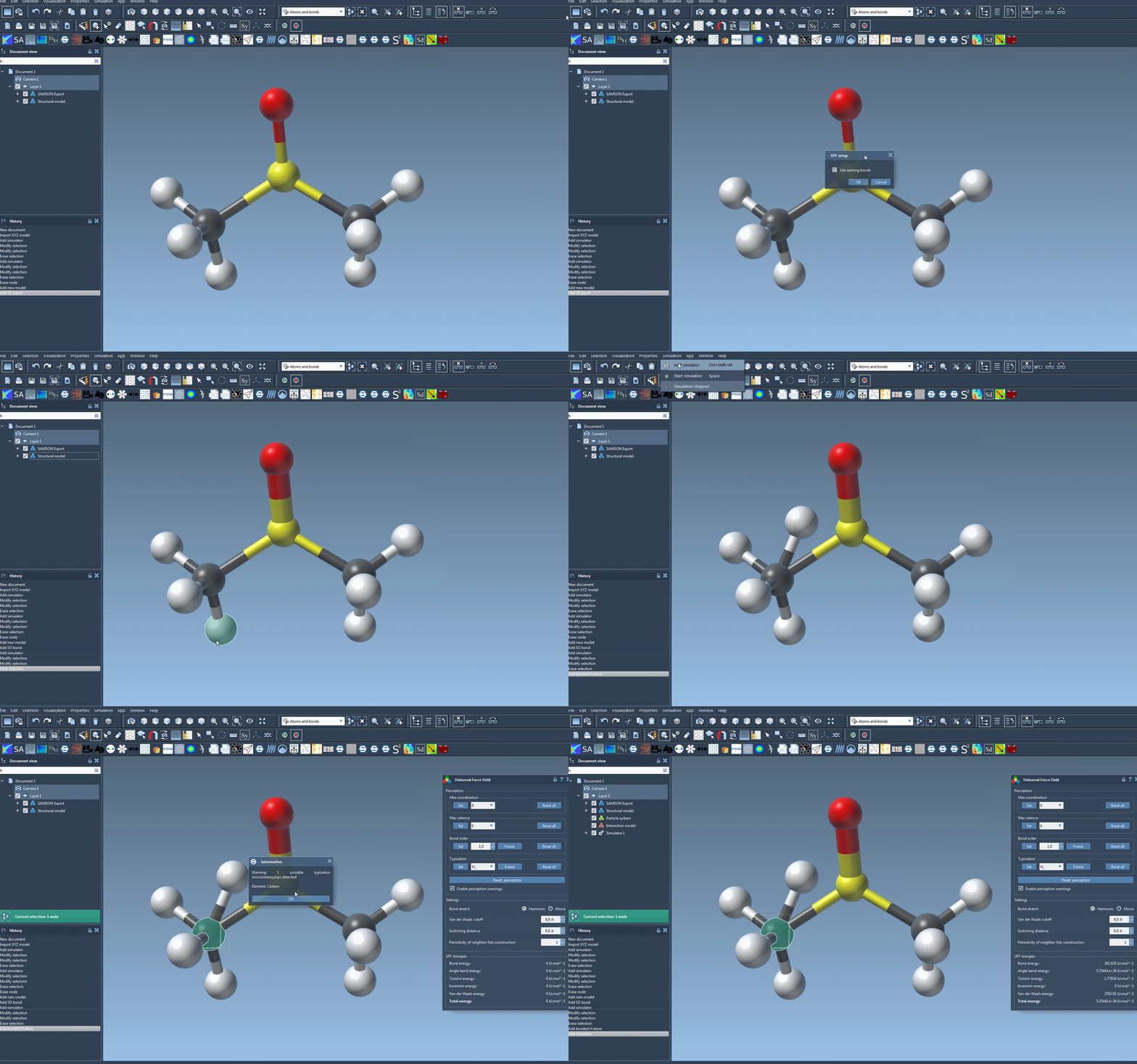
Open the molecular system, then add a simulator using Edit > Simulate > Add simulator. Choose Universal Force Field, select a state updater such as FIRE, and confirm. In the UFF setup window, decide whether to check Use existing bonds.
- Check it when you want UFF to rely on the model’s current bonds.
- Leave it unchecked when you want UFF to recompute bonds from atom types and positions.
That choice is not just a setup detail. It determines whether the existing connectivity is treated as the starting point or whether the module calculates covalent bonds during initialization. UFF then computes bond orders and atom types. If it detects inconsistencies, it may display a warning, so pause to review that message rather than treating initialization as proof that every assignment is correct.
Use the first run as a diagnostic
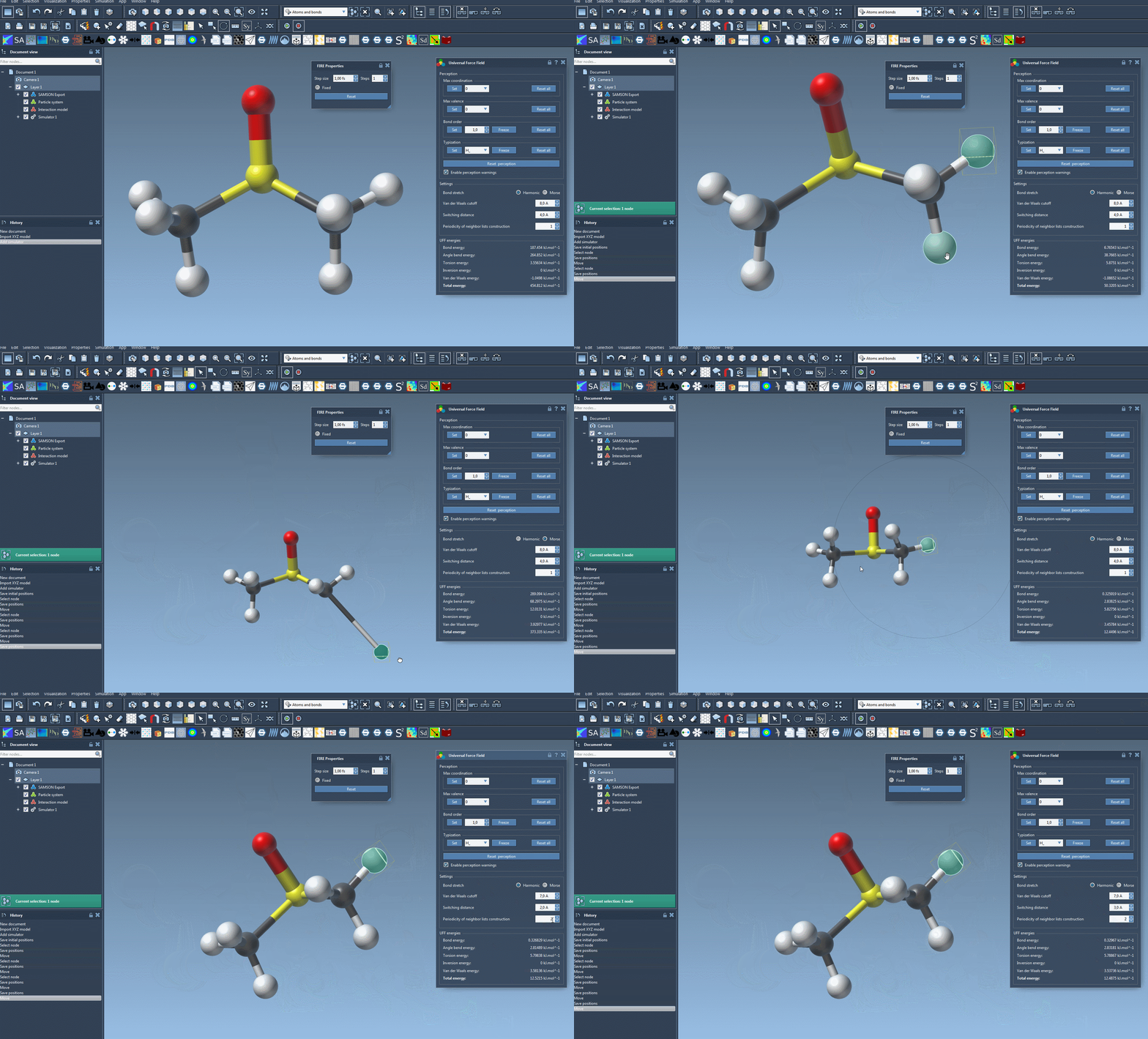
Once initialized, start the simulation with Edit > Simulate > Start. The UFF window displays the energy of each UFF term and the total energy. You can also move atoms interactively and observe how the model responds by updating the positions of other atoms.
For an initial pass, keep the workflow simple and use the default settings. Treat the displayed energies and the response to small edits as information to inspect—not as a substitute for checking whether the molecular structure and its assignments are appropriate. If something seems wrong, revisit the connectivity and perception before changing several parameters at once.
The interface offers a few simulation controls. Bond stretching can use either Harmonic or Morse interactions. The van der Waals cutoff limits the distance over which those interactions are considered, while the switching distance controls where the van der Waals term is smoothly weighted toward zero at the cutoff. You can also adjust how often neighbor lists are rebuilt; by default, they are recomputed at each time step. Changing one setting at a time makes it easier to keep track of what you changed.
Correct perception deliberately
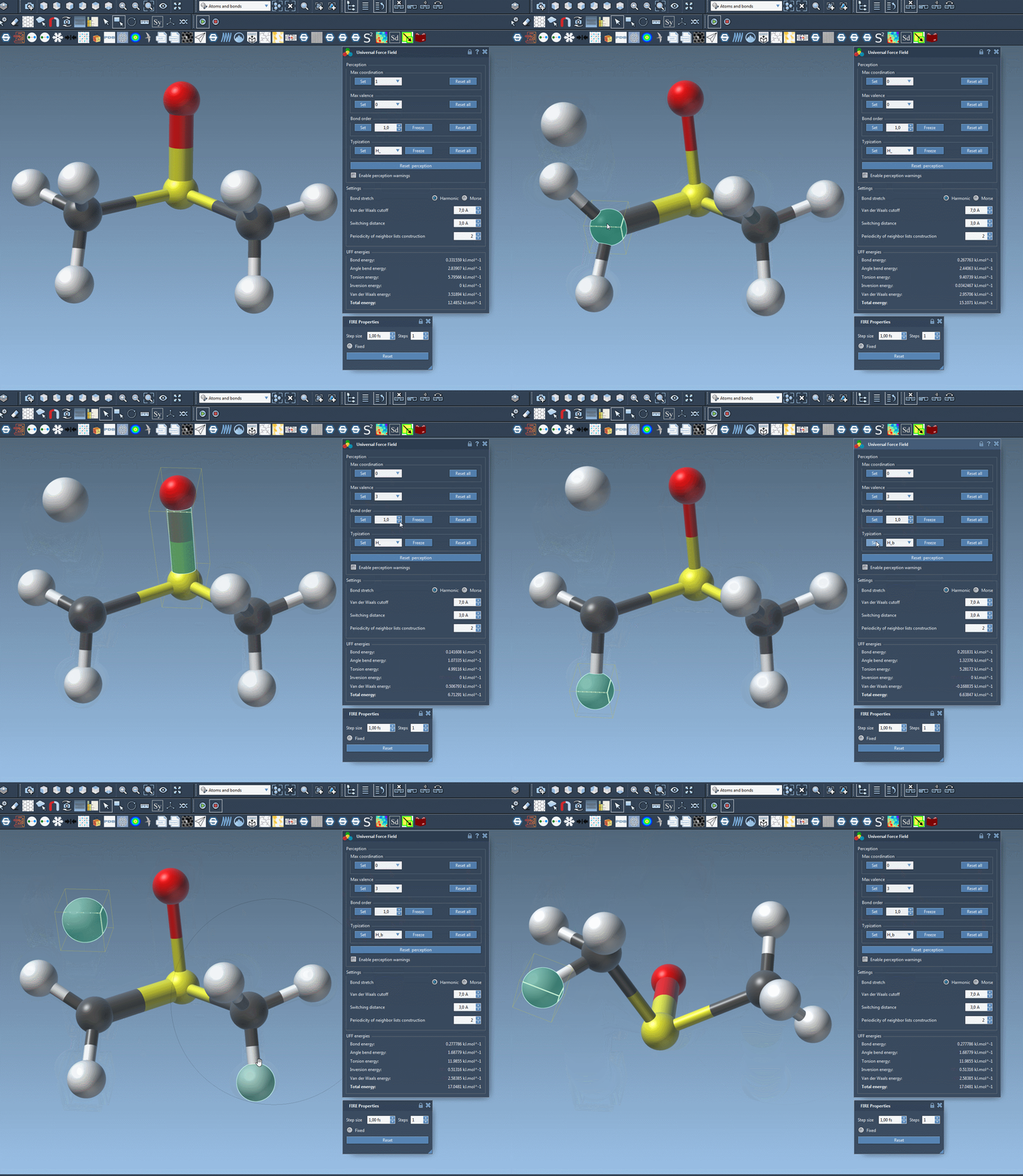
If automatic typing does not match the structure you intend to model, the parameter window provides ways to customize it. These options are intended for advanced users: changing assignments incorrectly can lead to incorrect structures.
- Atom coordination and valence: You can set lower maximum values for an atom using the corresponding controls and Set. These changes affect a new round of automatic perception; they take effect only when the new maximum is lower than the default.
- Bond orders: Select one or more bonds, choose a value between 0.1 and 3.9, and press Set to force that value. Use Freeze if the selected bond order should not change during a new perception. Non-integer bond orders are possible.
- Atom types: Select atoms, choose the desired UFF type, and press Set. Use Freeze to keep those types fixed through a new perception.
When you want to undo these choices, use the corresponding Reset all controls. To recompute perception using the current customized settings and atom positions, use Reset perception. Because bond creation depends on atomic distances, moving atoms can affect the result of a new perception.
A practical order of operations
- Choose whether the existing bonds are reliable enough to use.
- Initialize UFF and read any inconsistency warnings.
- Run with defaults first, then inspect the energy display and response to interactive movement.
- If needed, adjust a specific bond order, atom type, or perception limit—and record what you changed.
- Reset perception when you want UFF to apply the current settings and positions again.
Atoms can also be added or deleted while the model is being edited; the typization is recomputed automatically. For atom building guidance, see the SAMSON User Guide: Building molecules.
For the full setup instructions and references, see the UFF tutorial.
Note: SAMSON and all SAMSON Extensions are free for non-commercial use. Get SAMSON.