



Manually selecting atoms to isolate a region of a crystal or molecular structure can be slow and imprecise. The problem becomes more noticeable when the boundary is curved: clicking atom by atom rarely produces a clean circle, sphere, or other geometric cutout. A coordinate-based expression offers a repeatable alternative: describe the shape mathematically, then let SAMSON select the atoms whose positions satisfy it.
For example, suppose you want to select a cylindrical region from a quartz crystal. If the cylinder’s axis is parallel to the z-axis and its center in the x-y plane is (15, 15), a radius of 10 is described by:
|
1 |
((a.x-15)^2 + (a.y-15)^2) < 100 |
The expression is the circle equation in the x-y plane: an atom is selected when its squared distance from the center is less than the squared radius. Because there is no condition on a.z, the selection extends along the z-axis, making it a cylinder rather than a finite sphere. That detail is useful when you want a column through a crystal. If you need to limit the cylinder’s height, add a z-range condition, for example and a.z > 0 and a.z < 20, adjusting the limits to suit the structure and its coordinate system.
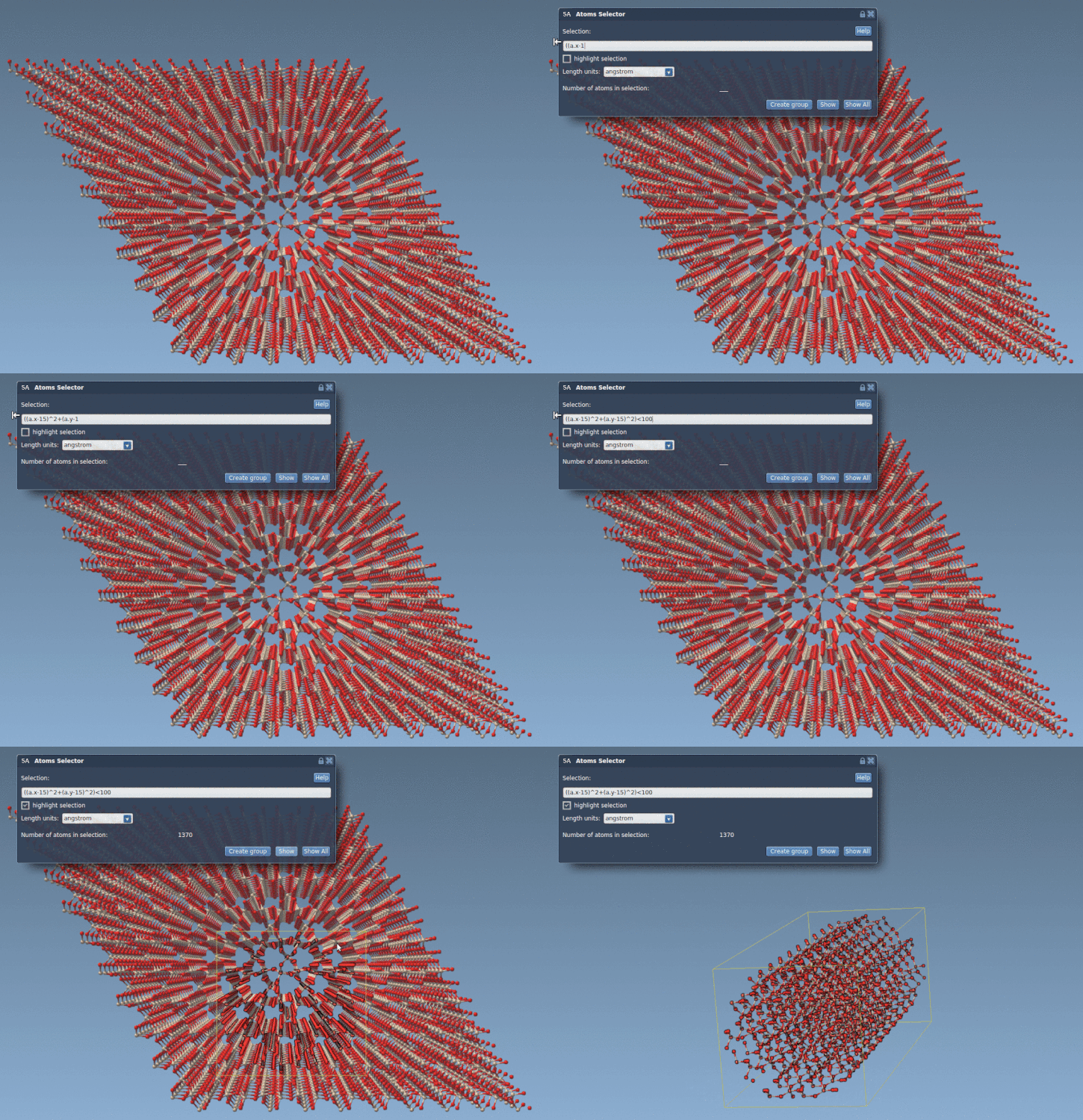
In SAMSON, enter a selection expression like this in the Atoms Selector Extension. The expression evaluates atom positions in the active document; it does not move them. This separation is helpful when you are planning a cutout: first define the region, inspect which atoms match, and only then decide what to do with the selection. The extension also supports the keyword all to select every atom in the active document.
Geometric tests can describe other useful regions too. A sphere centered at (0, 0, 2) with radius 10 can be written as:
|
1 |
(a.x^2 + a.y^2 + (a.z-2)^2) < 100 |
Here, all three coordinates contribute to the distance from the center. Comparing this with the cylinder expression makes a practical distinction clear: omit a coordinate to make a shape extend freely along that axis; include it to constrain the shape in three dimensions. The same idea can be adapted to boxes with coordinate ranges, or to more intricate regions made from combinations of conditions.
If your goal is to display only the atoms inside a sphere, Simple Script can change visibility according to the same geometric test:
|
1 2 |
if ((a.x^2 + a.y^2 + (a.z-2)^2) < 100) a.visibilityFlag:=1; else a.visibilityFlag:=0; |
This changes visibility rather than merely describing a selection, so it is worth keeping the two tasks distinct. Use Atoms Selector when the aim is to select atoms by an expression; use Simple Script when you need to modify supported atom properties, such as visibility or coordinates. The script acts on atoms in the active document, so check the target document and the intended coordinate units before applying a transformation.
The same coordinate-based approach can go beyond simple primitives. The Simple Script tutorial demonstrates building a graphene nano-batarang by testing atom positions against a series of geometric conditions, then selecting and showing atoms that fall inside the outline. It’s a playful example of a broadly useful technique: an irregular shape can be assembled from smaller mathematical regions instead of drawn by hand.
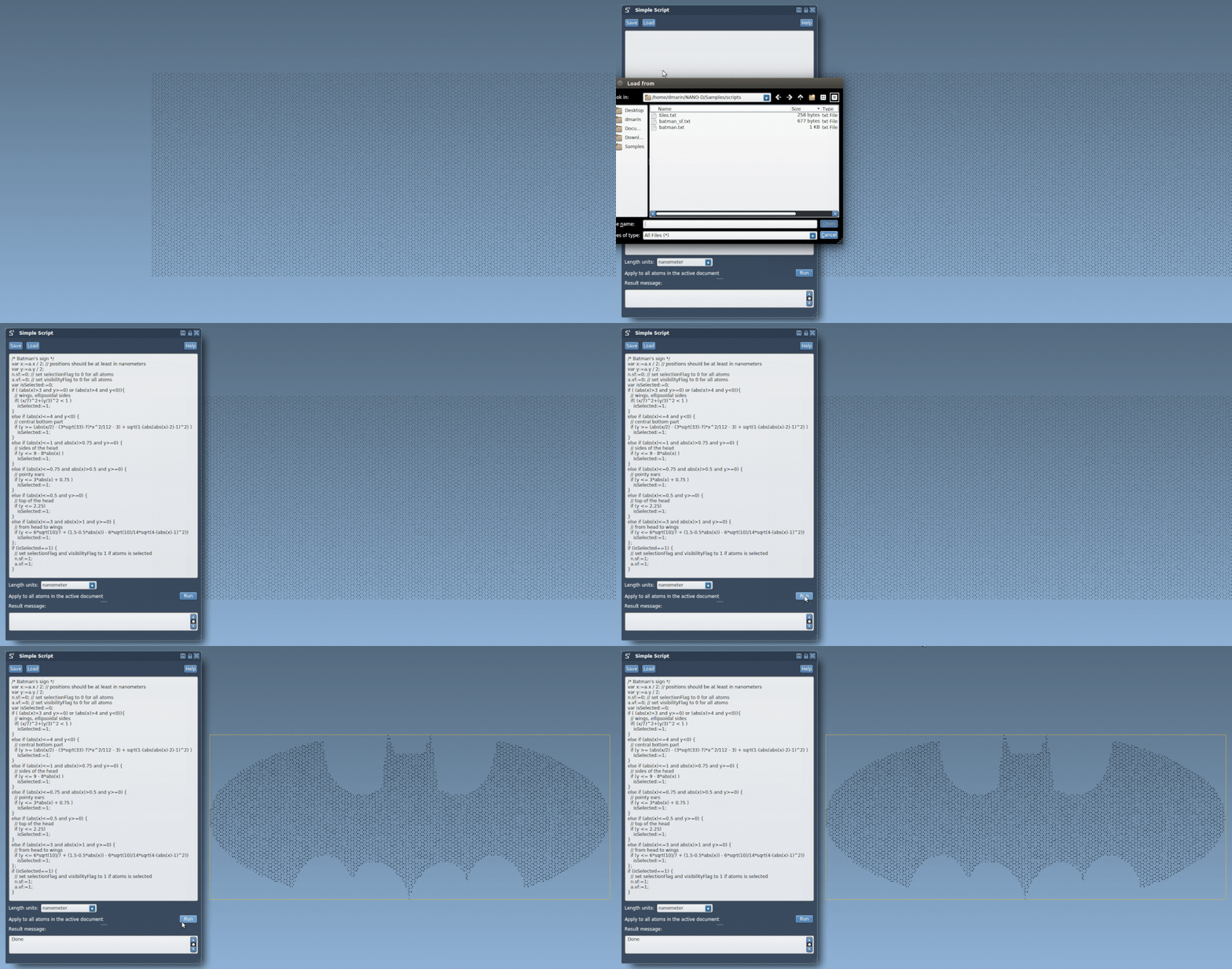
A reliable workflow is to start with a simple expression, verify the center, dimensions, and axes, then add conditions gradually. If the result looks wrong, check whether the model’s coordinates and the assumed units match, and whether the intended shape should be bounded along every axis. These small checks can save time when preparing a crystal cutout or constructing a more complex atomic pattern.
For the full tutorial and additional examples of atom selection, editing, loops, and custom graphene shapes, see Making nano-batarangs (and more).
Note: SAMSON and all SAMSON Extensions are free for non-commercial use. Get SAMSON.