



Structural precision is everything when you’re modeling at the nanoscale, especially when it comes to carbon nanotubes. Molecular modelers, materials scientists, and nanotechnologists often face the challenge of constructing multi-walled carbon nanotube (MWCNT) models with accurate geometrical parameters for simulations or design studies. Manually building such structures is not only time-consuming, but also prone to error—particularly when working with chirality and inter-wall spacing.
If you’re looking for a quick and reliable way to construct MWCNTs with precise control over radius, length, and layering, the Nanotube Creator in SAMSON offers a graphical interface that can help.
What’s the Goal?
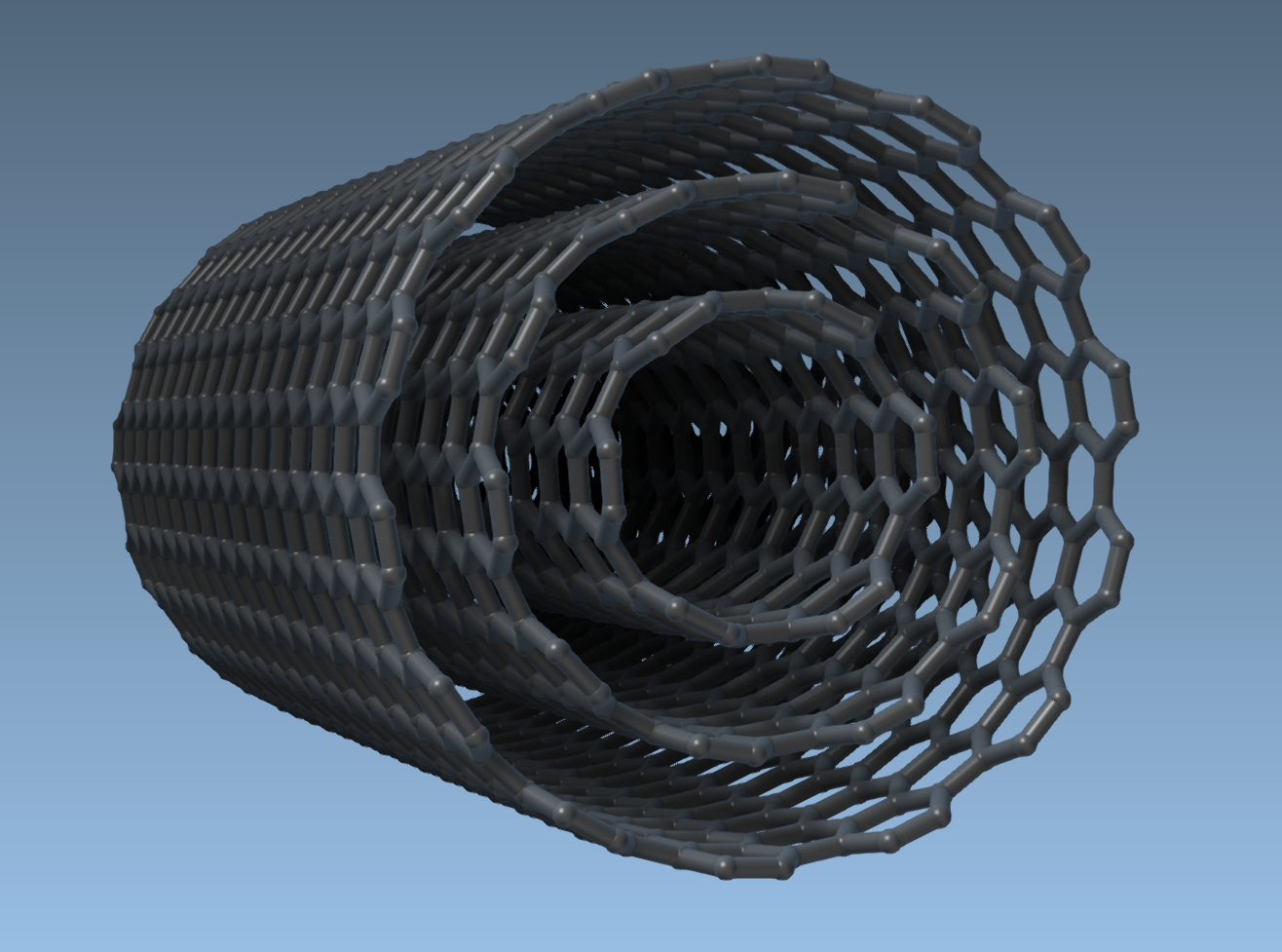
In this post, we’ll walk through how to create a three-layer carbon nanotube—commonly known as a multi-walled carbon nanotube—using SAMSON’s dedicated GUI. You’ll learn how to control parameters like chirality (n and m), axis orientation, and spatial layering to build cleaner, simulation-ready models.
Step-by-Step: Build Multi-Walled CNTs Using the GUI
The Nanotube Creator provides a clean graphical user interface for defining structural parameters. Here’s an example project to build a three-wall CNT system aligned along the x-axis:
- Set Start and End Positions: To fix the nanotube direction and length, input the coordinates
(0, 0, 0)as the start point and(40, 0, 0)as the end point—this gives a 40 Å-long nanotube along the x-axis. - Build the First Layer (Inner Tube): Set
n = 6,m = 6and click Build. This generates the innermost CNT. - Build the Second Layer: Update the chirality values to
n = 10,m = 10and click Build again. This creates a concentric tube around the first. - Build the Outer Layer: Set
n = 14,m = 14and press Build. This will add the third tube surrounding the previous two.
The final result is a clean MWCNT composed of three precisely nested armchair nanotubes. Unlike interactive approaches, this method ensures easy control over spatial alignment, chirality, and layering, without requiring complex manual operations.
Why This Workflow Helps
- Precision: Control chirality (n, m) directly from the GUI, critical for mechanical and electronic properties.
- Simplicity: No need for manual positioning or scripting.
- Speed: Build complex models like MWCNTs in under a minute.
- Scalability: Repeat the process to add more layers or longer tubes.
What’s Next?
Once your MWCNTs are built, you can explore various simulations: from thermal conductivity to molecular transport through nanopores. SAMSON also makes it easy to integrate CNTs with other nanoscale components in composite materials and drug delivery systems.
For deeper real-time interaction, you may consider activating physics-based engines or exporting your models for use with other simulation suites.
Want to learn more or explore additional methods, like interactive drag-and-drop creation? Full details are available in the official documentation:
https://documentation.samson-connect.net/tutorials/nanotubes/building-nanotubes-models/
SAMSON and all SAMSON Extensions are free for non-commercial use. You can download the platform at https://www.samson-connect.net.