



Creating realistic models of complex nanostructures, such as multi-walled carbon nanotubes (MWCNTs), can be a time-consuming challenge for molecular modelers. Whether you’re exploring molecular transport, testing drug delivery systems, or simulating electronic properties, manually building these nanotubes atom-by-atom is impractical. Fortunately, the Nanotube Creator Extension in SAMSON offers a simpler way forward—with interactive and GUI-based tools designed specifically for nanotube design.
This post walks through the fast and visual process of creating multi-walled carbon nanotube models using the graphical interface in SAMSON. If you’re working in nanomaterials, computational chemistry, or molecular design, you’ll find this intuitive approach a helpful time-saver.
What Are Multi-Walled CNTs and Why Do They Matter?
Multi-walled carbon nanotubes consist of several concentric single-walled tubes. Their unique structure makes them useful in areas like nanodevice engineering, mechanical reinforcement, and molecular channels. Modeling them accurately is important—but building them manually can constrain your creativity and productivity.
Building Multi-Walled CNTs – A Visual Approach
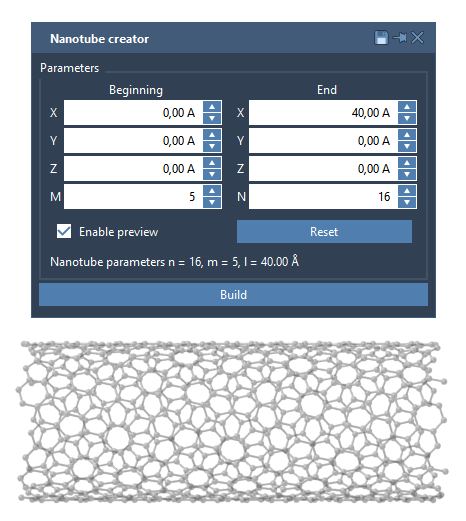
The Nanotube Creator’s graphical interface allows for fully customizable design of CNTs directly in 3D space. Instead of entering lengthy scripts or adjusting coordinates manually, you use an interface where adjustments are as easy as selecting values and clicking Build.
Step-by-step Example: Creating a 3-Layer Multi-Walled Nanotube
The interface lets you control two important parameters that define CNT geometry:
- n / m values determining the chiral vector (structure/radius)
- Start / End Positions defining where and in what direction the tube is drawn
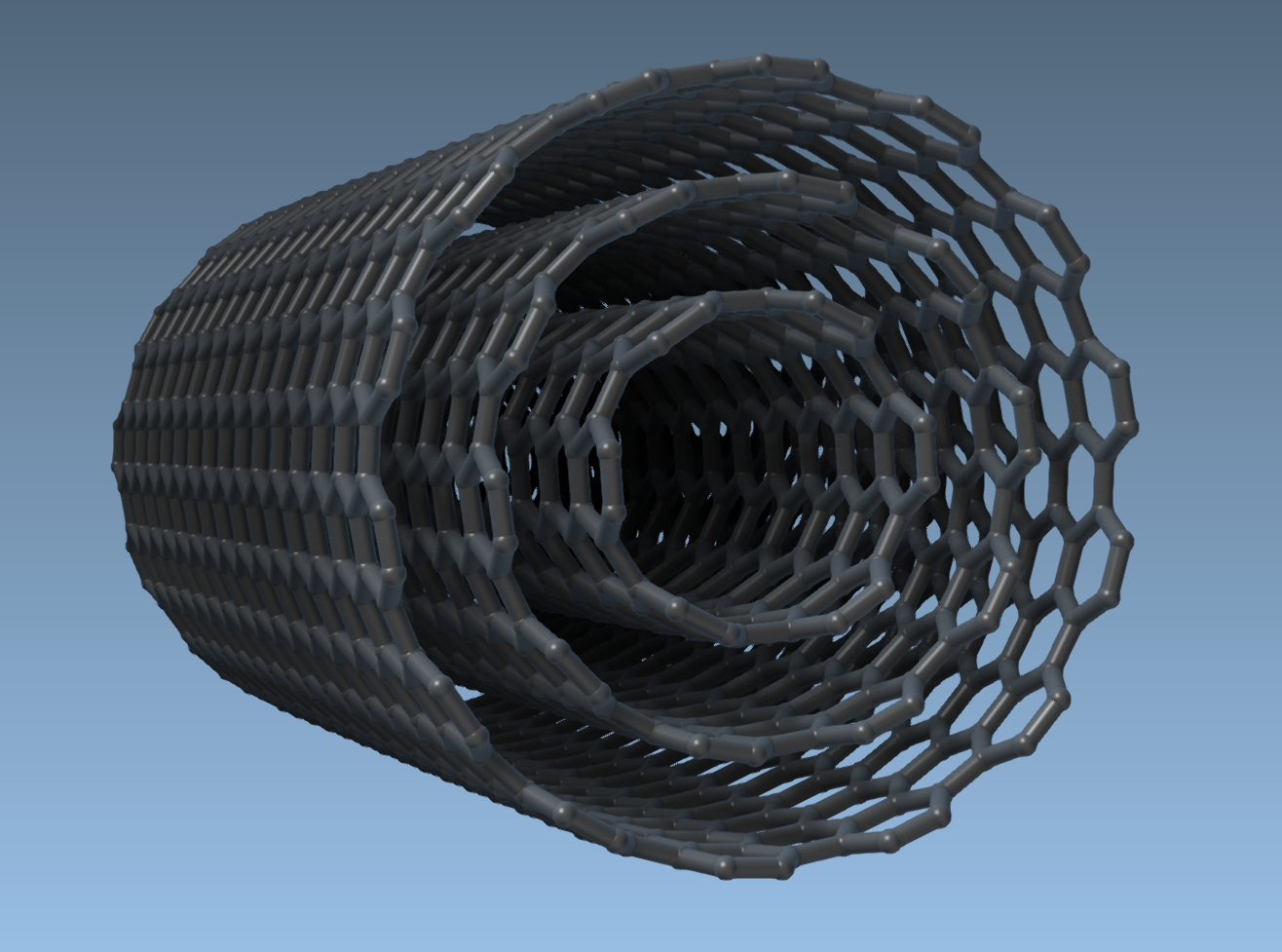
Let’s say you’d like to build a carbon nanotube composed of three concentric layers. This is how you would do it:
- Set the
StartandEndpositions to(0, 0, 0)and(40, 0, 0)—this defines a tube stretching along the X-axis for 40 Å. - For the innermost tube, set
n = 6andm = 6. Click Build. - For the second tube, increase the radius by setting
n = 10,m = 10. Click Build. - For the outer layer, go to
n = 14,m = 14. Click Build.
This gives you a clean model of a multi-walled carbon nanotube in moments. You can use this structure in simulations, visualization, or further analysis.
Why Modelers Are Sharing This Workflow
This graphical approach is not just easier—it empowers researchers to iterate quickly. You can explore different tube lengths, chiralities, or even combine nanotubes with other molecules to build hybrid nanostructures. And the process is reproducible, so models are more consistent across teams.
If you’ve been manually placing atoms or relying on external scripts to build carbon nanotubes, this is a good time to try a more visual, interactive process. You’ll spend less time debugging geometry and more time simulating or analyzing results.
To learn more or get started with the Nanotube Creator, visit the full documentation: https://documentation.samson-connect.net/tutorials/nanotubes/building-nanotubes-models/
SAMSON and all SAMSON Extensions are free for non-commercial use. You can download SAMSON at https://www.samson-connect.net.