



When working with large biological complexes like viral capsids or multimeric proteins, symmetry can be both a powerful advantage and a subtle challenge. Detecting symmetry accelerates simulation workflows, but modelers often face an important decision after automatic detection: which symmetry group should I use?
SAMSON’s Symmetry Detection extension is designed to automatically identify multiple plausible symmetry groups in biological assemblies. This is incredibly useful — but when faced with several options, how do you choose the best one? And why does it matter?
Why it Matters
Symmetry group selection isn’t just about classification—it directly impacts downstream modeling and simulation. Selecting the right group:
- Reduces computational cost by identifying only the unique asymmetric unit for simulation.
- Ensures biological relevance when designing mutagenesis experiments or modeling ligands.
- Improves reproducibility by aligning analysis with known structural expectations (e.g., PDB conventions).
Automatic Detection vs. Manual Selection
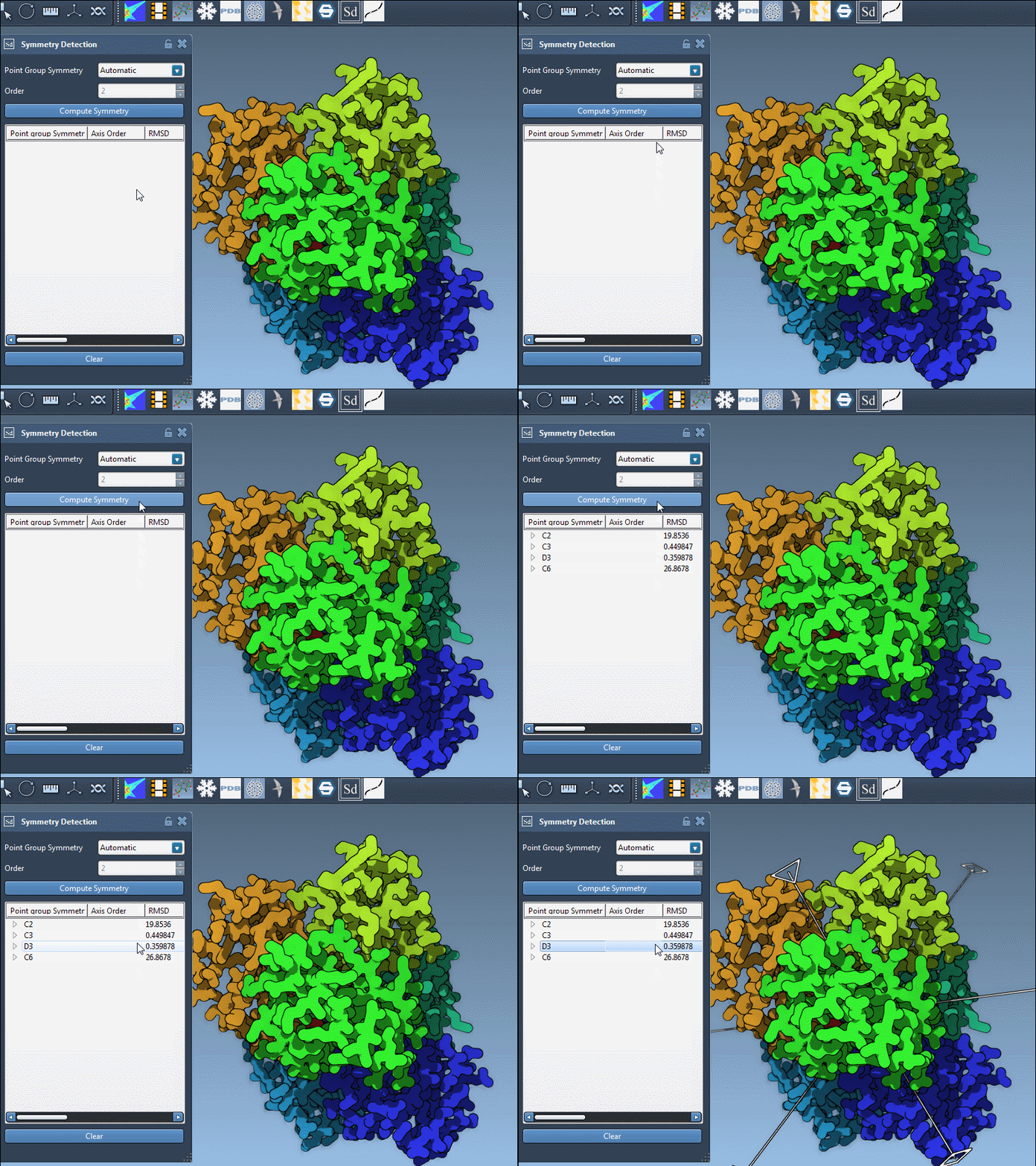
When you run symmetry detection in SAMSON, the app may return multiple candidate groups. This often happens in large assemblies, where small imperfections or modeling artifacts can distort local symmetries.
As shown in the example of the complex 1B4B, SAMSON detects a dihedral symmetry of order 3 (D3), but you might see more than one possibility depending on your structure and import settings.
Tips for Choosing the Best Symmetry Group
- Prefer higher-order symmetries with low RMSD (Root Mean Square Deviation) values. These usually indicate tighter fits and more regular repeats across the structure.
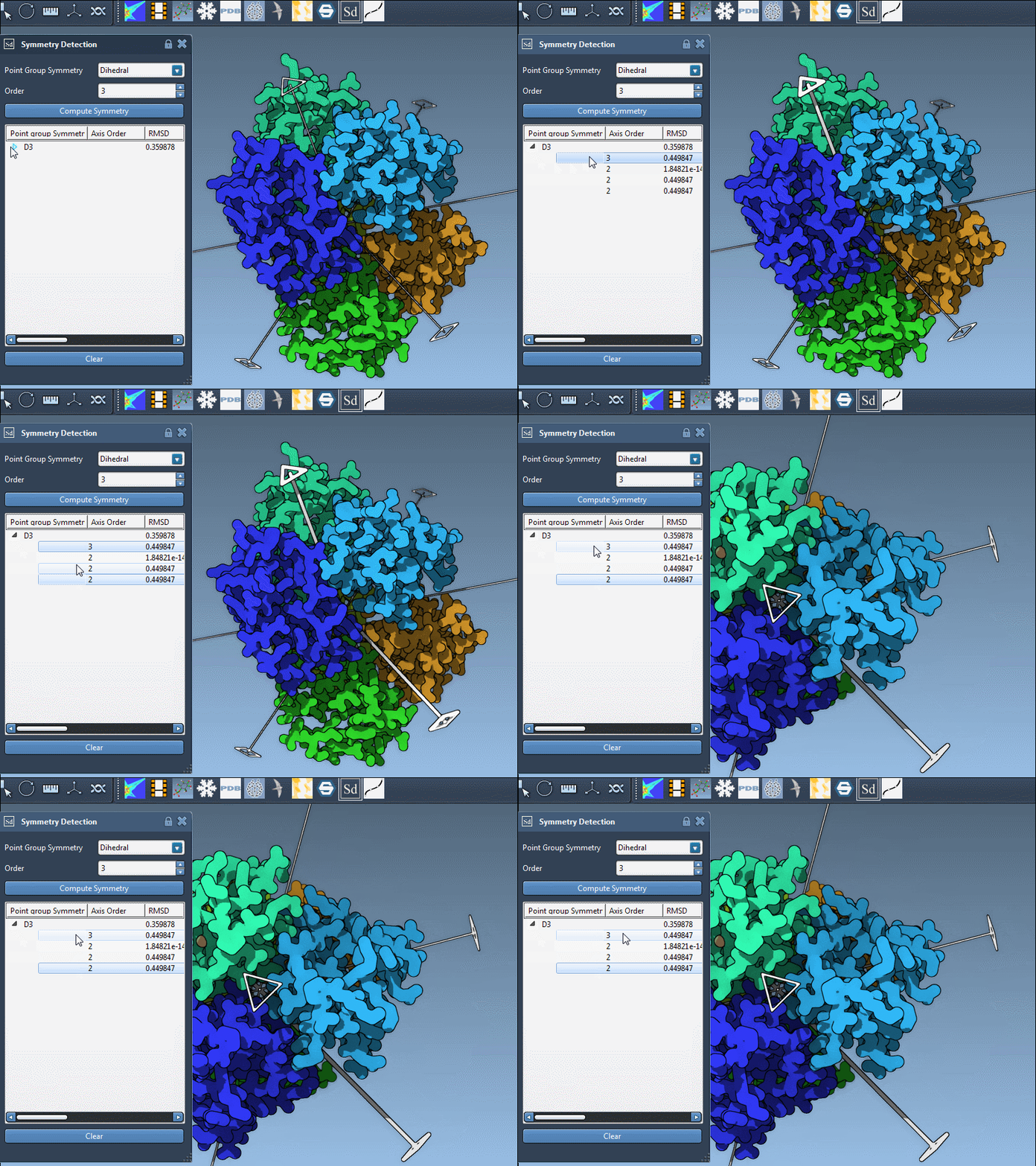
- Click on each group in the interface to visualize the primary symmetry axis. Understanding the orientation and coverage of that axis helps you align it with known biological features.
- Expand the group view to inspect individual axes, their types (2-fold, 3-fold, etc.), and associated RMSD scores. A group with multiple consistent axes is a good candidate.
When to Choose a Group Manually
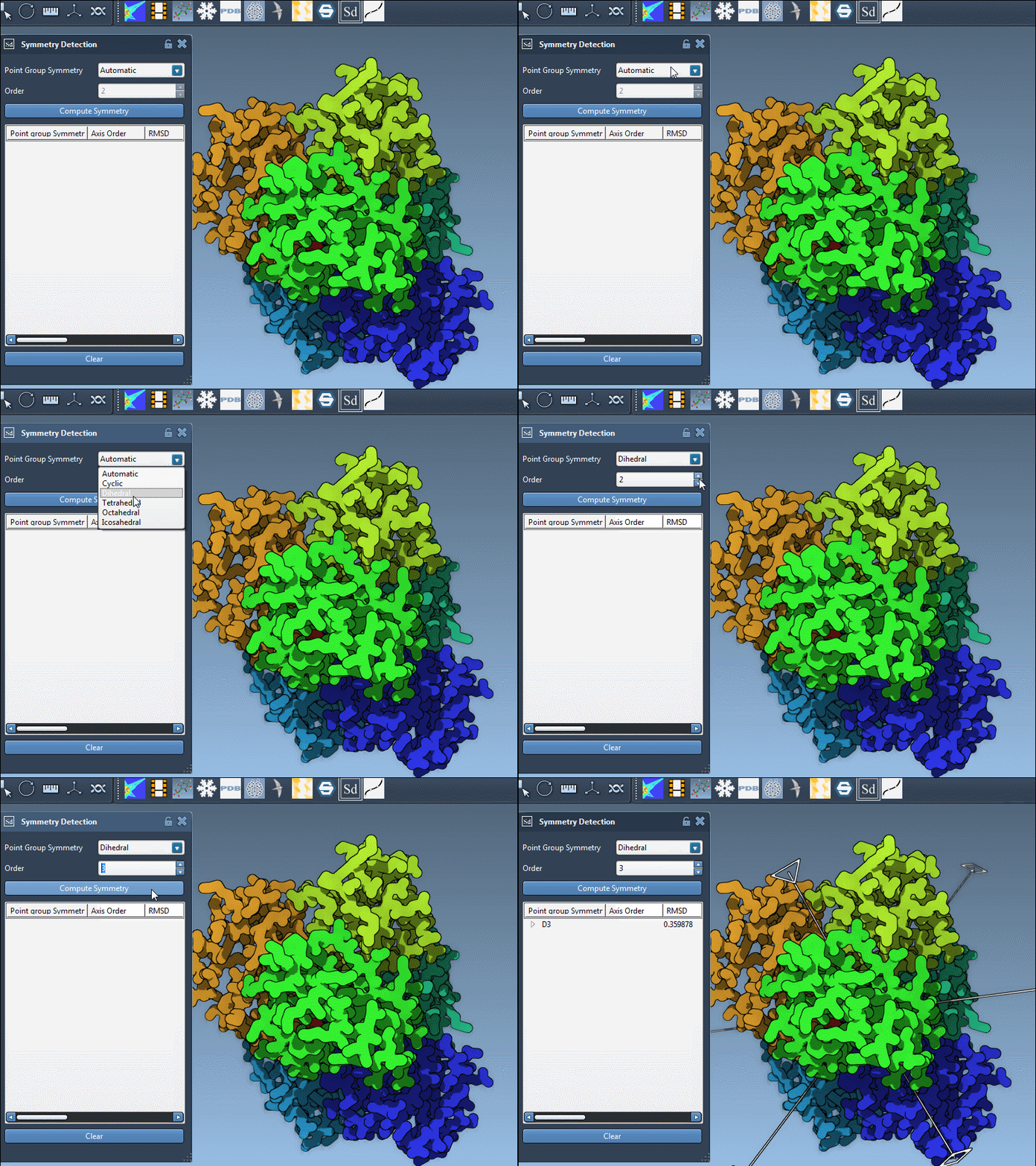
If you already know the expected symmetry from prior studies, literature, or the PDB file description (for example, D3 for some homomeric trimers), you can manually set this group in SAMSON under the group and order dropdowns.
Visualizing Before Deciding
- Single-click on an axis to highlight it in bold in the 3D viewport.
- Double-click on an axis to align the camera, giving you a direct view along that axis—handy for visual validation.
Summary
Choosing the right symmetry group doesn’t have to be intimidating. With some basic strategies—prioritizing low RMSD, visualizing axes, or specifying known symmetries—you can confidently select the group that fits your modeling goals. Taking the time to make this call ensures more efficient and biologically meaningful simulations.
To learn more, visit the full tutorial at this documentation page.
SAMSON and all SAMSON Extensions are free for non-commercial use. Download SAMSON at https://www.samson-connect.net.