



A molecular model can look perfectly reasonable on screen and still be a poor starting point for a force-field simulation. Bonds, bond orders, and atom types all influence how the model behaves. If those details are missing or inconsistent, starting a simulation without checking them can make it harder to understand what went wrong.
SAMSON’s Universal Force Field (UFF) workflow can automatically perceive bonds, bond orders, and atom types. That makes it possible to set up UFF directly on a molecular system—but the choices made during setup still matter. This guide focuses on a useful habit: treat initialization as a model check, not just a button-clicking step.
Start with the bond information you trust
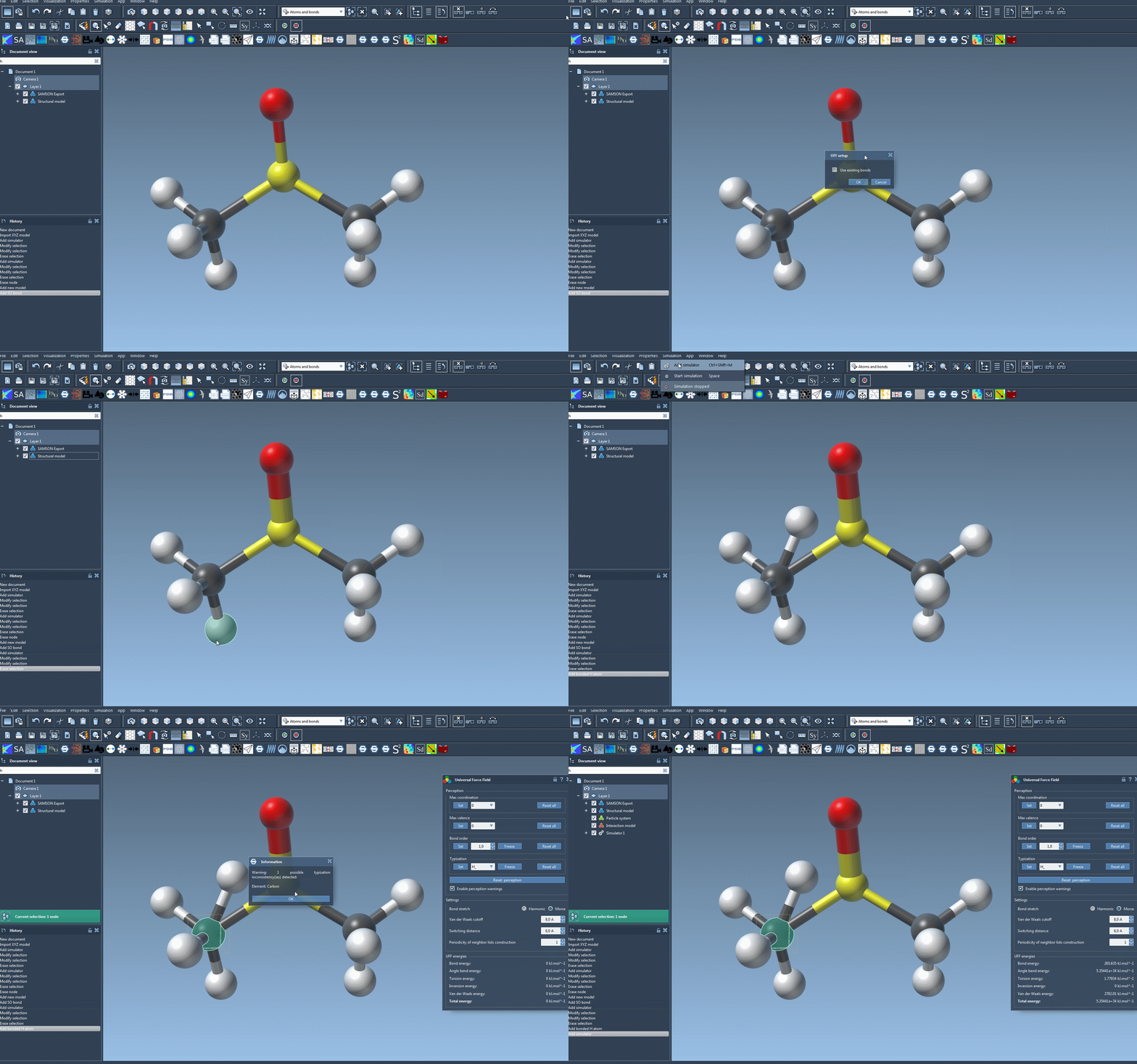
Open the molecular system you want to simulate, then add a simulator using Edit > Simulate > Add simulator. Choose Universal Force Field, select a state updater, and confirm the setup. The documentation gives FIRE as one example of a state updater.
In the UFF setup window, you’ll encounter a key decision: whether to check Use existing bonds. Check it when you want UFF to rely on the bonds already present in the model. Leave it unchecked when you want UFF to recompute bonds from atom types and positions. Neither option is a universal fix; the useful choice depends on whether the existing bond information is the one you intend to use.
After you confirm, UFF initializes the system. If existing bonds are not being used, it computes covalent bonds, then computes bond orders and atom types. A warning may appear if the module detects inconsistencies. Don’t treat that warning as a reason to blindly continue: pause, read what it reports, and check the structure and its bonding assumptions before relying on the simulation.
Run, observe, then adjust
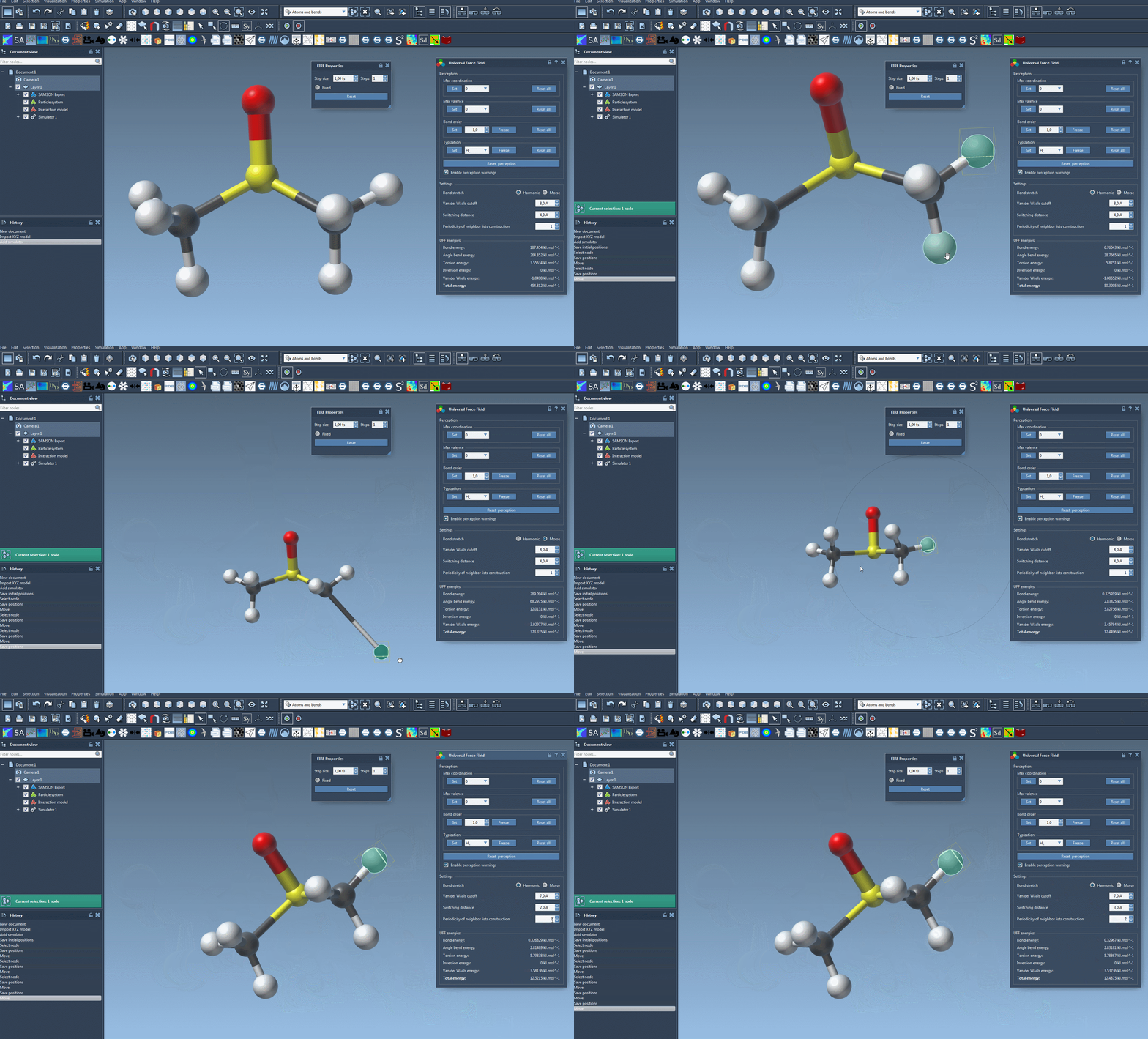
Once the UFF parameter window appears, start the simulation through Edit > Simulate > Start. The interface displays the energy of each UFF term and the total UFF energy. These values give you a way to observe how the model responds as you interactively move atoms; they are more informative than a single “started successfully” signal.
The parameter window also lets you choose between Harmonic and Morse bond-stretch interactions, and adjust the van der Waals cutoff, switching distance, and neighbor-list construction periodicity. For a first run, keeping the default settings is a sensible way to avoid changing several variables at once. If you do customize settings, change them deliberately so you can tell which choice affected the behavior you observe.
When perception needs help
Automatic perception is useful, but unusual or ambiguous structures may need deliberate corrections. Advanced users can customize maximum coordination and valence, force bond orders, or assign UFF atom types. A selected bond can be assigned a bond order from 0.1 to 3.9, and a bond order or atom type can be frozen so it does not change during another round of perception. These controls are powerful precisely because they override automatic choices; misuse can lead to incorrect structures.
If you change the system or its perception settings, Reset perception recomputes perception using the current customized settings and atom positions. The relevant Reset all buttons let you clear customizations. This gives you a practical troubleshooting sequence: inspect the input, choose whether to use its existing bonds, review any warnings, and only then consider targeted advanced overrides.
Atoms can also be deleted or added while the model is being simulated, with typization recomputed automatically. When adding an atom, connect it to an existing atom in the system. This can be useful when editing a structure, but it’s another reason to keep an eye on the model’s perceived chemistry as it changes.
The central lesson is simple: UFF setup is not only about launching a simulation. It is also an opportunity to check which bonding information the model will use and whether the resulting perception matches your intended structure. For the full workflow and references, read the UFF tutorial.
Note: SAMSON and all SAMSON Extensions are free for non-commercial use. Get SAMSON.