



A molecular structure can look plausible and still contain awkward geometry: atoms may be poorly arranged, or the system may need to relax before you begin a simulation or continue interactive modeling. The challenge is finding a practical way to reach a lower-energy geometry without spending unnecessary time watching small changes accumulate.
In SAMSON, the Fast Inertial Relaxation Engine (FIRE) minimizer is a geometry-optimization option designed to help structures settle. It can be especially useful when many atoms move together, a situation where steepest descent may converge more slowly. FIRE is not a substitute for choosing an appropriate interaction model, and minimization does not by itself establish that a structure is biologically correct. It is a way to relax geometry under the model you have selected.
Start with a system you can inspect
Load a molecular system from a supported format such as PDB or MOL2. If you are new to the workflow, begin with a small test system. This makes the effect of the settings easier to see and gives you a lower-stakes place to become familiar with the minimization process.
Before running the minimizer, decide which interaction model you want to use. In SAMSON, open Edit > Add Simulator, select the interaction model, and then choose FIRE from the State Updaters list. This distinction matters: the interaction model defines the forces used for the system, while FIRE is the state updater that uses those forces to advance the geometry toward a minimum.
Understand the settings before changing them
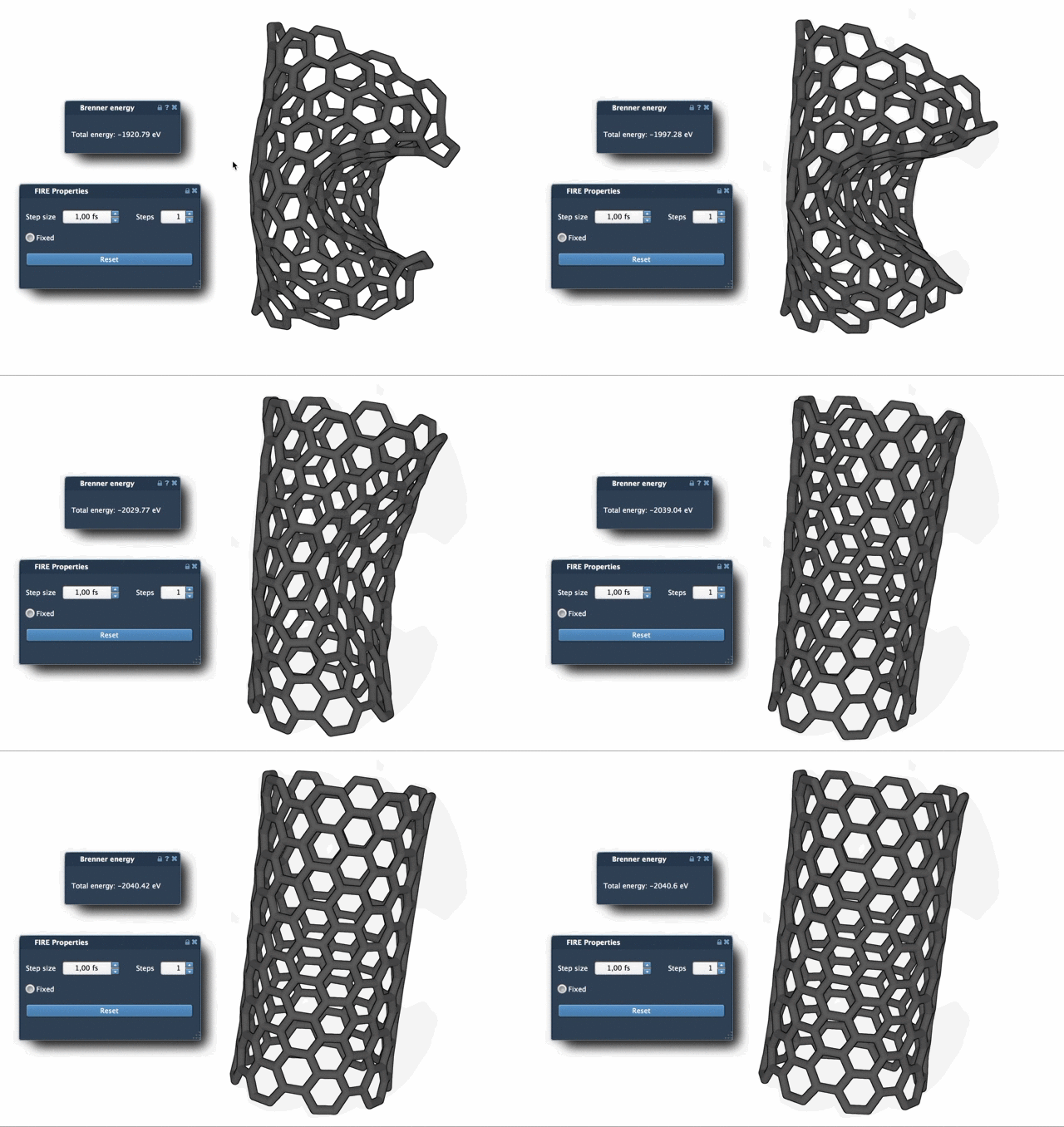
- Step size is the initial integration step for minimization. It controls the scale of the initial updates.
- Steps sets how many FIRE steps occur between viewport updates. It affects how often you see the minimization refresh on screen—not the number of total steps the process can take.
- Fixed is an optional setting that keeps the step size constant.
If you want to make progress easier to observe, increase the Steps value so the viewport updates less often but shows a more pronounced change each time. If you are trying to understand how the structure evolves, more frequent updates can make the process easier to follow. These are choices about observing the process, not a guarantee of a better final structure.
Why FIRE can help with collective motion
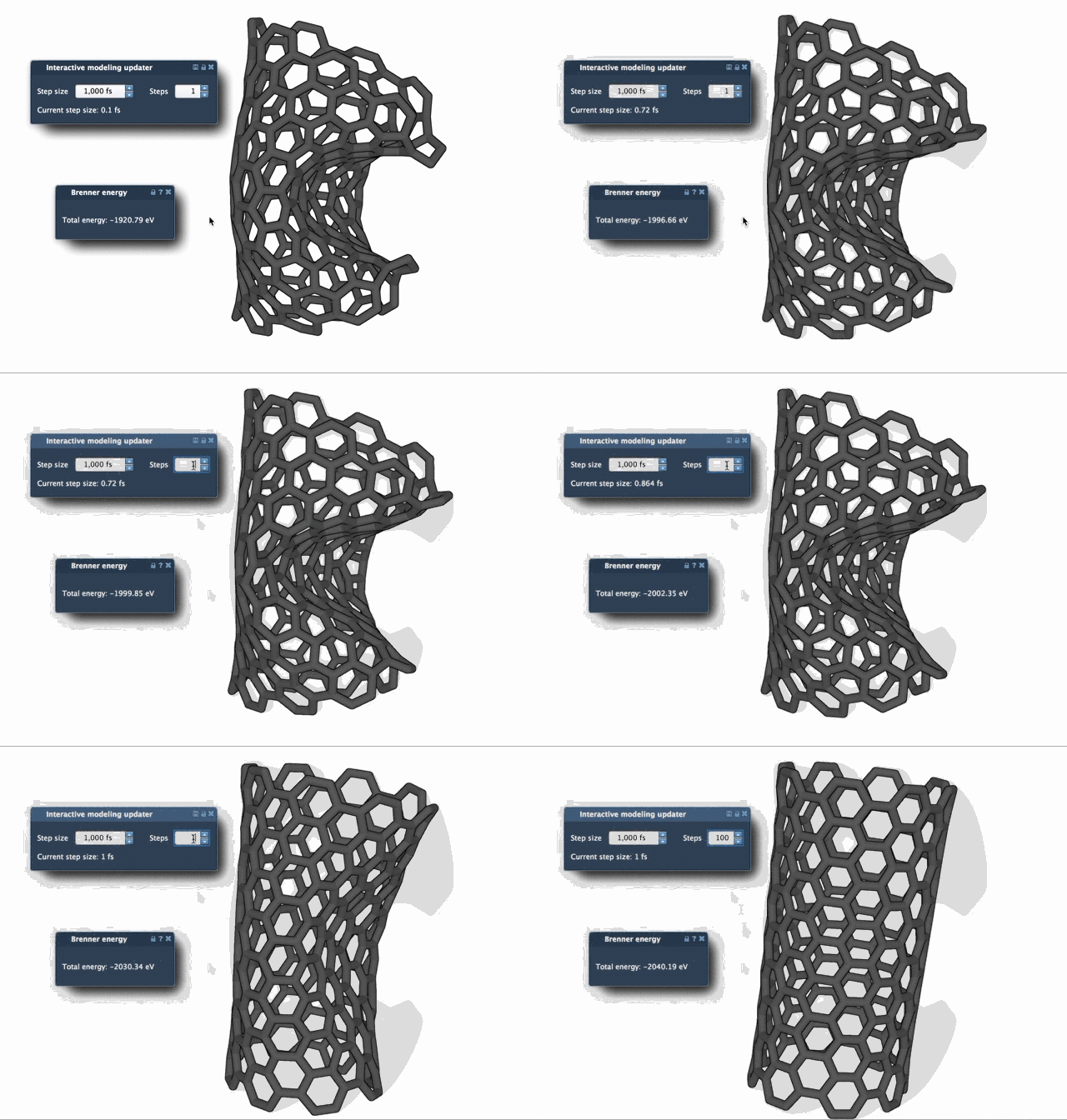
Some geometry changes involve coordinated movement across a structure. In these cases, potential energy may change only modestly even while the overall geometry continues to evolve. FIRE is designed to be faster than steepest descent for this kind of relaxation. The comparison below illustrates the difference in how the two methods can progress.
One useful detail: reset after manual edits
Interactive modeling can mean adjusting atoms while minimization is running. If you manually move atoms and want to clear FIRE’s stored history, press Reset. This is a small but important step when you have intervened in the geometry and want the minimizer to continue without its previous history.
FIRE is implemented as a SAMSON State Updater, so it can be used in workflows that need geometry optimization. For example, the Molecular Restrainer extension uses it for energy minimization of NMR-derived structures. The underlying method was introduced by Bitzek and colleagues in “Structural Relaxation Made Simple”.
For the complete walkthrough and additional context, see the FIRE minimizer tutorial.
Note: SAMSON and all SAMSON Extensions are free for non-commercial use. Get SAMSON.