



Molecular modelers working with protein complexes or large biological assemblies often face a common bottleneck: the computational cost of simulations. Simulating an entire biological system, especially symmetrical ones like viral capsids or multimeric assemblies, can be resource-intensive. Fortunately, understanding and leveraging symmetry can significantly reduce this burden. The Symmetry Detection extension in SAMSON enables users to identify and visualize axes of symmetry in biological systems, streamlining molecular design processes and accelerating simulations.
The Role of Symmetry in Molecular Modeling
Symmetry is not just an aesthetic property in molecular systems—it plays a practical role in reducing complexity. By identifying unique repeating units (asymmetric units), you can focus your simulations on these sections instead of the entire molecular structure. Identifying symmetry can help you:
- Recognize and exploit functional interfaces that are repeated across symmetric elements.
- Validate experimental structures by checking for expected symmetry elements.
- Design molecular systems, like symmetric nanomaterials or mutagenesis targets, with precision.
- Substantially minimize computational loads by simulating only unique parts of a structure.
How SAMSON’s Symmetry Detection Works
The Symmetry Detection extension in SAMSON is designed for ease of use. Once a biological assembly or multimeric complex is opened in SAMSON, users can quickly compute its axes of symmetry. Below is a step-by-step outline of the process:
- Initialize: Open SAMSON and load a target structure, such as a Protein Data Bank (PDB) file. If using imported assemblies, ensure symmetry records are included.
- Launch the extension: Navigate to Home > Apps > Biology > Symmetry Detection.
- Compute symmetry: Click on the Compute Symmetry button. The application detects multiple axes—2-fold, 3-fold, 5-fold, and others, depending on the geometry.
- View and select: Review the identified symmetry groups. Users can highlight a preferred axis in the viewport for specific workflows.
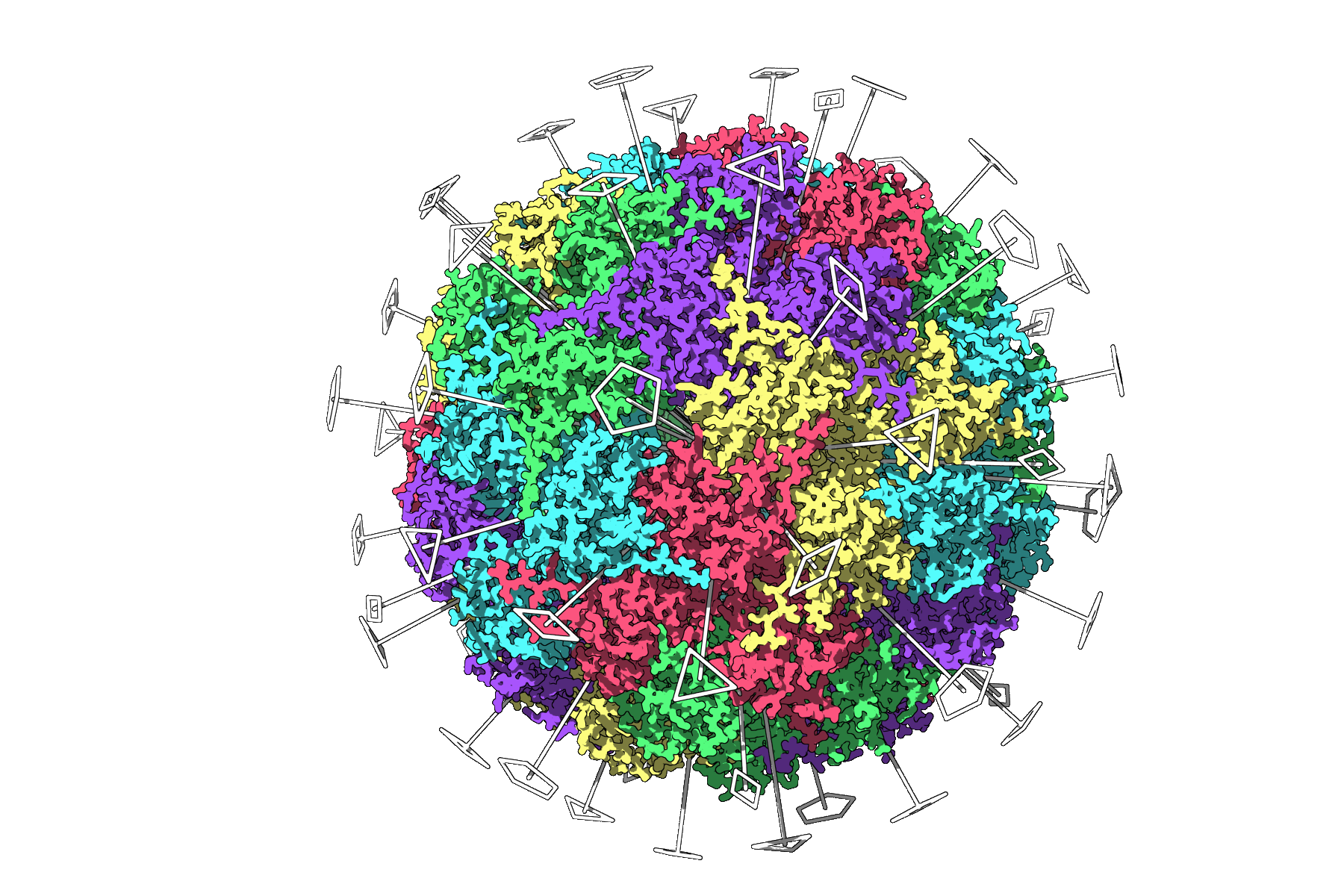
Example: For an icosahedral capsid like PDB 3NQ4, the extension displays all symmetry axes (2-, 3-, and 5-fold). Modelers can focus on the unique asymmetric unit before running resource-heavy simulations!
Enhancing Results with Symmetry Tools
The Symmetry Detection extension provides tools to maximize clarity and workflow efficiency:
- Visualization: Pair symmetry axes with visual models like ribbons or surfaces for context. Applying color to asymmetric units emphasizes structural repeats.
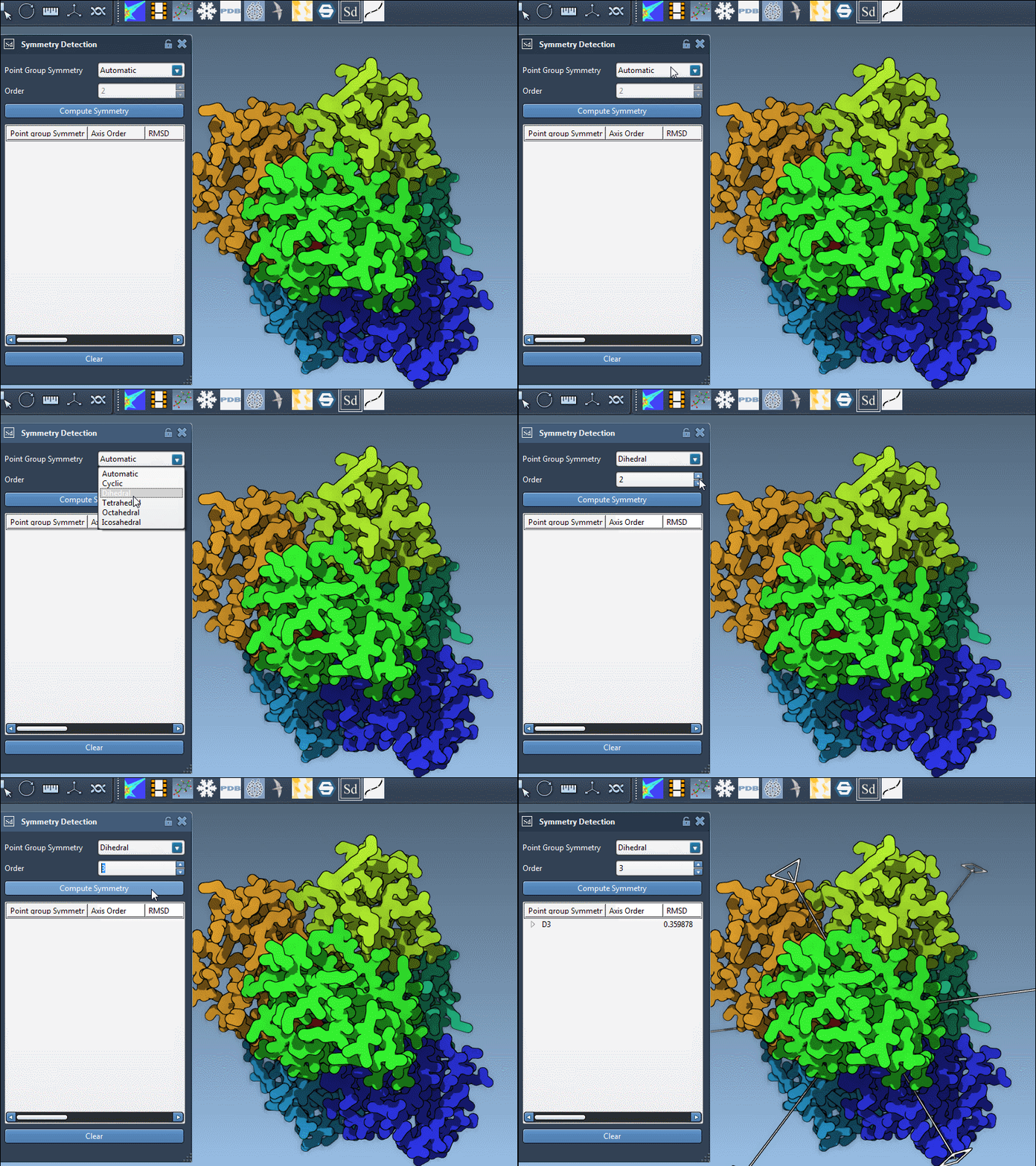
- Manual Selection: If expected symmetry (e.g., D3 symmetry for PDB 1B4B) is known, users can manually select symmetry types from dropdown lists.
- RMSD Scores: Symmetry groups and their axes are ranked by RMSD scores—lower RMSD values indicate better matches. Users can explore specific axes or optimize their selections through single and double clicks.
Conclusion
SAMSON’s Symmetry Detection extension is a powerful tool for reducing computational intensity and gaining insights into molecular assemblies. Whether optimizing simulations, designing symmetric structures, or validating experimental models, this extension simplifies symmetry identification with an intuitive workflow.
Learn more about SAMSON’s Symmetry Detection extension and explore detailed tutorials at this documentation page.
Note: SAMSON and all SAMSON Extensions are free for non-commercial use. Get SAMSON at https://www.samson-connect.net.